
Edit, Hold and Delete Pickup
Hold Pick Up
- Select Transporation and Service or Dealer Profile Application
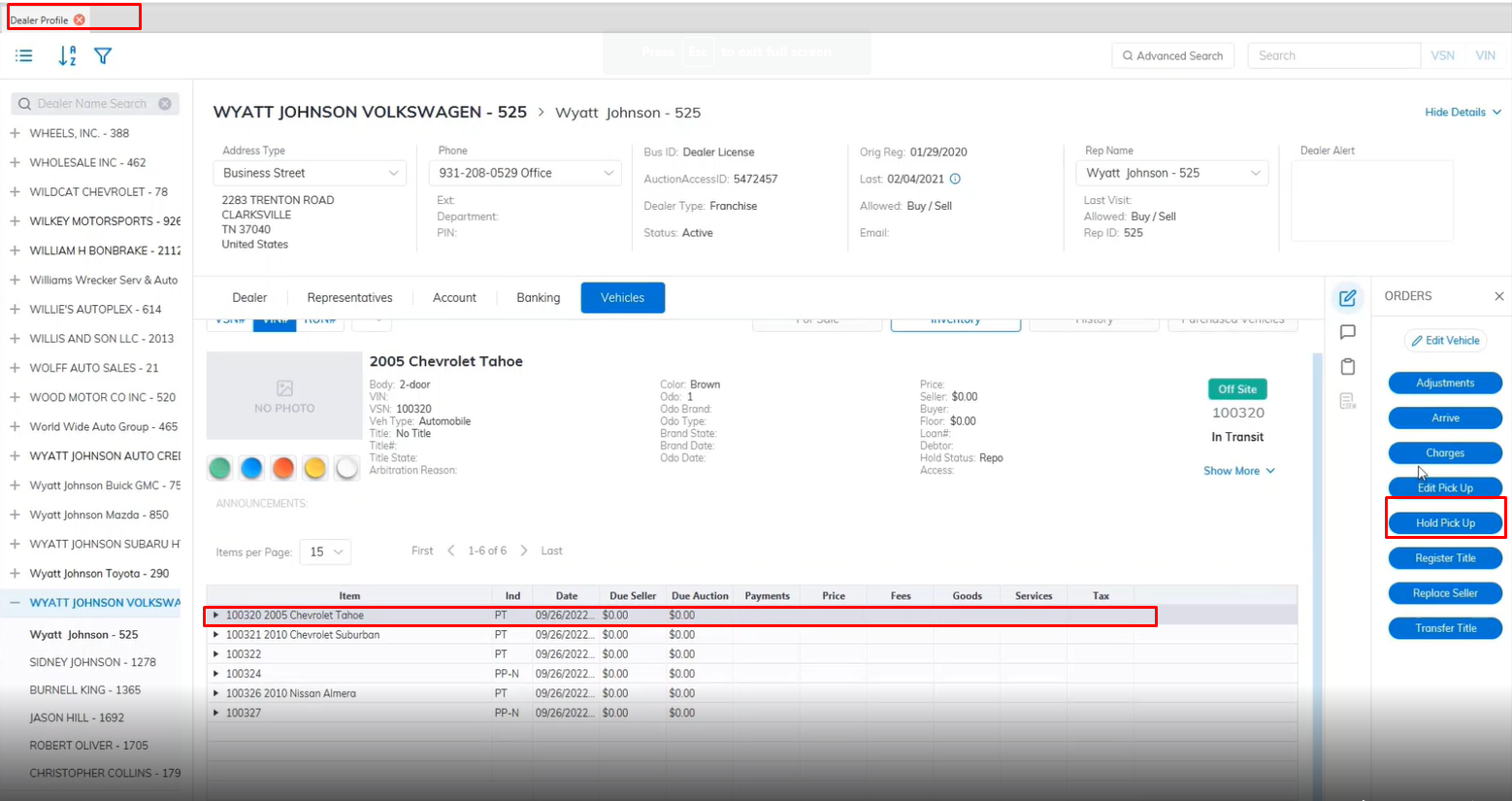
- Select the Vehicle
- Then select the 'Hold Pick Up' order under the Orders menu on the right.
- This will launch the Hold Pick Up form.
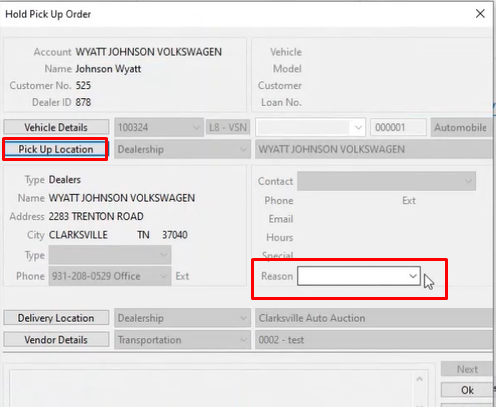
- Select the Reason code
- Click 'OK' to close the form
Hold orders can only be issued for Pick Up orders in transit (PT). If you issue a Hold order you will be asked for a Reason code.
Edit Pick Up
- Select Transporation and Service or Dealer Profile Application
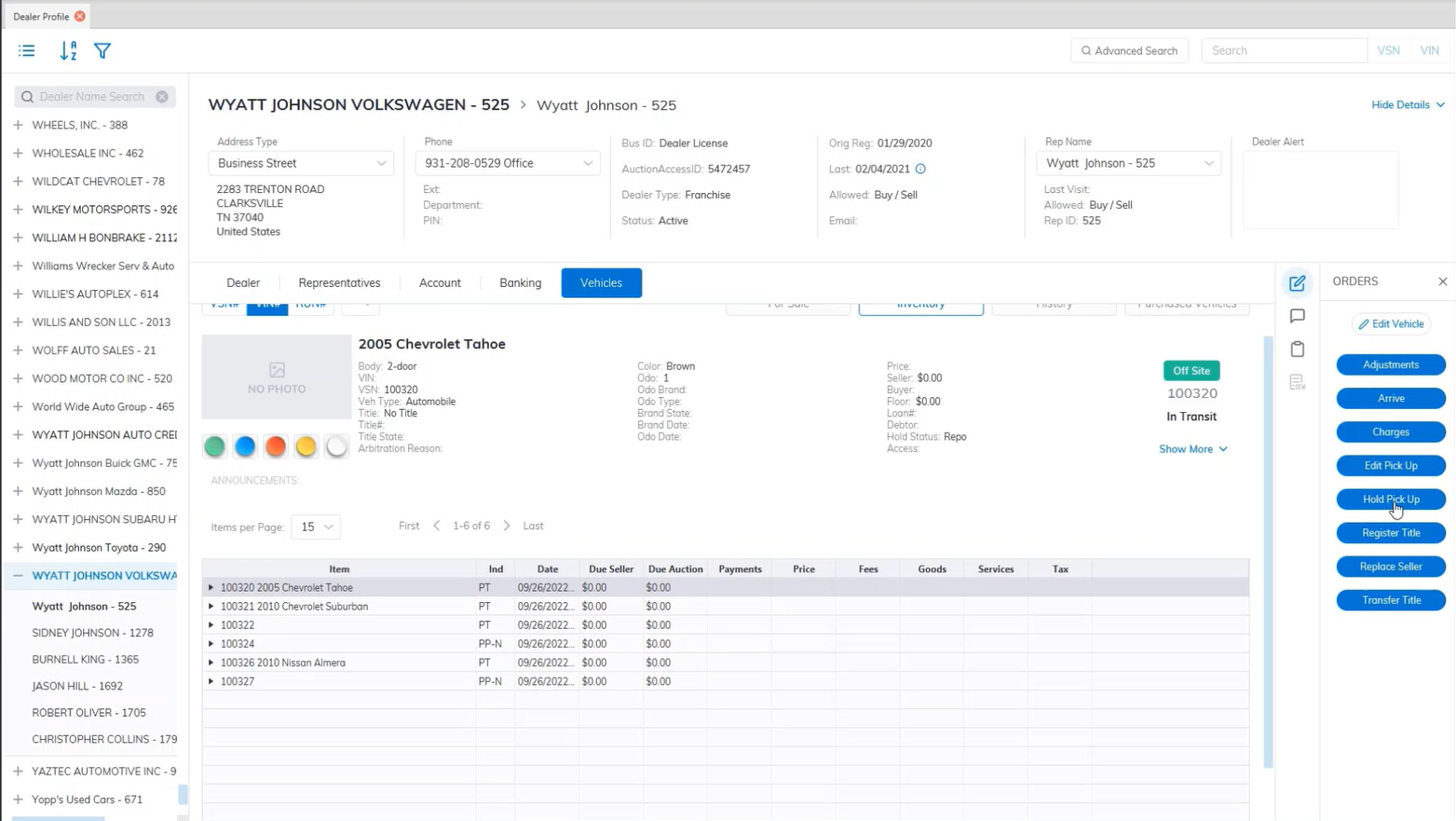
- Select the Vehicle
- Then select the 'Edit Pick Up' order under the Orders menu on the right.
- This will launch the Edit Pick-Up form.
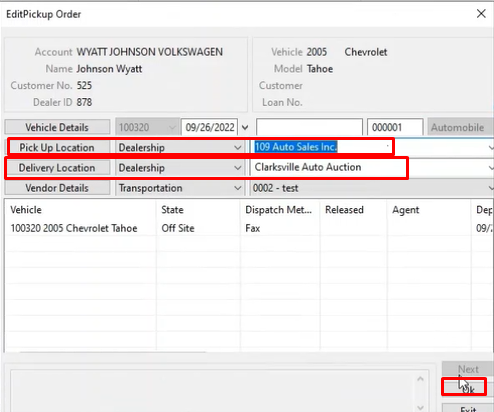
- Here you choose the Pick Up Location information
- Here you choose the Delivery Location information
- Click 'OK' to save and close the form
Delete Pick Up
- Select Transporation and Service or Dealer Profile Application
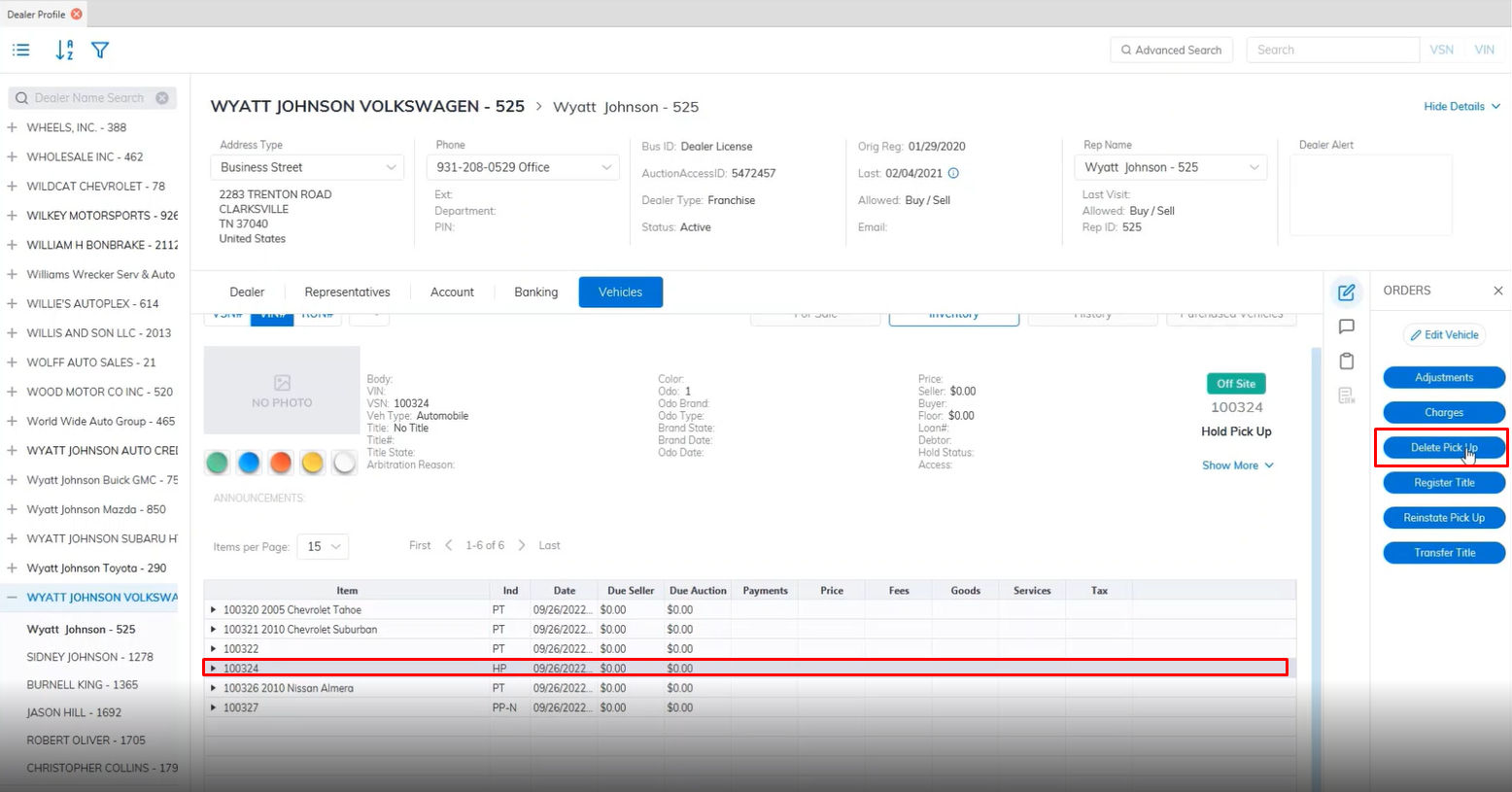
- Select the Vehicle
- Then select the 'Delete Pick Up' order under the Orders menu on the right.
- This will launch the Delete Pick Up form.
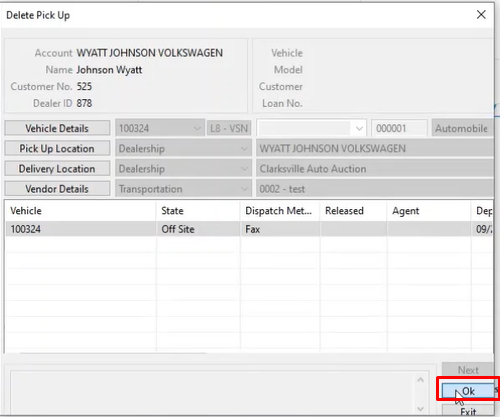
- Click 'OK' to close the form and Delete the Pickup.
No Comments