
Float Payment Report
The Float payment report lists all buyer payments that the Auction has decided to hold for a period of time. As part of the Buy Settle order a user may designate any payment as 'Float'.
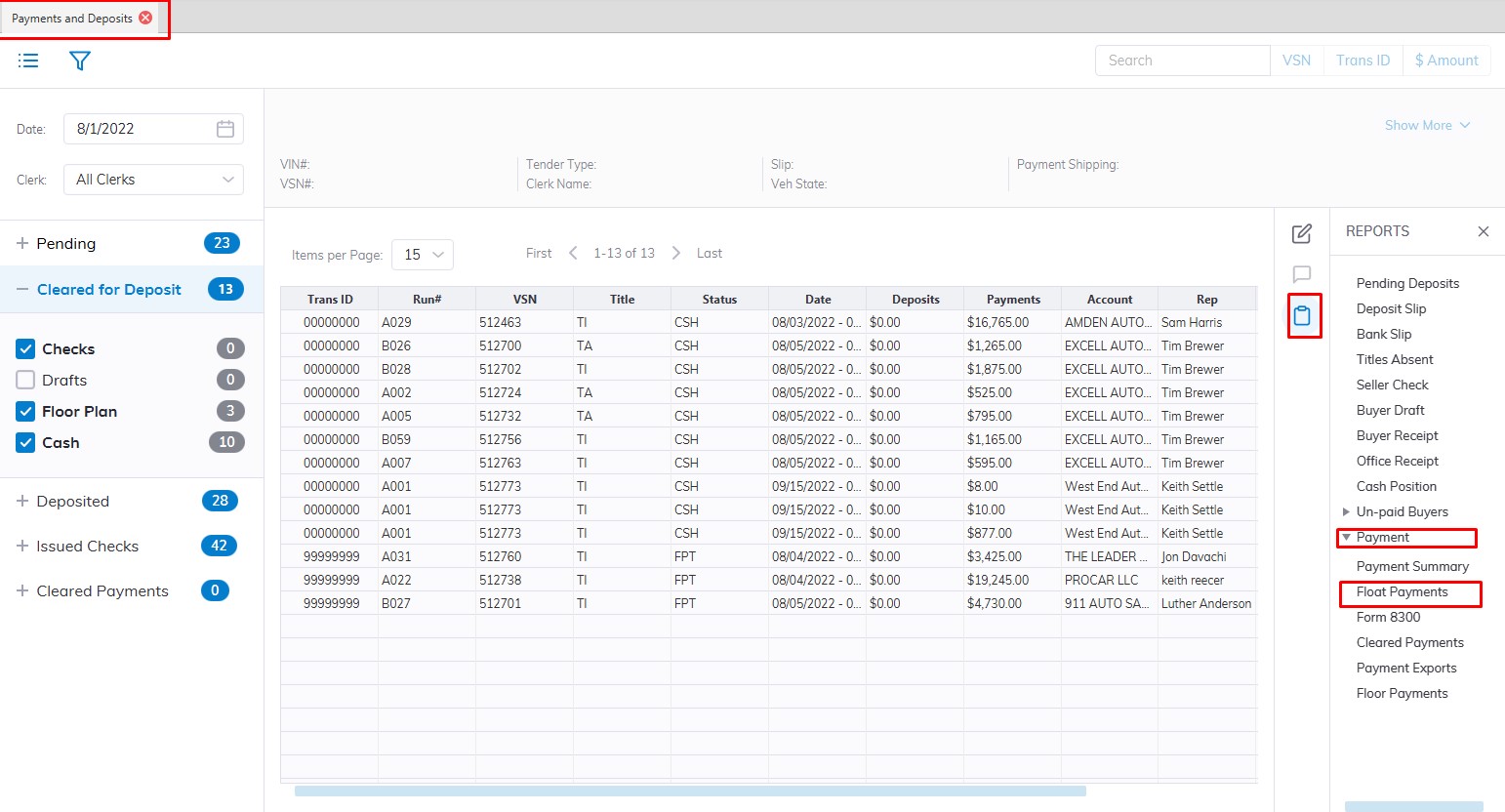
- Select the Payments and Deposit application
- Select the 'Reports' then sub-menu 'Payments'
- Select the Cleared Payment Report
- This will Launch the wizard to generate the report.
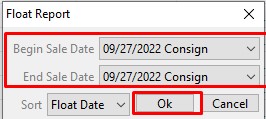
- Here you can choose the Date range you would like to run the report for
- You can choose to sort by Float Date which is the default
- Click 'OK' when done to create and print the report.
No Comments