
Block Ticket Report
The Block ticket is a small version of the Buyer Invoice but is not a legal document. The Block Ticket report can be printed from the Dealer Profile and Vehicle Block applications.
- Select the Vehicle Block application
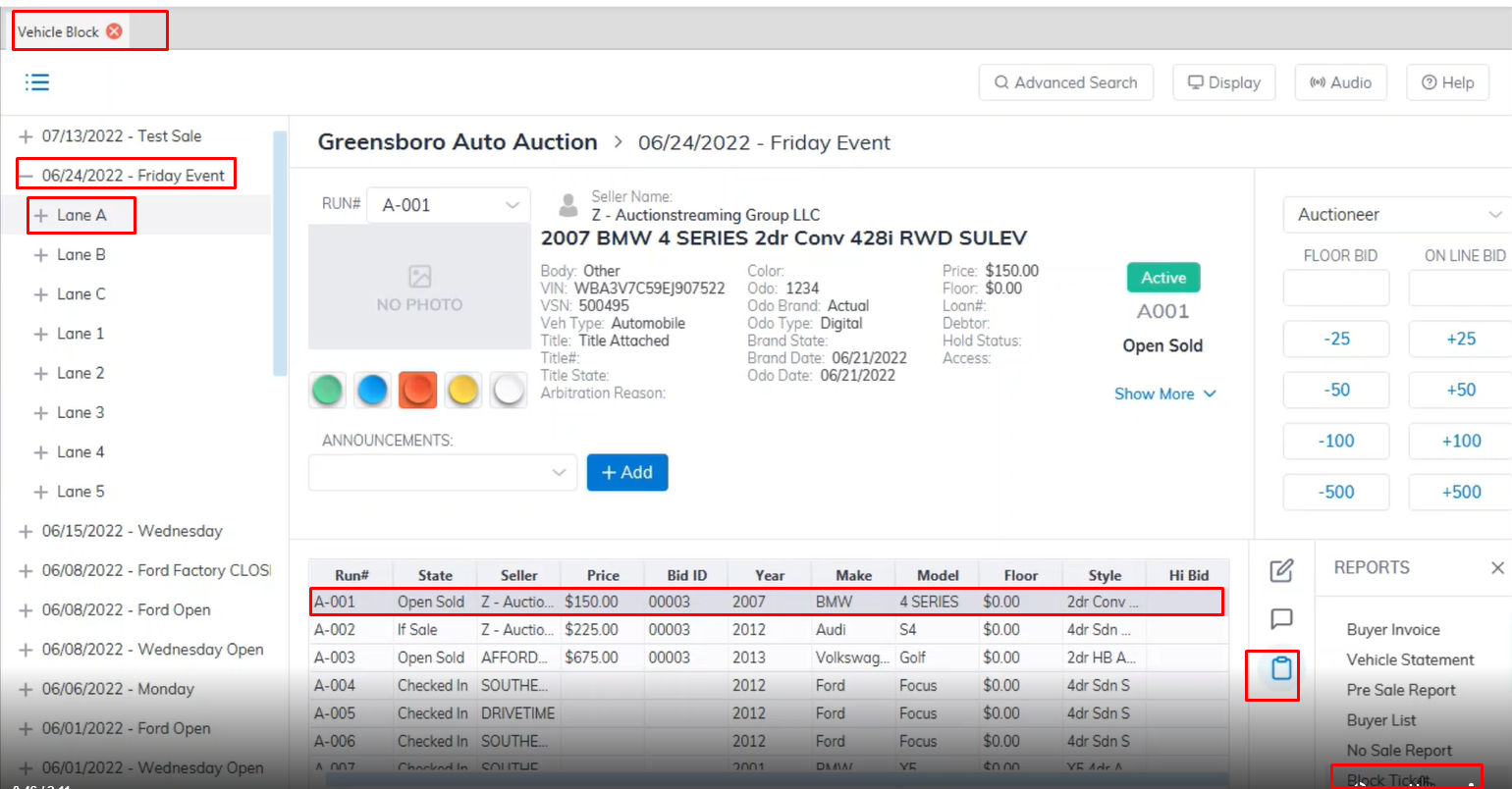
- Select a Sale date
- Select the Lane
- Select the vehicle you want to print the Block ticket for (The vehicle must be in a Sold State)
- Select the Reports menu
- Then here you select the Block Ticket sub-menu to generate a preview of the Block Ticket report for printing.
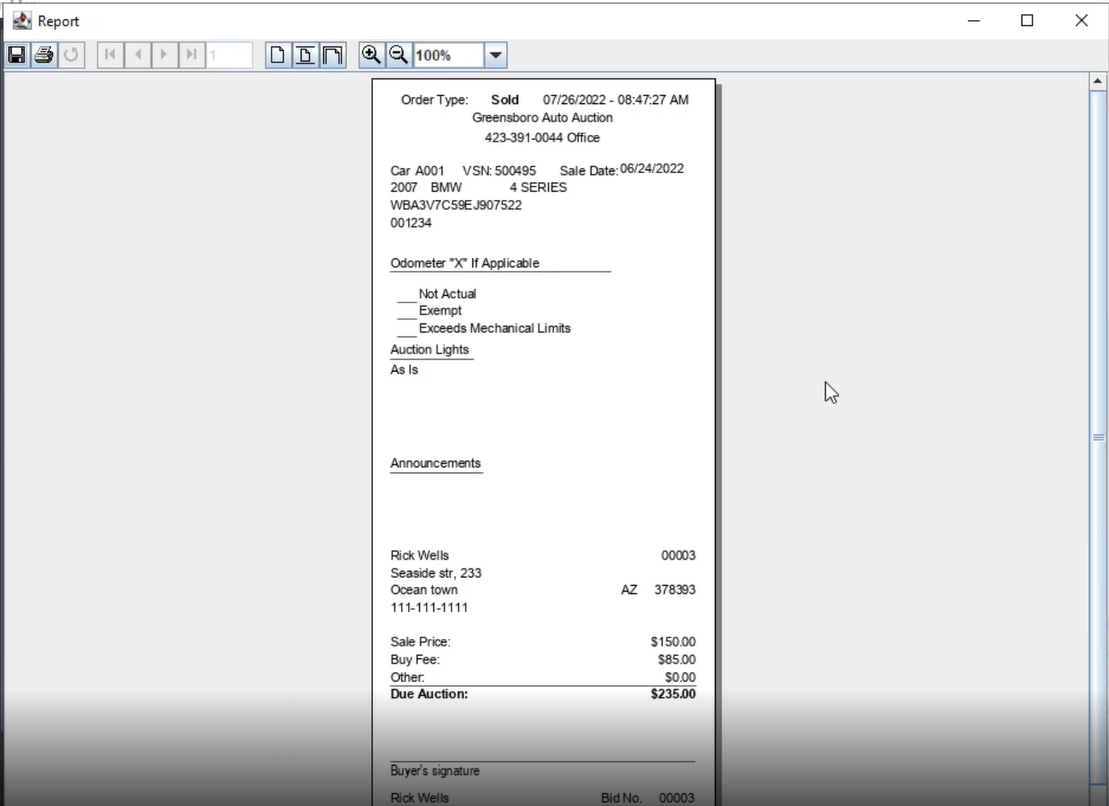
- When you are done reviewing click the printer icon to print the Block ticket report.
No Comments