
General Ledger
General Ledger is an accounting report, not a sales report. Behind each transaction is a posting event containing 'opening' and 'closing' entry(s) posted to the Ledger in real-time. A 'P&L' can be obtained at any time. The double-entry Ledger has a complete chart of Accounts.
There are two versions of General Leger:
- GL Detail
- GL Summary
from the Sale Profile select Reports > Accounting Reports > General Ledger
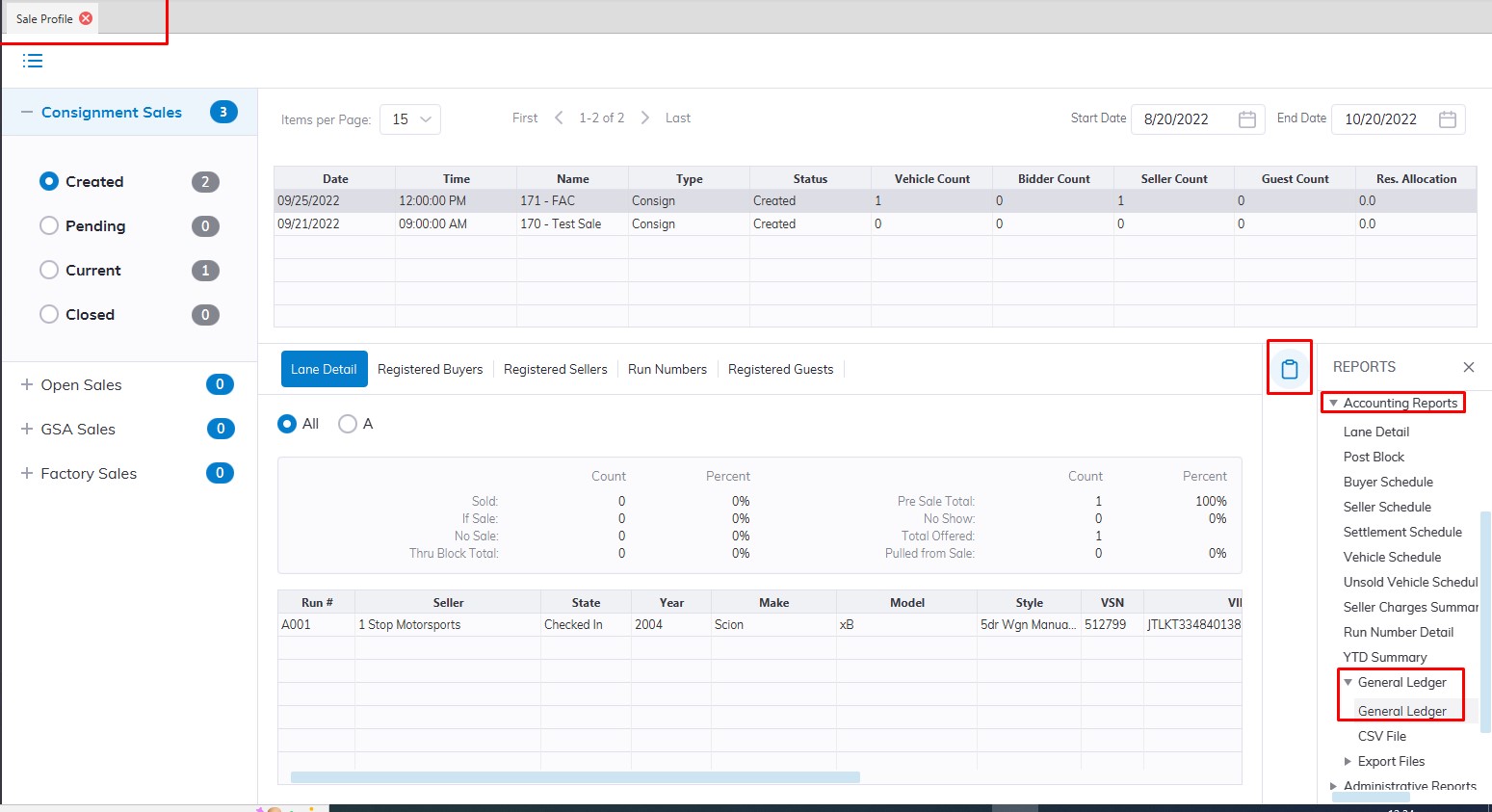
This will launch the GL report wizard
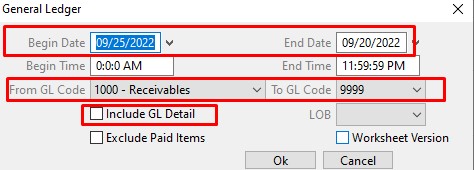
- Select a Date range
- Select the GL Code you want to run the report with
- For Detail, GL report Select the 'Include GL Detail' checkbox
- Click 'OK' when done to create and print report
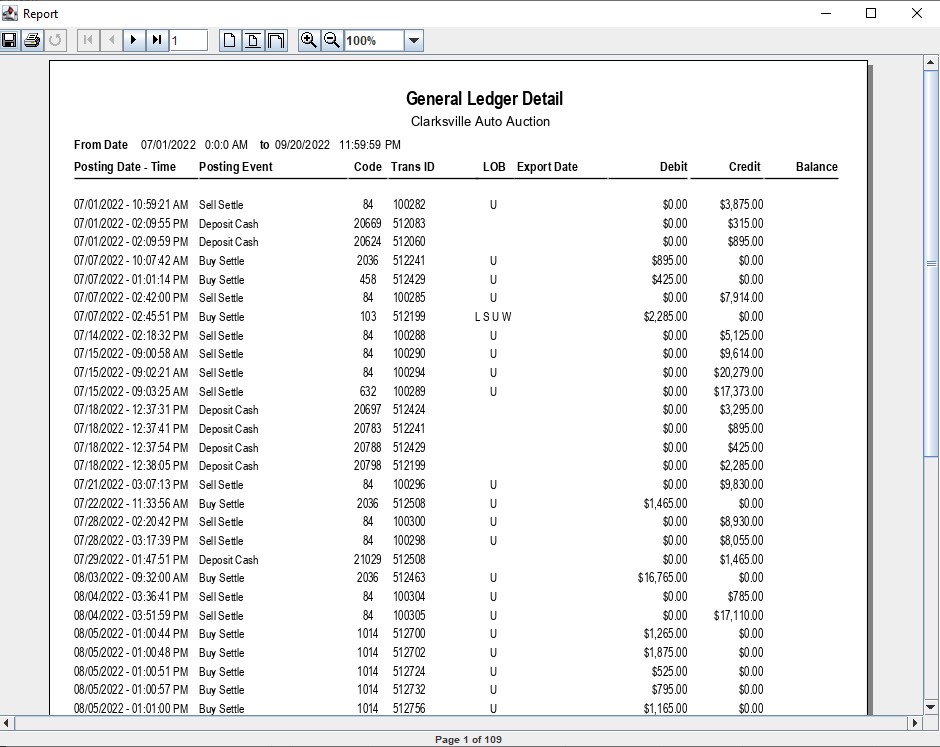
GL Detail Report Example
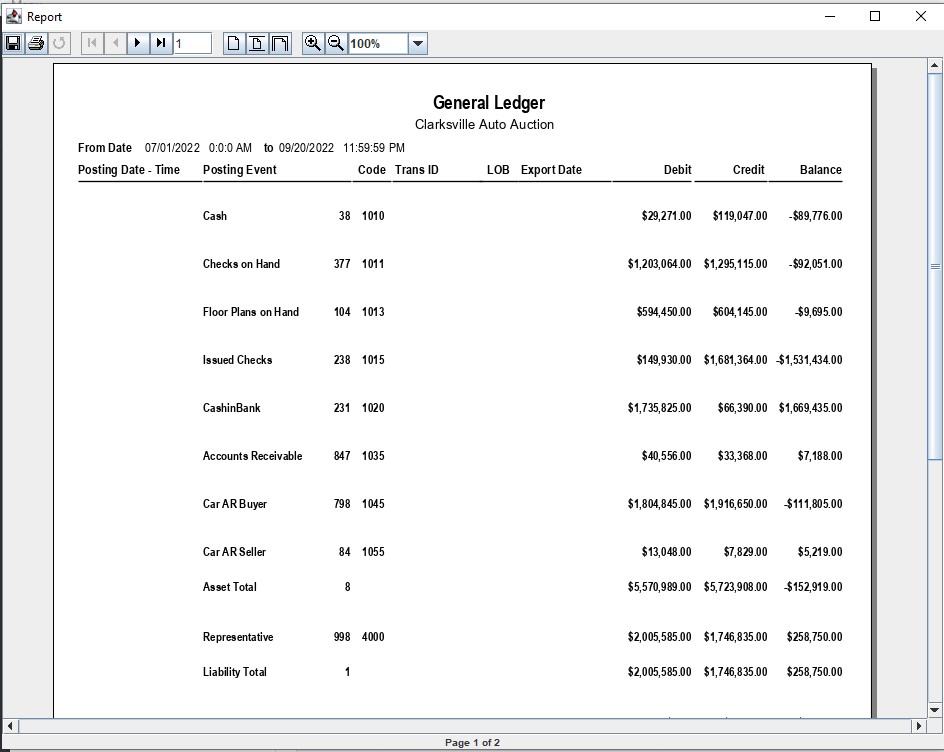
GL Summary Report Example
No Comments