
Owner
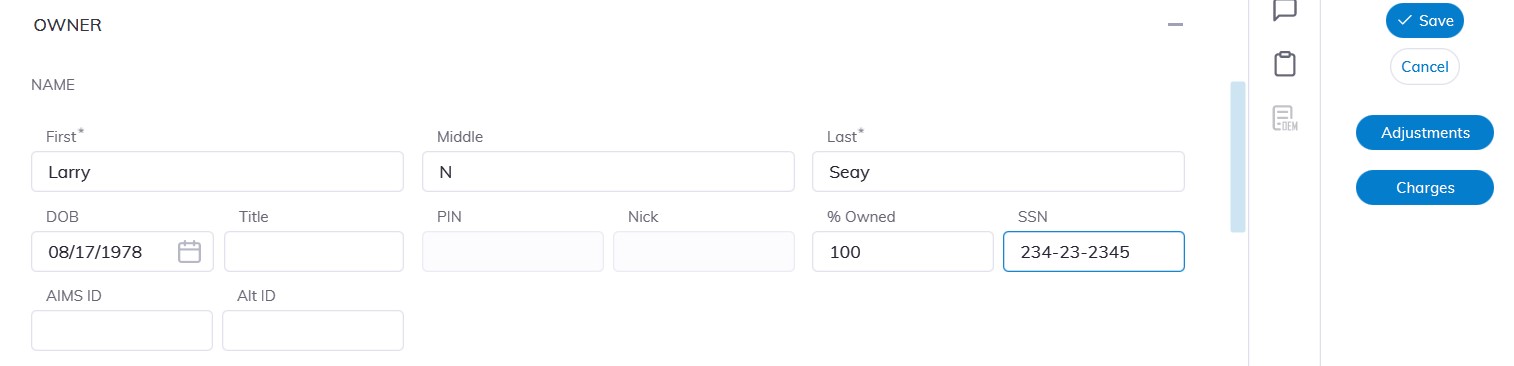
The owner section is where the Business Owners' info is entered.
Fill in the other fields:
- First Name
- Middle Name
- Last Name
- Title
- SSN
- DOB
- Percentage Ownership
Click 'Save' to Save.
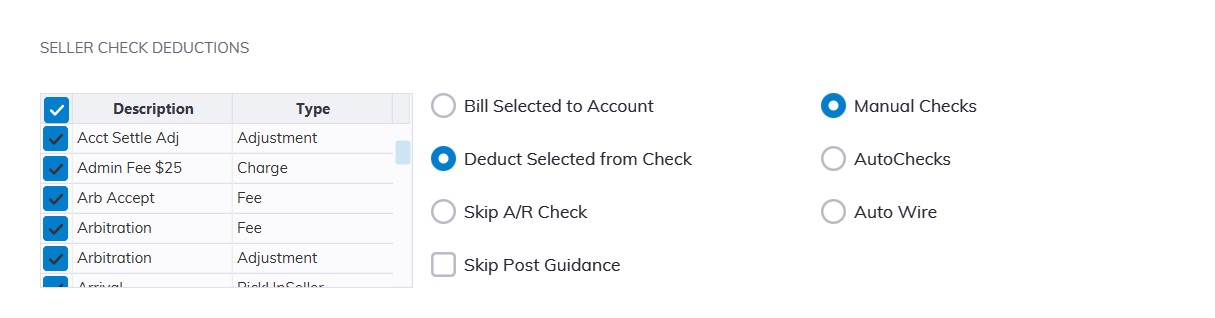
The Seller Check Deductions reflect the Auction's policy regarding which amounts are deducted from a Seller's check' versus those billed to the Seller's Accounts Receivable. The Dealer specific settings allow an Auction to have a different policy for different Dealers. Settings apply to any and all Seller Check issued to a Dealer.
Any charge, adjustment, or fee associated with a vehicle may be subject to Seller Check Deductions.
Selecting:
- 'Bill Selected to Account': means any selected charges, adjustments, or fees are guided to the account during Sell Settle.
- ‘Deduct Selected from Check’: means any selected charges, adjustments, or fees are guided from the account during Sell Settle.
Automated checks or wires may be set up for the individual dealer.
NOTE: Contact AMS support before setting this control to Automatic
Click 'Save' to Save.
Condition Report
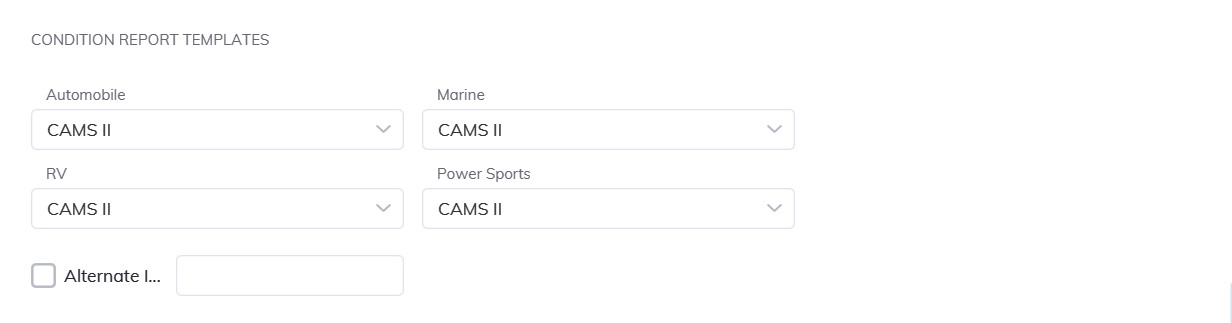
Select the down at the following fields: choose the CRC template to use
- Automobile
- Marine
- RV
- Powersports
Click 'Save' to Save.
This setting will determine which Condition Report Configuration (CRC) is used for a Condition Report. Through the use of the CRC; a Condition Report's content may be customized to meet the needs of a particular Dealer.
No Comments