
Re Run Order
The Re Run order changes the Run Number of a vehicle (not the Sale Date).
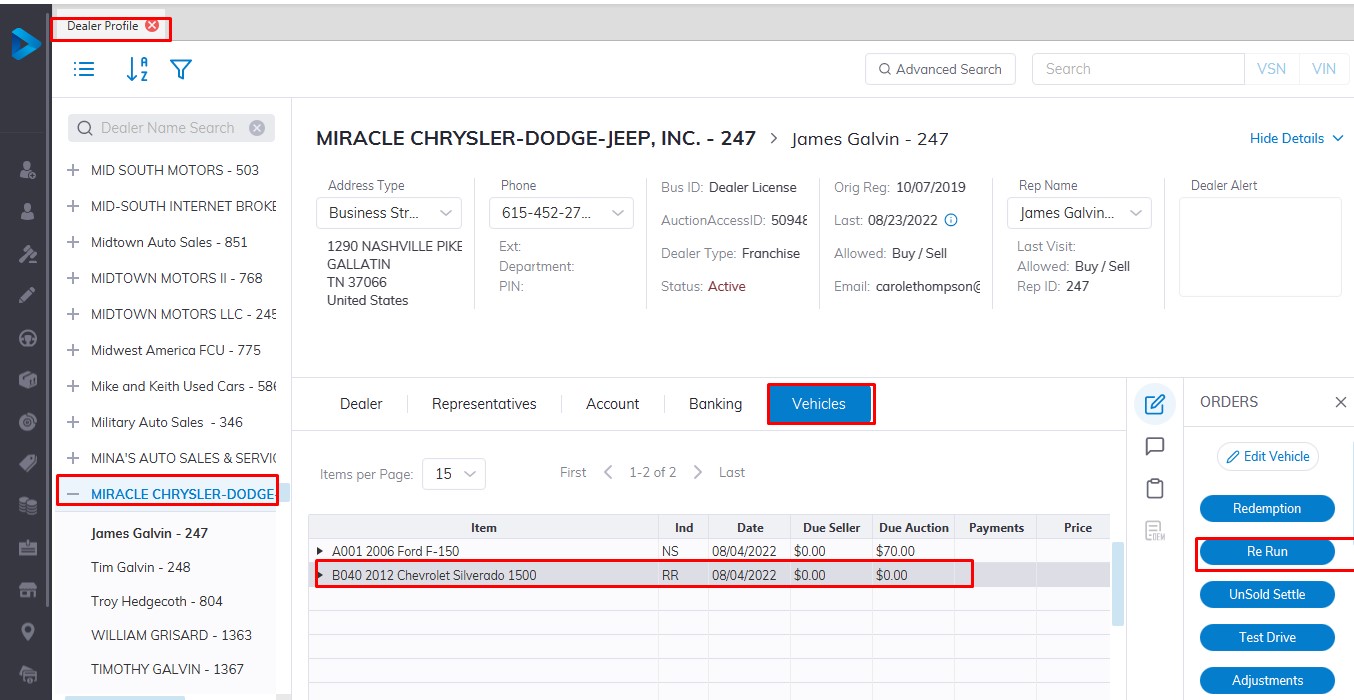
from the Dealer Profile select
- The Dealer
- select the vehicle tab
- Select the vehicle you wish to re run in the grid.
- Then select the Re Run order button
- Click 'OK' to launch the form
Input
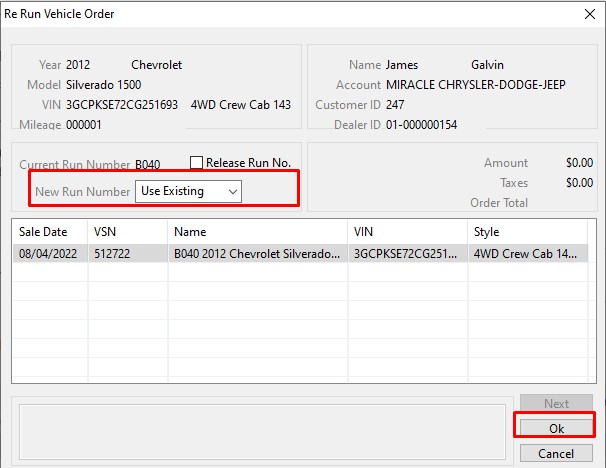
Run Number from the list box
Click 'OK' to Save
Note: You may not select Run Numbers that have already been Checked In. It may be necessary to Release a reserved Run Number from another Dealer before you can use it.
The Re Run order may be performed on:
- Checked In (CI) Vehicles
- Re Run (RR) Vehicles
- Roll Over (RO) Vehicles
- No Show (SH) Vehicle
No Comments