
Dealer Master Report
The Dealer Master can be used as a contact list for the Sales department or saved as a . CSV file for use as a spreadsheet. You may run this report from the Dealer profile Application.
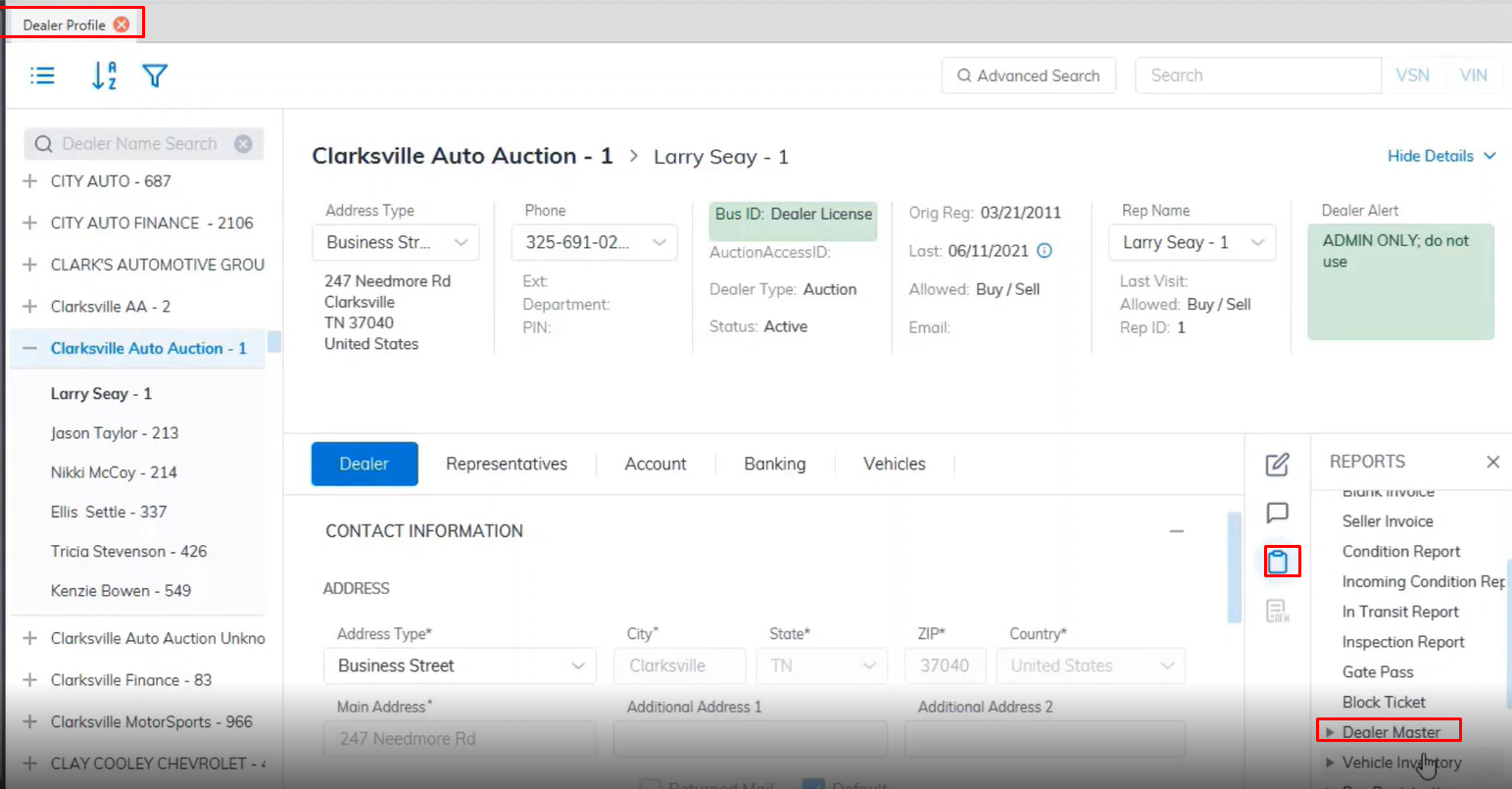
- Open the Dealer Profile application
- Select the Reports Menu
- Then select the Dealer Master sub-menu.
- You have the option of printing it as a PDF or CSV
- In this example, we'll choose PDF so we select Dealer Master
- This will launch the report wizard.
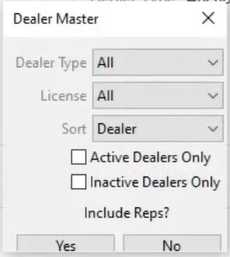
- You may or may not include individual representatives in the report. Sorting options include: Dealer Name
City, State, Zip. - You may also select the Dealer Type: franchise, Classic Car, Lease, or Used.
- If you wish to list only Active Dealers select the Check box or the Inactive Dealers check box. In this example, we'll not check either since we're running the report for 'All' Dealers.
- When done Click "Yes" to create and print the report.
No Comments