
No Sale
To No Sale a vehicle we need to open the Vehicle Block Application.
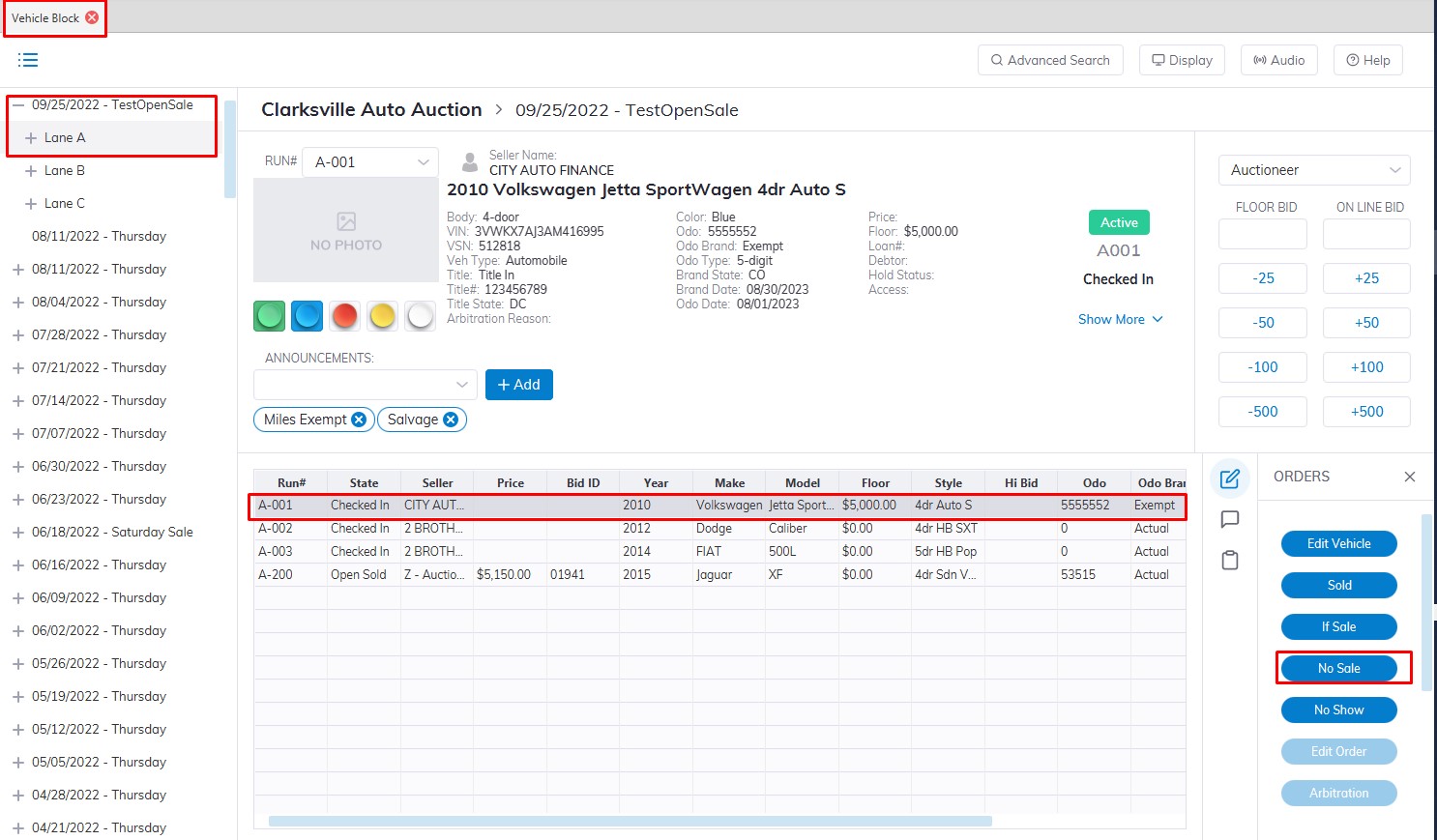
- Select the 'Sale Date'
- Then select which 'Lane' the vehicle is assigned to.
- Select the Vehicle in the grid
- Click the 'No Sale' button with the mouse or press F7 on the keyboard button to launch the 'No Sale' form.
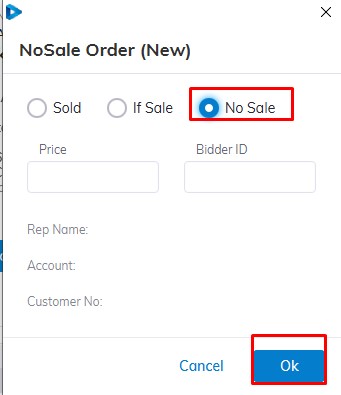
click 'OK' or simply hit the enter key to complete the order
No Comments