
Edit Rep
Edit Representative
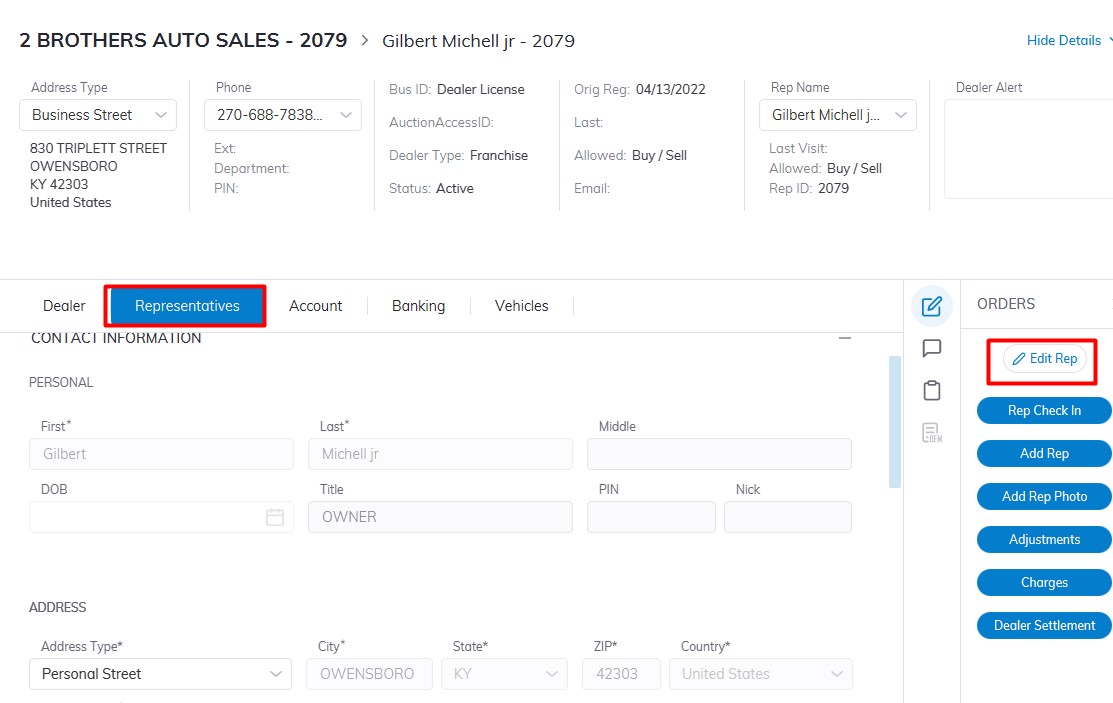
Select Dealer Profile Application>> Select the Dealer>>Select Representative Tab
On the right-hand side Click the 'Edit Rep' order button to edit Reps' Information.
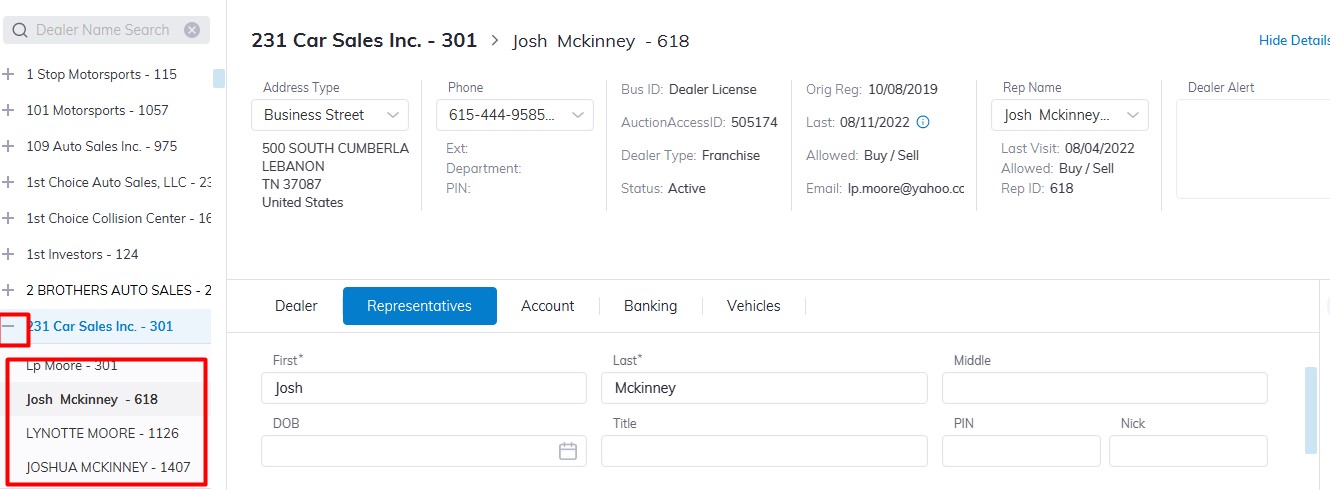
If the Dealer has more than one Rep you can choose the Rep you which to CheckIn or Edit by Clicking the plus sign beside the dealer name in the Left pane to expand then selecting and highlighting the Representative you want.
There are 5 tabs of information you can edit; Contact Information, Permissions, Account, Fees, and Fleet
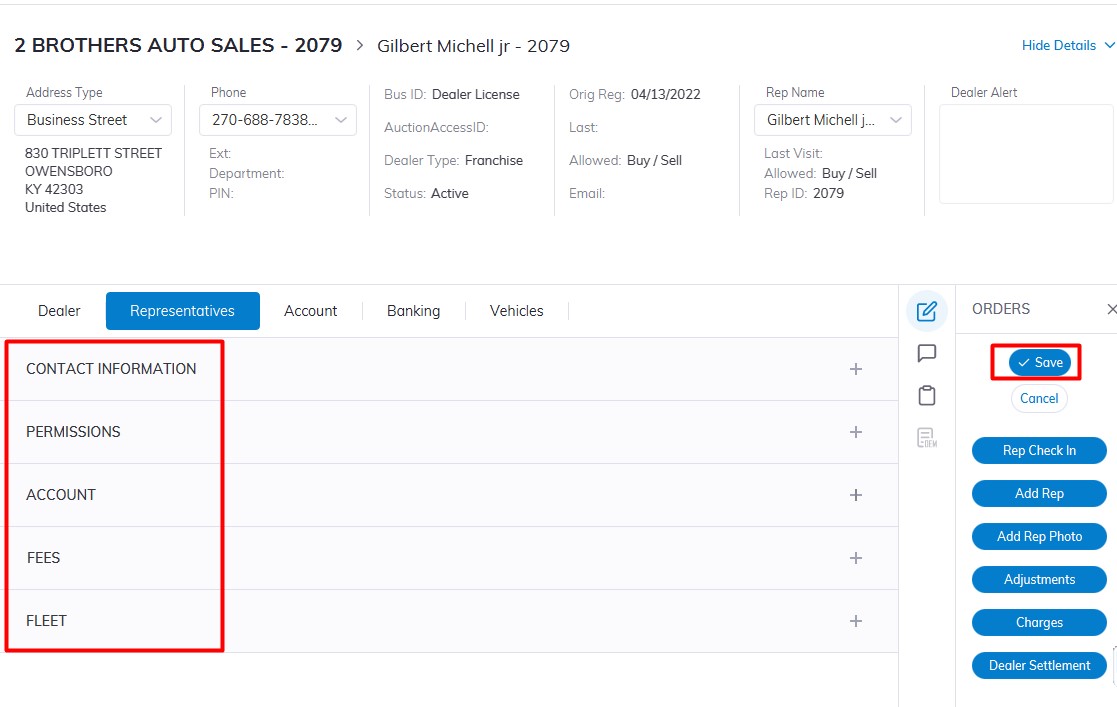
Click ‘Save’ when you have completed making and verifying the changes.
No Comments