
Lot Sale Order
The Lot Sale is used to Sell Vehicles that are not on the Block. The order may be launched from two places:
Lot Sales may be performed on vehicles that are:
- Checked In (CI)
- Roll over (RO)
- No Show (SH)
- No Sale (NS)
- If Down (ID)
- Turn Down (TD)
Dealer Profile
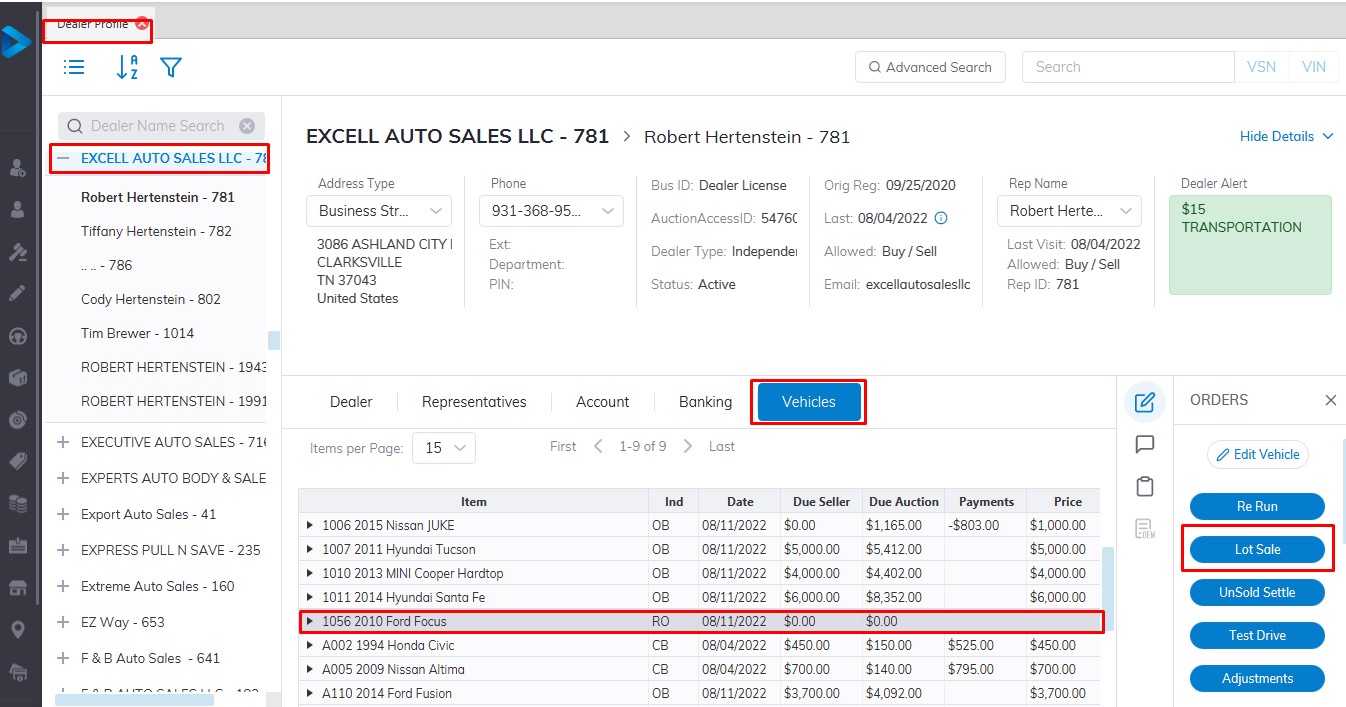
Select
- The Dealer
- Then select the Vehicle Tab.
- Select the vehicle you wish to Sell.
- Select the Lot Sale order button.
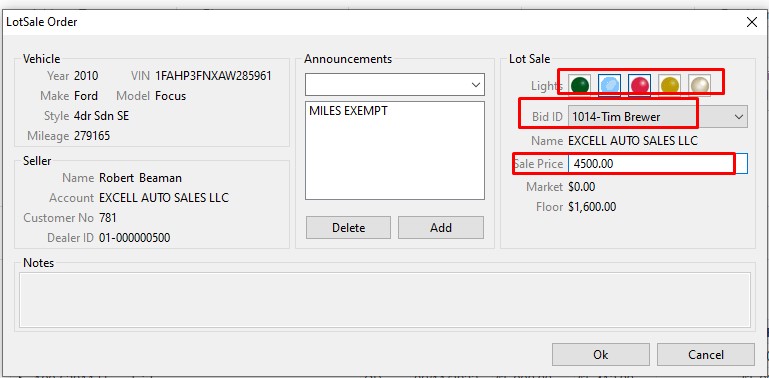
- Input Bid ID or select from the drop-down listing and Price.
- Click 'OK' to Complete the Sale
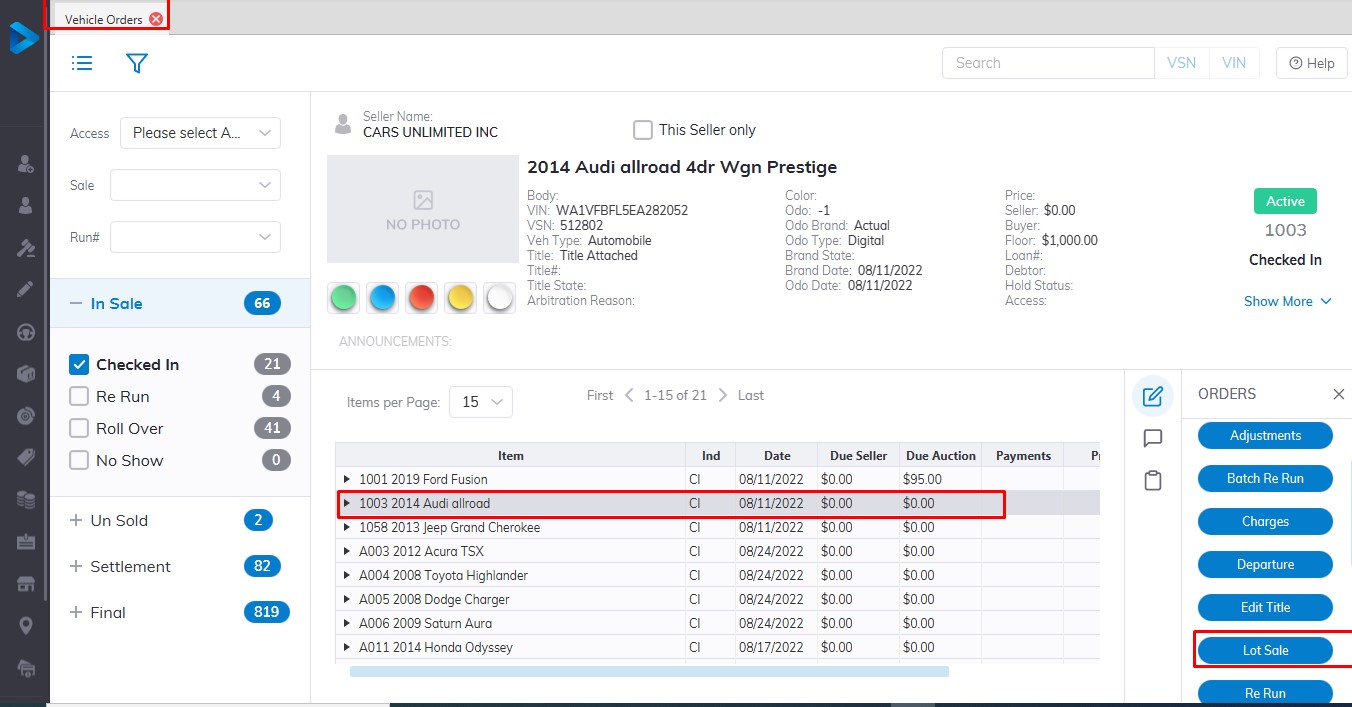
Select the Vehicle Order profile from the main menu
- Then select the Vehicle you wish to be sold from the vehicle orders application
- Select the Lot Sale order button
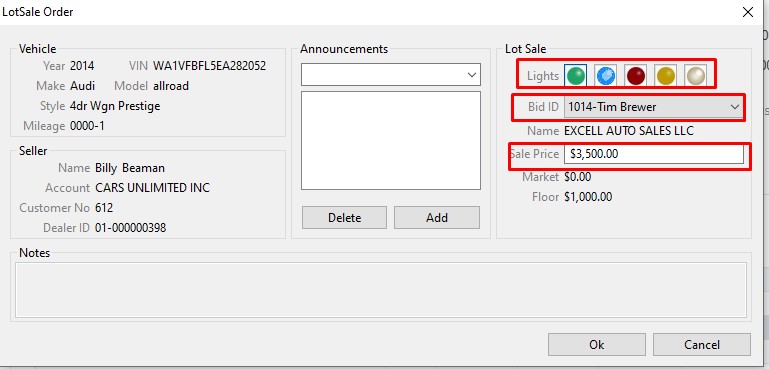
- Input Bid ID or select from the drop-down listing and Price
- Click 'OK' to Complete the Sale.
Note: Lot Sales do not automatically print an invoice, you must print one manually from the Reports menu.
No Comments