
Title Absent Report
The Title Absent report provides information for vehicles whose titles are outstanding as Title Absent or Title Float. You may run this report from the Sale Profile or Payments and Deposits application.
From Sale Profile
- Select the Sale Profile application
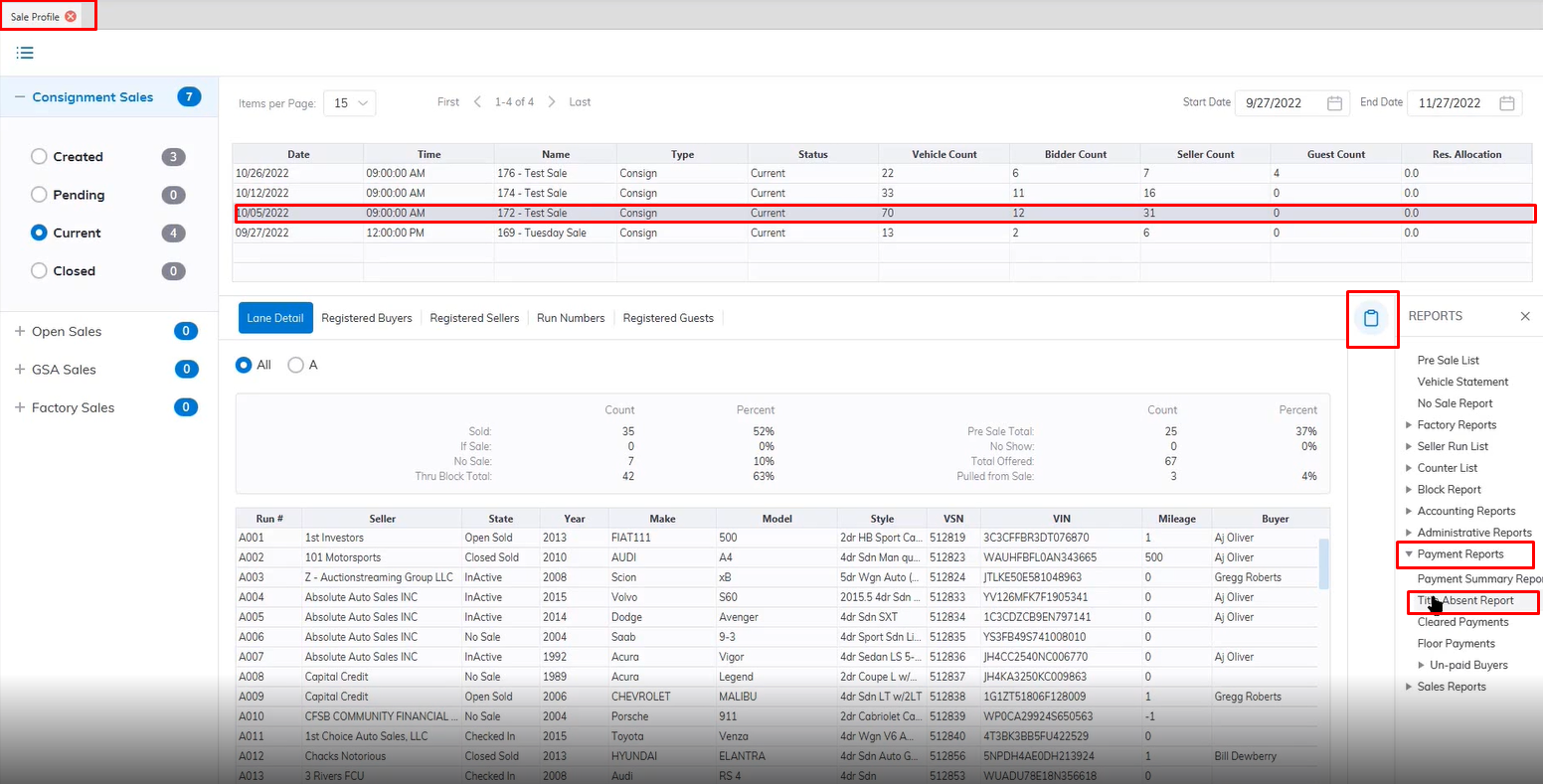
- Select the Sale Date from the top grid
- Select Reports menu
- Select the Payments Report submenu then Title Absent Report
- This will launch the Report wizard
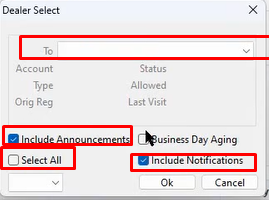
- You can customize your report by selecting a specific Dealer or selecting the Select All checkbox for all dealers.
- You can include Notifications and Include Announcements by selecting the checkbox in your report.
- When finished Click "OK" to create and print your report.
From Payments and Deposits
- Select the Payments and Deposits application
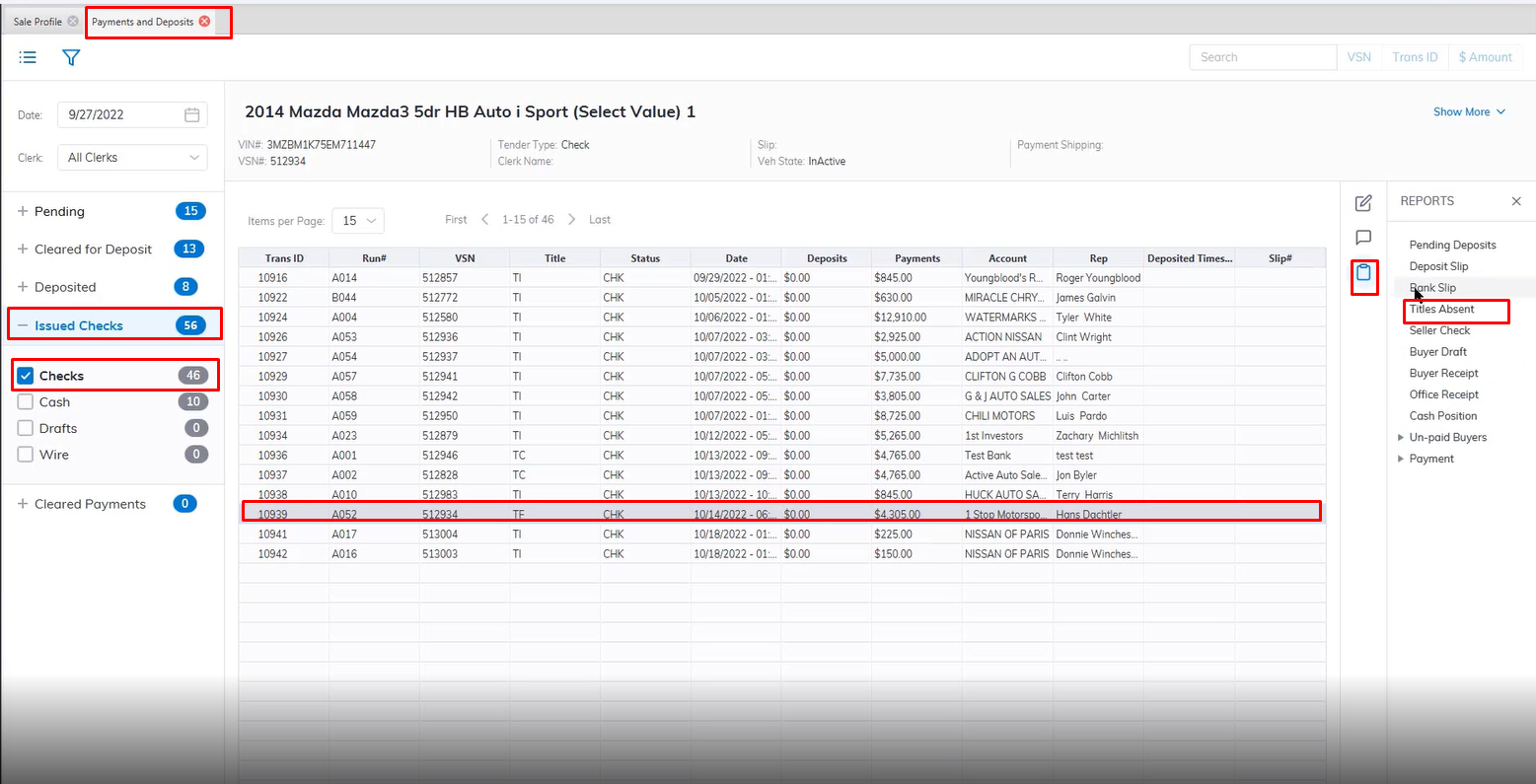
- Select the Issued Checks Sash then Checks Section
- Select the Vehicle with a status of TF or Title Float
- Select Reports menus
- Select the Title Absent Report
- This will launch the Report wizard
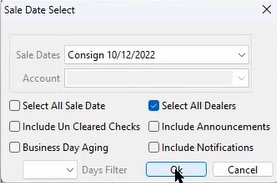
- You can customize your report by selecting a specific Dealer in the Account field Dropdown or selecting the Select All checkbox for all dealers.
- Select the Sale Date from the Dropdown
- You can include Notifications and Include Announcements by selecting the checkbox in your report.
- When finished Click "OK" to create and print your report.
No Comments