
Buyer Listing Report
The Buyer Listing report records the vehicle purchased by the Dealer(s). You may run this report from the Sale Profile or Vehicle Block application.
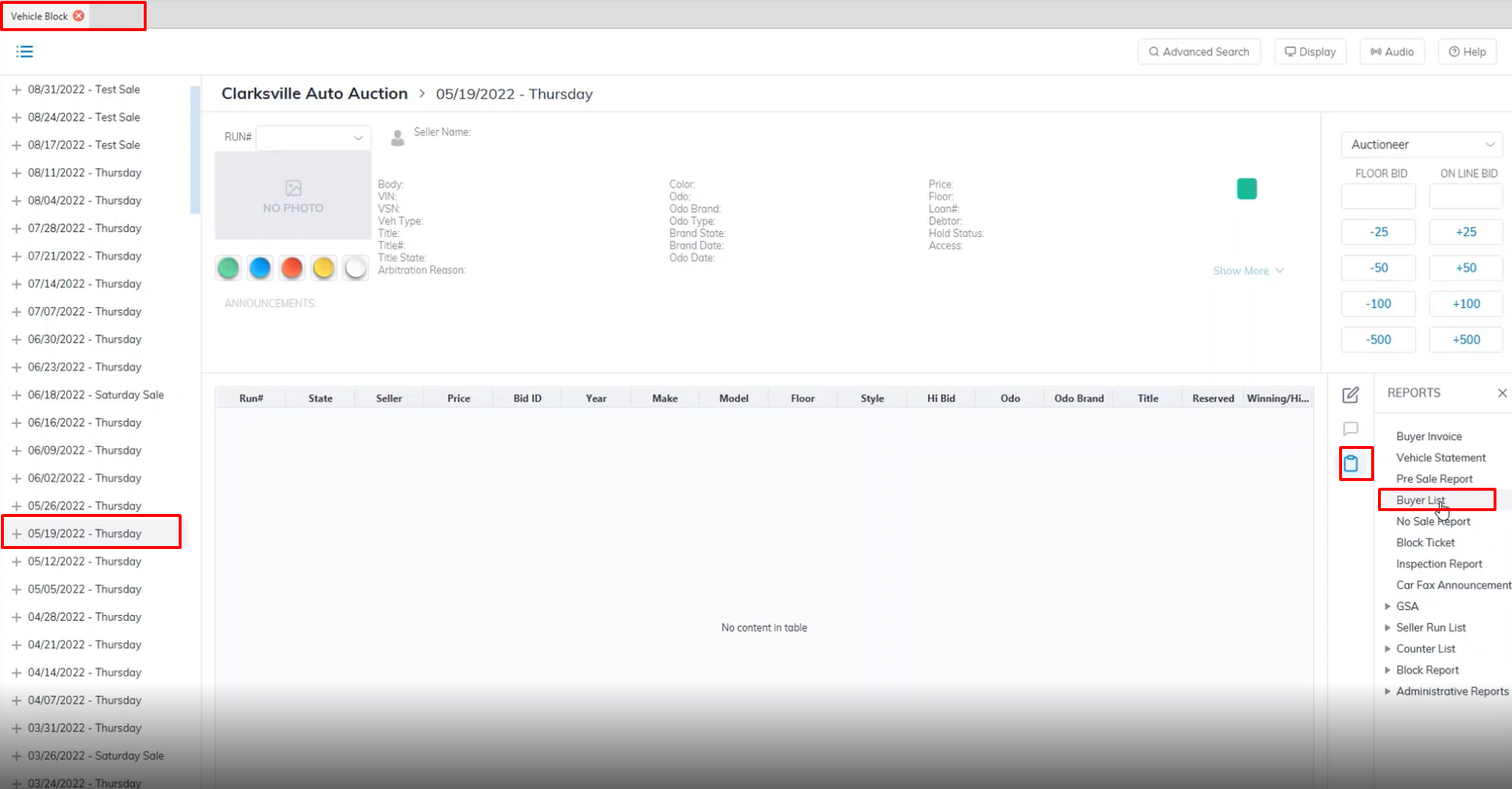
- Open the Vehicle Block application
- Select the Sale Date.
- Select the Reports menu then the Buyer List sub-menu.
- This will launch the report wizard
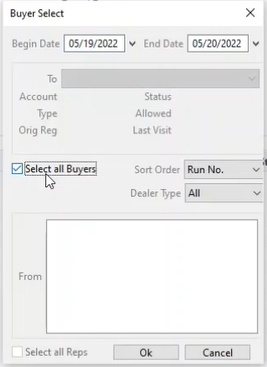
- You may spas sale dates using the 'Begin' and 'End' dates.
- You may run for a specific Dealer in the To field or click the box 'Select all Buyers' for all buying dealers. If a Dealer has more than one buying Representative you may click the box 'Select All Reps' or select one of the individual representatives.
-
You may also sort the report by Run Number, Make, or Model.
- Click 'OK' when done to create and print the report.
No Comments