
Rep Check In
Note: Make sure you are on the correct dealer.
The 'Rep Check In' Order is used to assign a Bidder ID for a buying Rep and to print a Bidder badge.
- Select Dealer Profile Application>> Select the Dealer>>Select Representative Tab
- Select the Rep
- Select 'Rep Check In' Order
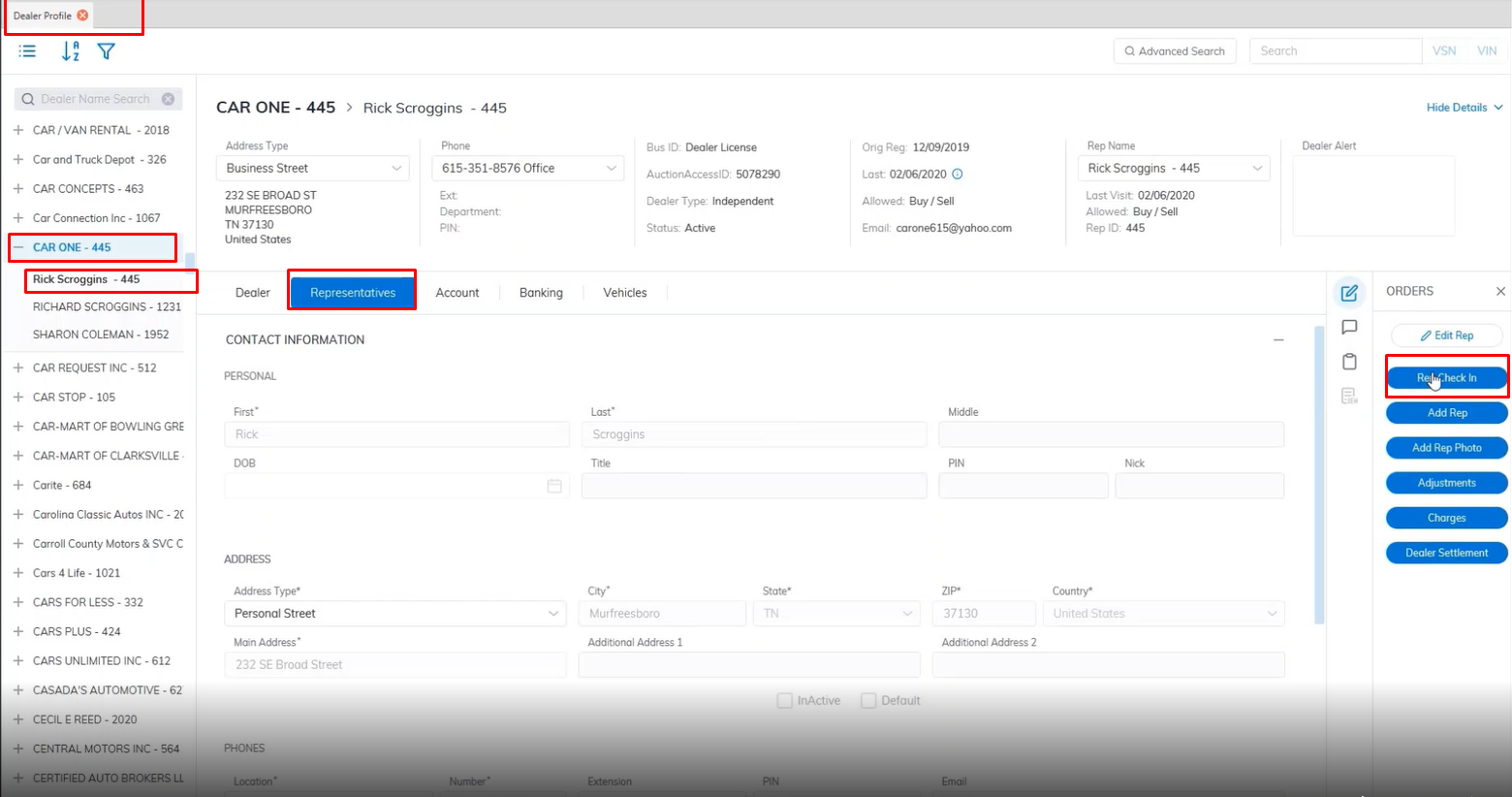
- This will launch the 'Representative Checkin' form - see below
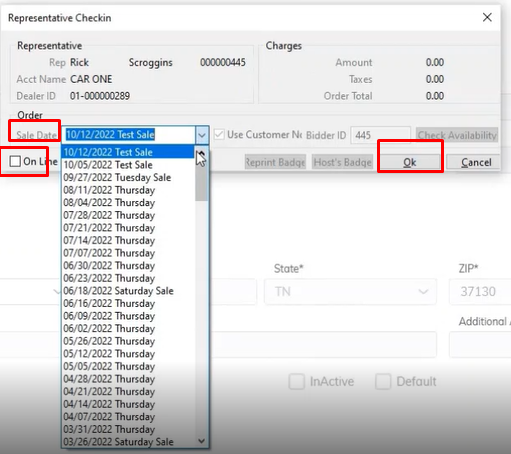
- Select the Sale Date you want the Rep to participate in
- Click 'OK' to complete the bid badge, which will automatically print at the left corner of your screen.
No Comments