
Condition Report (CR)
Condition Report order
- Select the Transportation and Service application.
- Select an 'In Stock' (IS) vehicle.
- Select the 'Condition Report' order
- This will launch the form
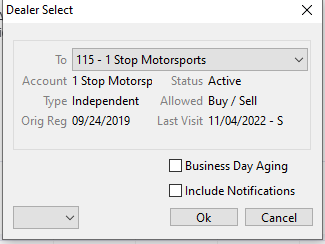
- Select the Dealer Click 'OK'
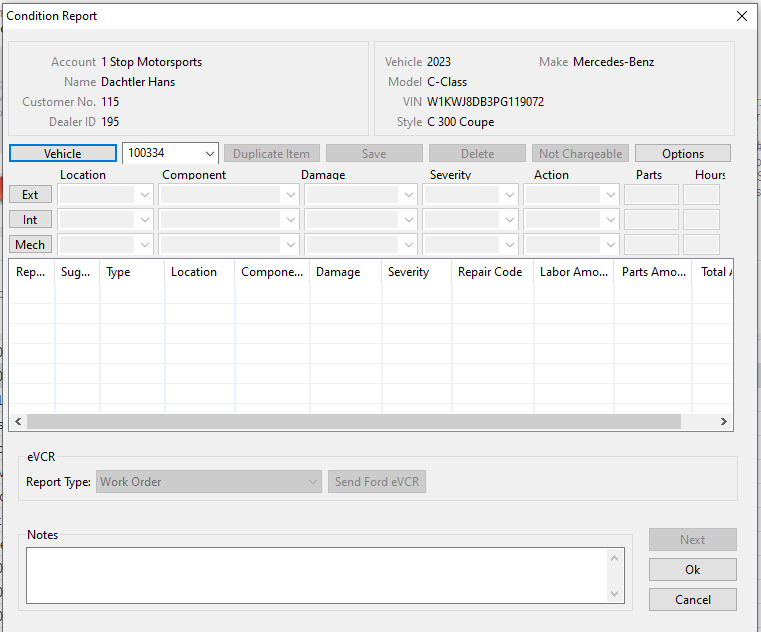
- Input/Fill in the information for the vehicle in this form which is an electronic record of the Condition of a Vehicle and a summary of the Vehicle's reconditioning needs.
- Click 'OK' when done to create and record the Condition Report CR under the vehicle. CR will be represented under the vehicle history under Orders with a CR followed by numbers e.g. CR2985
The Condition Report is based on a pattern from the Condition Report Configuration (CRC) application.
Condition Report
The Condition Report is available only for vehicles with a Condition Report order as shown above.
Select the Vehicle Management application > Reports > Condition Report
No Comments