
Vehicle Settle (Buy Settle and Sell Settle Orders)
Buyer Settle
- Buy Settle is done from the Dealer Profile and Vehicle Orders application.
- Search for the vehicle using VSN or VIN., and select the buyer side.
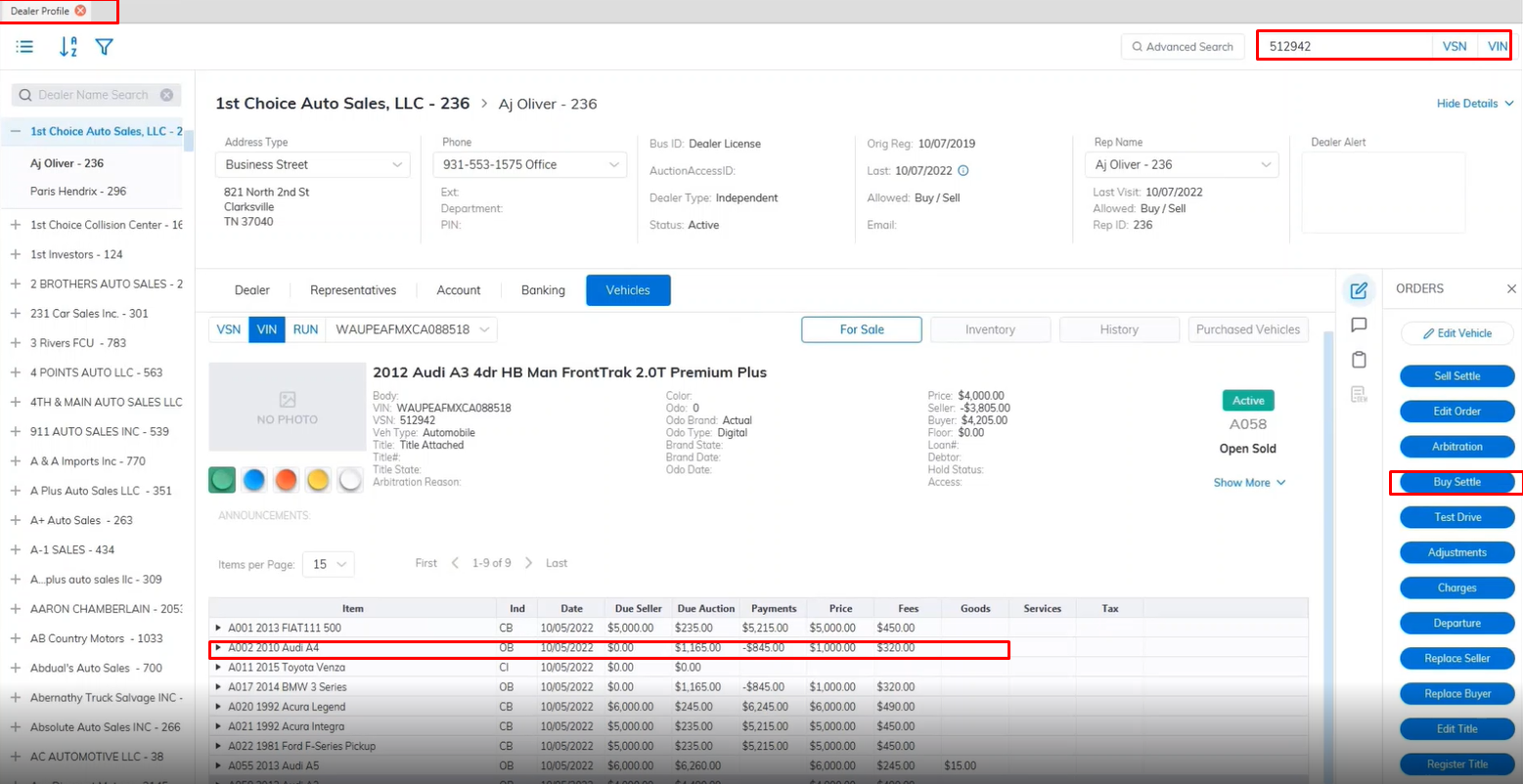
- Select the vehicle and select the 'Buy settle' Order from the right.
- This will launch the Buy Settle form
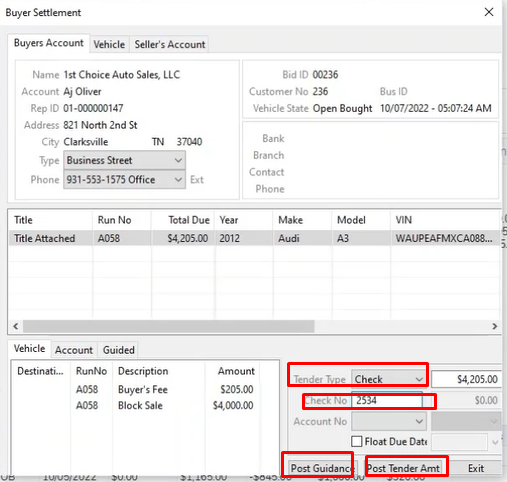
- Select your Tender type from the drop-down
- if you choose Check then enter the check number in the 'Check No' field.
- Select the Post Guidance button to guide the necessary charges.
- Select the Post Tender button to complete the buy settle.
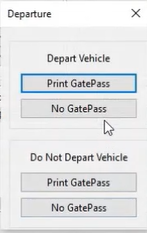
- Here you will be prompted Option1: Depart the vehicle and Print a GatePass or not Print GatePassOption2: Do Not Depart the vehicle and print GatePass or not print GatePass
Seller Settle
- Sell Settle is done from the Dealer Profile and Vehicle Orders application.
- Search for the vehicle using VSN or VIN., and select the buyer side.
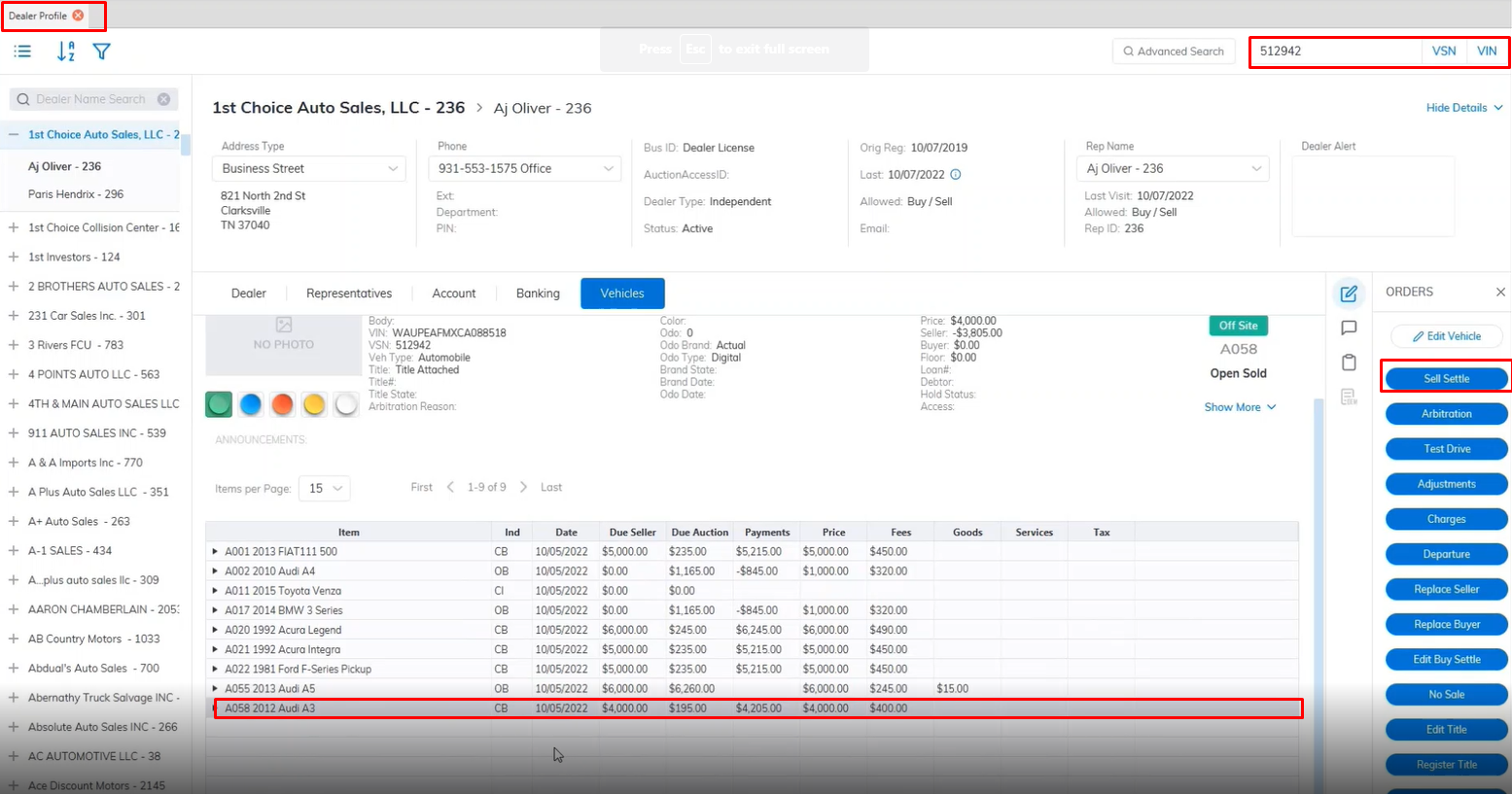
- Select the vehicle and select the 'Sell settle' Order from the right.
- This will launch the Sell Settle form
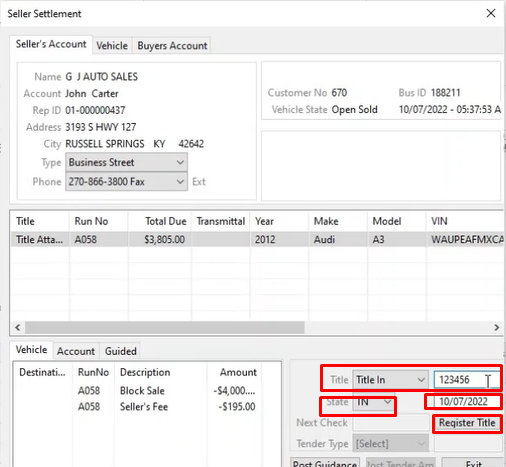
- If the Title is not registered update the Title here and Register it. Enter the Title Number, State, and Date
- Click the Register Title Button when done to Register the Title.
- Once done you will be able to Select the Tender Type from the drop-down. you Select Check the next check No will automatically be filled into the Next Check field by the System.
- Select the Post Tender button to complete the Sell Settle.
After performing a Buy Settle and Sell Settle the vehicle will be placed in the History Tab as it is now an Inactive vehicle deal is closed on both sides.
No Comments