
Add New Rep
Add Representative
Select Dealer Profile Application>> Select the Dealer>>Select Representative Tab
On the right-hand side Click the 'Add Rep' order button to launch the form.
The 'Add Rep' form is identical to the 'Edit Rep' form except that the 'Status' is set to 'Active'
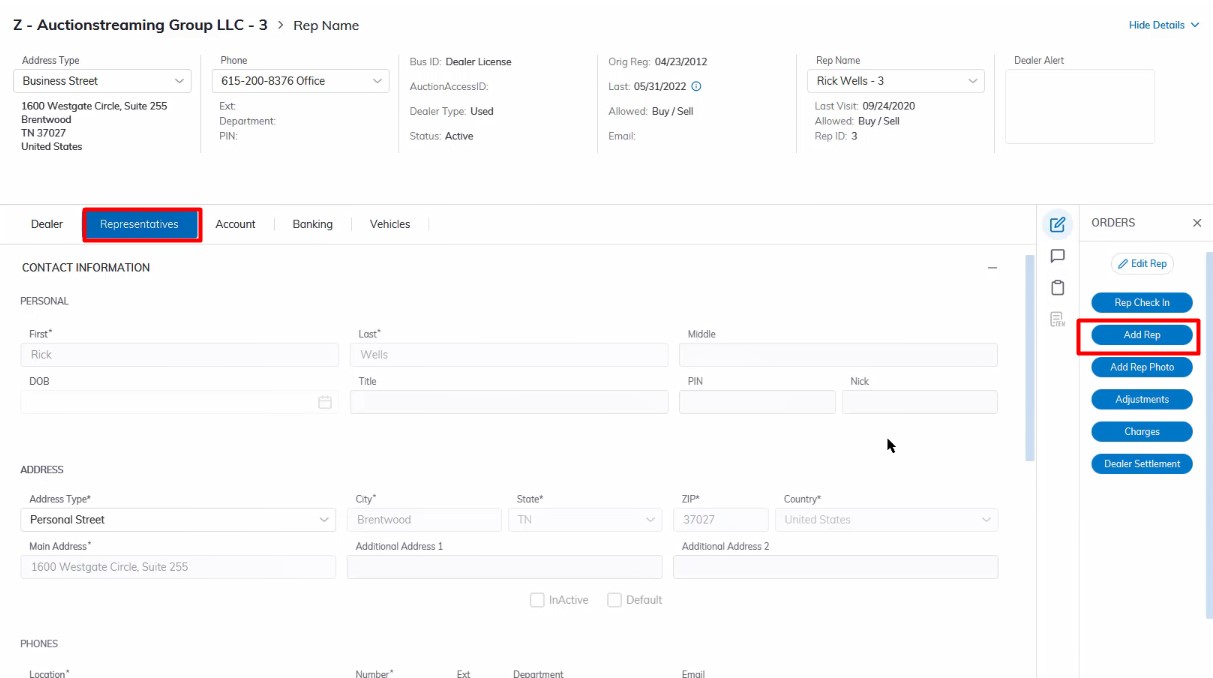
Add
- Name
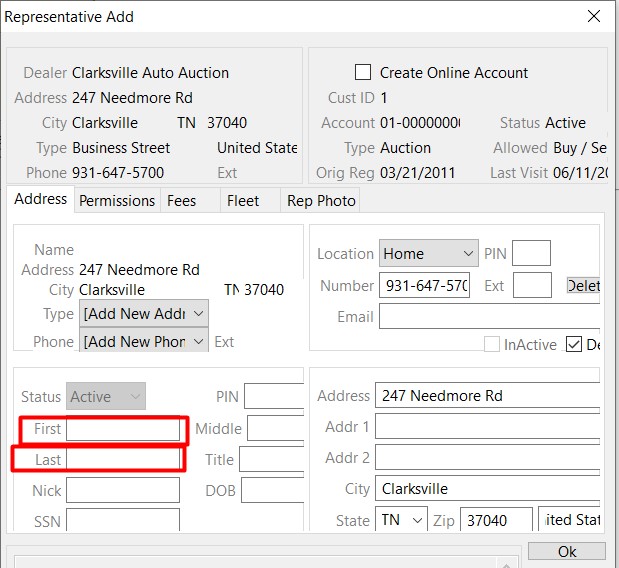
Only the First and Last names are required, all other fields will populate with information from the Dealer as default. If the default information is not correct you may change it before clicking 'OK' to save and create a new Rep.
Rep Checkin
Select Dealer Profile Application>> Select the Dealer>>Select Representative Tab
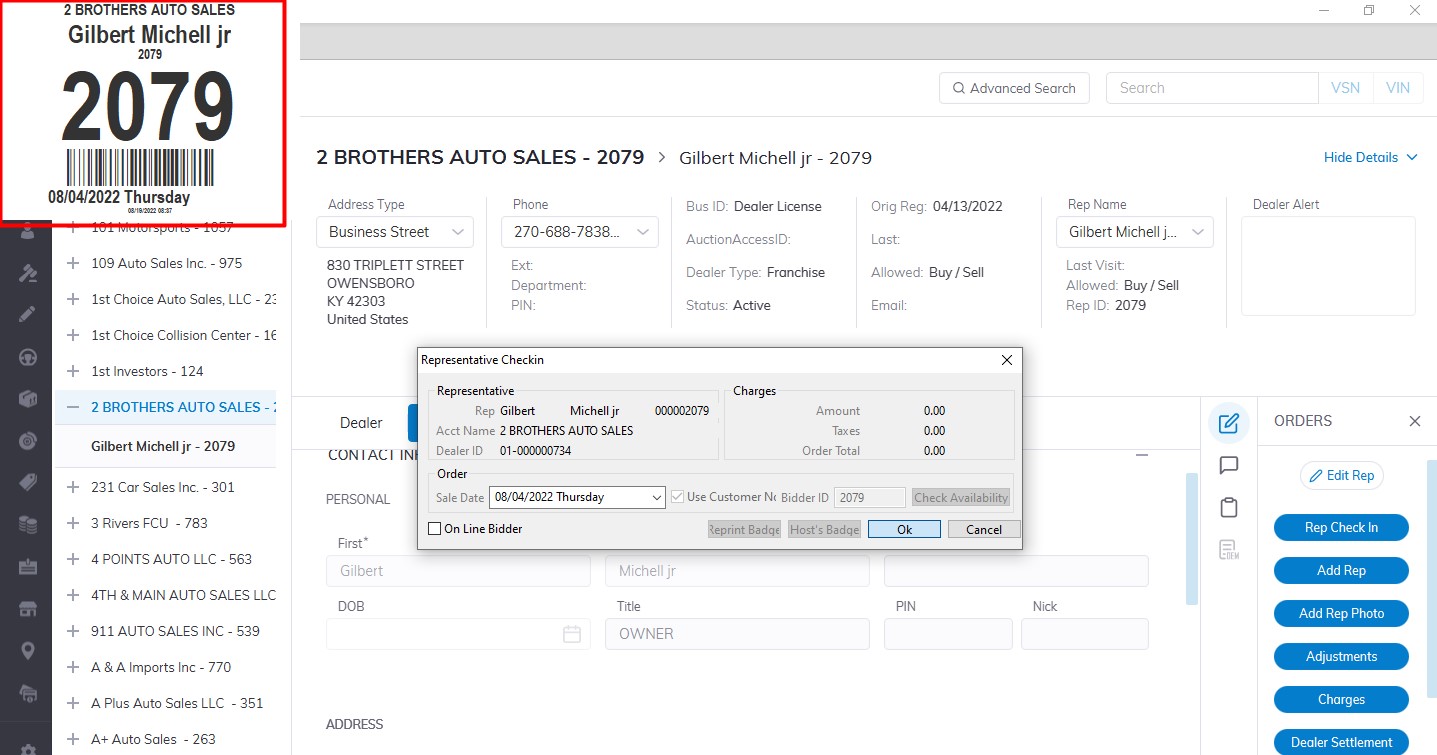
On the right-hand side Click the 'Rep Check In' order button to launch the form.
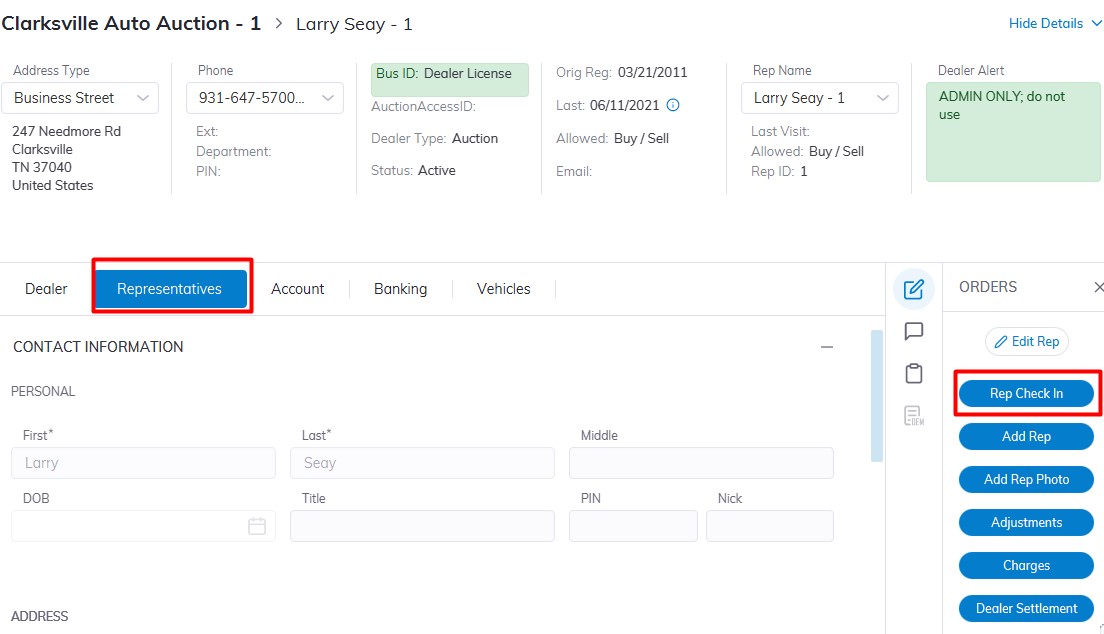
Checkin
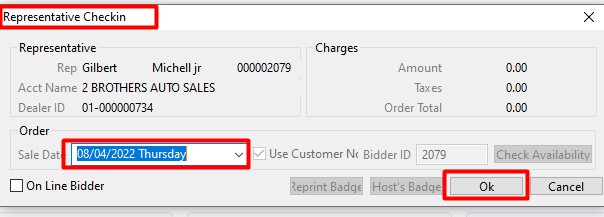
Verify the Rep Name and Dealer Name to ensure you have the right person
Select the Date of the Sale you which to check the Rep into then Click 'OK' when complete.
A bidder Badge will automatically be printed and shown on the screen
No Comments