
Roll Over Order
The Roll Over order changes the Run Number and the Sale Date.
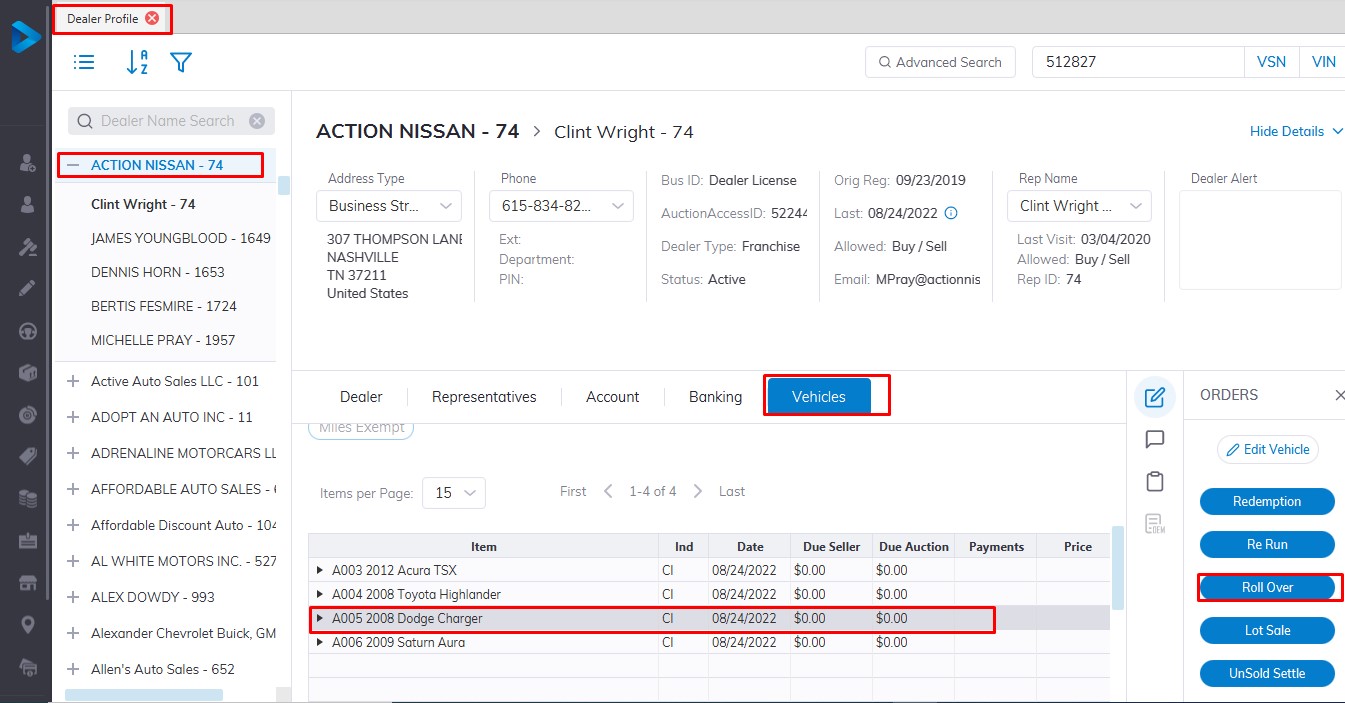
From the Dealer Profile select
- The Dealer
- Select the 'Vehicle Tab'
- Then select the Vehicle in the grid.
- Then the Roll Over order button
Input
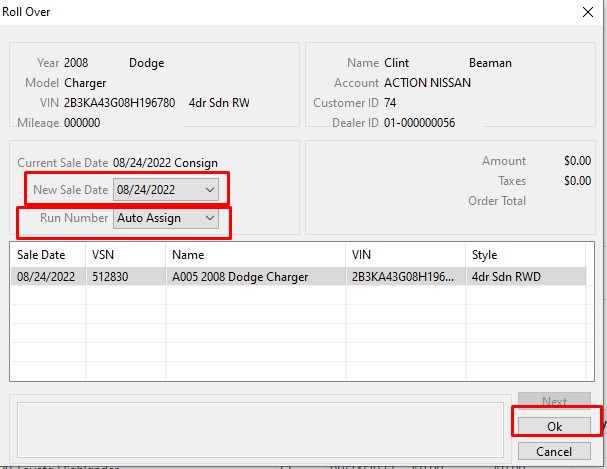
Run Number or accept 'Auto Assign' and Sale Date from the list box
Click 'OK' to Save
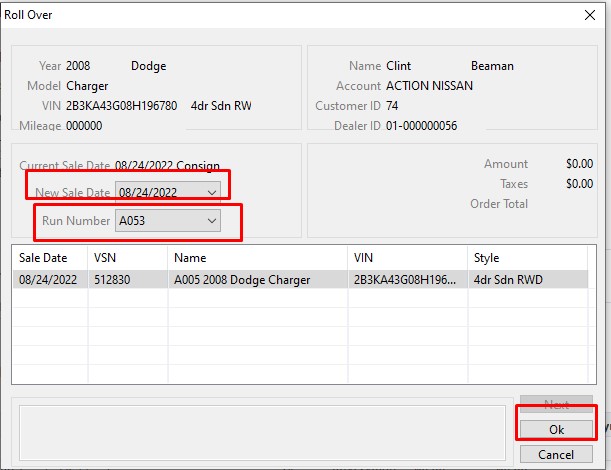
You may not select Run Numbers that have already been Checked In. It may be necessary to Release a reserved Run Number from another Dealer before you can use it. Here we select Run Number A053.
The Roll Over order may be performed on:
- Re Run (RR) Vehicles
- No Show (SH) Vehicles
- No Sale (NS) Vehicles
- If Down (ID) Vehicles
- Turn Down (TD) Vehicles
No Comments