
Remove Order
The Remove Order can be executed from the Account Settle, Buy Settle it Sell Settle Order.
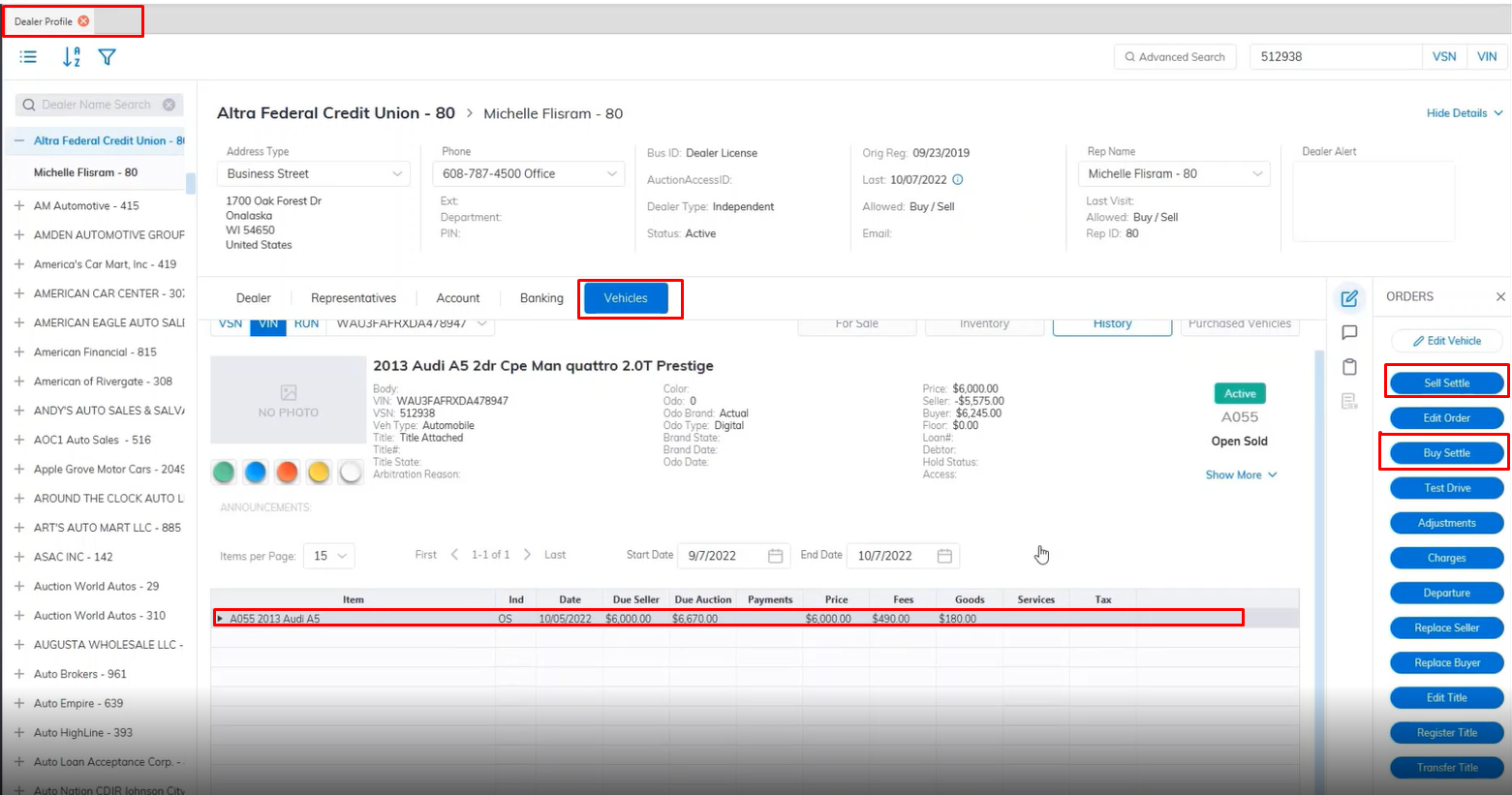
- Locate the vehicle you like to work with in this example using the Dealer Profile application.
- Select the vehicle under the vehicles tabs, then select Sell settle or Buy Settle.
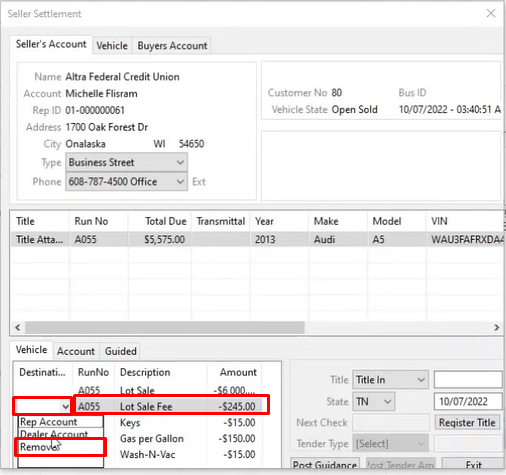
- When the Buy Settle or Sell Settle wizard launches select the fee you which to remove.
- Under the Destination Column select the drop-down and choose the option Remove then click the Post Guidance button.
- Then you can finish up the Sell Settle or Buy Settle.
- The same can be done from the Account Settle wizard launch
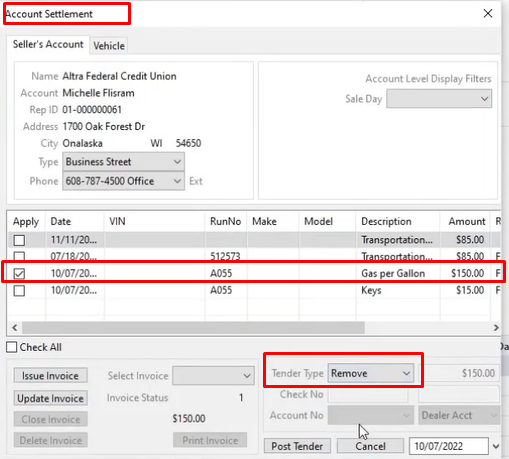
- Select the fee you want to remove
- Click the drop-down at the Tender type field and select Remove
- Click the Post Tender button when finished to remove the fee.
No Comments