
Window Sticker
WIN Sticker
Win (window) Sticker
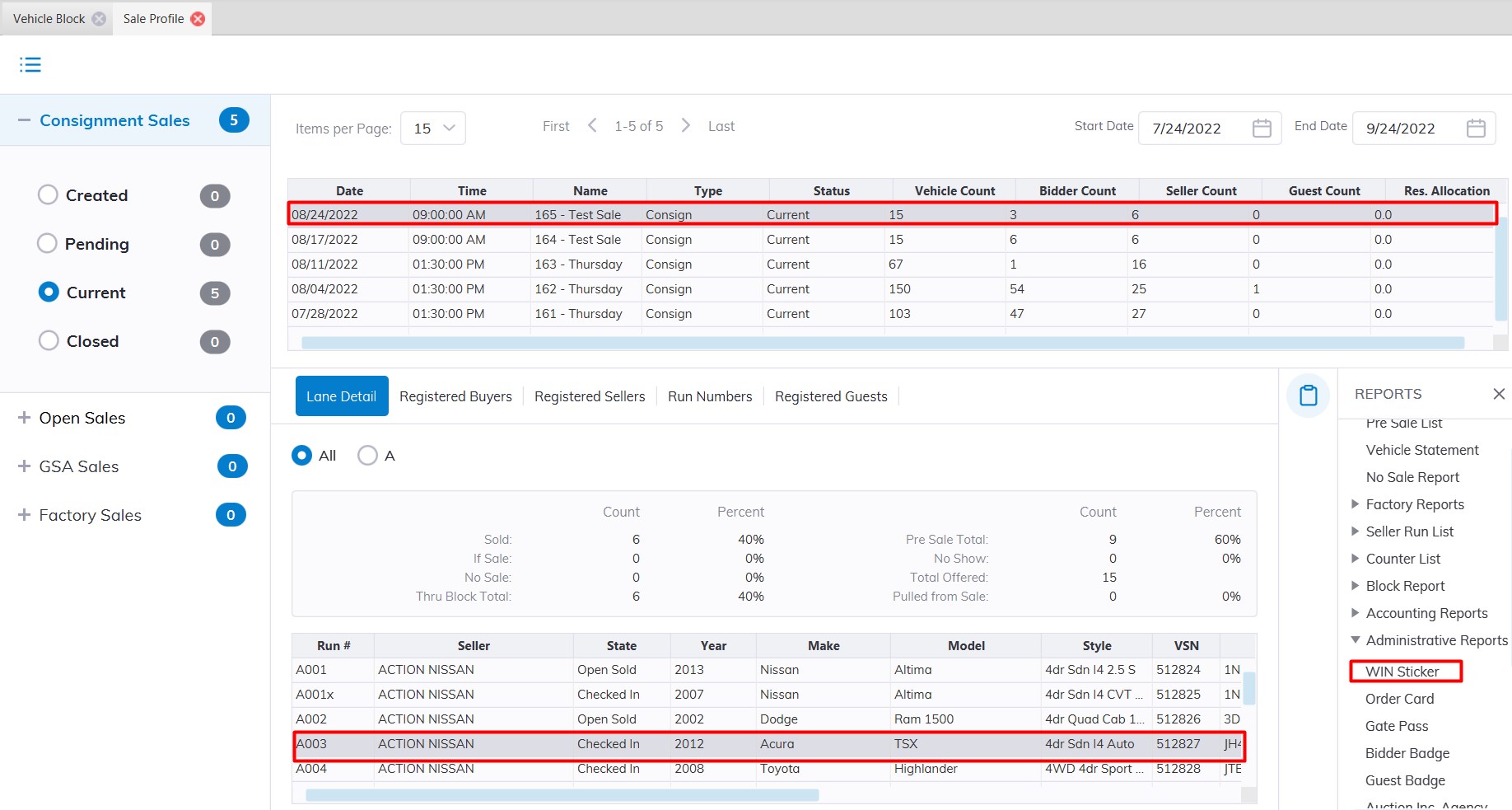
This report is designed to provide larger and more readable information for a vehicle than the Sales Sticker. You may run this report from the Sale Profile or the Vehicle Block application.
Select
- The Sale Profile application > Reports > Administrative Reports > Win Sticker
- The Vehicle Block application > Reports > Administrative Reports > Win Sticker
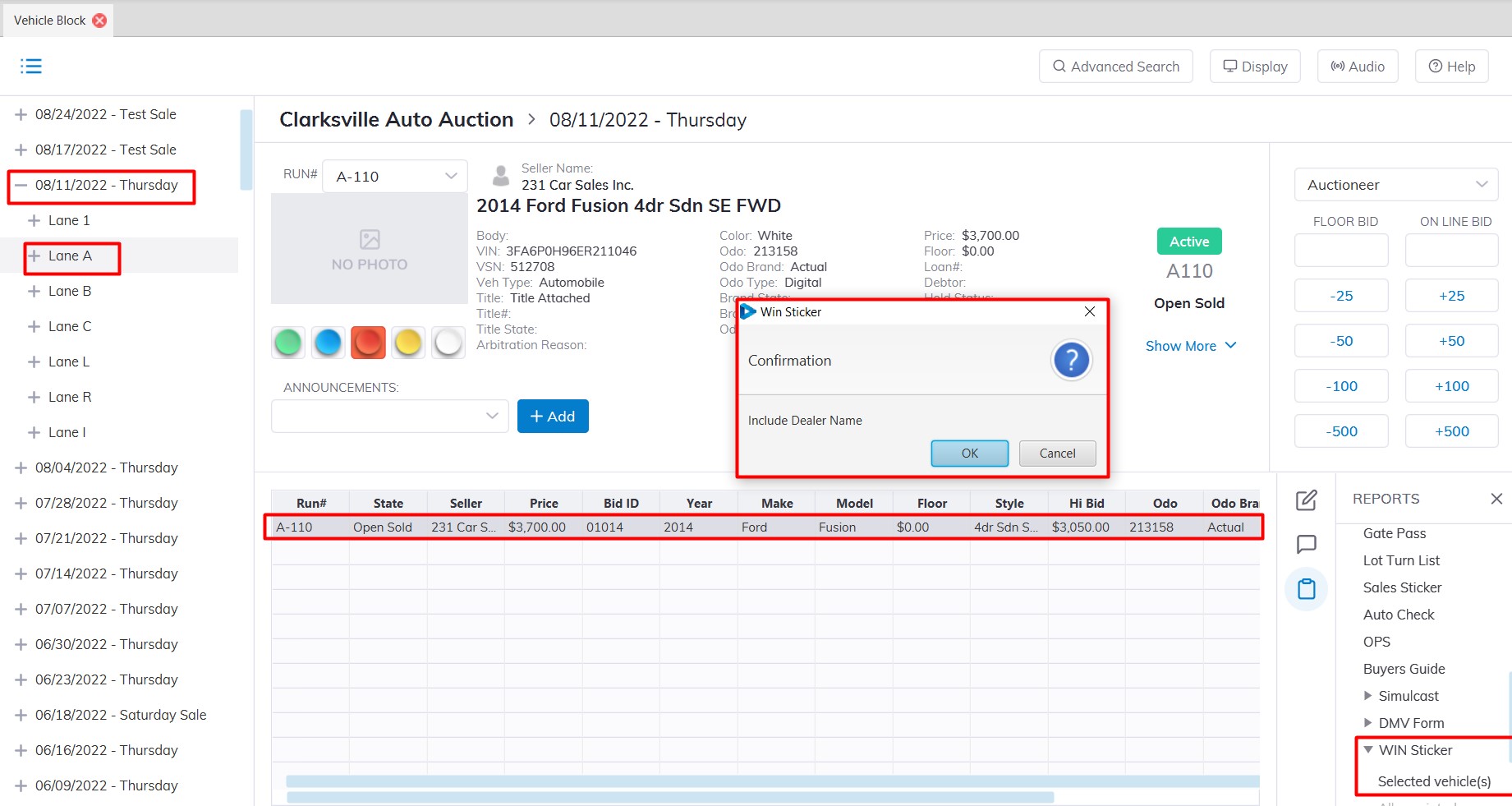
Note: You must select the 'Sale Description' (click the '+' sign next to the Sale Date') to run the report and select a vehicle.
No Comments