
Block Ticket Report
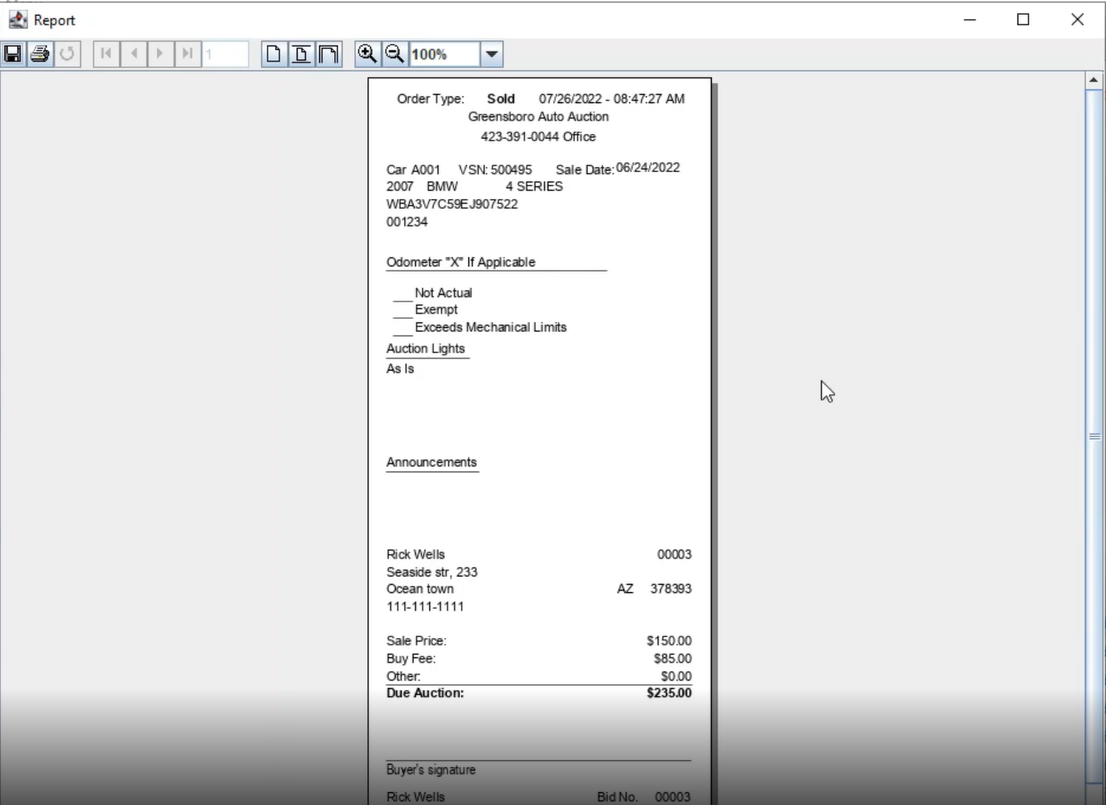
The Block ticket is a miniature version of the Buyer Invoice but is not a legal document. It can be printed from the Vehicle Block and Dealer Profile Application.
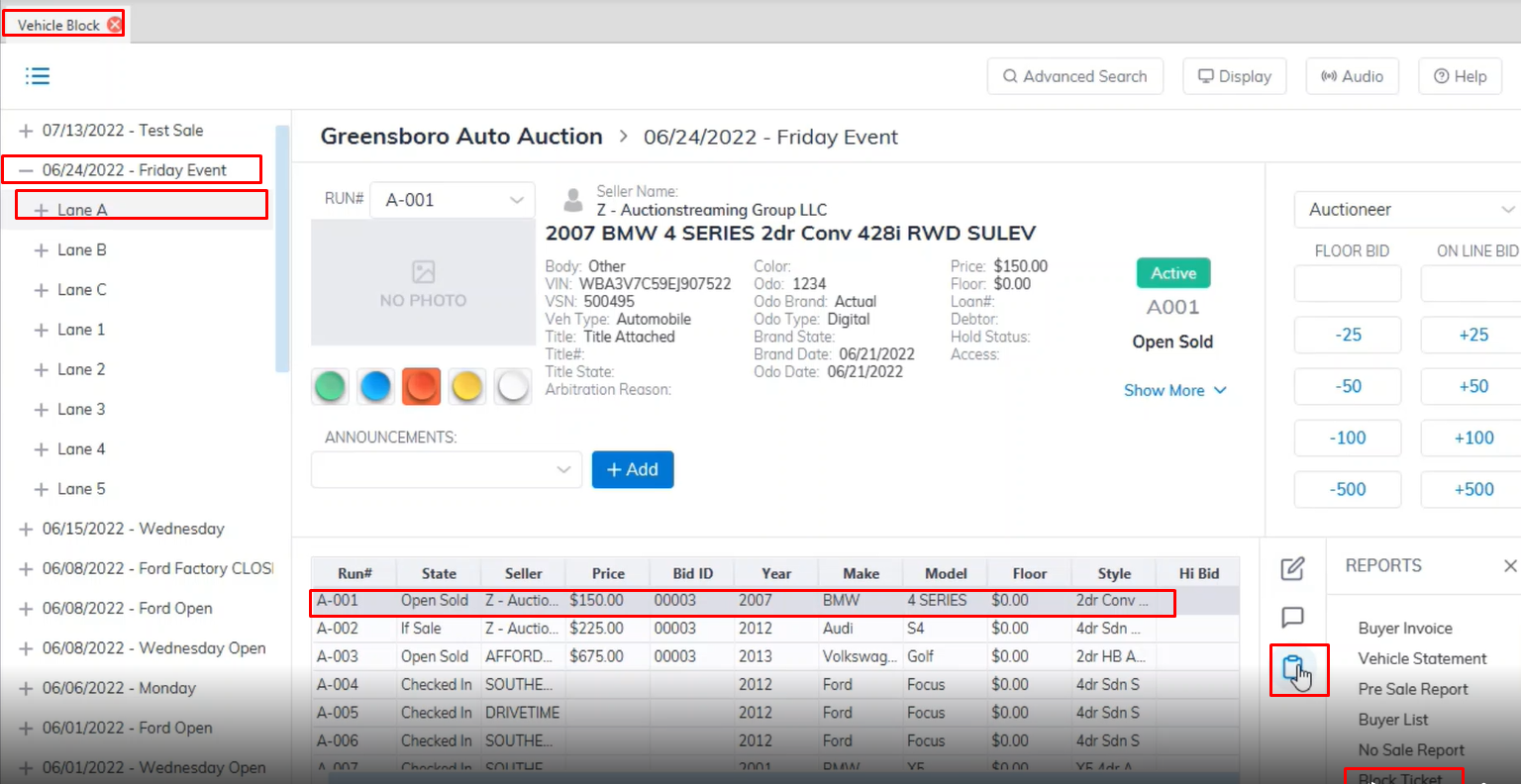
- Open the Vehicle Block application
- Select the Sale Date then click the + sign to choose the Lane.
- Select the vehicle from the grid. (vehicle must be in Sold state)
- Select the Reports menu then the Block Ticket sub-menu.
Block Ticket Show the Mileage, the Lights, Announcements, Sold price, and Seller and Buyer.
No Comments