
Buyer Listing Report
The Buyer Listing report records the vehicle purchased by the Dealer(s). You may run this report from the Sale Profile or Vehicle Block application.
- Select the Vehicle Block application from the main menu.
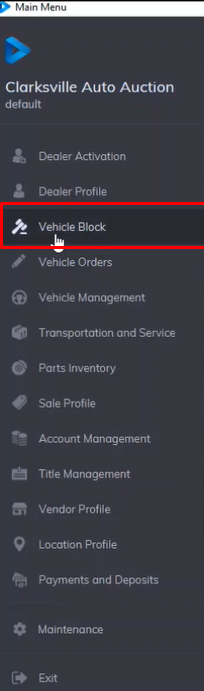
- This will launch the application then you need to select the Sale date you want to run the report on
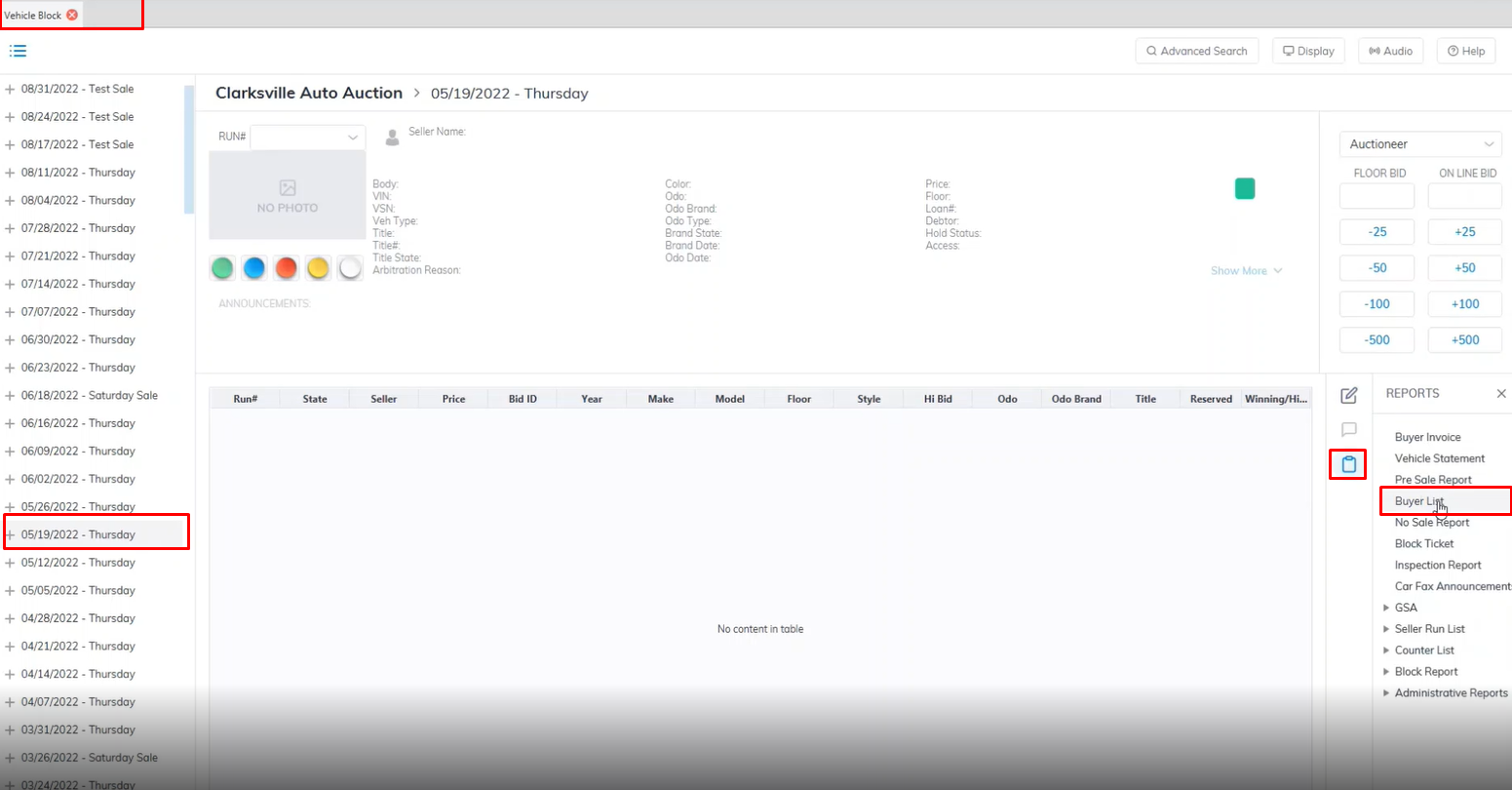
- Select the Reports menu then the Buyer List sub-menu.
- This launch the Buyer Listing report wizard
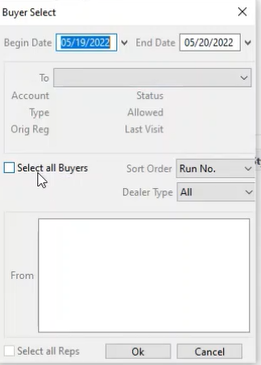
- The Begin Date and End will auto-populate based on the previous Sale date selection if you wish to change you can do so here.
- You can select the All Buyers checkbox to include all buyers or Select a Specific Dealer from the Dropdown.
- Here you can choose how to sort the report from the Sort Order Drop down in this example we used the Run No.
- You can also filter by Dealer Type however we will choose "All" to include all dealer types in our report.
- Click 'OK' when done to create and print the report.
No Comments