Skip to main content
Quick Register Reps

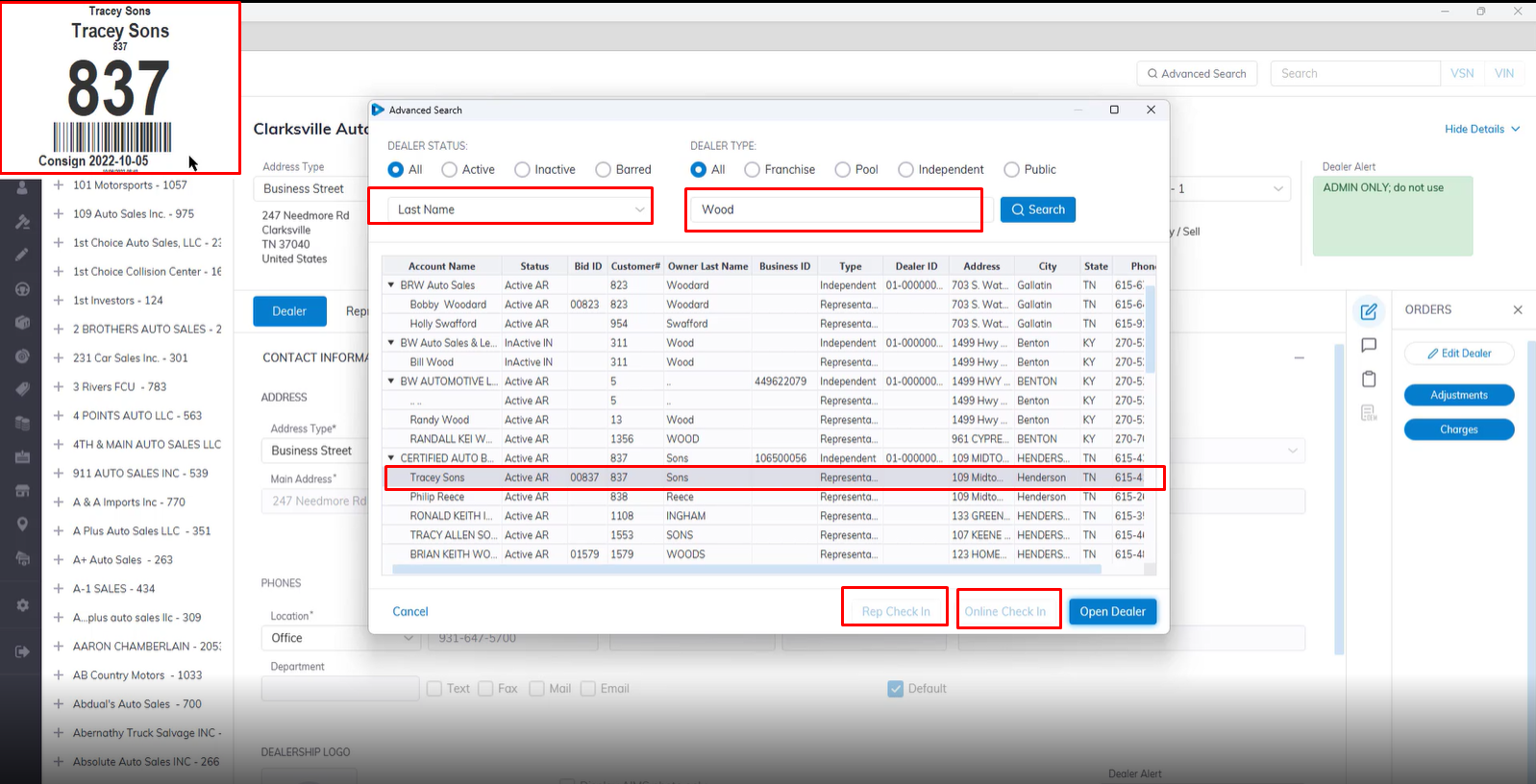
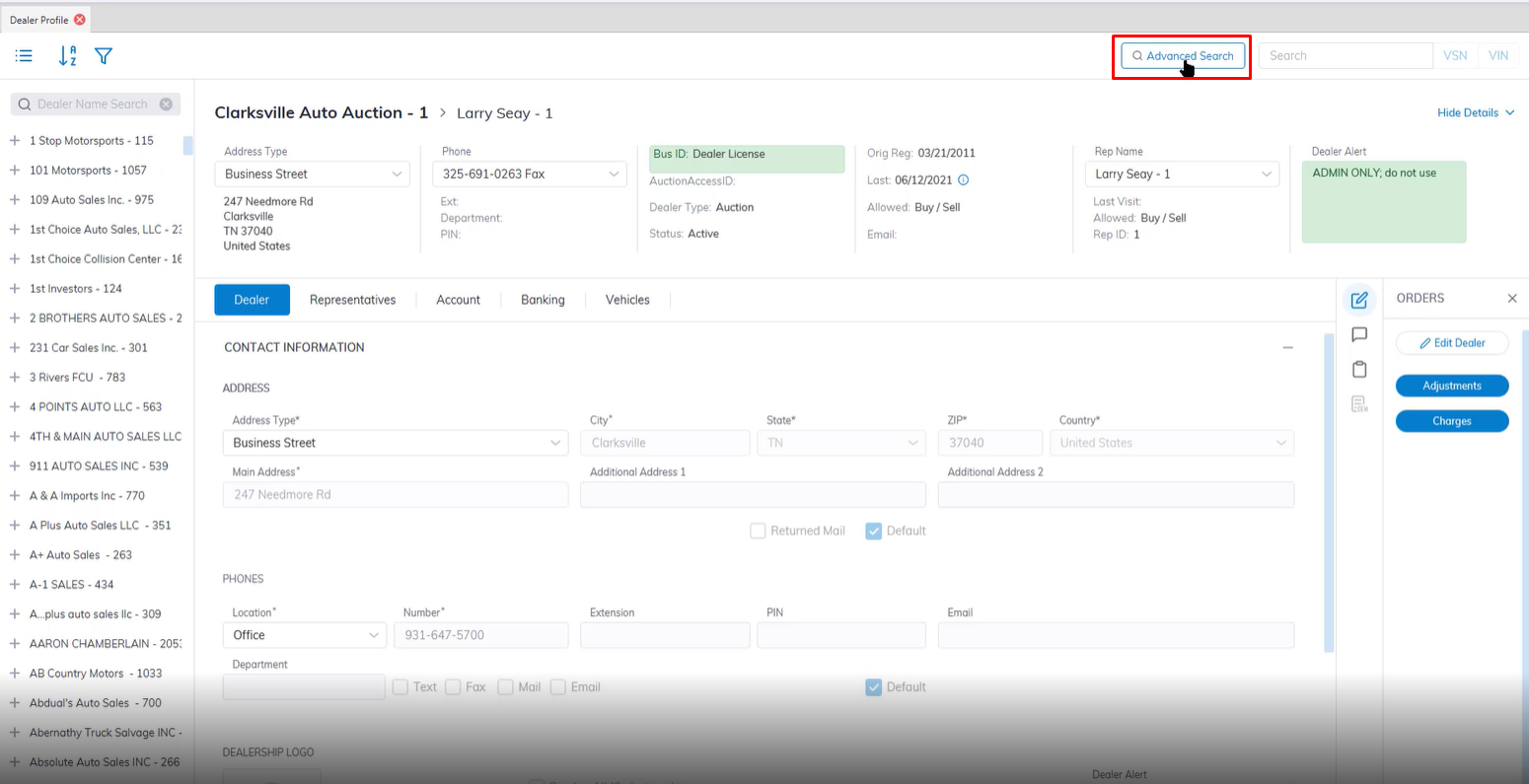
- Launch the Advanced search application in the top right corner next to the VIN/VSN search box.
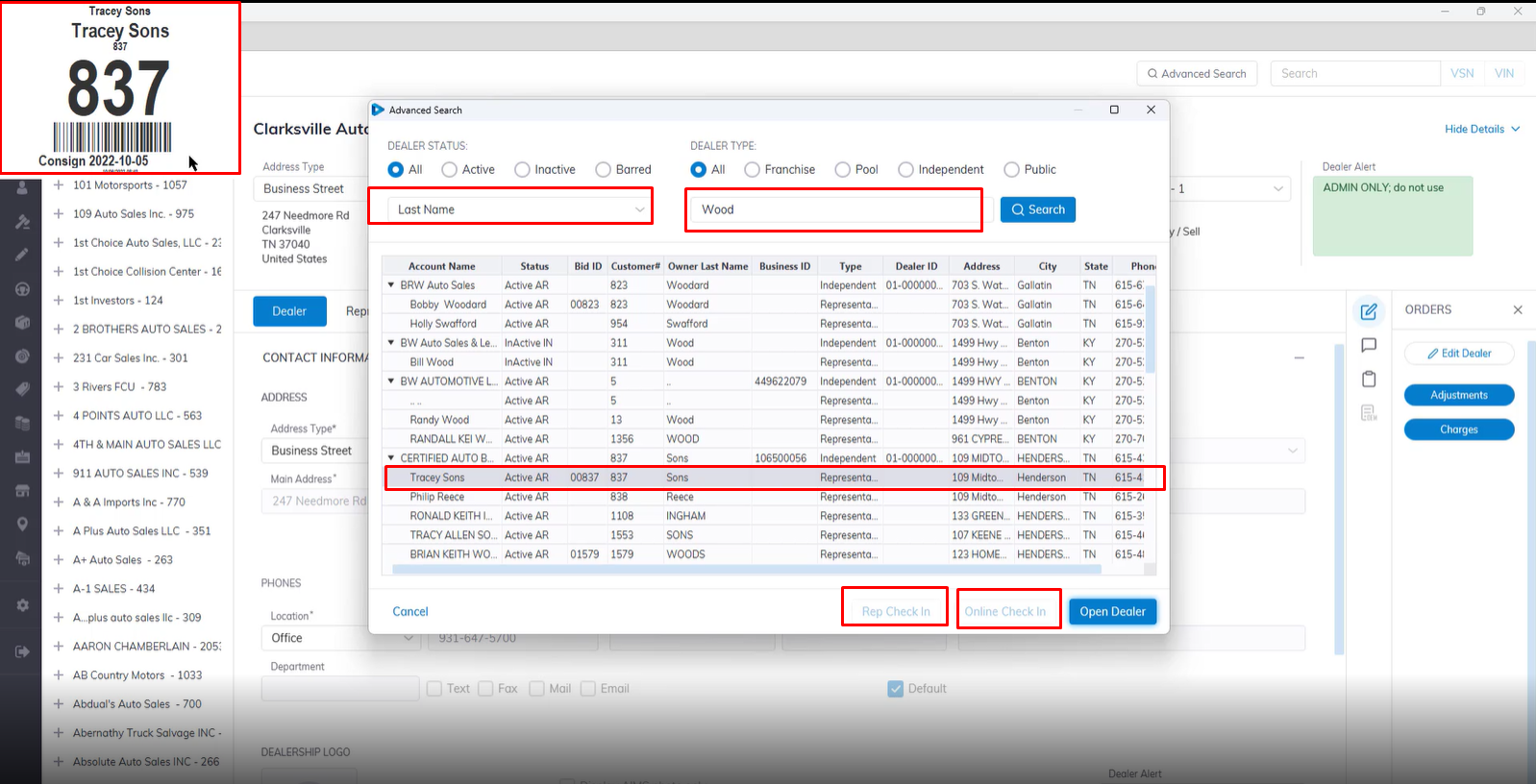
- Once the Advanced Search box pops up you Search using a number of filters.
- You can Select 'All' or filter by Dealer Status or Dealer Type.
- You can further filter by Last Name of Dealer, Account Name, Customer Name, Business Id, Rep ID etc.
- In this example we used Last Name: Wood this populate all the Representative with Wood as their last Name.
- Select the Rep you want to check in then click the Rep Check in or Online Check In button.
- The System will automatically print the badge ID once selected without you having to open each individual dealer account.

No Comments