
Arb and Arb Accept
Arbitration Order
The Arbitration order is used to set a vehicle to the 'Arbitration' state. This is done to prevent other orders until the Arbitration process is complete. The Arbitration order does not resolve an Arbitration one way or the other, this is only done using the 'Arb Accept' order (see below).
Arbitration Orders may be done for the following Vehicles:
Open Vehicle (OV)
Closed Buyer (CB)
Closed Seller (CS)
Closed Vehicle (CV)
Order can be done from the Dealer Profile or Vehicle Orders application
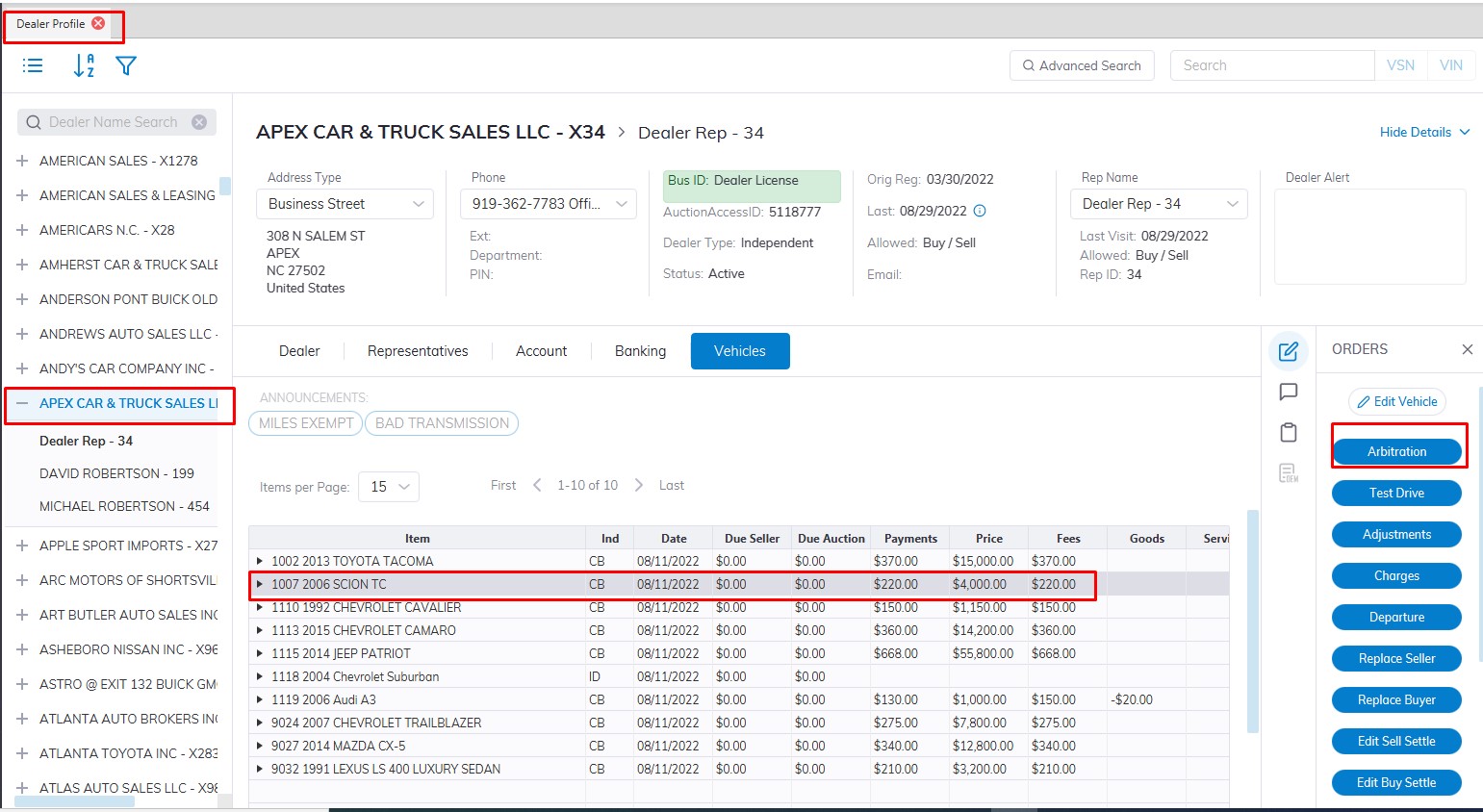
Select
- The Vehicle in the grid
- The Arbitration order from the right side "Order" Column.
- This will launch the form
Note: The 'Arbitration' order is done from the Buyer side.
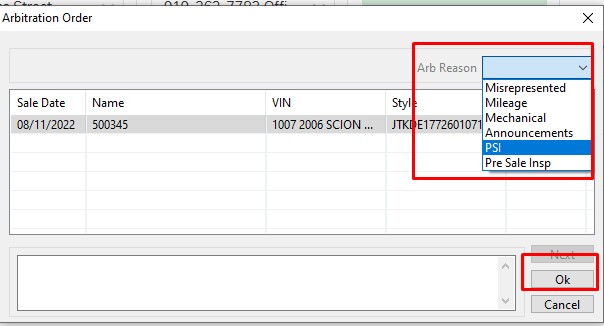
- Select the reason code and click 'OK' to complete.
Arb Accept Order
Once the vehicle has been to Arbitration and the Auction has determined the outcome; an 'Arb Accept' order must be done to input the agreed-upon price.
Note: The 'Arb Accept' order is done from the Buyer side.
from the Dealer Profile or Vehicle Orders application
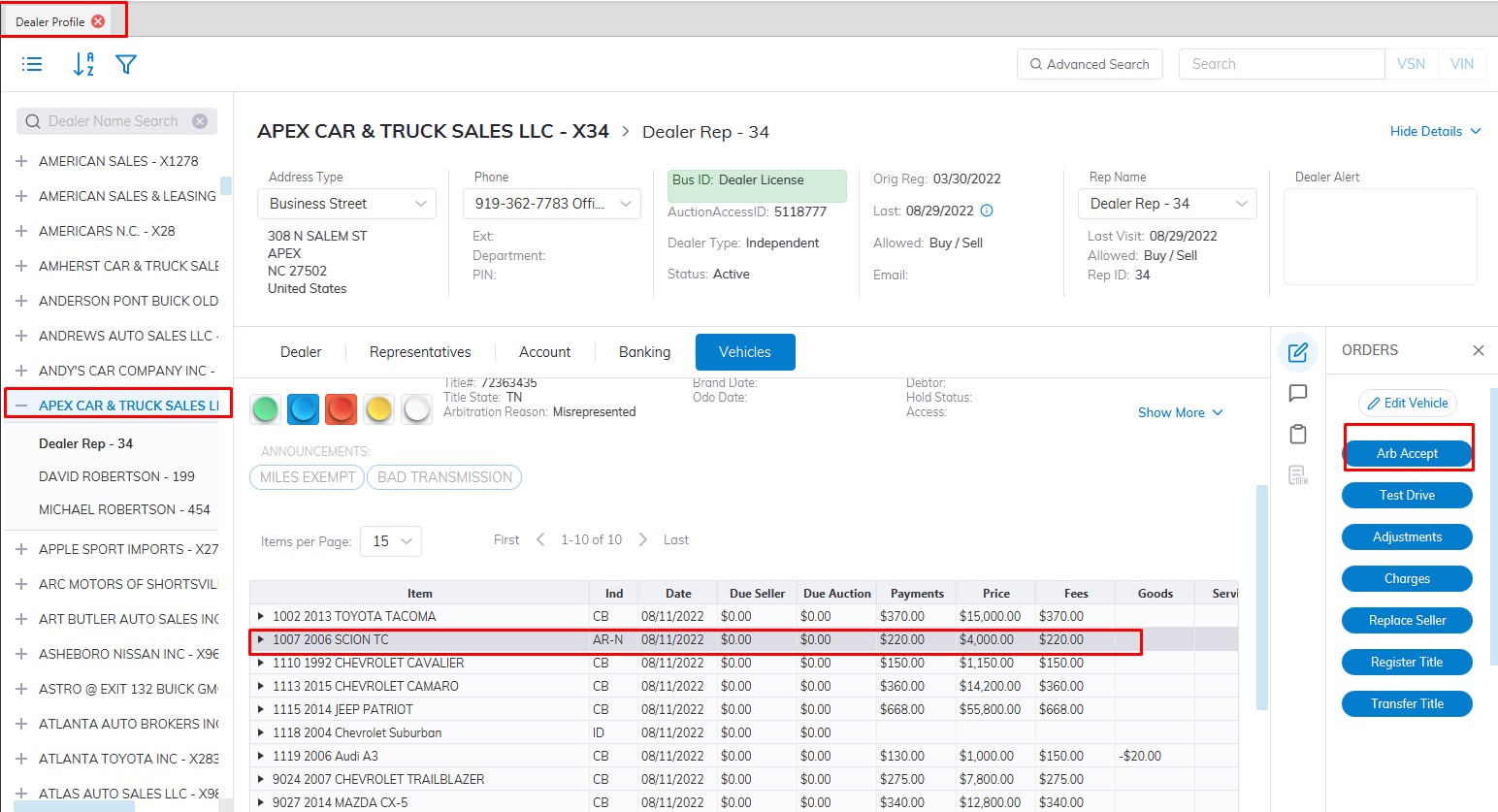
Select
- The Vehicle in the grid
- The Arb Accept order
- This will launch the form
Arb Accept orders have two outcomes:
- Price > $0.00 (this results in a 'Sold' [OS] state.
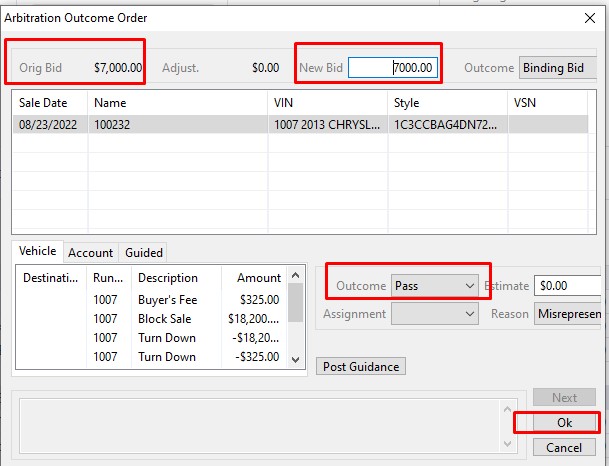
2. Price = $0.00 (this results in a 'Turn Down' [TD] state.
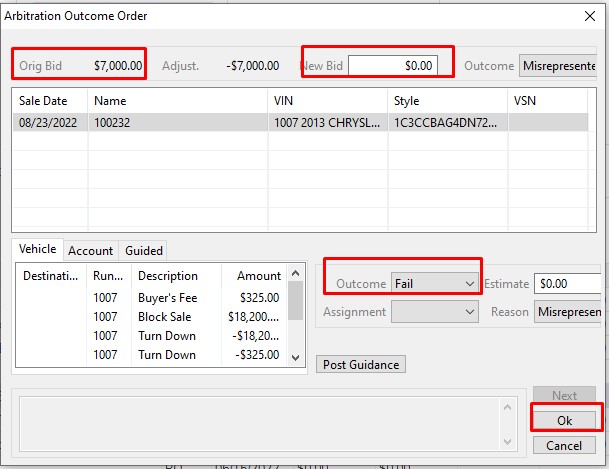
- Since charges may remain on the Buy Side of the vehicle you will be prompted to guide those charges to the Account during the Arb Accept order.
- Follow the normal Guidance procedures outlined here.
The chart below can be used to identify if a Vehicle or an Account will contain the adjustment resulting from the 'Arb Accept' order.
|
Saves (arb accept > $0.00) |
Saves (arb accept > $0.00) |
Turn Downs (arb accept = $0.00) |
Turn Downs (arb accept = $0.00) |
|
|
* State * |
* adjustments * |
* State * |
* adjustments * |
|
|
Open Bought / Open Sold |
OB/OS | Vehicle / Rep Account | TD | Vehicle / Vehicle |
|
Open Bought / Closed Sold |
OB/CS | Vehicle / Rep Account | TD | Vehicle / Vehicle |
|
Closed Bought / Open Sold |
CB/OS | Rep Account / Vehicle | TD | Rep Account / Vehicle |
|
Closed Bought / Closed Sold |
CB/CS | Rep Account / Rep Account | TD | Rep Account / Vehicle |
|
In Active |
CB/CS | Rep Account / Rep Account | TD | Rep Account / Vehicle |
No Comments