
Cleared Payments Report
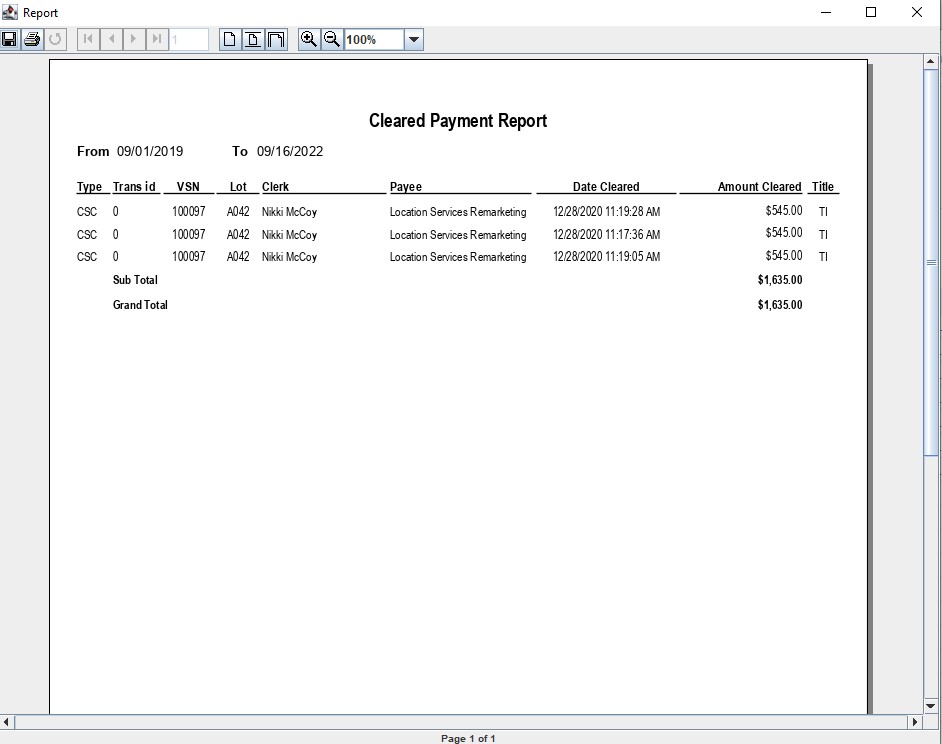
The Cleared Payments report lists only Cleared payments in order of Trans ID. This report is used to reconcile the Auction's bank statement with the AMS System. Using the Clear Payment orders (Cash or Check) the 'Cash in Bank' account GL1020 is reduced.
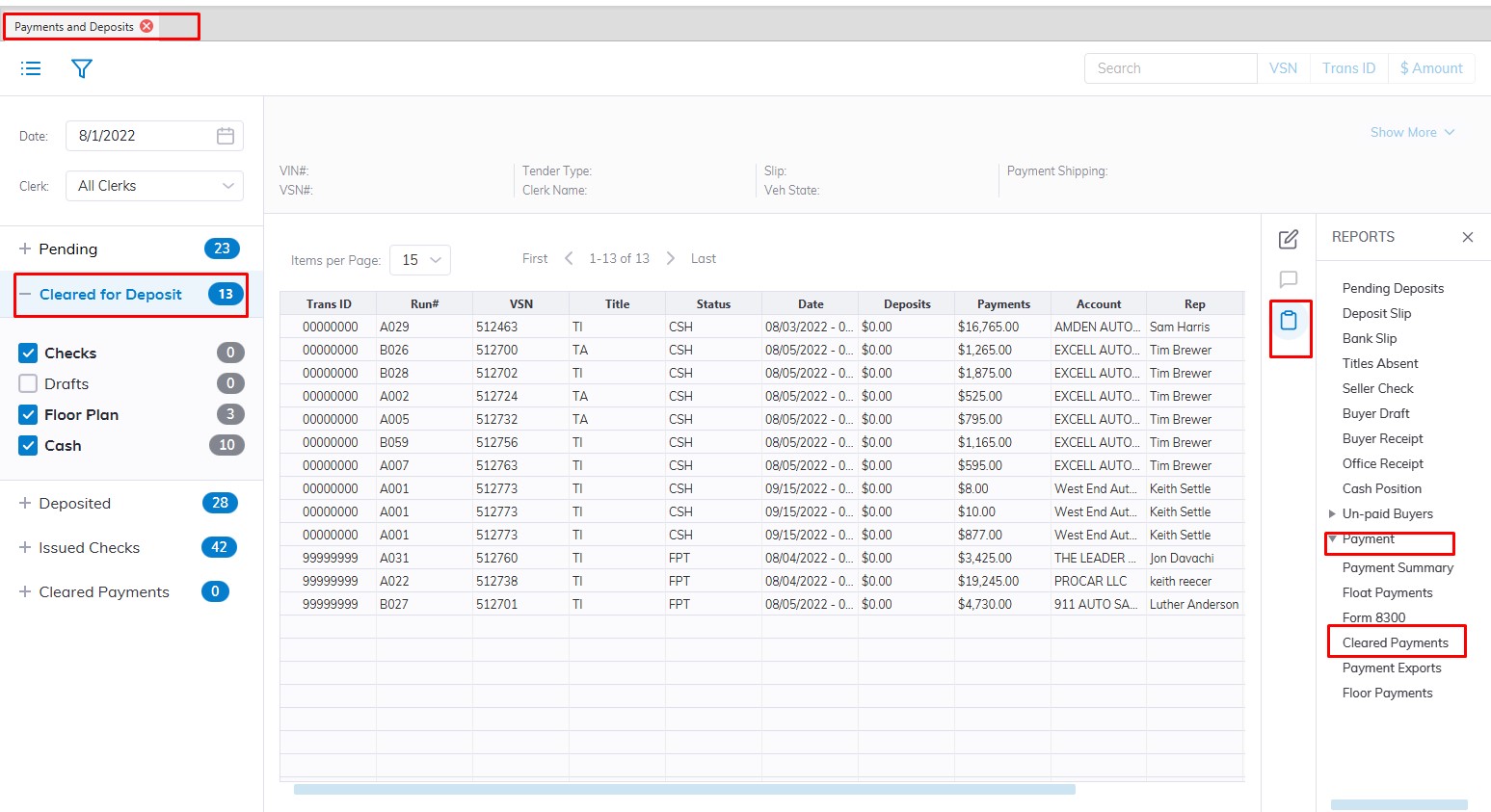
- Select the Payments and Deposit application
- Select the 'Reports' then sub-menu 'Payments'
- Select the Cleared Payment Report
- This will Launch the wizard to generate the report.
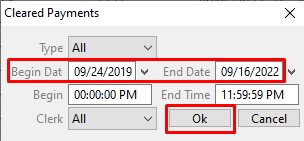
- Here you can choose the Date range you would like to run the report for
- You can choose to sort by Clerk or Type of you can just leave it on the default "All"
- Click 'OK' when done to create and print the report.
No Comments