
Vehicles Purchased
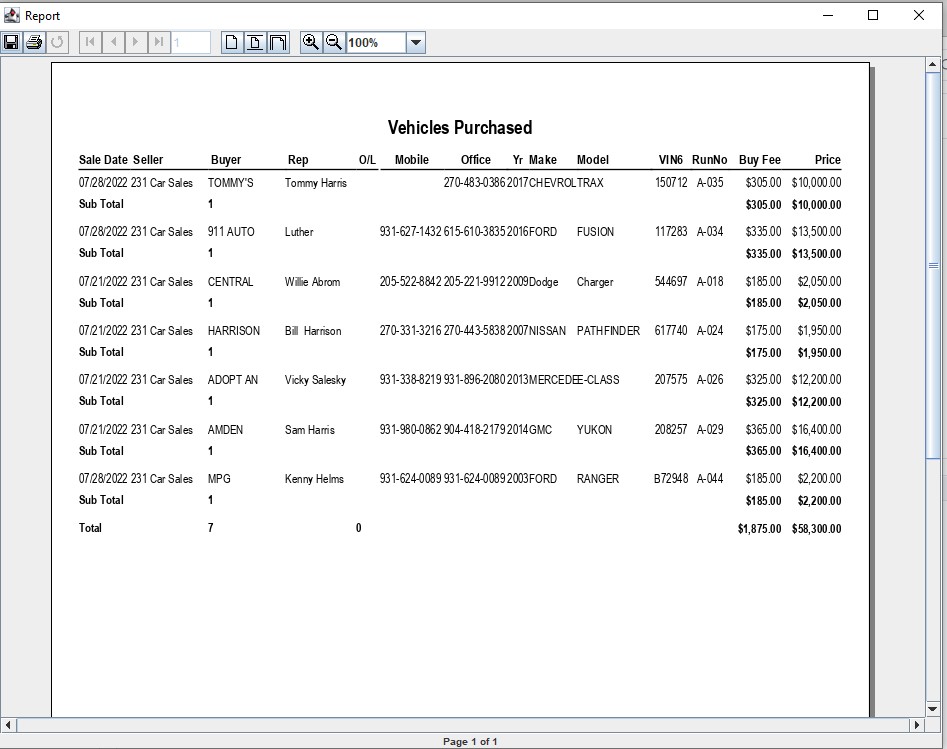
The Vehicles Purchased report lists purchased vehicles for a selected seller.
Select the Vehicle Block application > Reports> Seller Run List > Vehicles Purchased
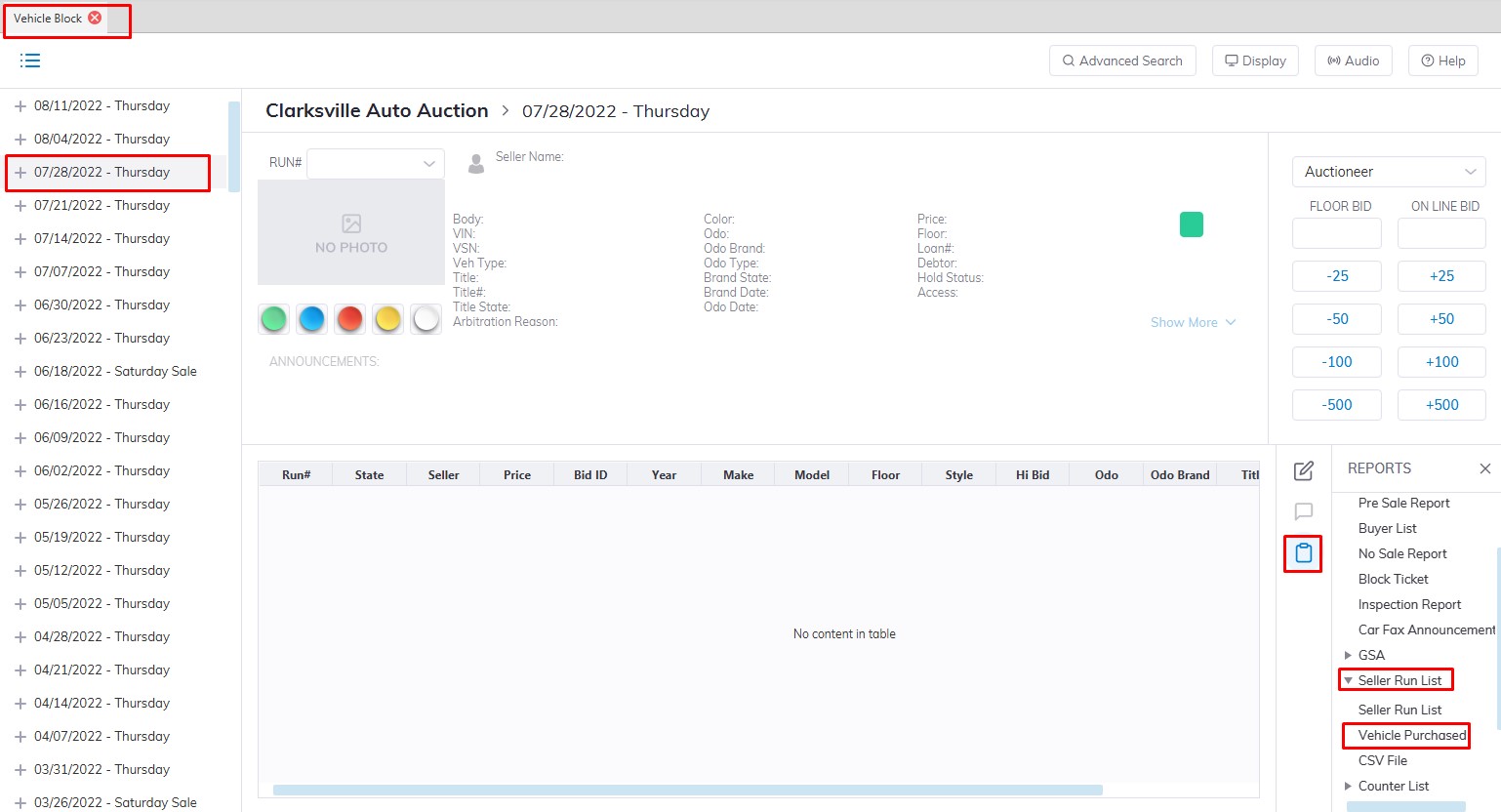
- This will launch the Seller Run list form.
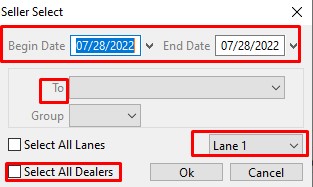
- Select the Sale Date Range you would like to run the report for.
- Select the specific Lane or you can choose the "Select All lanes" checkbox to run the report for all Lanes
- Select if you need 'All Dealers' or select a single selling Dealer from the drop-down listing in the To field.
- Click 'OK' when complete to generate the report.
Sample of the report that was generated.
No Comments