
Block Report
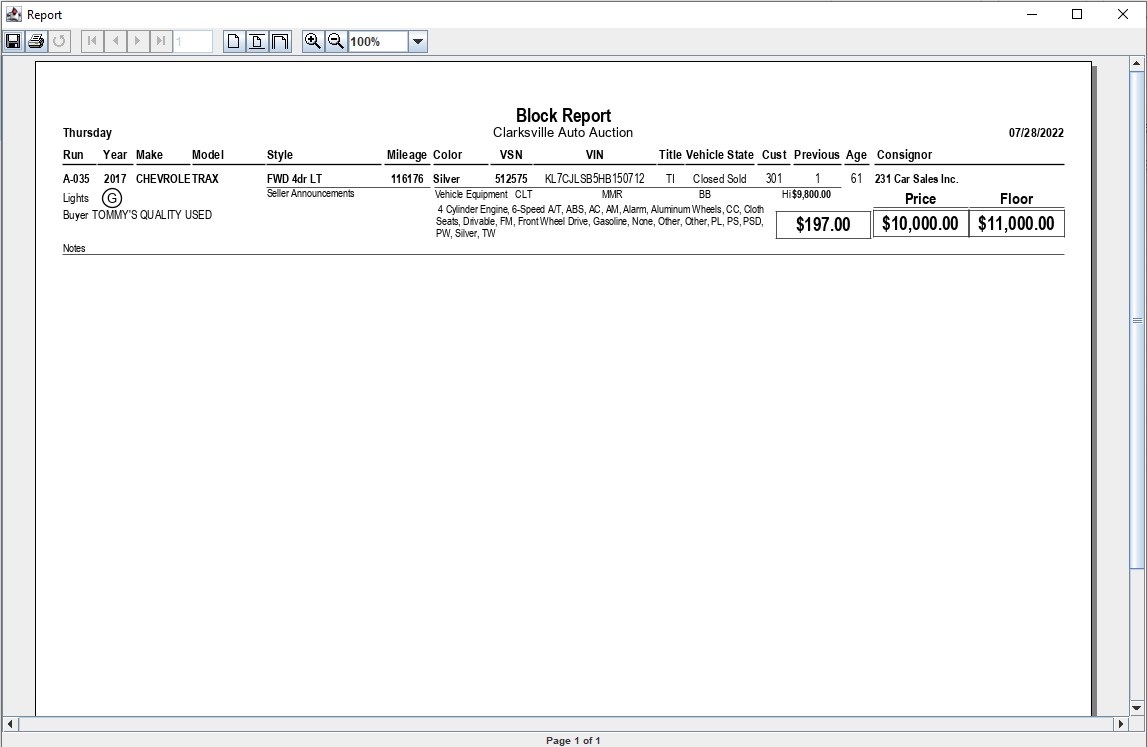
The Block Report is a hard copy of the information a block clerk would use when operating the vehicle block application. It may be used to record sales in the event the system is down or the power goes out. Printing this report for all lanes before a sale reduces the risk to your sale in the event of a power or computer failure.
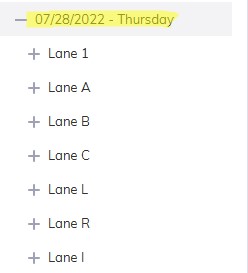
Note: You must select the 'Sale Description' (click the '+' sign next to the Sale Date' and select a Lane) to run the report.
- Select the Vehicle Block application
- Select Reports Menu
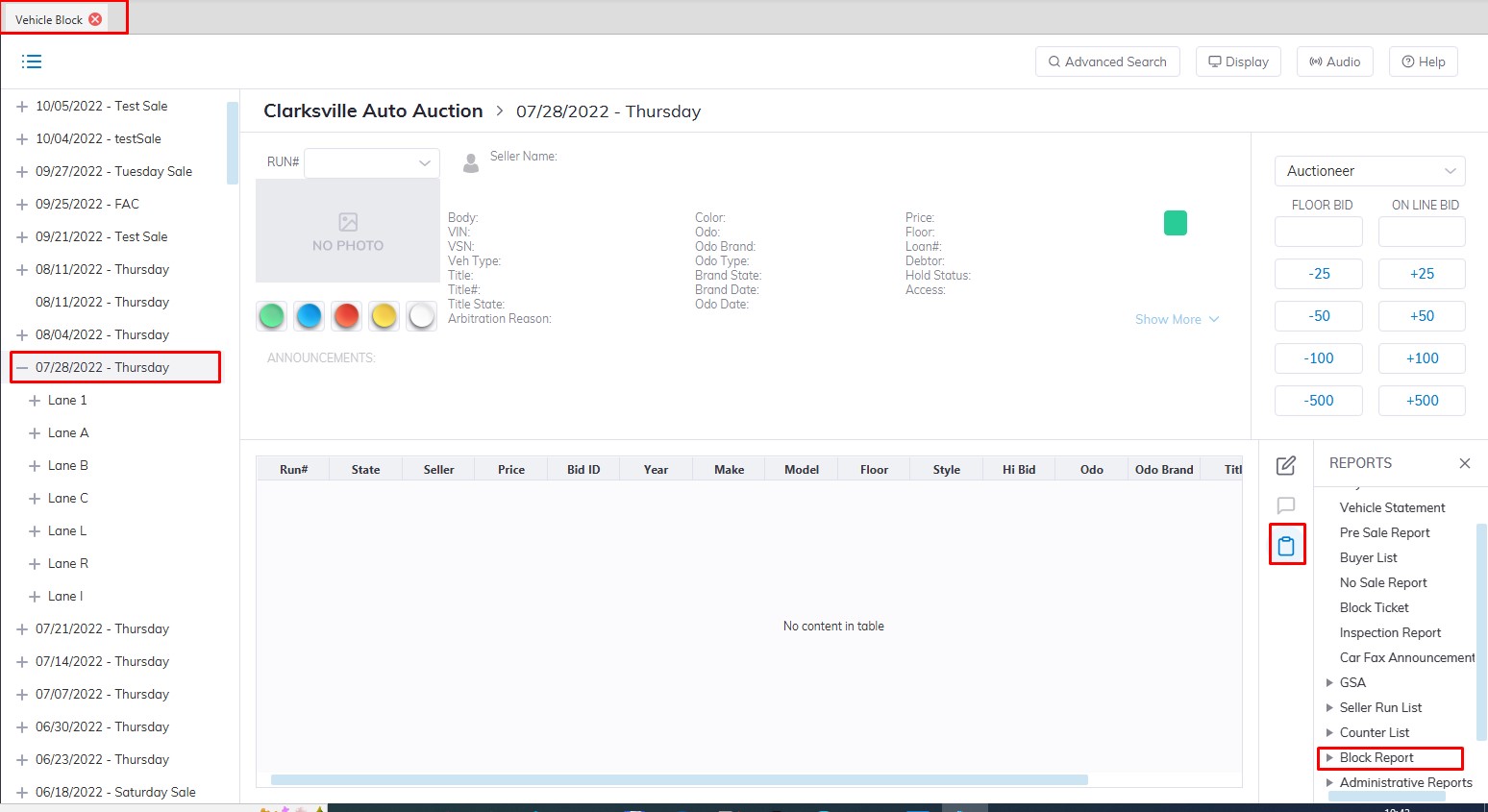
- Then Select the submenu Block Report
- Here you can choose the option 'Standard, Custom, or Block CSV'
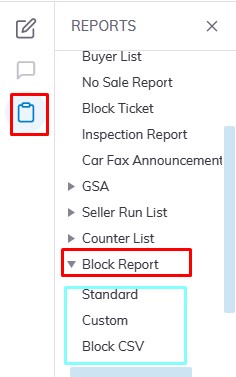
- This will launch the report wizard
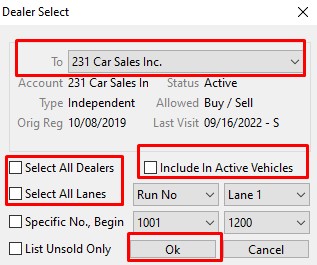
- If you have Departed VSNs before the sale due to a Seller pulling their vehicles you may exclude them from the report by leaving 'Include In Active Vehicles' unchecked.
- You may select just one dealer in the To field drop-down or click the box 'Select All Dealers'.
- You choose a specific Lane or you can click the box 'Select All Lanes' to run the report for all Lanes in the Sale.
- When you are done click 'OK' to create and print the report.
Warning: This report may have sensitive information such as Floor / Protect amounts
No Comments