
Bank and Bank Branch
Bank and Bank Branch - is stored as part of the Maintenance Menu under Auction Administration. 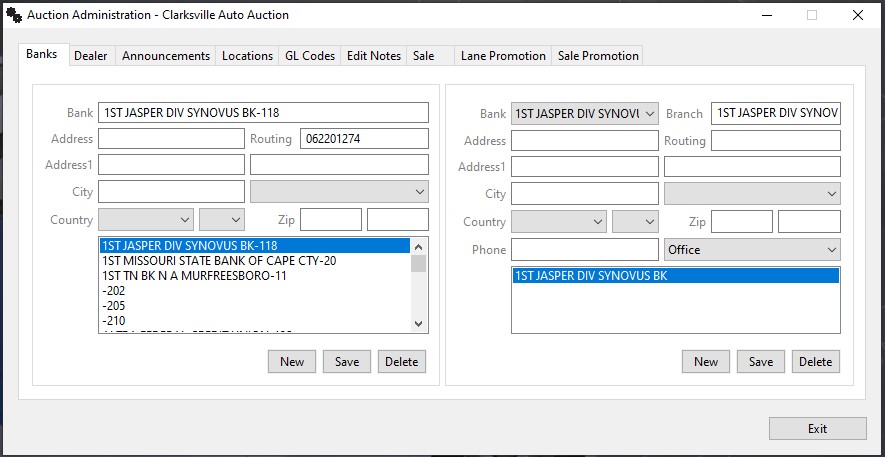
Specific account numbers for a particular branch are part of the Dealer Profile's Deposits tab. Banks may possess multiple Branches (auction administration) and Branches may possess multiple Accounts (dealer profile - deposit tab).
Creating New Bank
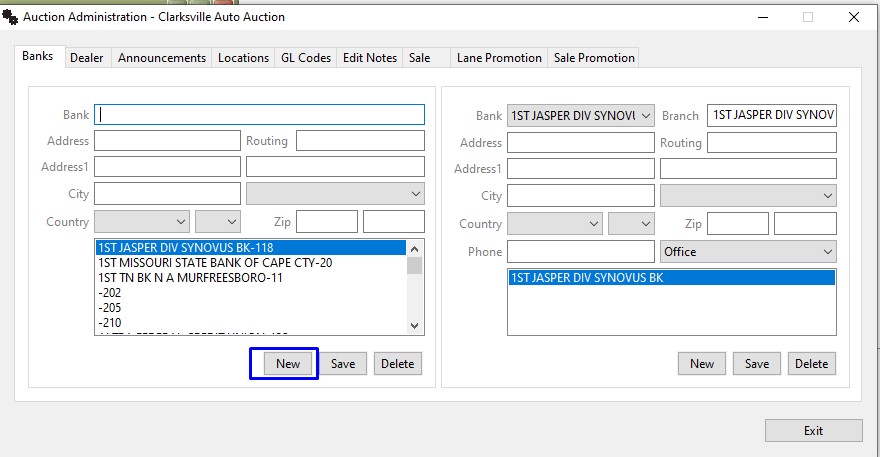
Step 1 . Clicking the 'New' button clears the Bank Name field. Type in the Name of the Bank.
Step 2. Type the Name of the Bank and click 'Save'. The name of the bank will be added to the list box below.
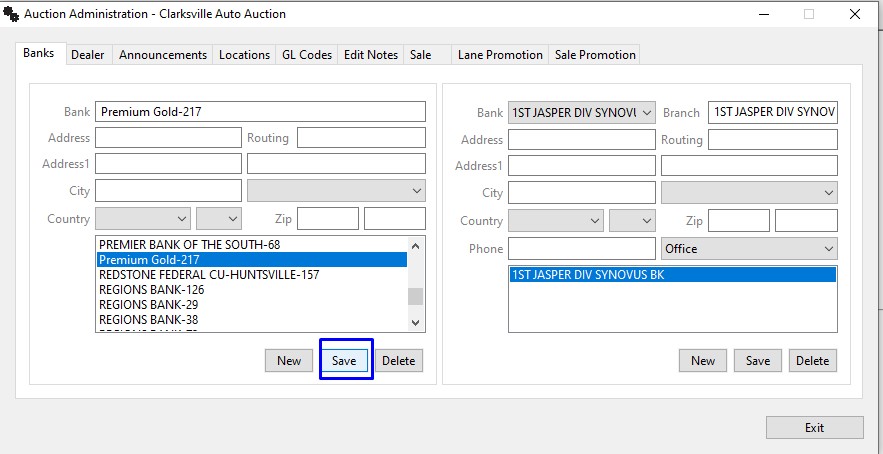
Now that we have our Bank created and added next step is to add the branch for the created Bank.
Adding Branch to New Bank
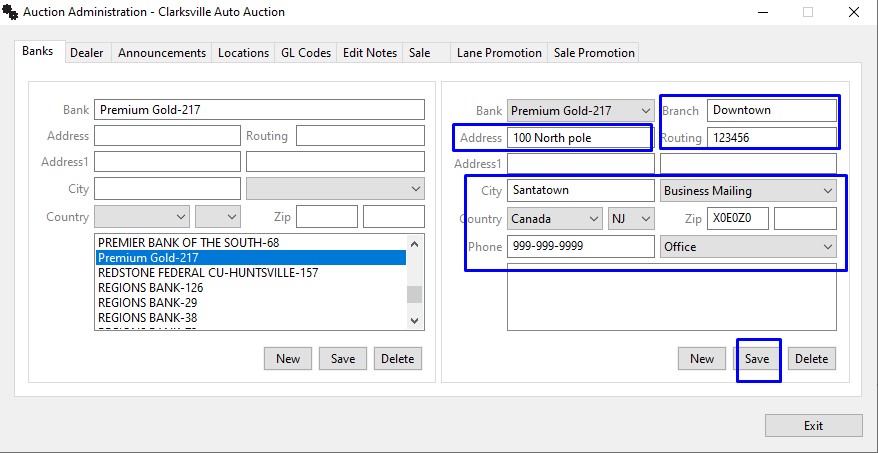
Step 1. Select the newly added bank from the list in the top right (bank branch) of the form and then click new.
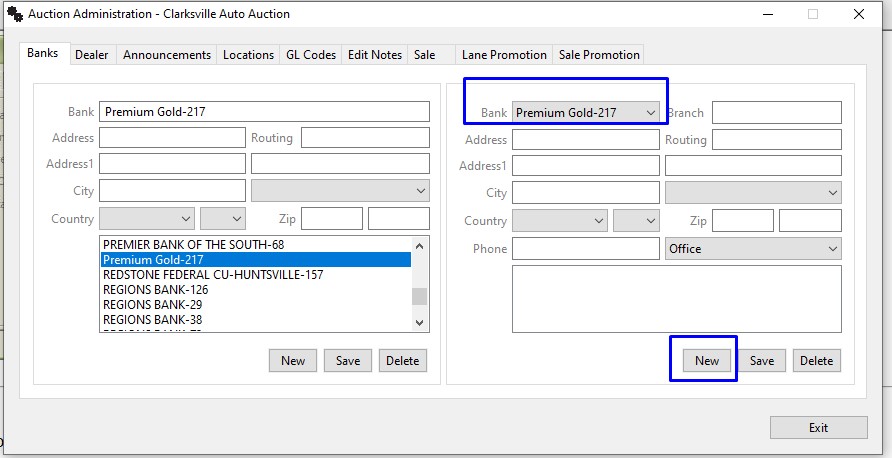
Step 2. Complete the form and click the 'Save' button to add the Branch information to the Bank information.
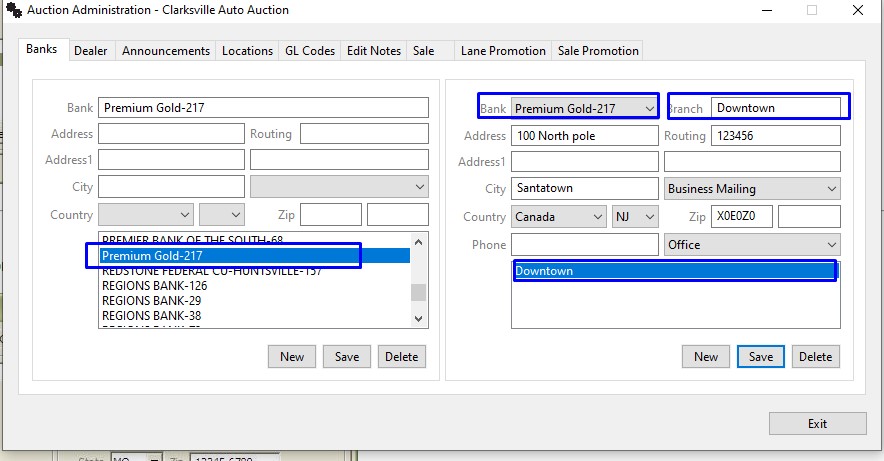
Step 3. The New Bank and New Branch information has been added and a Bank Account using the new Bank and Branch may be added to the Dealer's account.
No Comments