
IF Sale
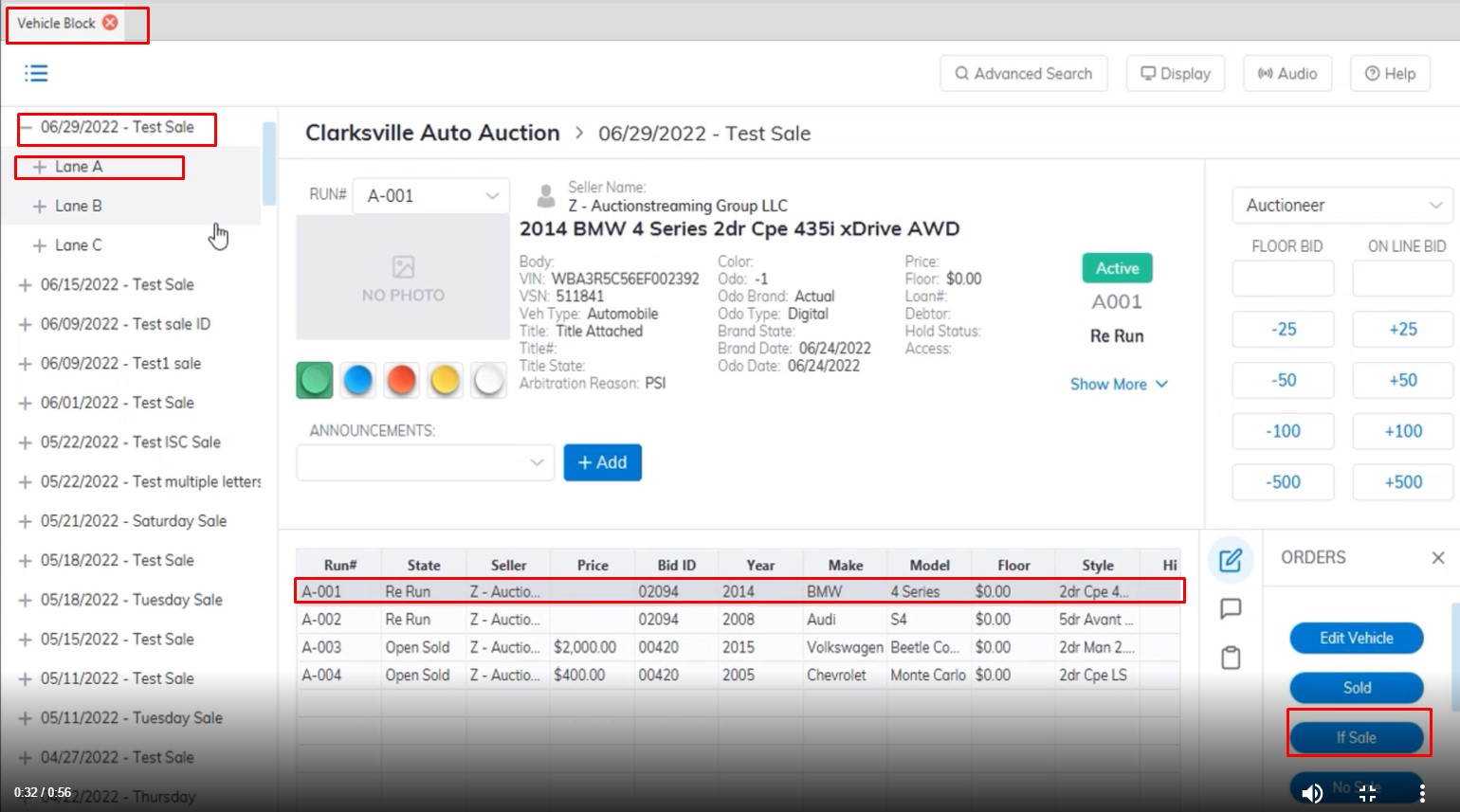
- The IF Sale Order is done on the Vehicle Block Application.
- Select the Sale Date and Lane where the vehicle is located.
- Select the vehicle
- Click the 'If Sale' order button with the mouse or press F6 on the keyboard to launch the 'If Sale' form.
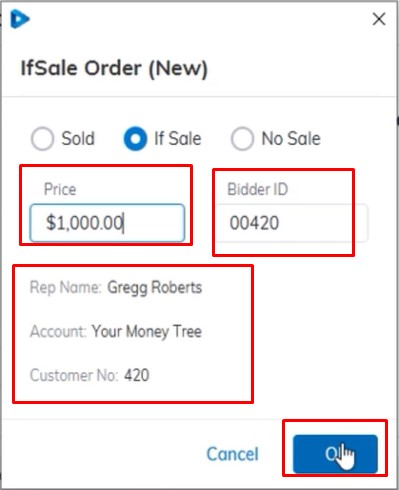
- Input the Bid in the Price filed and the Bidder ID of the buyer
- Check the summary to make sure the info is correct then Click 'OK' to complete.
After the order is completed the Buyer Invoice will print and the cursor will advance to the next Run Number automatically.
Note: The form will not accept a Bid ID that has not been previously registered for the Sale Date
An 'If Sale' does not create any A/R (accounts receivable) or A/P (accounts payable) for the Buyer or the Seller
An 'If Sale' order is completed when a price has been agreed upon. Use the ' If Accept ' order to close an If deal.
No Comments