Vehicle Settle (Buy Settle and Sell Settle Orders)
Buyer Settle
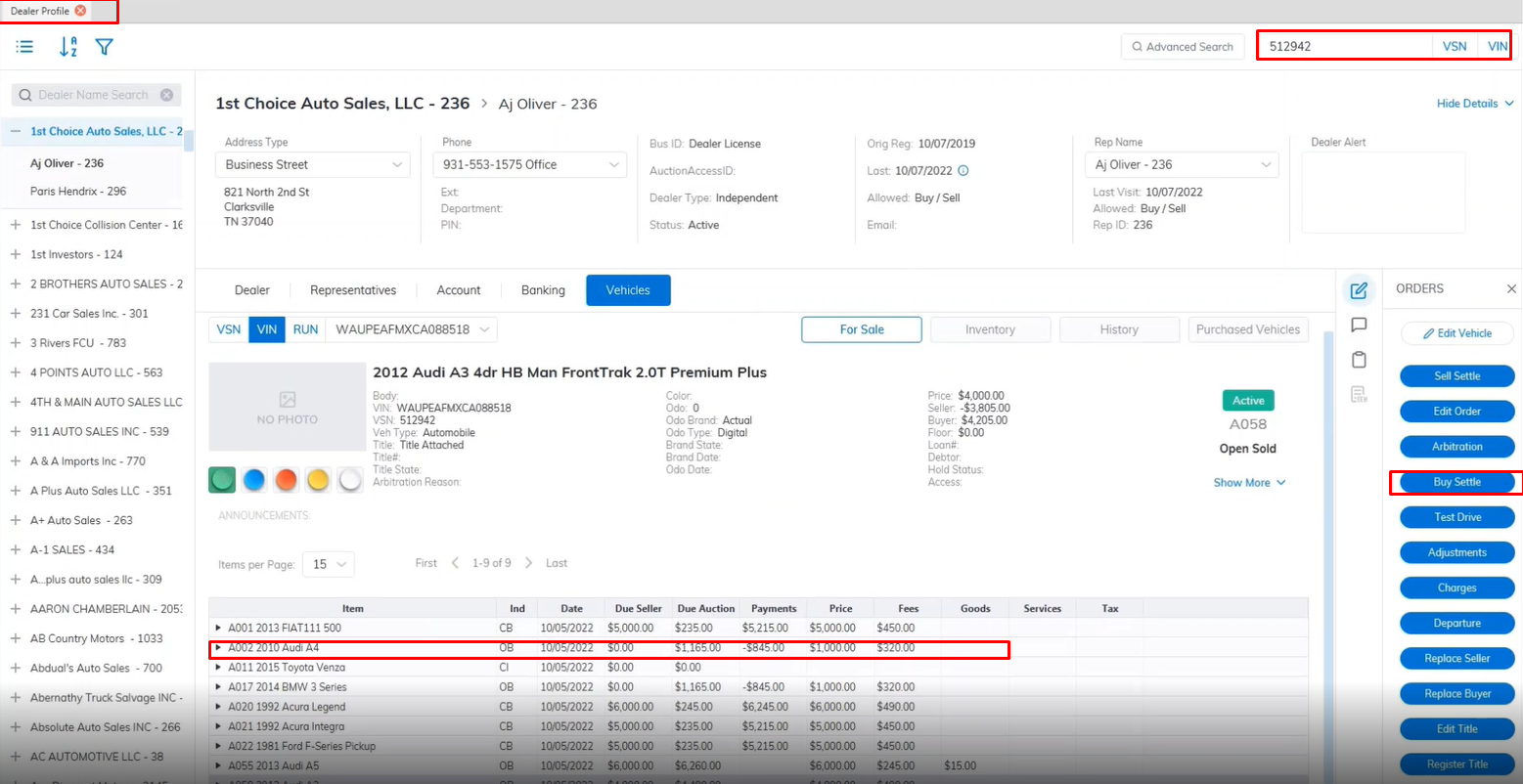
Buy Settle is done from the Dealer Profile and Vehicle Orders application.
Search for the vehicle using VSN or VIN., and select the buyer side.
Select the vehicle and select the 'Buy settle' Order from the right.
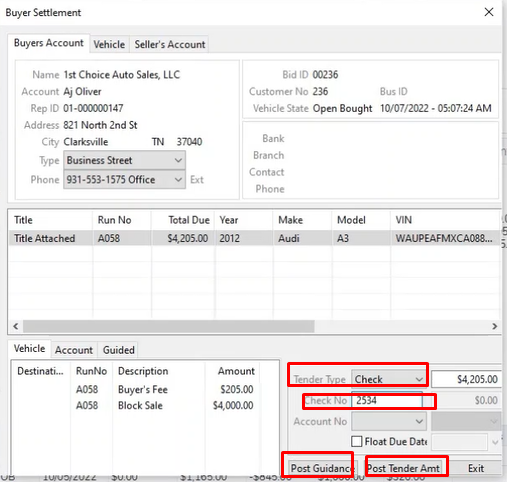
This will launch the Buy Settle form
Select your Tender type from the drop-down
if you choose Check then enter the check number in the 'Check No' field.
Select the Post Guidance button to guide the necessary charges.
Select the Post Tender button to complete the buy settle.
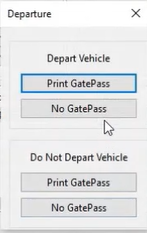
Here you will be prompted Option1: Depart the vehicle and Print a GatePass or not Print GatePassOption2: Do Not Depart the vehicle and print GatePass or not print GatePass
Seller Settle
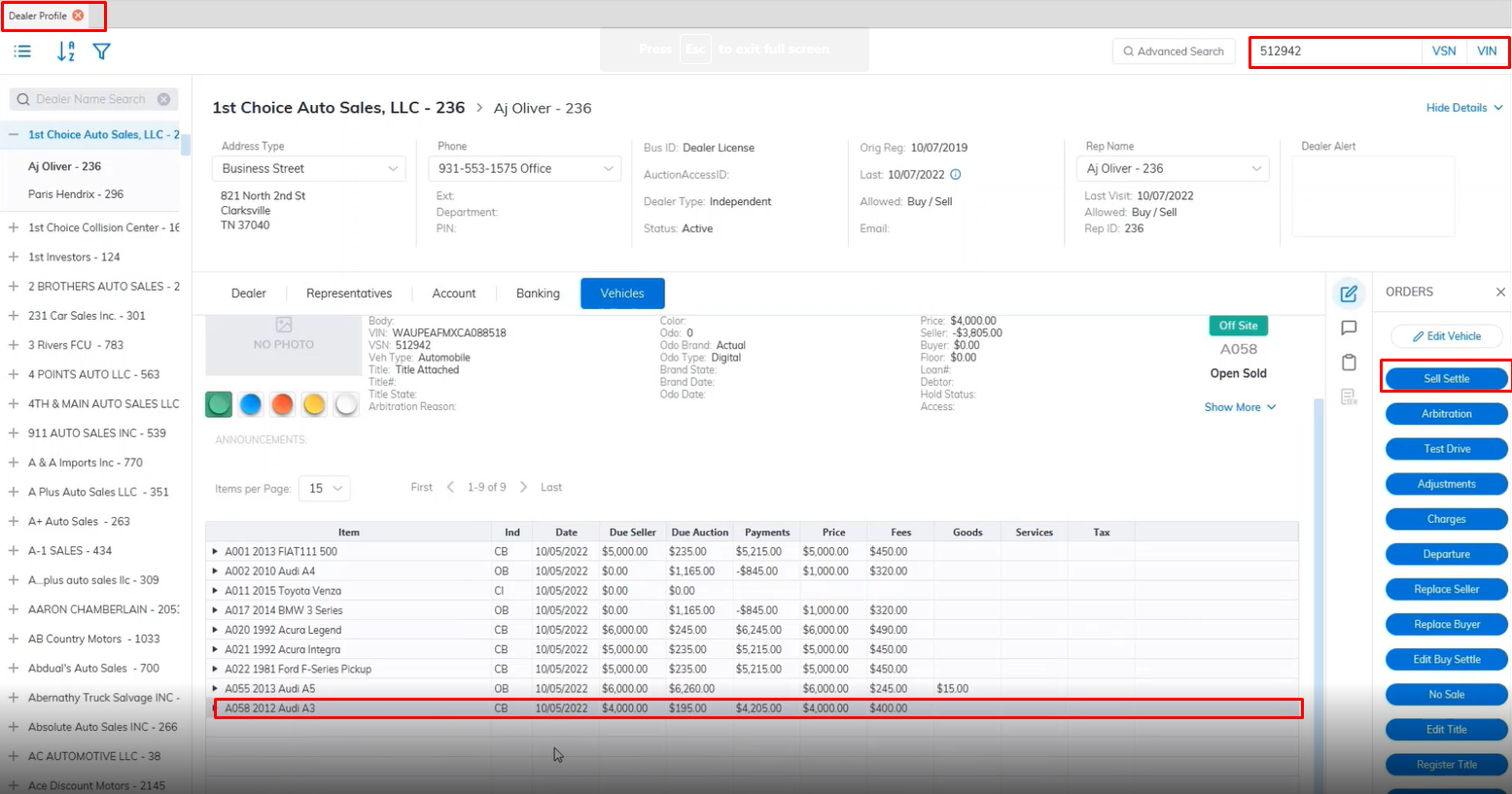
Sell Settle is done from the Dealer Profile and Vehicle Orders application.
Search for the vehicle using VSN or VIN., and select the buyer side.
Select the vehicle and select the 'Sell settle' Order from the right.
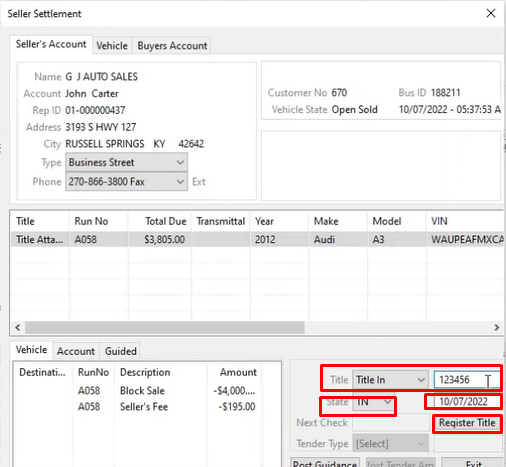
This will launch the Sell Settle form
If the Title is not registered update the Title here and Register it. Enter the Title Number, State, and Date
Click the Register Title Button when done to Register the Title.
Once done you will be able to Select the Tender Type from the drop-down. you Select Check the next check No will automatically be filled into the Next Check field by the System.
Select the Post Tender button to complete the Sell Settle.
After performing a Buy Settle and Sell Settle the vehicle will be placed in the History Tab as it is now an Inactive vehicle deal is closed on both sides.