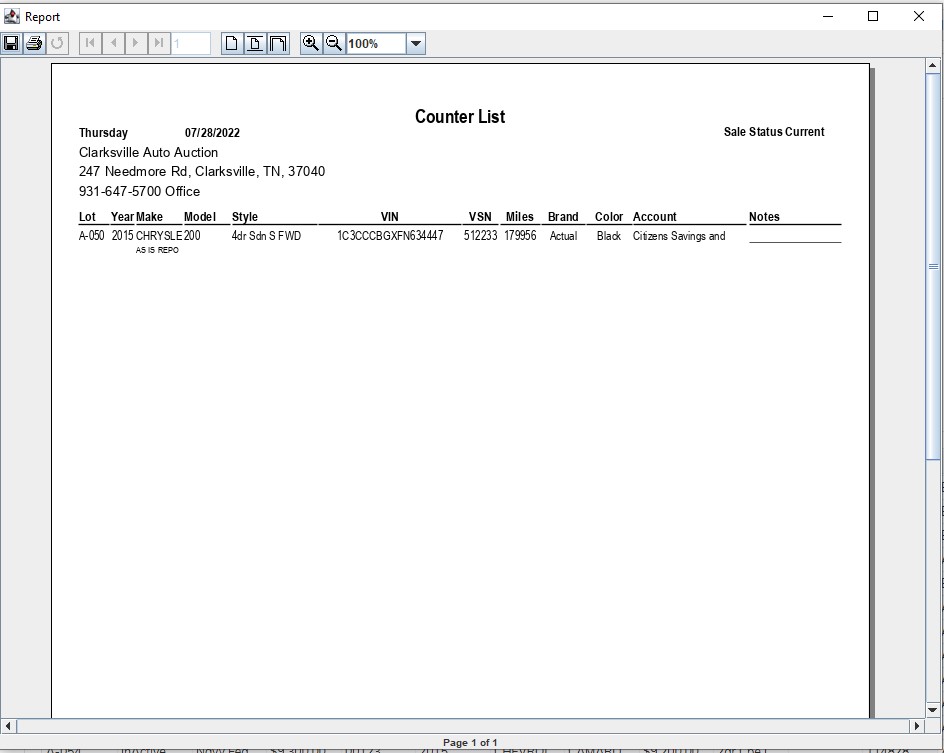
Pre-Sale list and Counter list
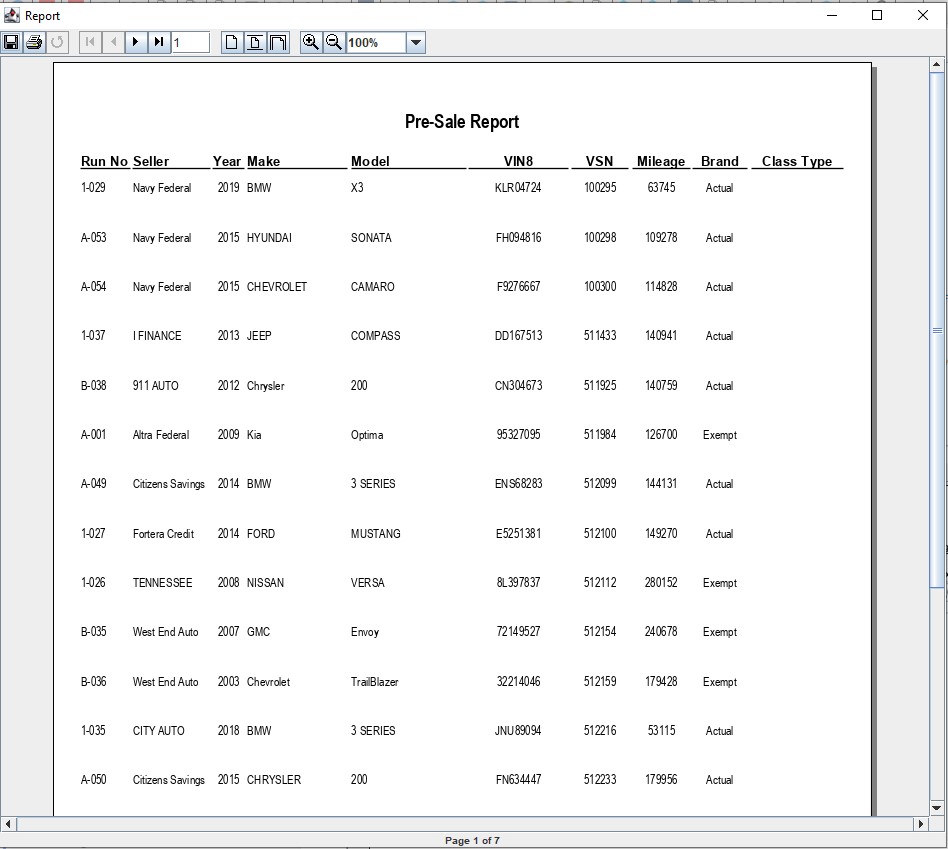
Pre Sale Report
The Pre Sale report is for buyers who need a list of what is available for sale. It does contain the name of the Selling Dealer. If you need the same report without the Selling dealer run the Counter List report. You may run the report from the Sale Profile or the Vehicle Block applications.
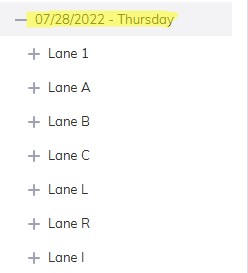
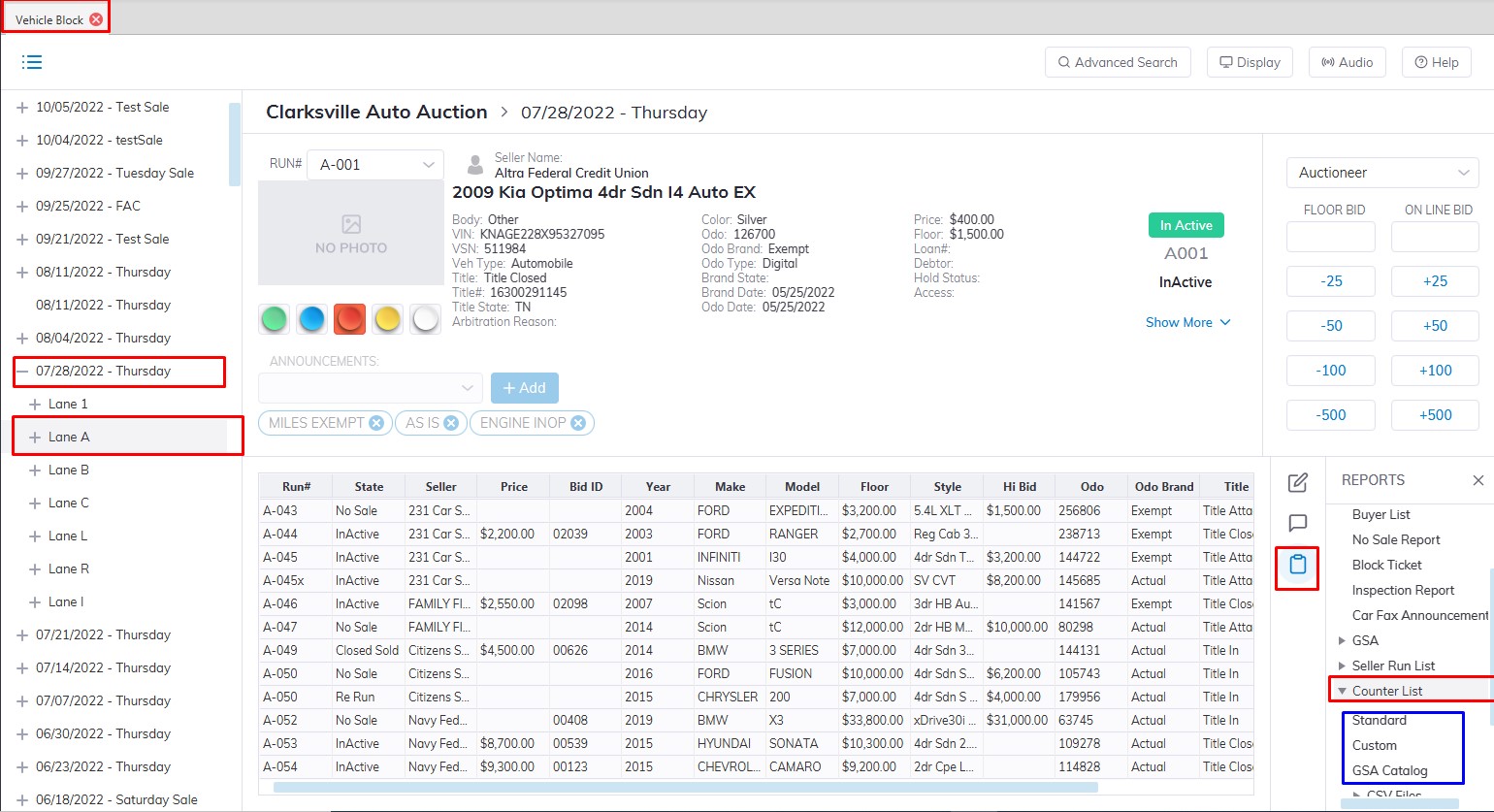
Note: You must select the 'Sale Description' (click the '+' sign next to the Sale Date' and select a Lane) to run the report.
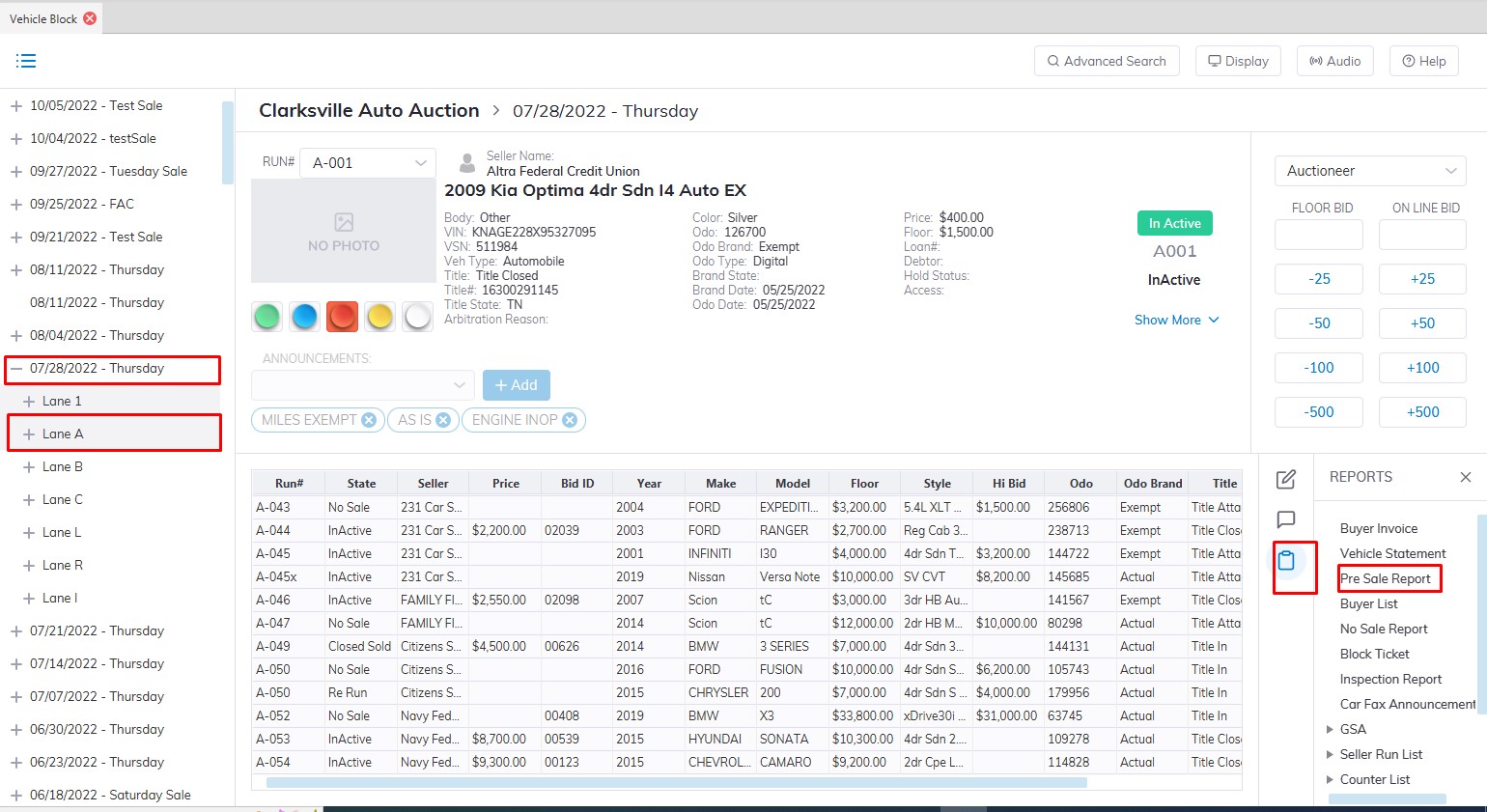
Counter List
The Counter List report is for buyers who need a list of what is available for sale. It does not contain the name of the Selling Dealer. You may run the report from the Sale Profile or the Vehicle Block applications.
Note: You must select the 'Sale Description' (click the '+' sign next to the Sale Date' and select a Lane) to run the report.
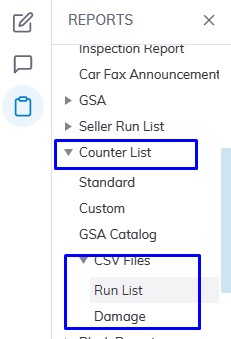
You may also run 2 CSV versions of the Counter List report for 'Run List' or 'Damage'. The 'Damage' file contains the Condition Report items, the Run List contains vehicles for sale. Both files may be used to forward to OnLine Ringman.
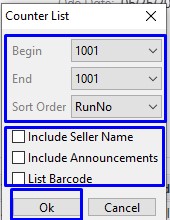
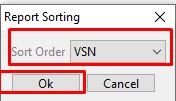
End Run Number
VSN (vehicle stock number)
Make-Model Click 'OK' when done to create and print the report.