Payment Reports FAQ
1. Cleared Payments Report 2. Float Payment Report 3. UnPaid Buyers Report 4. UnSold Vehicle Schedule Report 5. Title Absent Report
- Cleared Payments Report
- Float Payment Report
- UnPaid Buyers Report
- UnSold Vehicle Schedule Report
- Title Absent Report
Cleared Payments Report
The Cleared Payments report lists only Cleared payments in order of Trans ID. This report is used to reconcile the Auction's bank statement with the AMS System. Using the Clear Payment orders (Cash or Check) the 'Cash in Bank' account GL1020 is reduced.
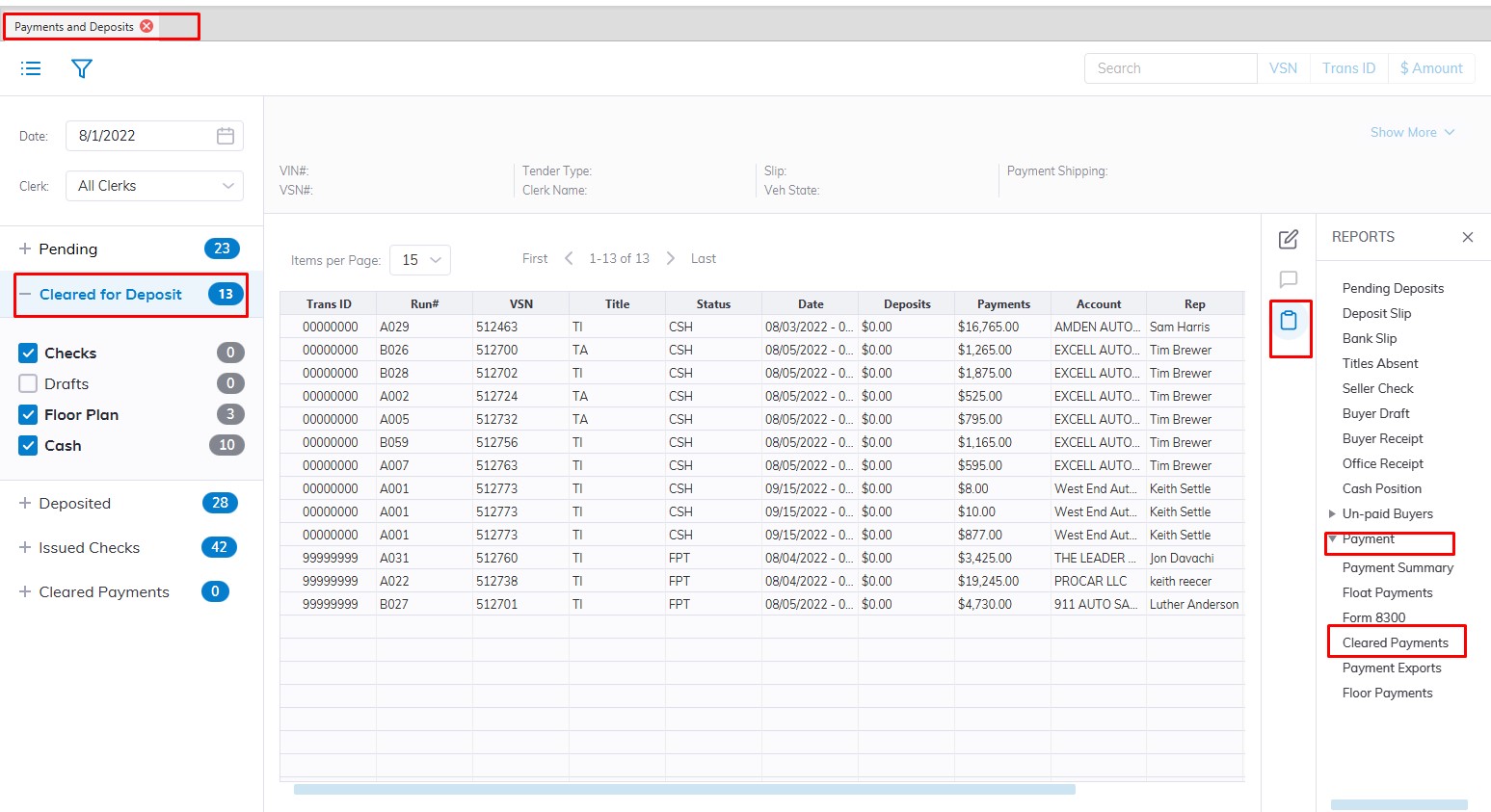
- Select the Payments and Deposit application
- Select the 'Reports' then sub-menu 'Payments'
- Select the Cleared Payment Report
- This will Launch the wizard to generate the report.
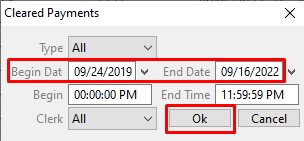
- Here you can choose the Date range you would like to run the report for
- You can choose to sort by Clerk or Type of you can just leave it on the default "All"
- Click 'OK' when done to create and print the report.
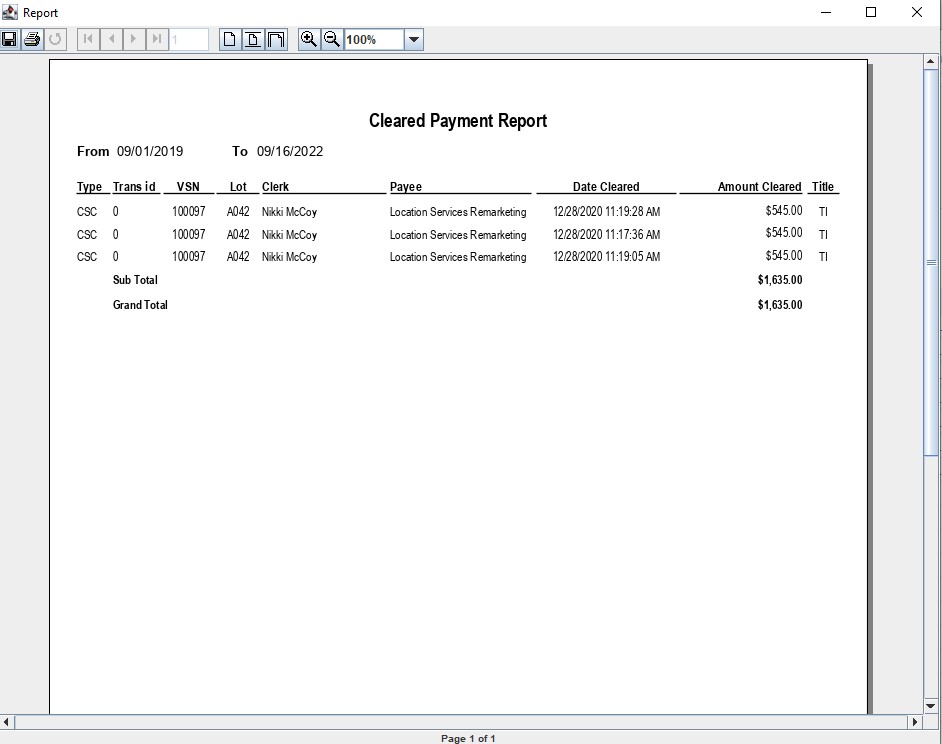
Float Payment Report
The Float payment report lists all buyer payments that the Auction has decided to hold for a period of time. As part of the Buy Settle order a user may designate any payment as 'Float'.
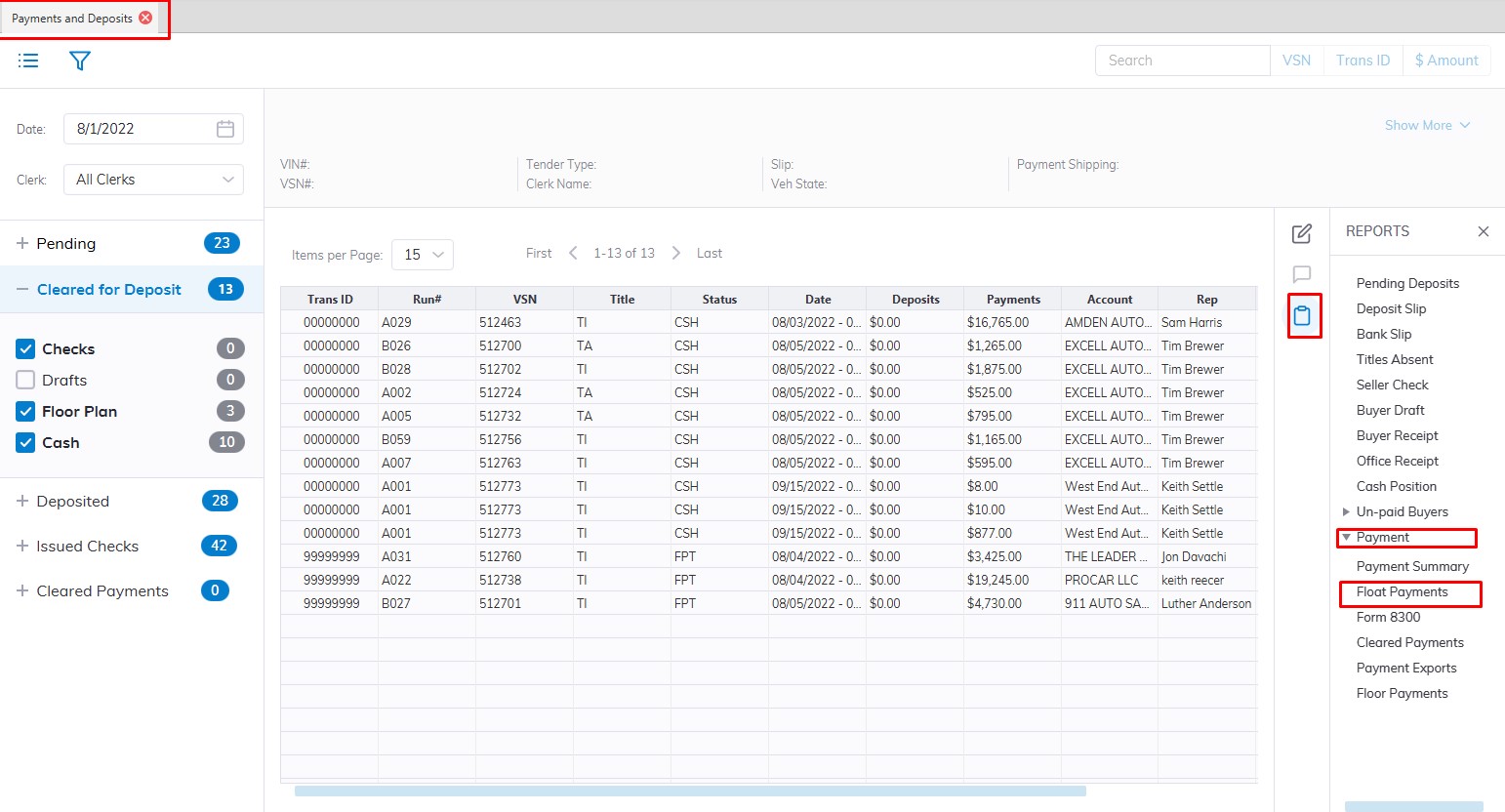
- Select the Payments and Deposit application
- Select the 'Reports' then sub-menu 'Payments'
- Select the Cleared Payment Report
- This will Launch the wizard to generate the report.
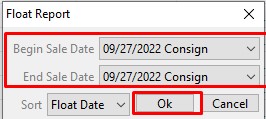
- Here you can choose the Date range you would like to run the report for
- You can choose to sort by Float Date which is the default
- Click 'OK' when done to create and print the report.
UnPaid Buyers Report
The Un Paid Buyers report provides information for vehicles whose payments are outstanding. You may run this report from the Sale Profile or Payments and Deposits application.
- Select the Payments and Deposit application
- Select the 'Reports' and then the sub-menu 'Un-Paid Buyers'
- You will have two options 'Un-Paid Buyers' or Un-Paid Buyers with Fees' Report
- Once you make a selection. This will Launch the wizard to generate the report.
 Unpaid Buyers without fees
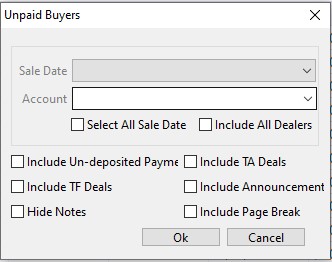 Unpaid Buyers with fees
-
You may designate a specific sale or check the check box 'Select All Sale Date' to include all Sale Dates. You may also include payments posted in the system but have not been deposited by checking the box 'Include undeposited payments.
- Click 'OK' when done to create and generate the report.
UnSold Vehicle Schedule Report
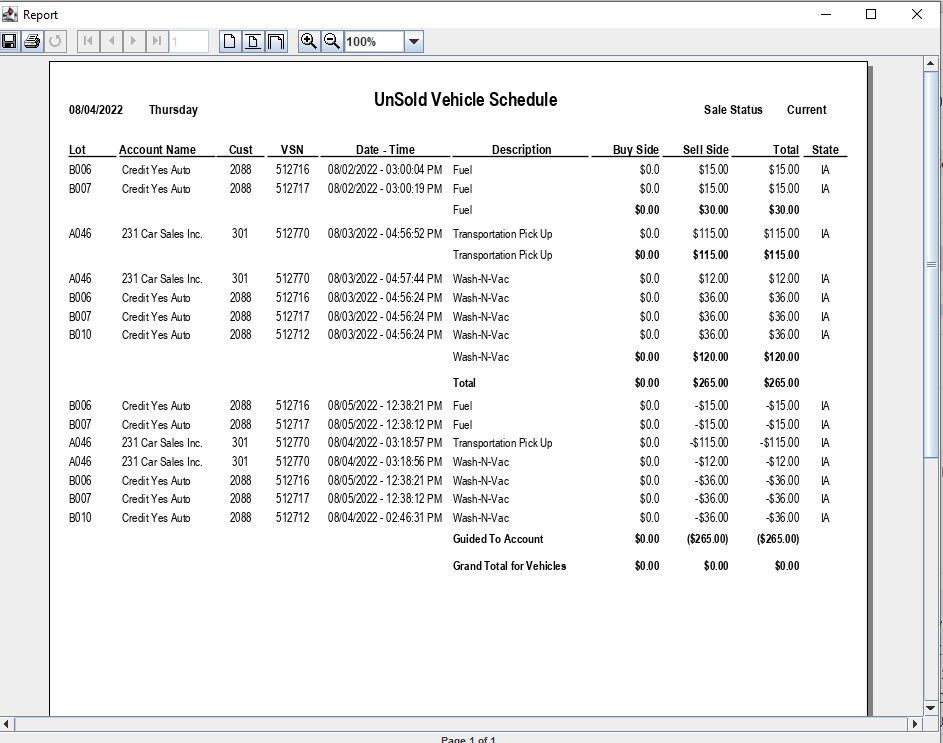
This report provides a detail of the Vehicle Charges, Adjustments, Transportation, Repair and Registration Fees earned on a sale-by-sale basis for any Un Sold vehicles; No Sale, Turn Down, or If Down states.
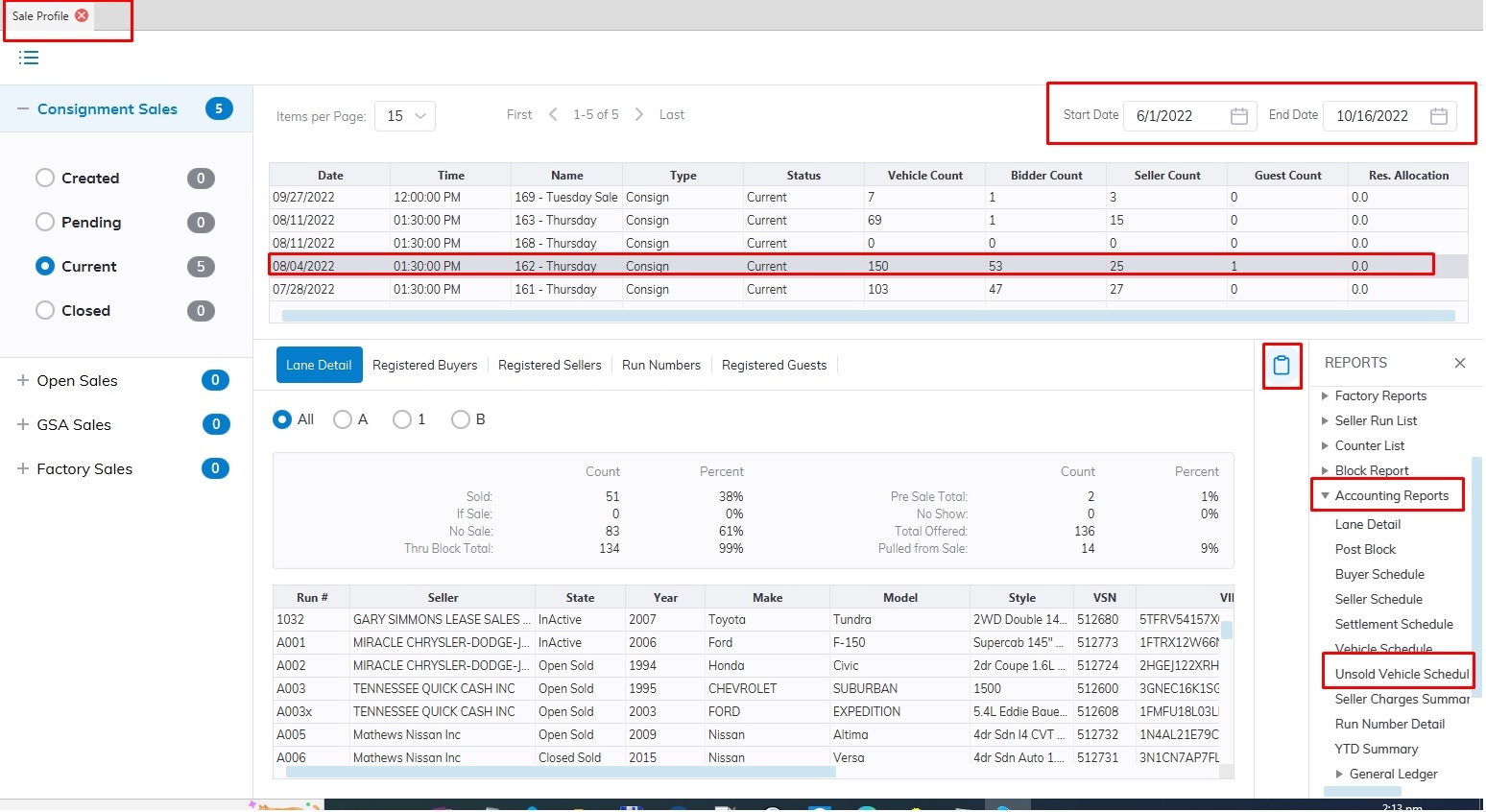
- Select the Sale Profile application
- Select the 'Reports' then sub-menu 'Accounting Reports'
- Select the UnSold Vehicle Schedule Report
Note: You must select the Sale Date from the grid before running the report
Title Absent Report
The Title Absent report provides information for vehicles whose titles are outstanding as Title Absent or Title Float. You may run this report from the Sale Profile or Payments and Deposits application.
From Sale Profile
- Select the Sale Profile application
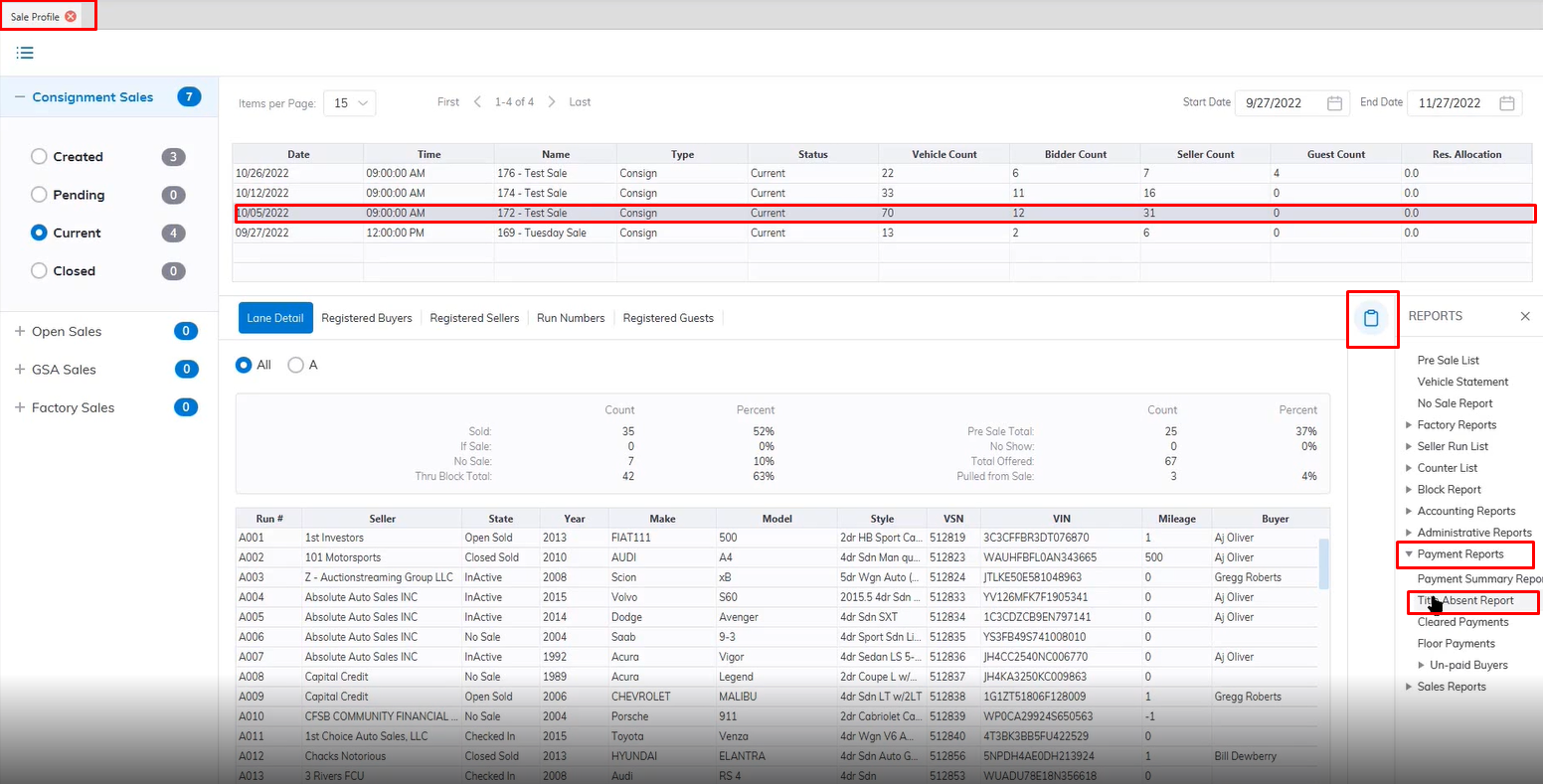
- Select the Sale Date from the top grid
- Select Reports menu
- Select the Payments Report submenu then Title Absent Report
- This will launch the Report wizard
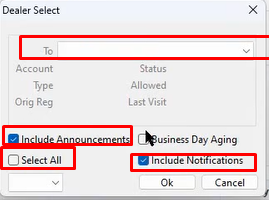
- You can customize your report by selecting a specific Dealer or selecting the Select All checkbox for all dealers.
- You can include Notifications and Include Announcements by selecting the checkbox in your report.
- When finished Click "OK" to create and print your report.
From Payments and Deposits
- Select the Payments and Deposits application
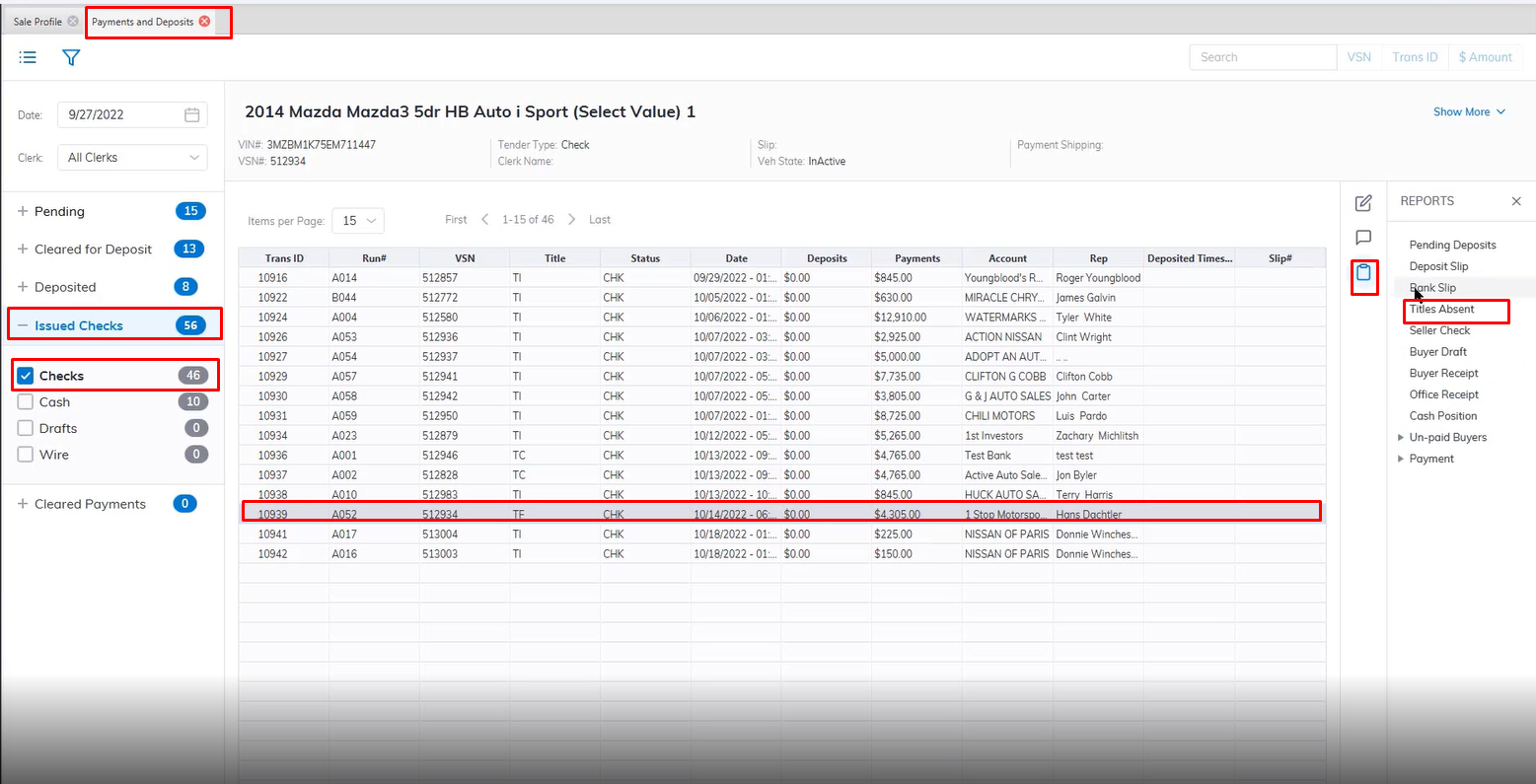
- Select the Issued Checks Sash then Checks Section
- Select the Vehicle with a status of TF or Title Float
- Select Reports menus
- Select the Title Absent Report
- This will launch the Report wizard
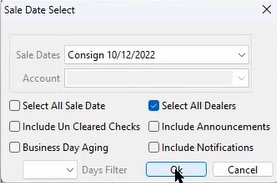
- You can customize your report by selecting a specific Dealer in the Account field Dropdown or selecting the Select All checkbox for all dealers.
- Select the Sale Date from the Dropdown
- You can include Notifications and Include Announcements by selecting the checkbox in your report.
- When finished Click "OK" to create and print your report.