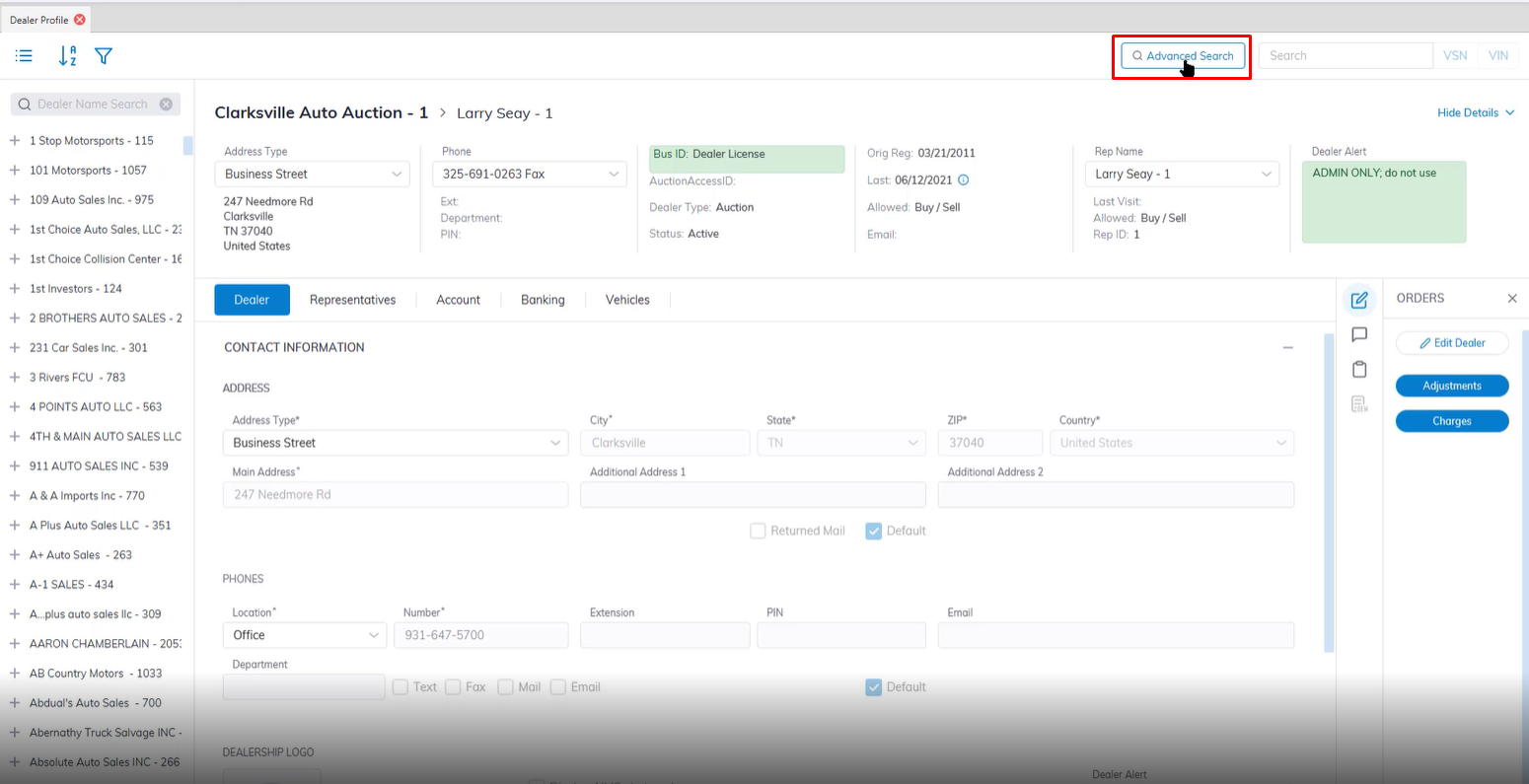
Quick Register is done from the Dealer Profile Application.
Launch the Advanced search application in the top right corner next to the VIN/VSN search box.
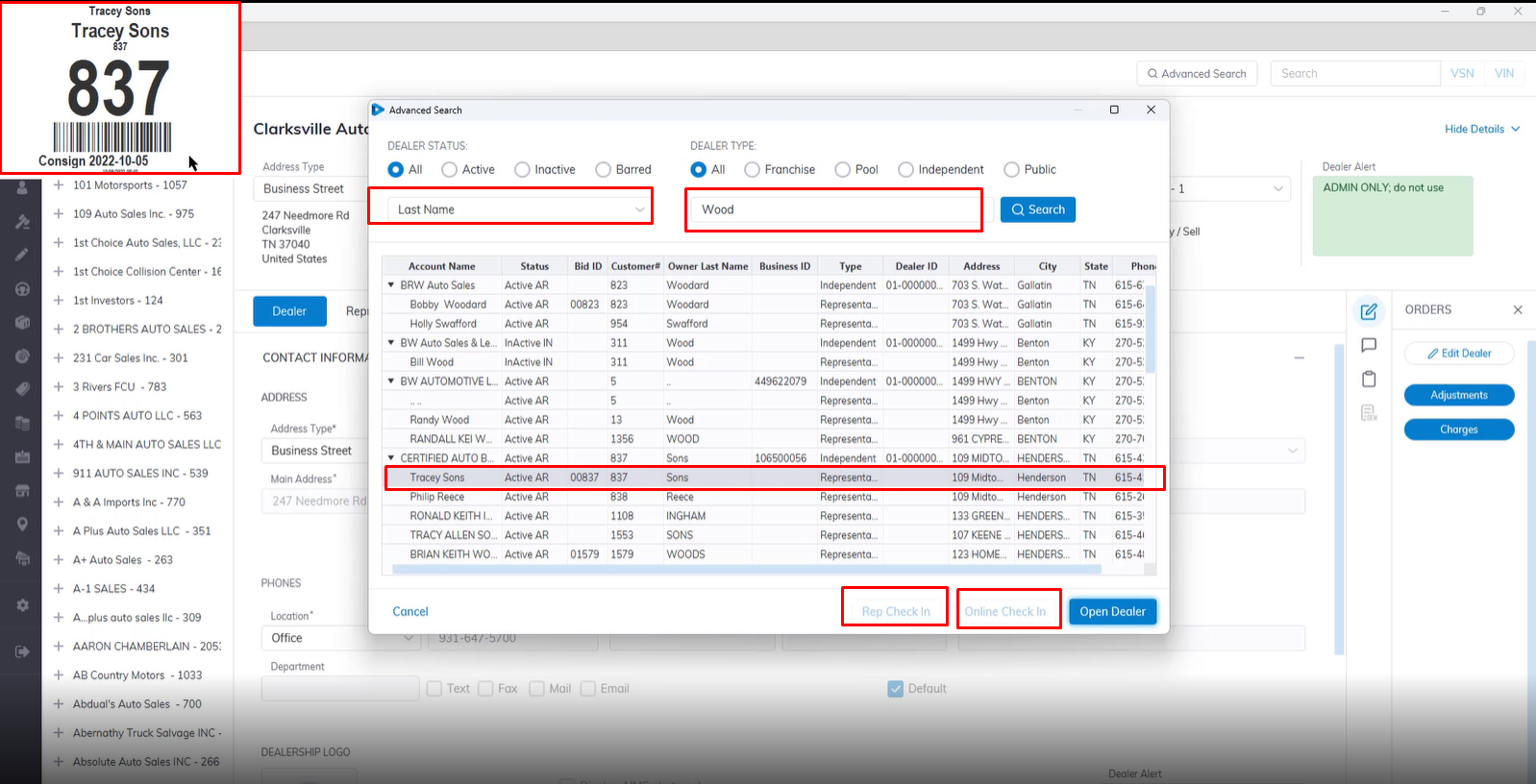
Once the Advanced Search box pops up you Search using a number of filters.
You can Select 'All' or filter by Dealer Status or Dealer Type.
You can further filter by Last Name of Dealer, Account Name, Customer Name, Business Id, Rep ID etc.
In this example we used Last Name: Wood this populate all the Representative with Wood as their last Name.
Select the Rep you want to check in then click the Rep Check in or Online Check In button.
The System will automatically print the badge ID once selected without you having to open each individual dealer account.