
Rep Check In
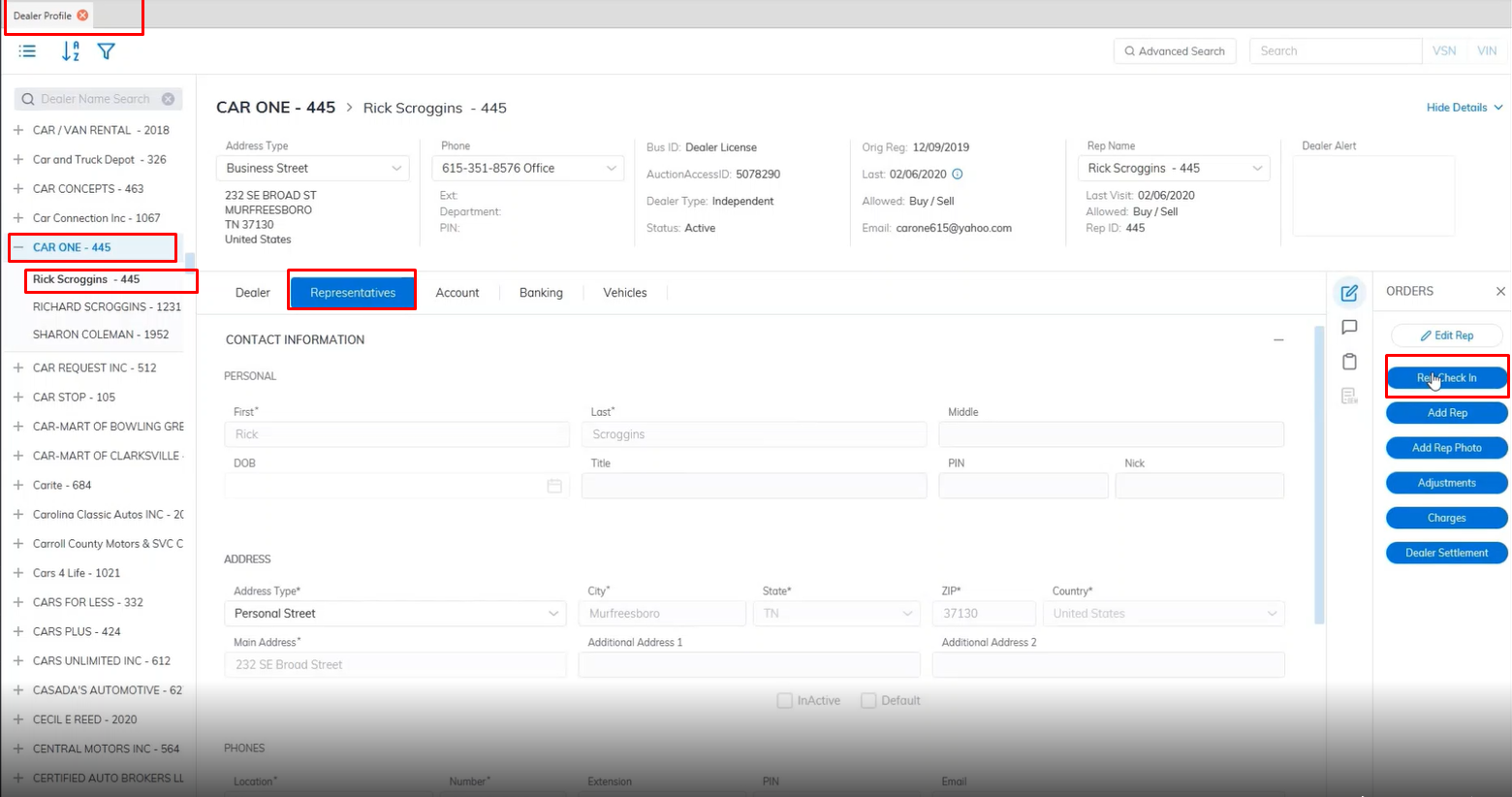
Note: Make sure you are on the correct dealer.
The 'Rep Check In' Order is used to assign a Bidder ID for a buying Rep and to print a Bidder badge.
Select 'Rep Check In' Order
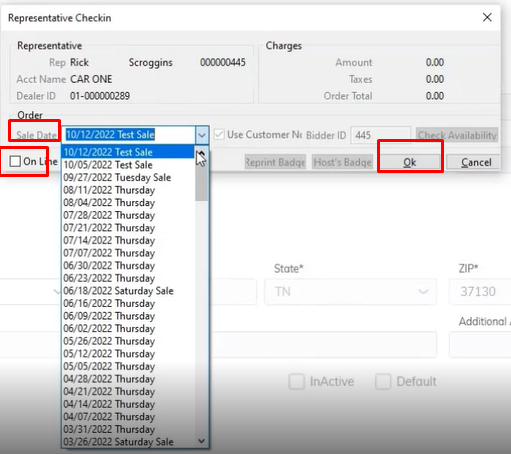
- Select the Sale Date you want the Rep to participate in
Note: Make sure you are on the correct dealer.
The 'Rep Check In' Order is used to assign a Bidder ID for a buying Rep and to print a Bidder badge.