
Edit Rep
Edit Representative
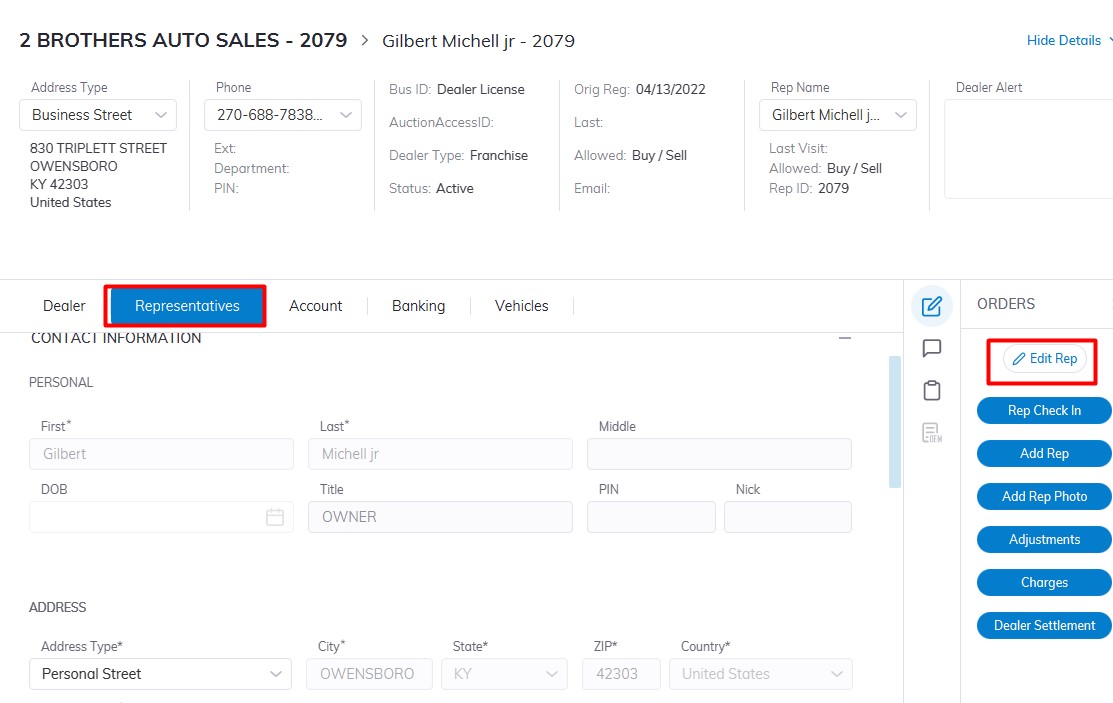
Select Dealer Profile Application>> Select the Dealer>>Select Representative Tab
On the right-hand side Click the 'Edit Rep' order button to edit Reps' Information.
There are 5 tabs of information you can edit; Contact Information, Permissions, Account, Fees, and Fleet
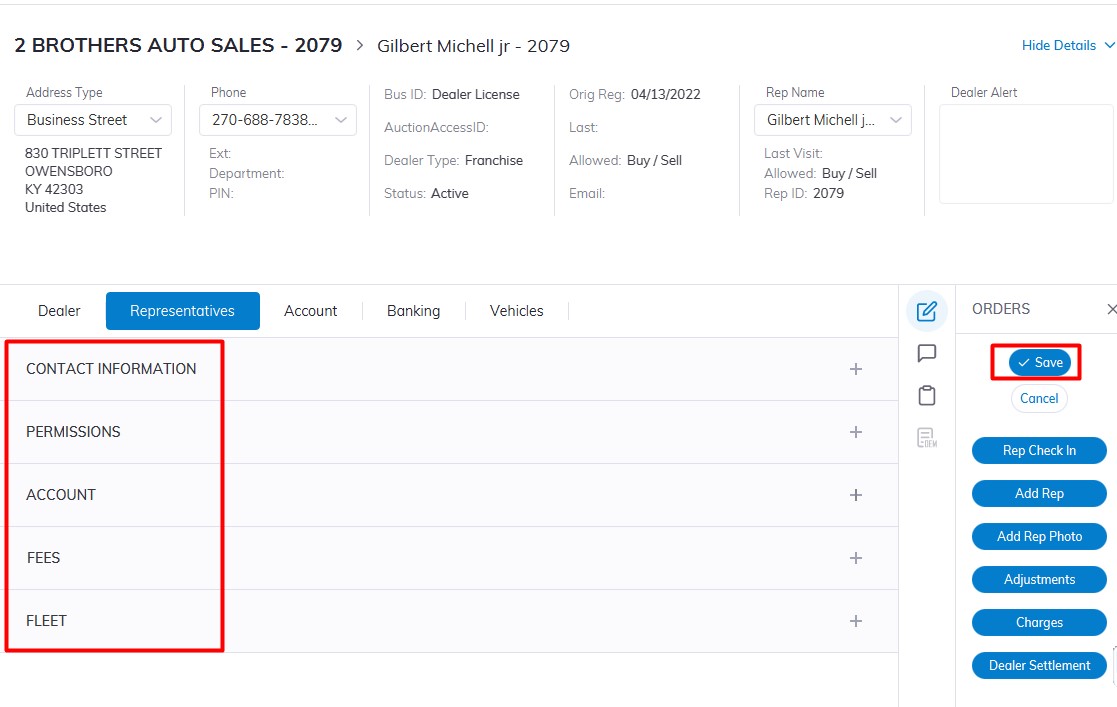
Click ‘Save’ when you have completed making and verifying the changes.