
Vehicle Orders
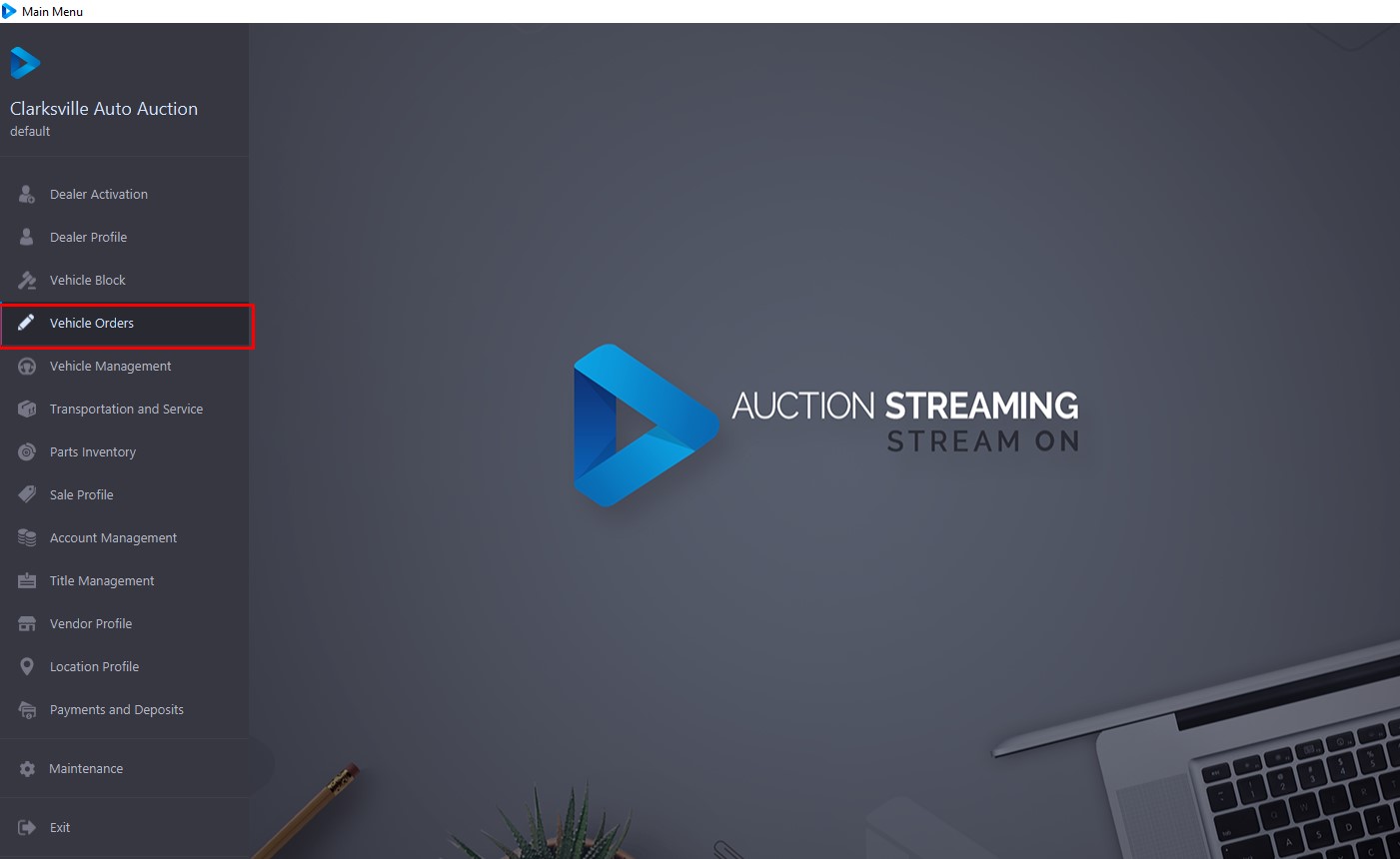
Vehicle Orders application - displays Vehicles that have a Run Number, in addition, all 'Active ' and 'Off-Site ' Vehicles are loaded into this application (regardless of Sale Date). The summary sections contain a selected Vehicle's make, model, and state.
To Open the Vehicle Order application go to the Main Menu >> Select Vehicle Order
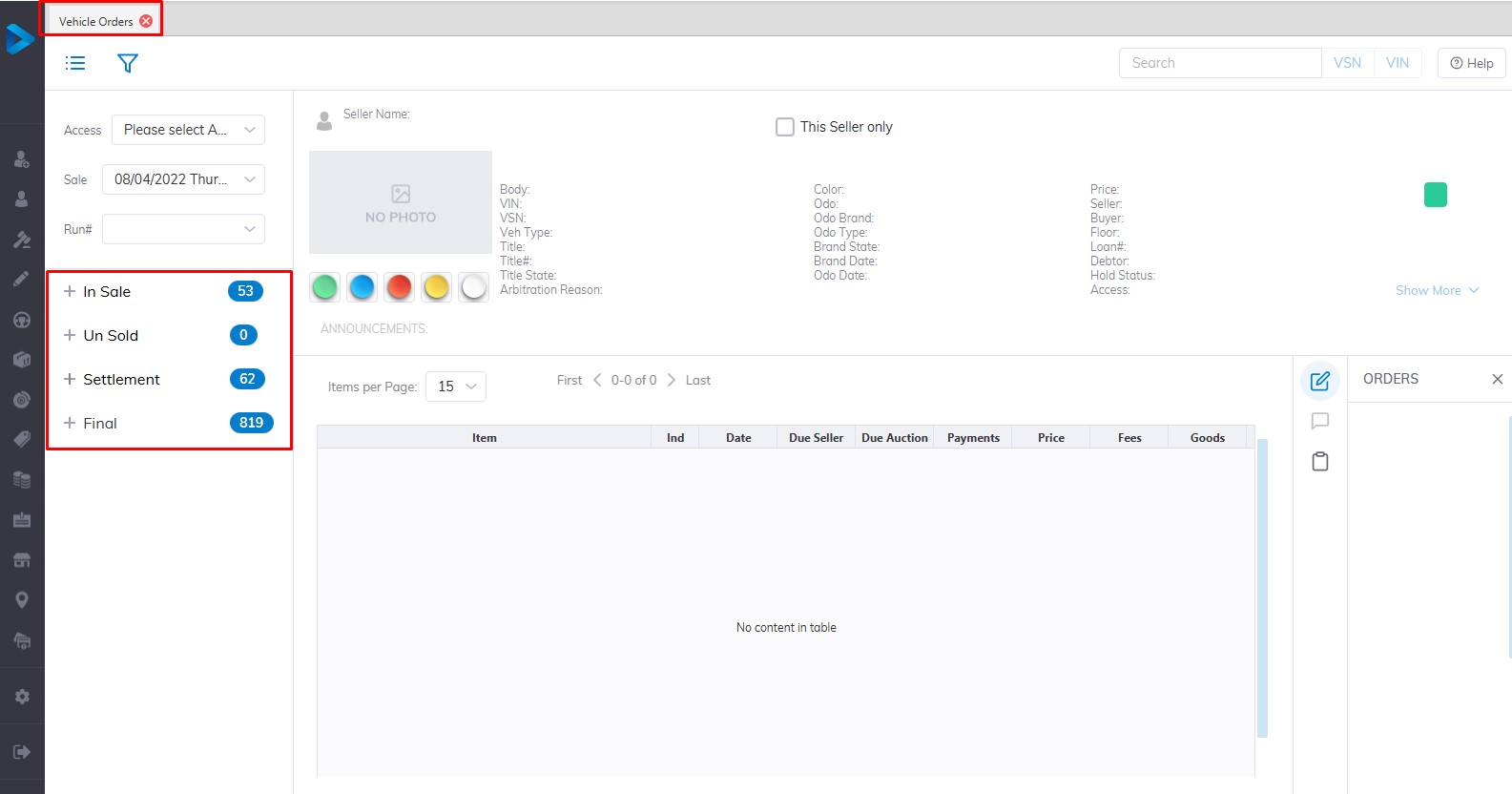
The grid displays Vehicles based on the combination of sash/button selection. The 4 sashes are:
- In Sale
- Un Sold
- Settlement
- Final
It is possible to Search for a vehicle according to VIN8 (last 8 digits of the VIN) or VSN (6 digits) and the application will find the vehicle and highlight it in the grid.
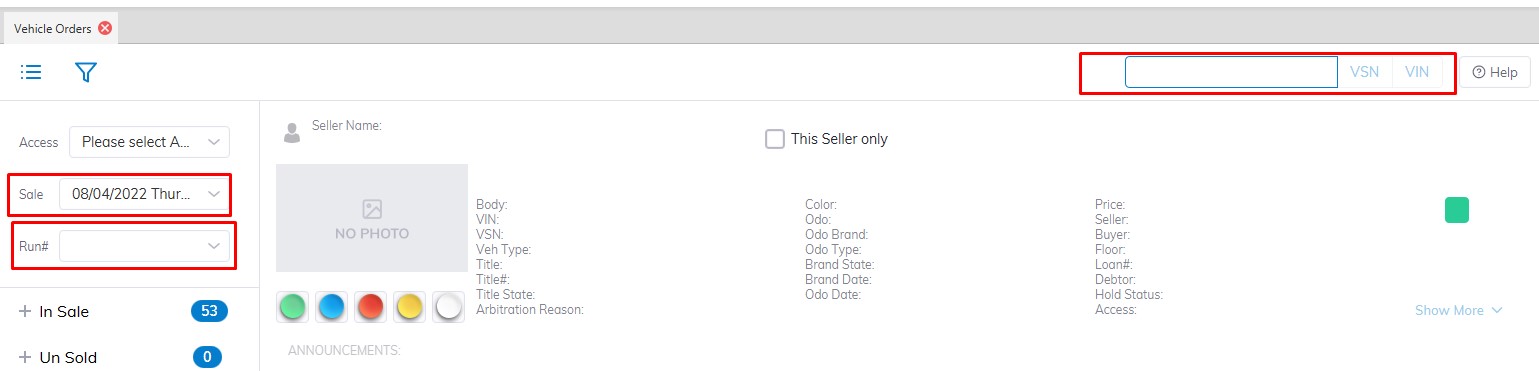
Select Sale Date and Run Number and the application will find the vehicle and highlight it in the grid.