
Rep Permissions
Rep Permissions
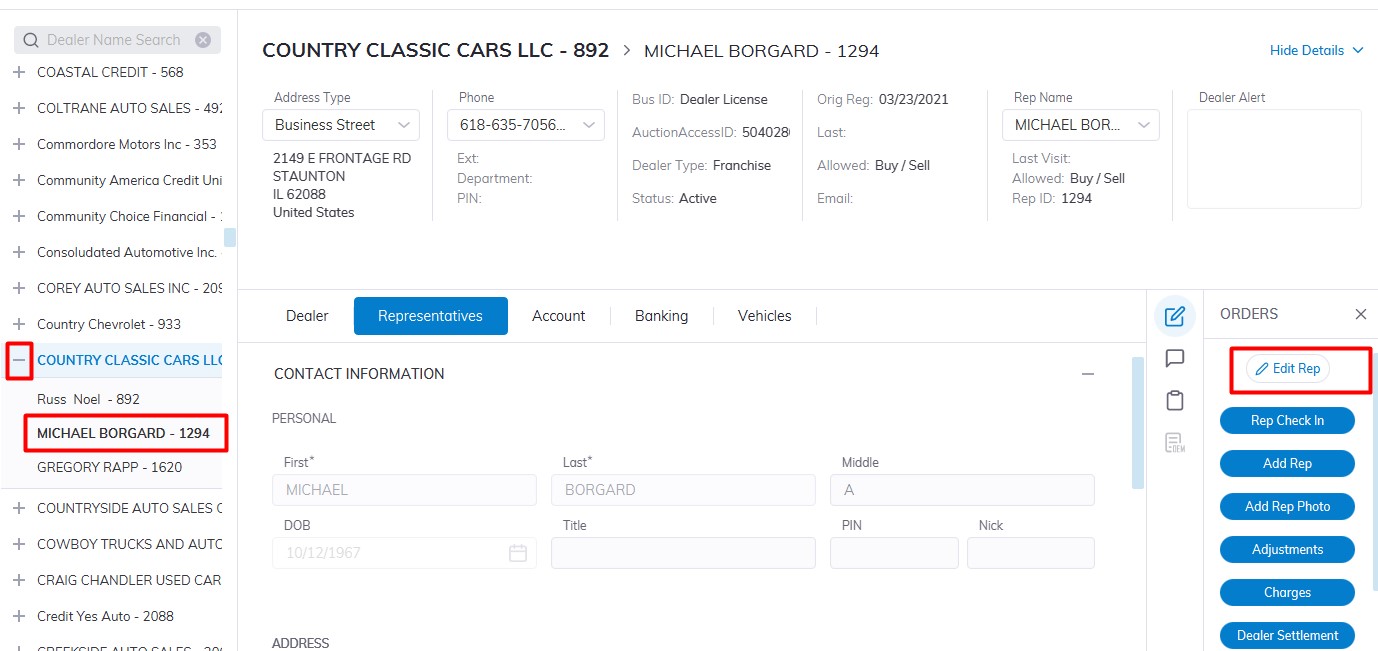
Select Dealer Profile Application>> Select the Dealer>>Select Representative Tab
In the left-hand pane Expand the Dealer by Clicking the + then Select the Rep you which to edit
On the right-hand side Click the 'Edit Rep' order button
Scroll and click on the Permissions Tab to expand to edit Reps' Information.
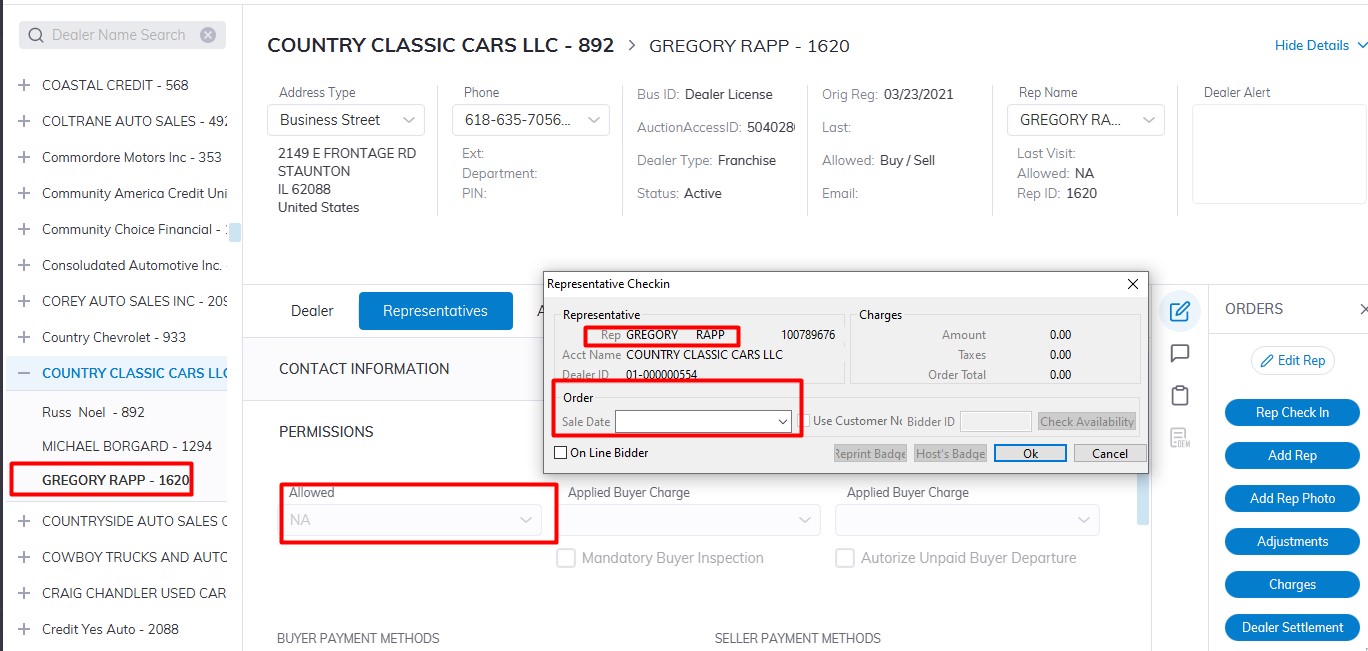
Allowed filed
- NA - No Buying and No Selling
- Buy - Buying Only
- Sell - Selling Only
- Buy / Sell - Buying and Selling
- Pre Reg - Pre Registration (settings are same as NA)
- Marketing - Marketing (settings are same as NA)
Note: By selecting 'NA' you will set the Representative to 'In Active' status and their namesthey will not appearbe inable theto drop-downBuy menuor asSell Activeor Representatives.Check-In for a Sale.
Picture
Click 'Show In Actives' to include In Active Reps in the droppermissions downsection menu.you Usecan this to move a Representative from 'NA' to a different permission.
Picture
Input the following:
Select
CreditCashLimit
Select
Click 'OK' to Save
These settings may be automatically updated if the Representative's Account Status is changed to In Active or Hold.
Picture