
Rep Orders
Representative Orders
Select Dealer Profile Application>> Select the Dealer>>Select Representative Tab
SelectMake sure to select the Rep you want to execute the order on.
On the right-hand side under the 'ORDERS' column, all allowed Rep Orders are listed.
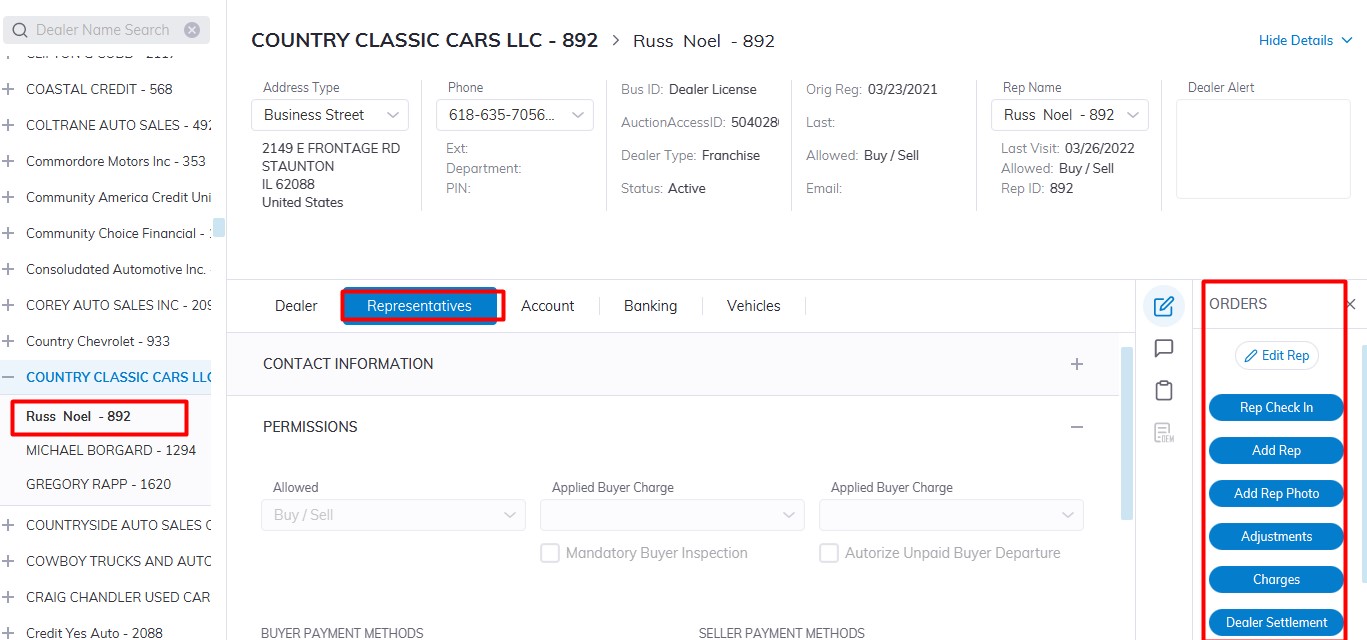
- Rep (buyer) Check In
- Edit Rep
- Add Rep
AdjustmentsAdd Rep Photo- Adjustments
Click the 'Complete'specific order button to launch the form.
(Picture)