# UnSold Vehicle Schedule Report
This report provides a detail of the Vehicle Charges, Adjustments, Transportation, Repair and Registration Fees earned on a sale-by-sale basis for any Un Sold vehicles; [**No Sale**](https://cam3-wiki.auctionstreaming.com/books/cams-3-wiki-faq/page/no-sale), [**Turn Down**](https://cam3-wiki.auctionstreaming.com/books/cams-3-wiki-faq/page/arb-and-arb-accept), or **[If Down](https://cam3-wiki.auctionstreaming.com/books/cams-3-wiki-faq/page/if-accept)** states.[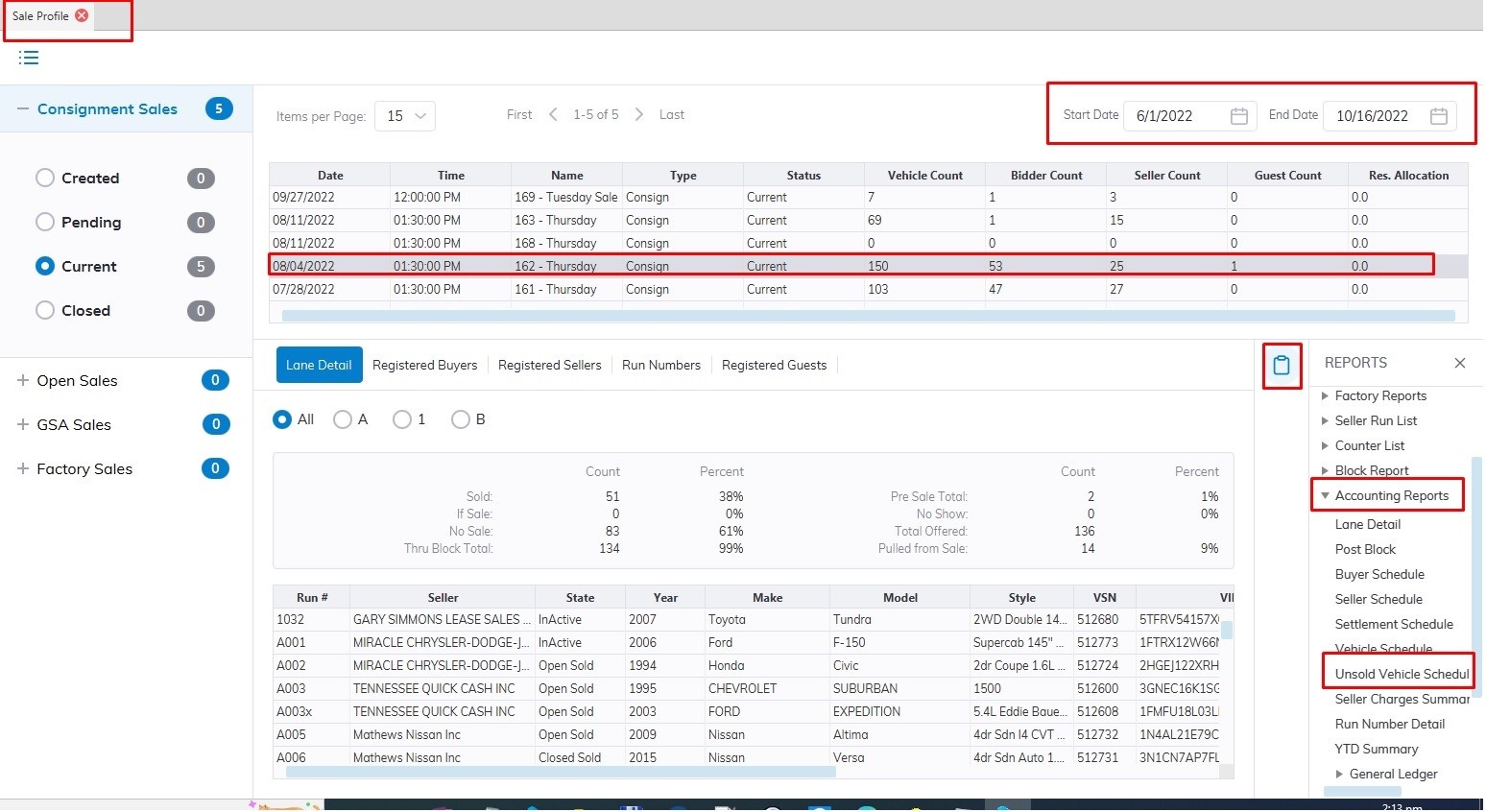](https://cam3-wiki.auctionstreaming.com/uploads/images/gallery/2022-09/unsold1a.jpg)
- Select the **[Sale Profile](https://cam3-wiki.auctionstreaming.com/books/cams-3-wiki-faq/page/sale-profile)** application
- Select the 'Reports' then sub-menu 'Accounting Reports'
- Select the UnSold Vehicle Schedule Report
**Note: You must select the Sale Date from the grid before running the report**
**[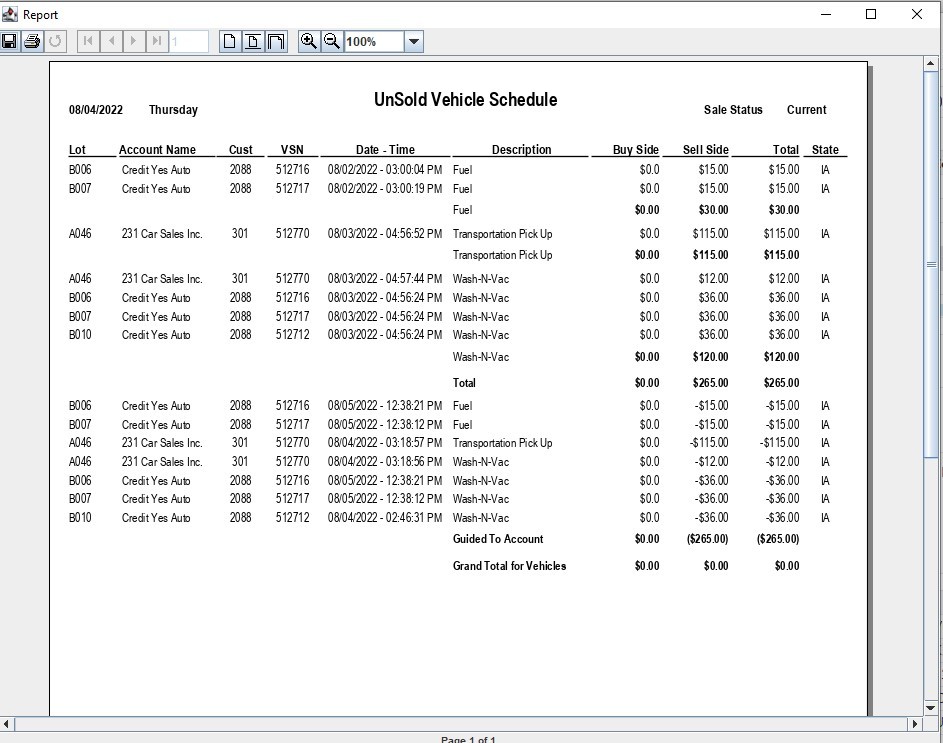](https://cam3-wiki.auctionstreaming.com/uploads/images/gallery/2022-09/unsold2.jpg)**