# Title Management
[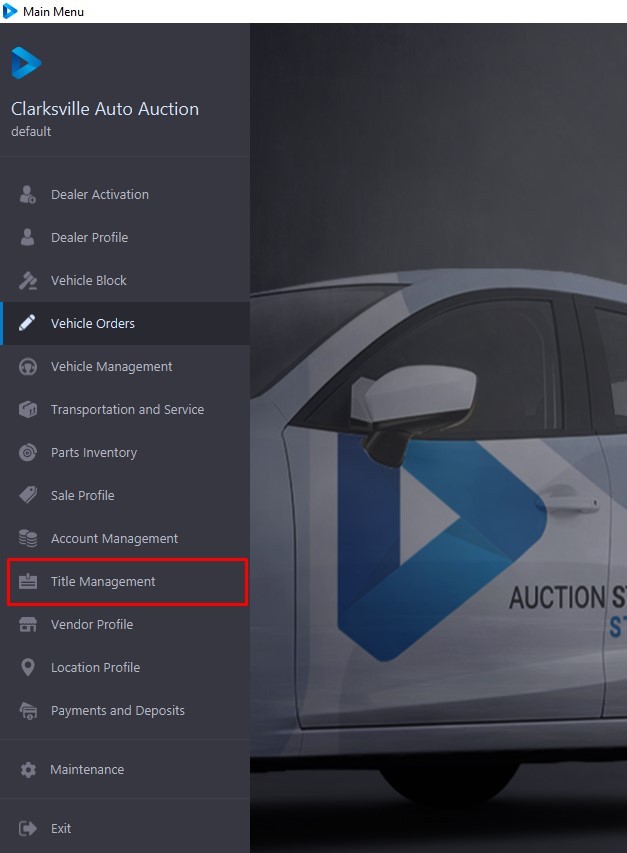](https://cam3-wiki.auctionstreaming.com/uploads/images/gallery/2022-09/title1.jpg)
The Title Management application divides the titles of 'Active' VSNs' in the system into one of 3 Categories. Each Sash represents a Category. The three Categories are:
- **Pending**
- **Received**
- **Registered**
- **Mailed Title**
Within each Category, the Condition of a given title will be represented by a checkbox. Selecting a checkbox will filter the grid display. The Checkboxes are cumulative. See below for information on searching for a title. Click on the links above for a discussion of each Category and the orders that can be performed.[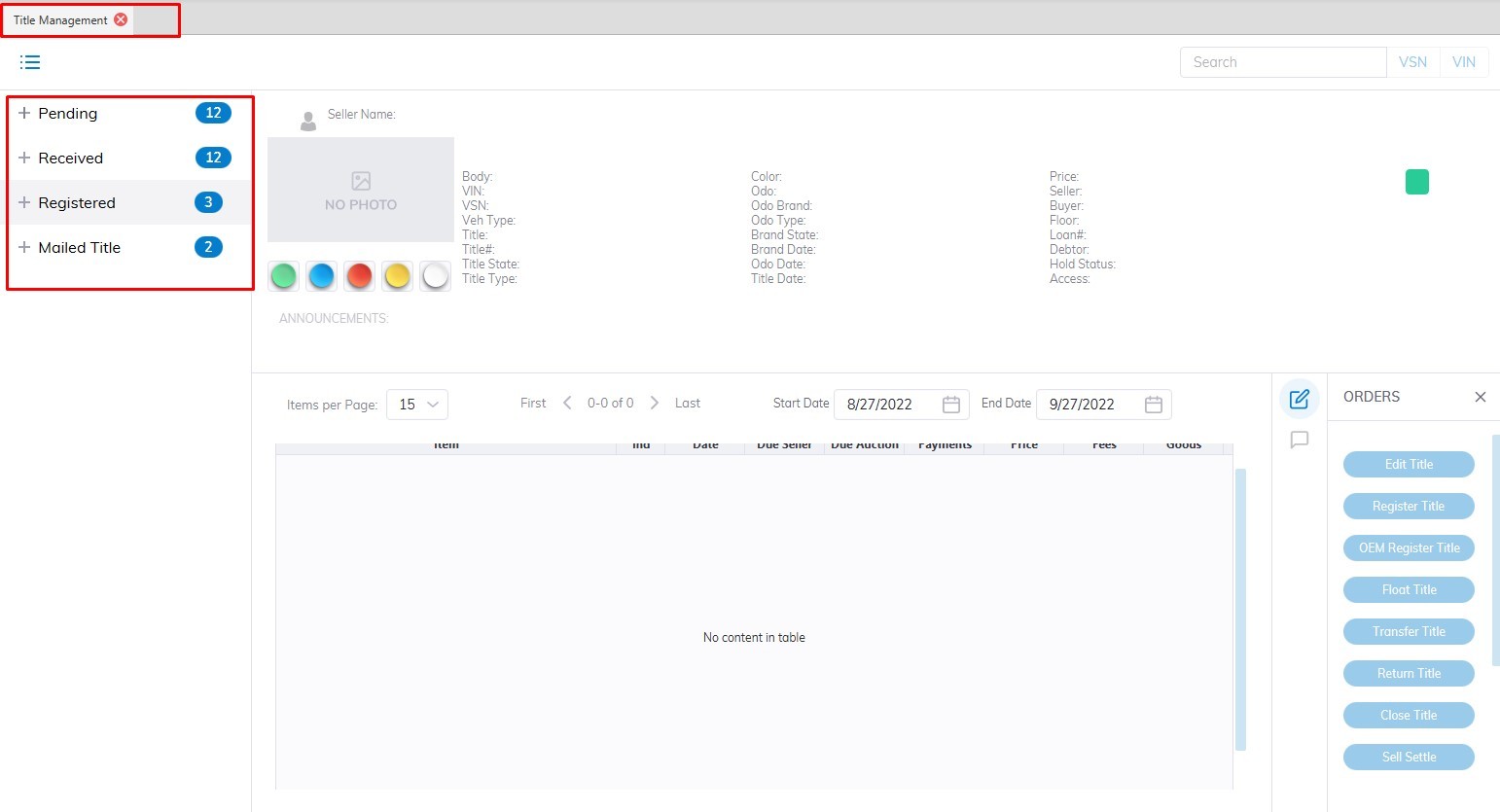](https://cam3-wiki.auctionstreaming.com/uploads/images/gallery/2022-09/title2.jpg)
Titles may be 'Searched' for by typing the VSN or the VIN8 (last 8 of the VIN) and clicking the 'Search' button, or by selecting the:
- VIN8
- VSN
from the combo box in the top right corner. The application will search and automatically select the VSN or Run Number associated with the Title. Once a Title is selected, the summary portion of the form will populate with the following information:
- Year, Make, Model, VIN, Style, VSN, Vehicle Type, and Status
- Seller, Title Condition, State, and Number
- Vehicle State with date/time stamp
This grid is identical to the one in the **[Vehicle Orders](https://cam3-wiki.auctionstreaming.com/books/cams-3-wiki-faq/page/vehicle-orders)**, **[Dealer Profile](https://cam3-wiki.auctionstreaming.com/books/cams-3-wiki-faq/page/dealer-profile)**, and [**Transportation and Service** ](https://cam3-wiki.auctionstreaming.com/books/cams-3-wiki-faq/page/transportation-and-service)applications.
**Pending****[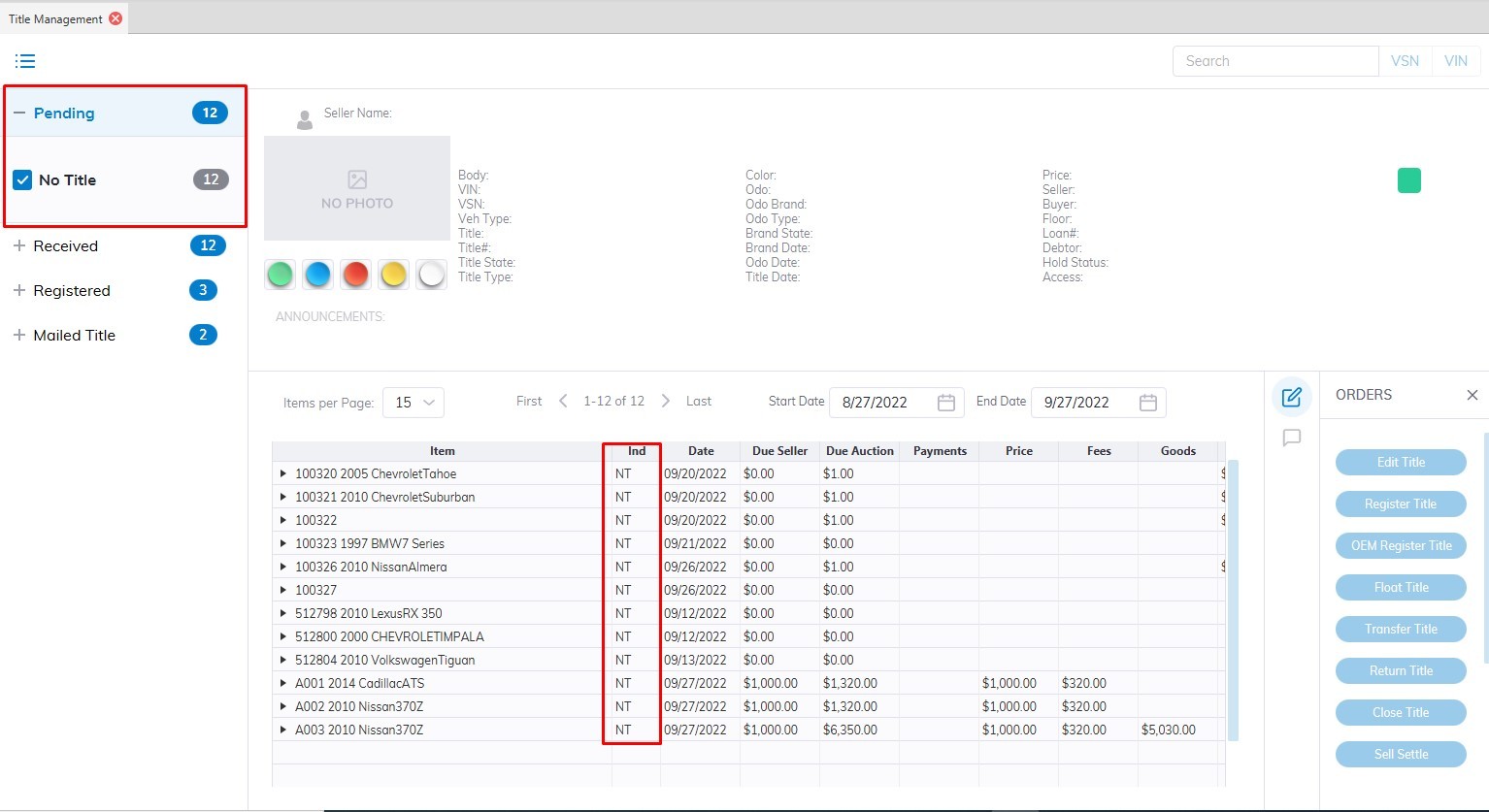](https://cam3-wiki.auctionstreaming.com/uploads/images/gallery/2022-09/pending.jpg)**
The 'Pending' Category contains 3 title conditions corresponding to a button on the left and a 2 digit indicator in the grid.
**No Title (NT)**
The condition 'No Title' is the default title condition when a 'Stock In' order is done. You may do a 'Register' title order for NT titles.
**Title Sent (ST)**
Title Sent are title conditions for future use with Auto IMS.
**In Transit (IT)**
Title In Transit is title conditions for future use with Auto IMS.
**Received****[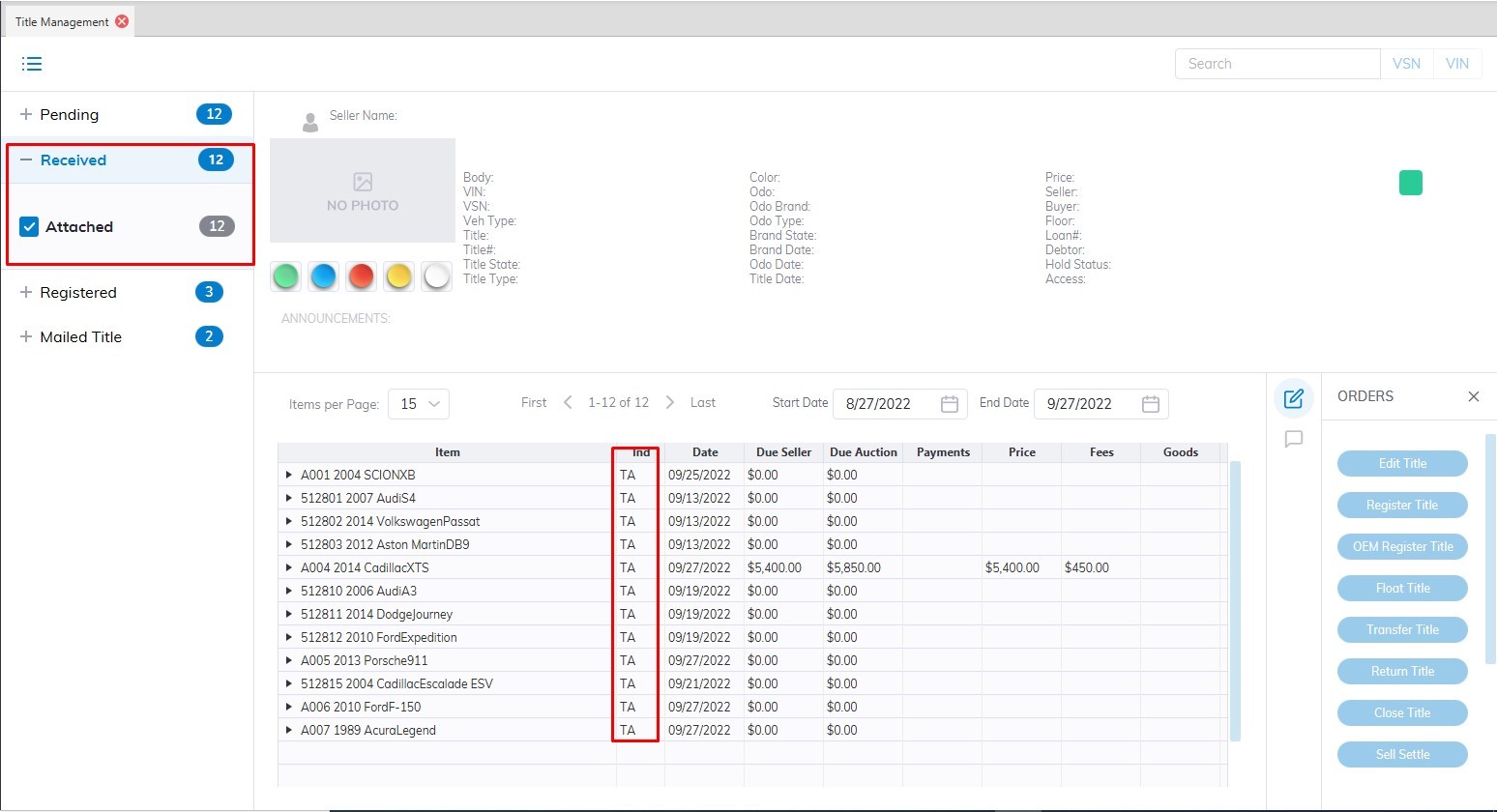](https://cam3-wiki.auctionstreaming.com/uploads/images/gallery/2022-09/received.jpg)**
The 'Received' sash contains 3 title conditions corresponding to a button on the left and a 2 digit indicator in the grid.
**Title Attached (TA)**
The condition 'Title Attached' is the default title condition when a 'Check In' order is done.
You may do a 'Register' title order for TA titles.
**Title Only (TO)**
Title Only are title conditions for future use with Auto IMS.
**Title Service (TS)**
Title Services are title conditions for future use.
**Registered****[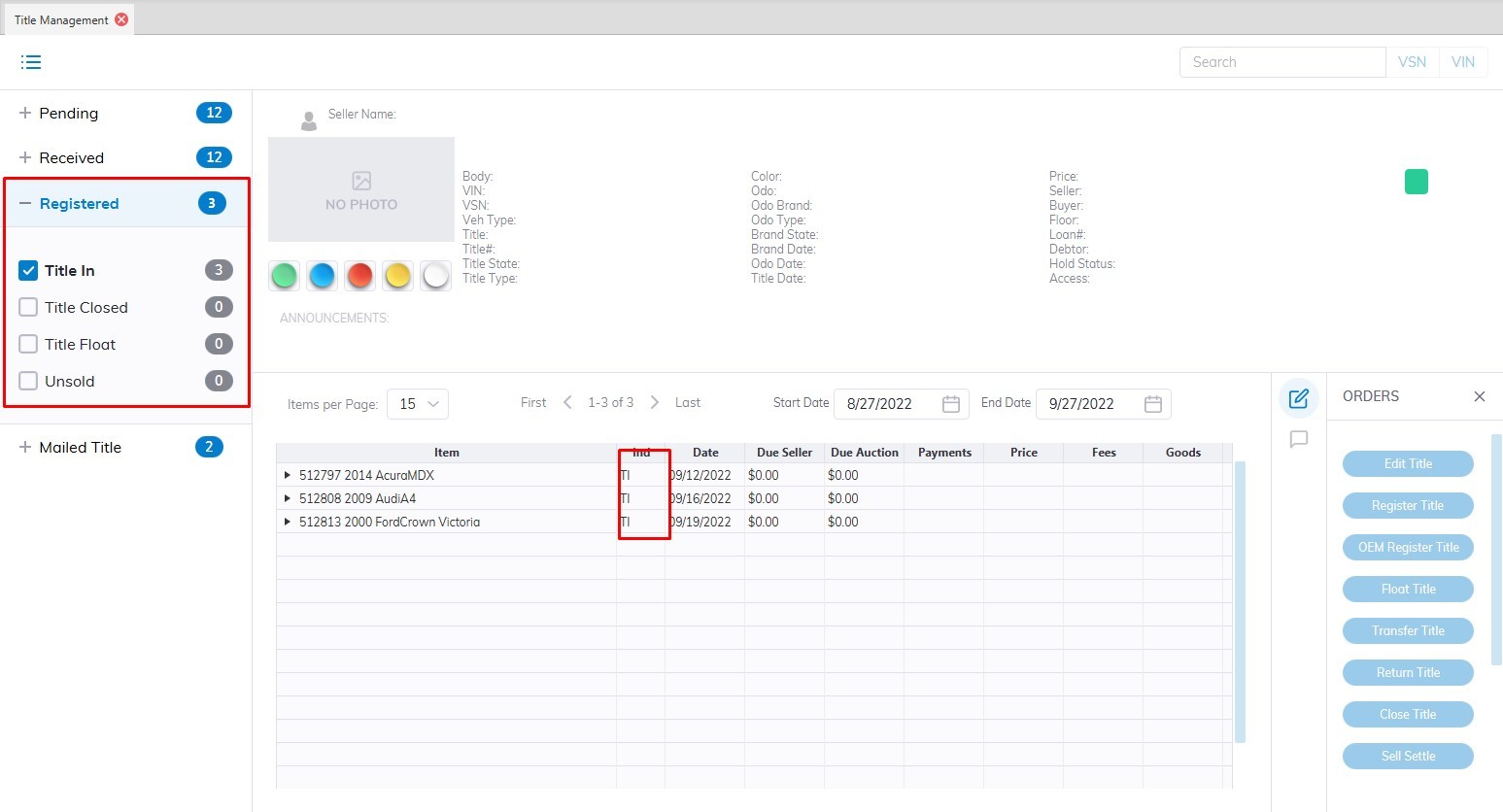](https://cam3-wiki.auctionstreaming.com/uploads/images/gallery/2022-09/registered.jpg)**
The 'Registered' sash contains 4 title conditions corresponding to a button on the left and a 2 digit indicator in the grid.
**Title In (TI)**
This condition is used to indicate that the Title is in the physical possession of the Auction. A TI condition may be the result of a Seller Settlement order or a Register title order.
- You may do an 'Edit' title (this is the only place you may edit the VIN )
- You may 'Return ' the title to the Seller.
**Title Closed (TC)**
This occurs automatically (TI > TC) when a buyer's payment is Deposited.
- There are no orders that may be done for the TC condition.
**Title Float (TF)**
This condition is the result of a Seller Settlement (issuance of a Seller's Check) without the physical title in possession of the Auction.
- You may do a 'Register' title order for TF titles.
**Title Un Sold (TU)**
This condition is the result of a 'Return' title order.
- You may do a 'Close' title order for TU titles.
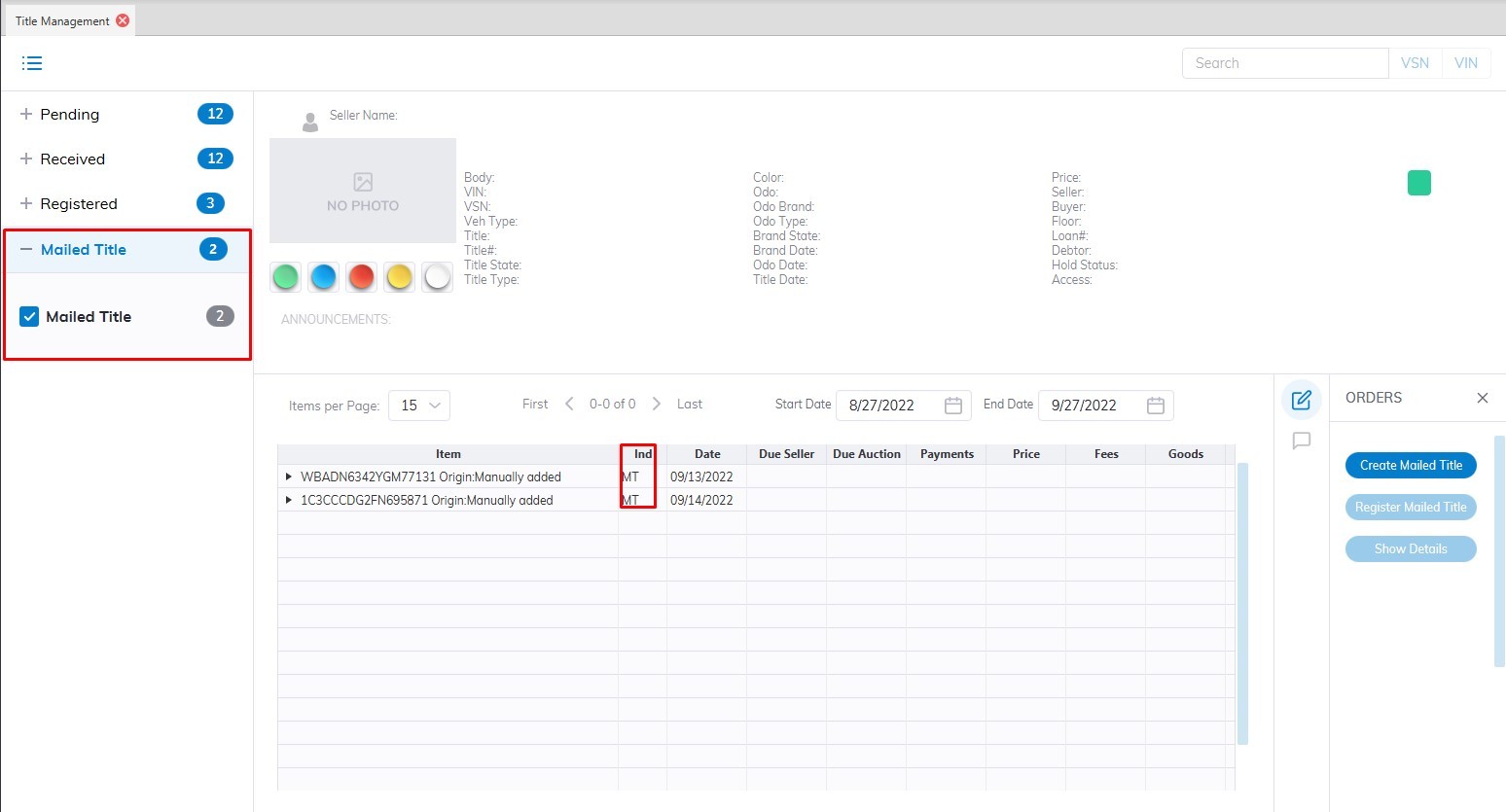
**Mailed**
**Title Mailed (MT)**
This condition is the result of a 'Create Mailed' title order.
[](https://cam3-wiki.auctionstreaming.com/uploads/images/gallery/2022-09/mailed.jpg)