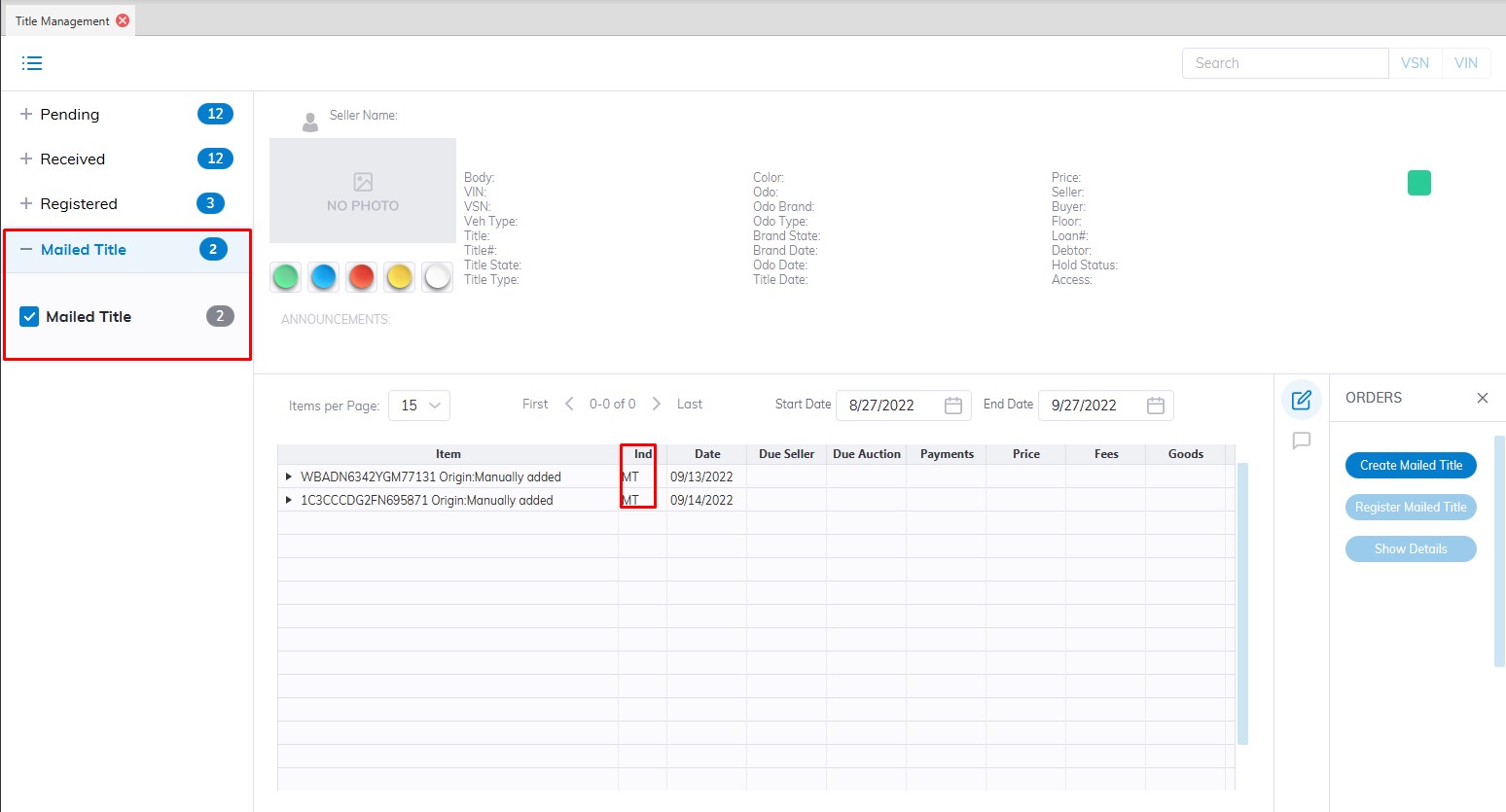
Title Management
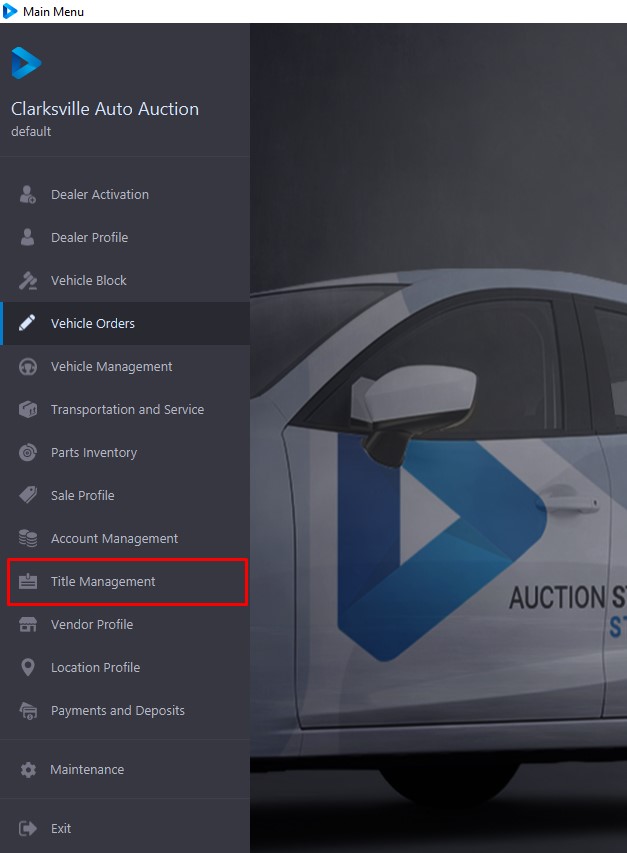
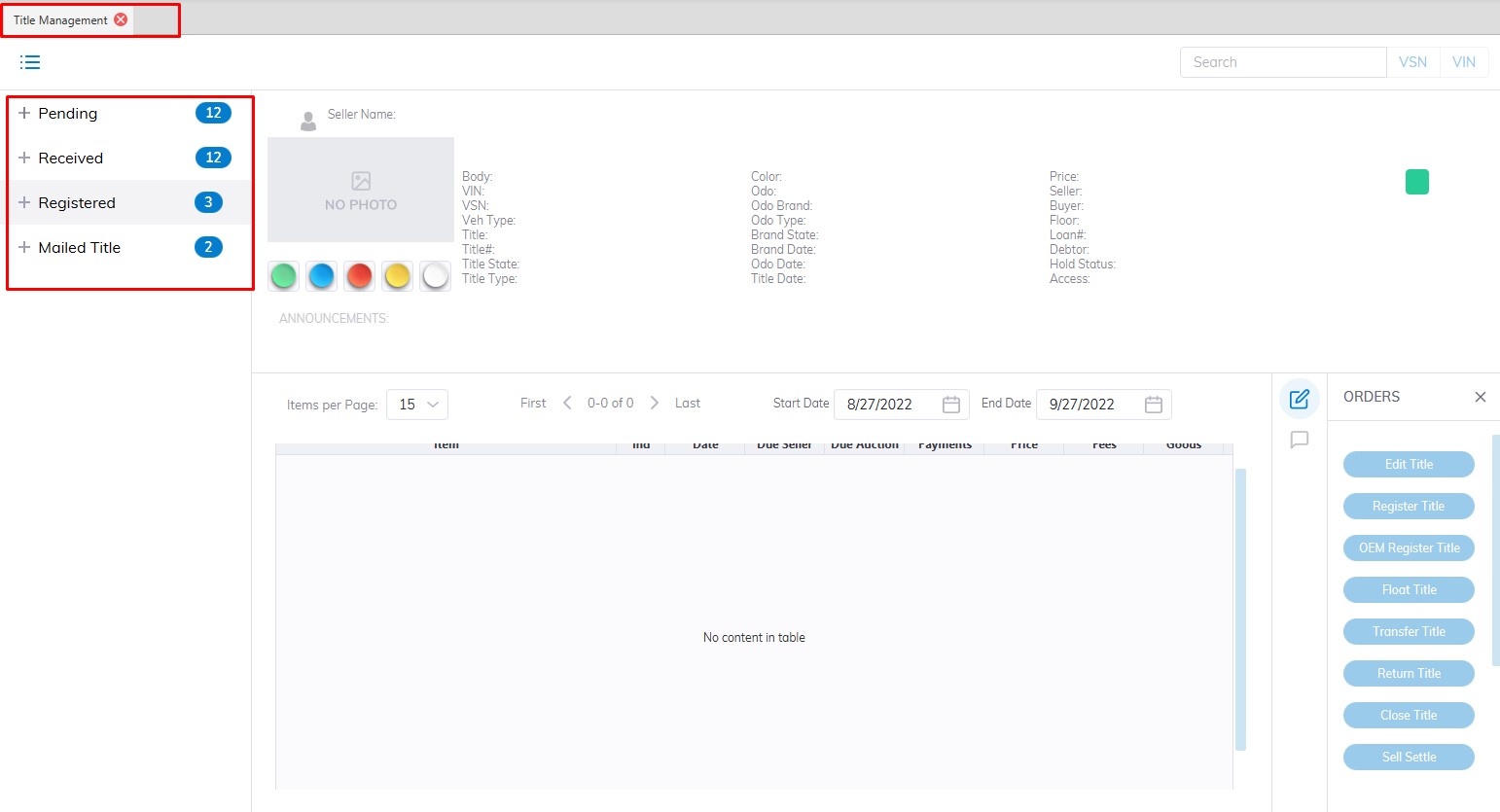
The Title Management application divides the titles of 'Active' VSNs' in the system into one of 3 Categories. Each Sash represents a Category. The three Categories are:
- Pending
- Received
- Registered
- Mailed Title
Within each Category, the Condition of a given title will be represented by a checkbox. Selecting a checkbox will filter the grid display. The Checkboxes are cumulative. See below for information on searching for a title. Click on the links above for a discussion of each Category and the orders that can be performed.
Titles may be 'Searched' for by typing the VSN or the VIN8 (last 8 of the VIN) and clicking the 'Search' button, or by selecting the:
- VIN8
- VSN
from the combo box in the top right corner. The application will search and automatically select the VSN or Run Number associated with the Title. Once a Title is selected, the summary portion of the form will populate with the following information:
- Year, Make, Model, VIN, Style, VSN, Vehicle Type, and Status
- Seller, Title Condition, State, and Number
- Vehicle State with date/time stamp
This grid is identical to the one in the Vehicle Orders, Dealer Profile, and Transportation and Service applications.
Pending
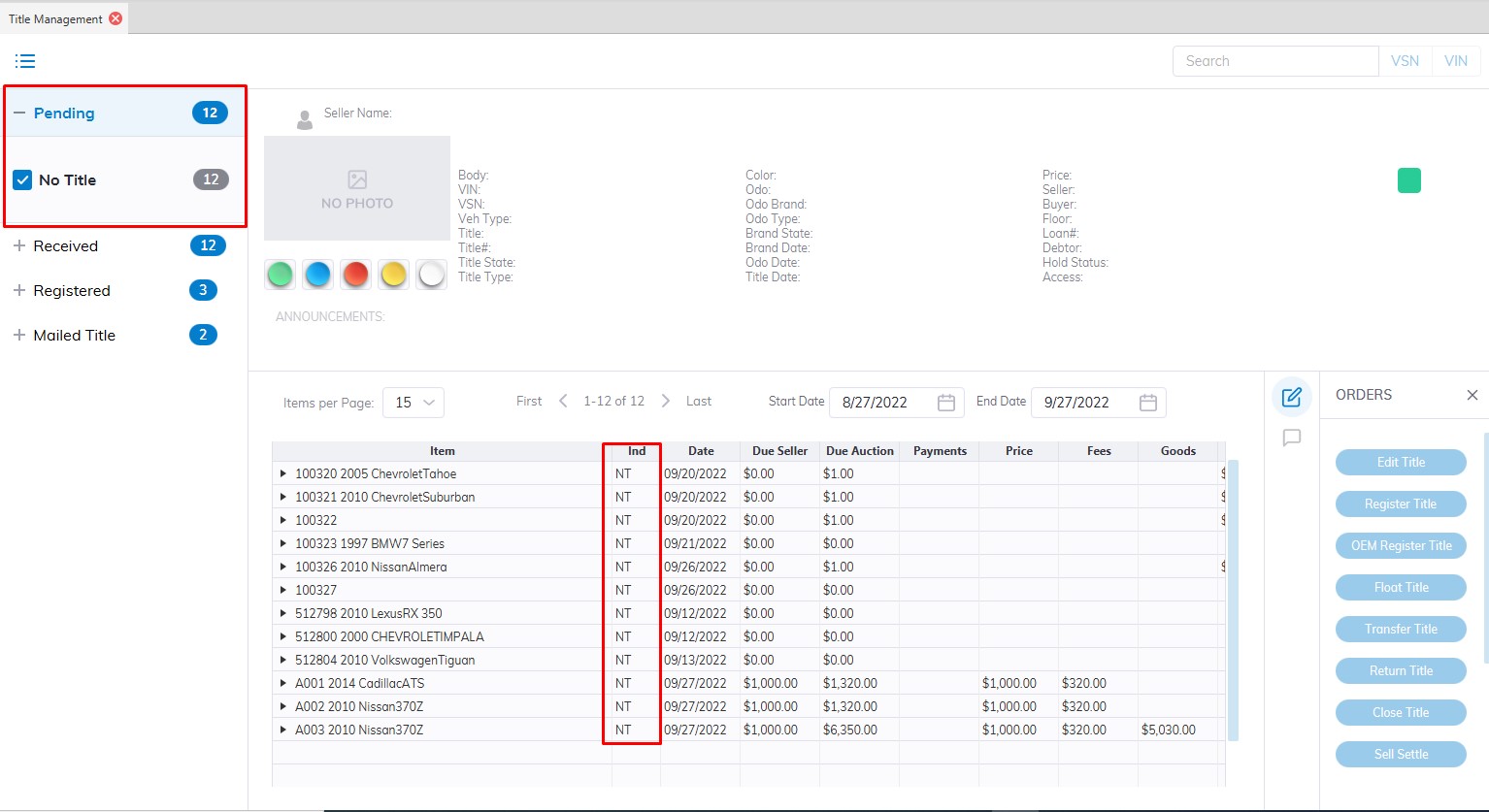
The 'Pending' Category contains 3 title conditions corresponding to a button on the left and a 2 digit indicator in the grid.
No Title (NT)
The condition 'No Title' is the default title condition when a 'Stock In' order is done. You may do a 'Register' title order for NT titles.
Title Sent (ST)
Title Sent are title conditions for future use with Auto IMS.
In Transit (IT)
Title In Transit is title conditions for future use with Auto IMS.
Received
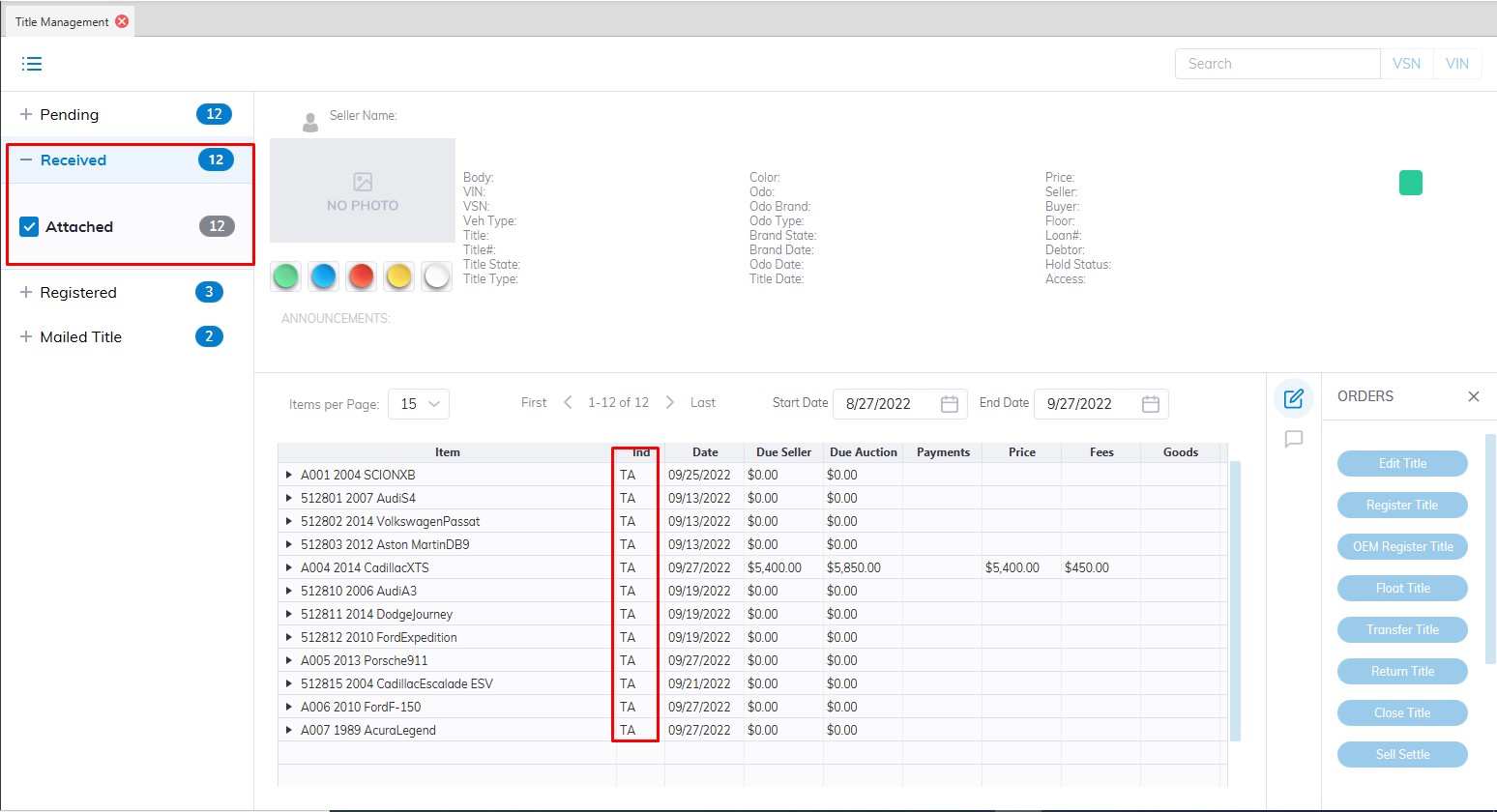
The 'Received' sash contains 3 title conditions corresponding to a button on the left and a 2 digit indicator in the grid.
Title Attached (TA)
The condition 'Title Attached' is the default title condition when a 'Check In' order is done.
You may do a 'Register' title order for TA titles.
Title Only (TO)
Title Only are title conditions for future use with Auto IMS.
Title Service (TS)
Title Services are title conditions for future use.
Registered
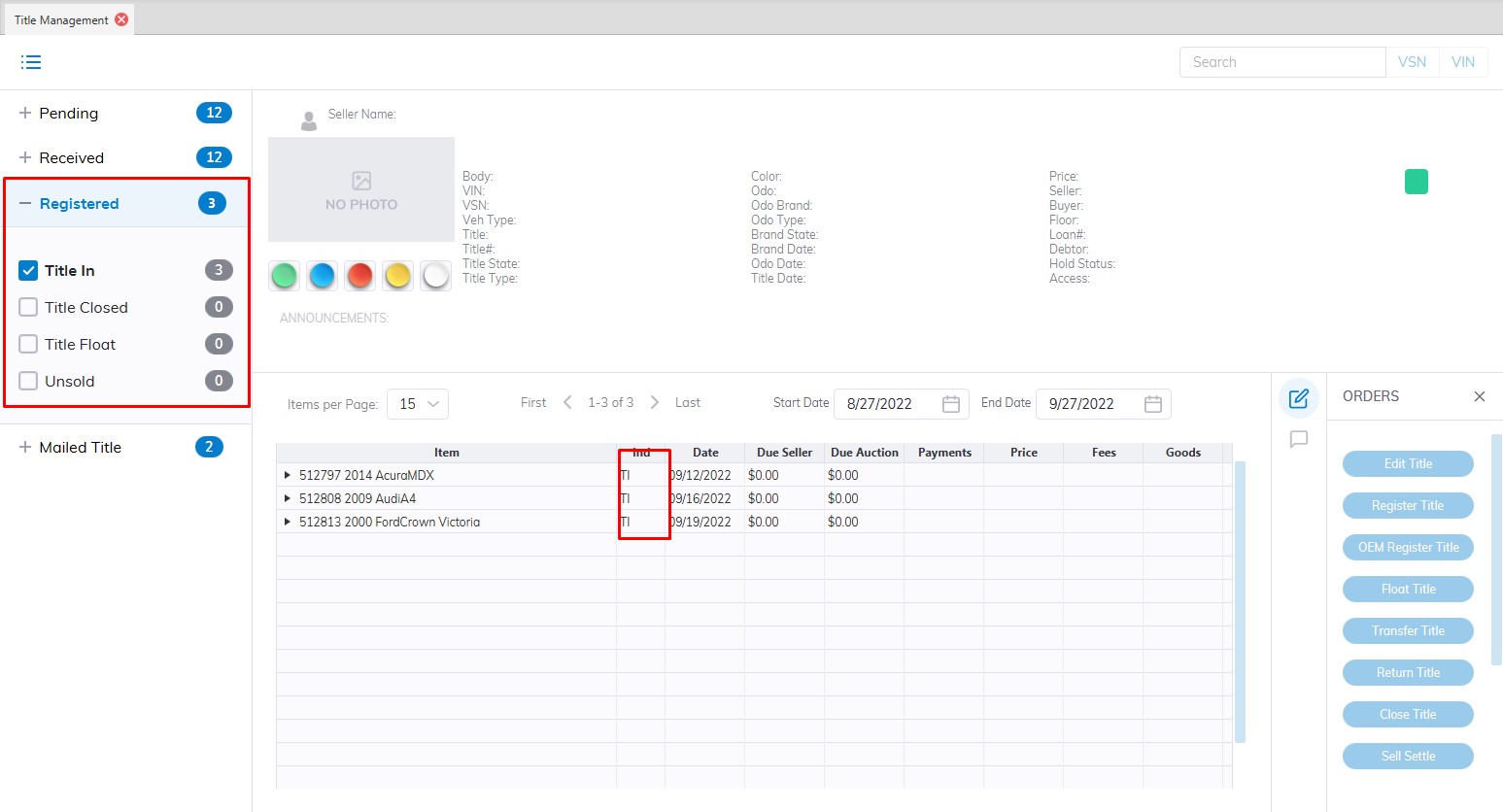
The 'Registered' sash contains 4 title conditions corresponding to a button on the left and a 2 digit indicator in the grid.
Title In (TI)
This condition is used to indicate that the Title is in the physical possession of the Auction. A TI condition may be the result of a Seller Settlement order or a Register title order.
- You may do an 'Edit' title (this is the only place you may edit the VIN )
- You may 'Return ' the title to the Seller.
Title Closed (TC)
This occurs automatically (TI > TC) when a buyer's payment is Deposited.
- There are no orders that may be done for the TC condition.
Title Float (TF)
This condition is the result of a Seller Settlement (issuance of a Seller's Check) without the physical title in possession of the Auction.
- You may do a 'Register' title order for TF titles.
Title Un Sold (TU)
This condition is the result of a 'Return' title order.
- You may do a 'Close' title order for TU titles.
Mailed
Title Mailed (MT)
This condition is the result of a 'Create Mailed' title order.