# Stock In Order
Stock In Order - places a vehicle into Inventory (fleet - lease) vs. directly in a Sale (consignment).
[](https://cam3-wiki.auctionstreaming.com/uploads/images/gallery/2022-08/stock1.jpg)
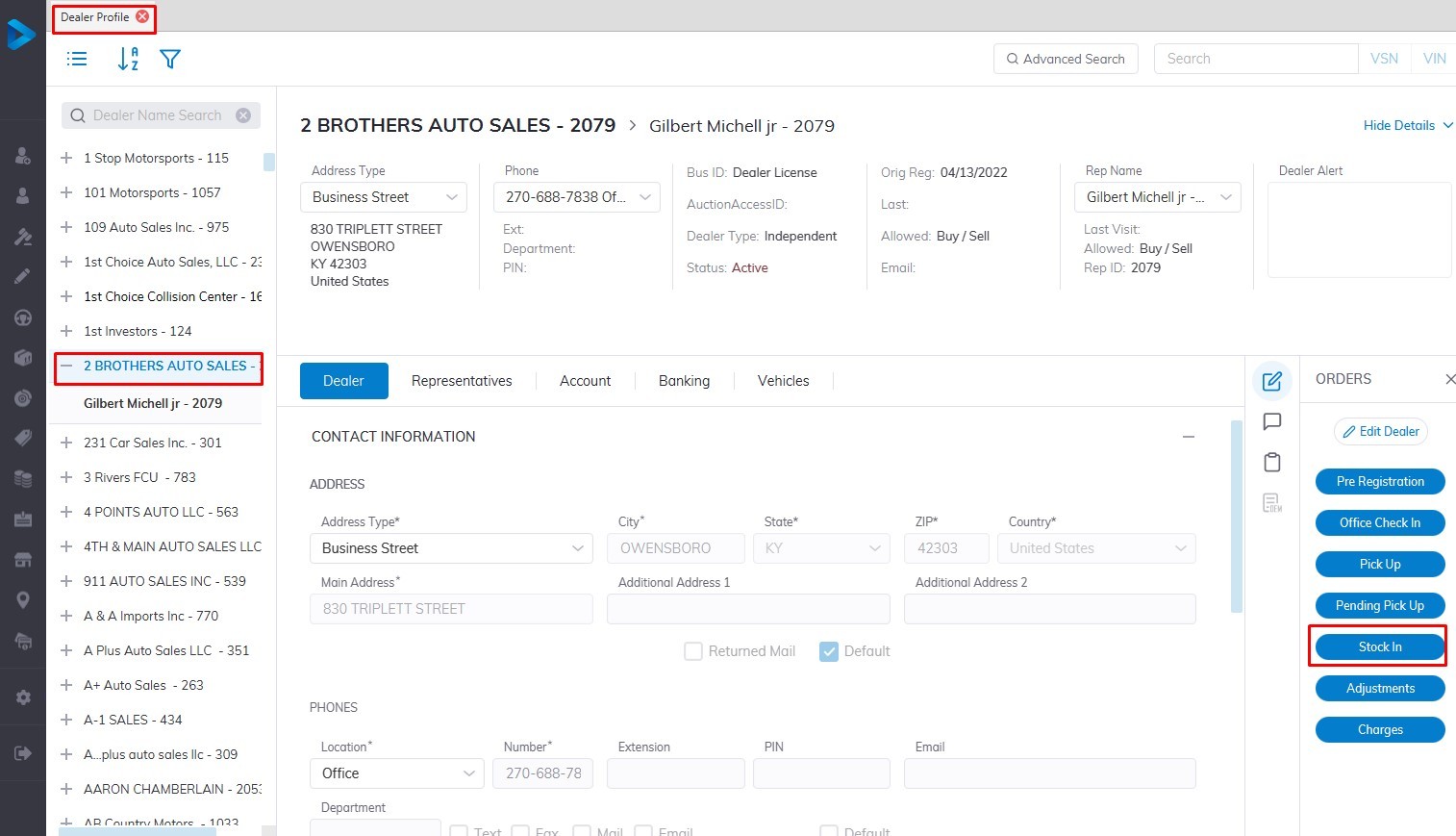
- Select **[Dealer Profile](https://cam3-wiki.auctionstreaming.com/books/cams-3-wiki-faq/page/dealer-profile)** Application
- Then select the Dealer, you want to Stock In a vehicle.
- Select the **['Stock In](https://cam3-wiki.auctionstreaming.com/books/cams-3-wiki-faq/page/stock-in-order)'** order button under the Order column on the right side
- This will launch the stock in the form
**Reminder: Whenever you go into Dealer Profile, select the dealer you wish to work with!**
[](https://cam3-wiki.auctionstreaming.com/uploads/images/gallery/2022-08/stock2.jpg)
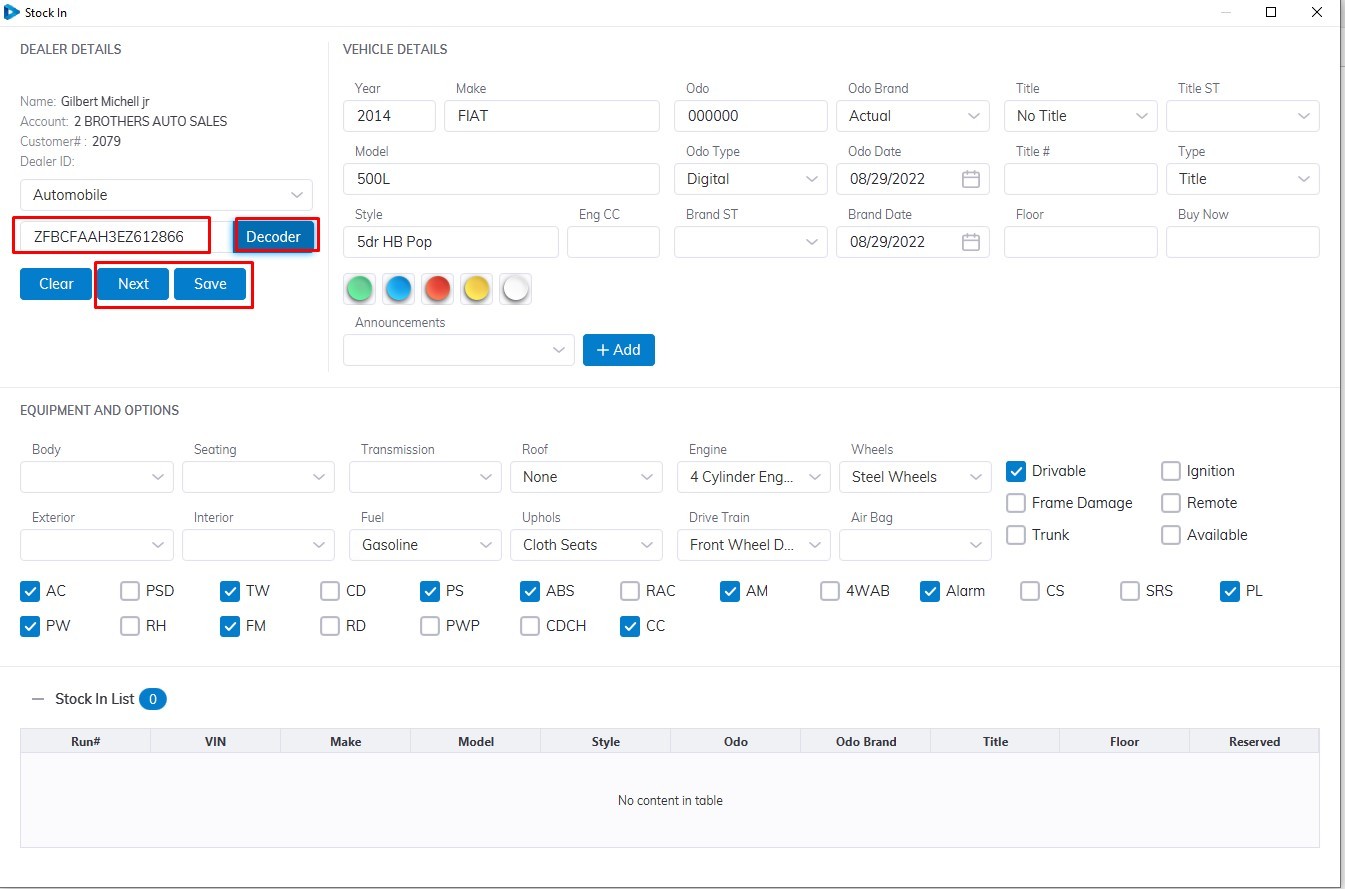
**Input**
- **VIN** (vehicle identification number)
- **Vehicle Type** ( Automobile is the default you can select from the Dropdown)
**Please note that the VIN must contain 17 digits.**
Select the **Decoder** button to decode the vehicle trim level and style
Check if vehicle information is correct then select the **'Save'** button to Complete
In the case of multiple vehicles for the same Dealer, you can select the **'Next'** button to enter another vehicle for Stock In
[](https://cam3-wiki.auctionstreaming.com/uploads/images/gallery/2022-08/THkstock3.jpg)
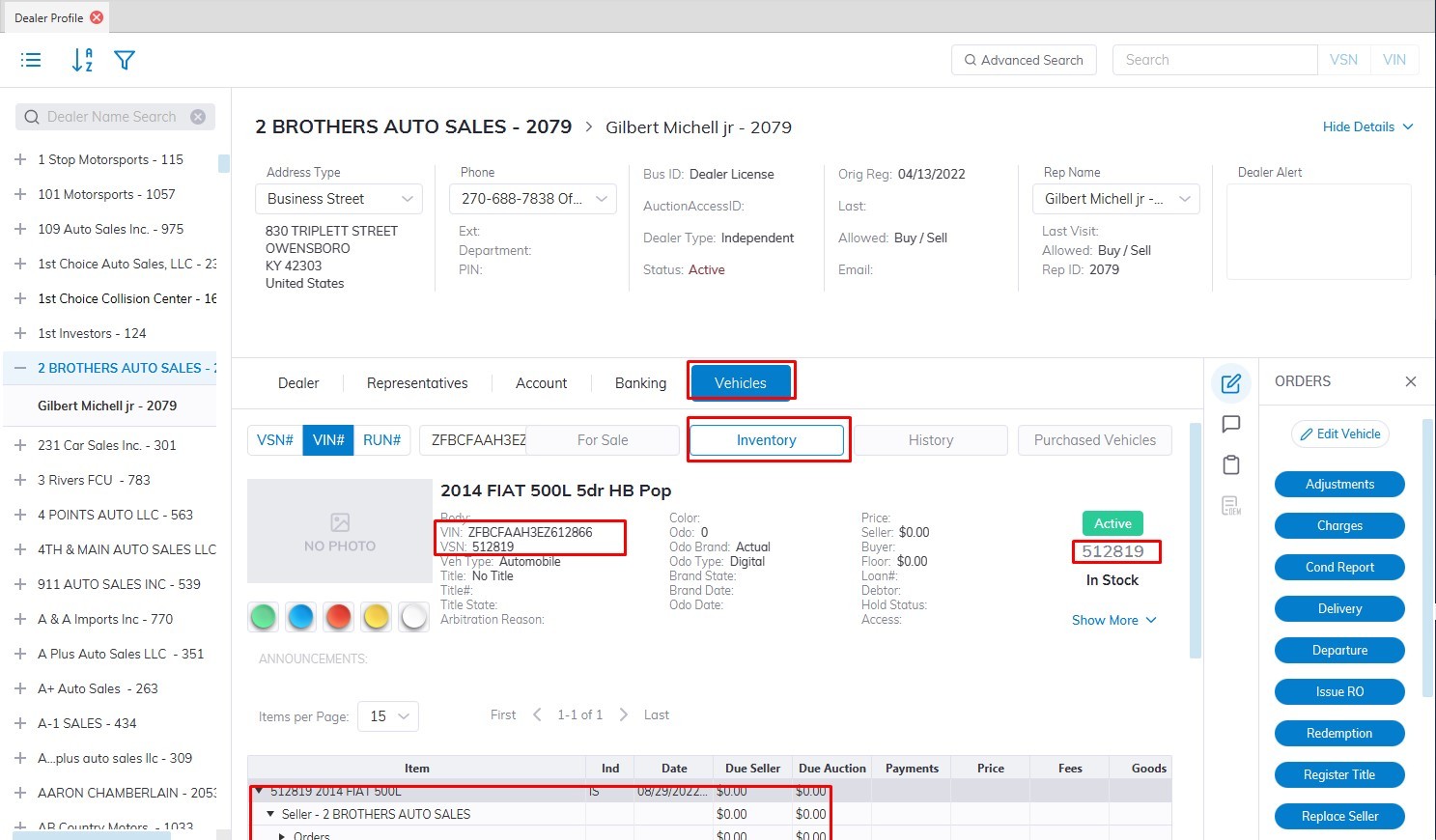
Note: The Sale Date and Run Number are absent since this vehicle is not heading to a sale.
After Stock In the vehicle will be added to the Dealers Inventory Tab under the Vehicle Tab and is assigned a **VSN number** or **Stock number**