# Sale Sticker
The Sales Sticker is used to identify a vehicle's Run Number, Year, Mileage, Make, Model and Color. It is affixed to the front windshield and has a bar code for use when the vehicle departs. The report can be configured to automatically print after the following orders are done:
- [**Office Check In**](https://cam3-wiki.auctionstreaming.com/books/cams-3-wiki-faq/page/check-in-order)
- [**Sale Check In**](https://cam3-wiki.auctionstreaming.com/books/cams-3-wiki-faq/page/check-in-order)
- [**Roll Over**](https://cam3-wiki.auctionstreaming.com/books/cams-3-wiki-faq/page/roll-over-order)
- [**Re-Run**](https://cam3-wiki.auctionstreaming.com/books/cams-3-wiki-faq/page/re-run-order)
You may re-print the Sales Sticker from the Dealer Profile or Vehicle Block application. You may also use **Print Settings** to define the printer output according to your user ID.Click the "Printer icon" to enable the print setting to save the report as PDF and click the "Eye icon" to change and enable the printing for the report to open in preview mode. Click the "Gear icon" to reset to default"**[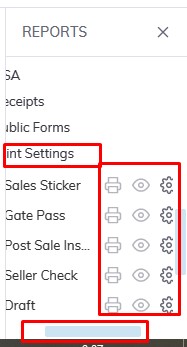](https://cam3-wiki.auctionstreaming.com/uploads/images/gallery/2022-08/printsetting.jpg)****here**SelectThe [**Vehicle Block**](https://cam3-wiki.auctionstreaming.com/books/cams-3-wiki-faq/page/vehicle-block) application> Reports > Administrative Reports > Sales Sticker[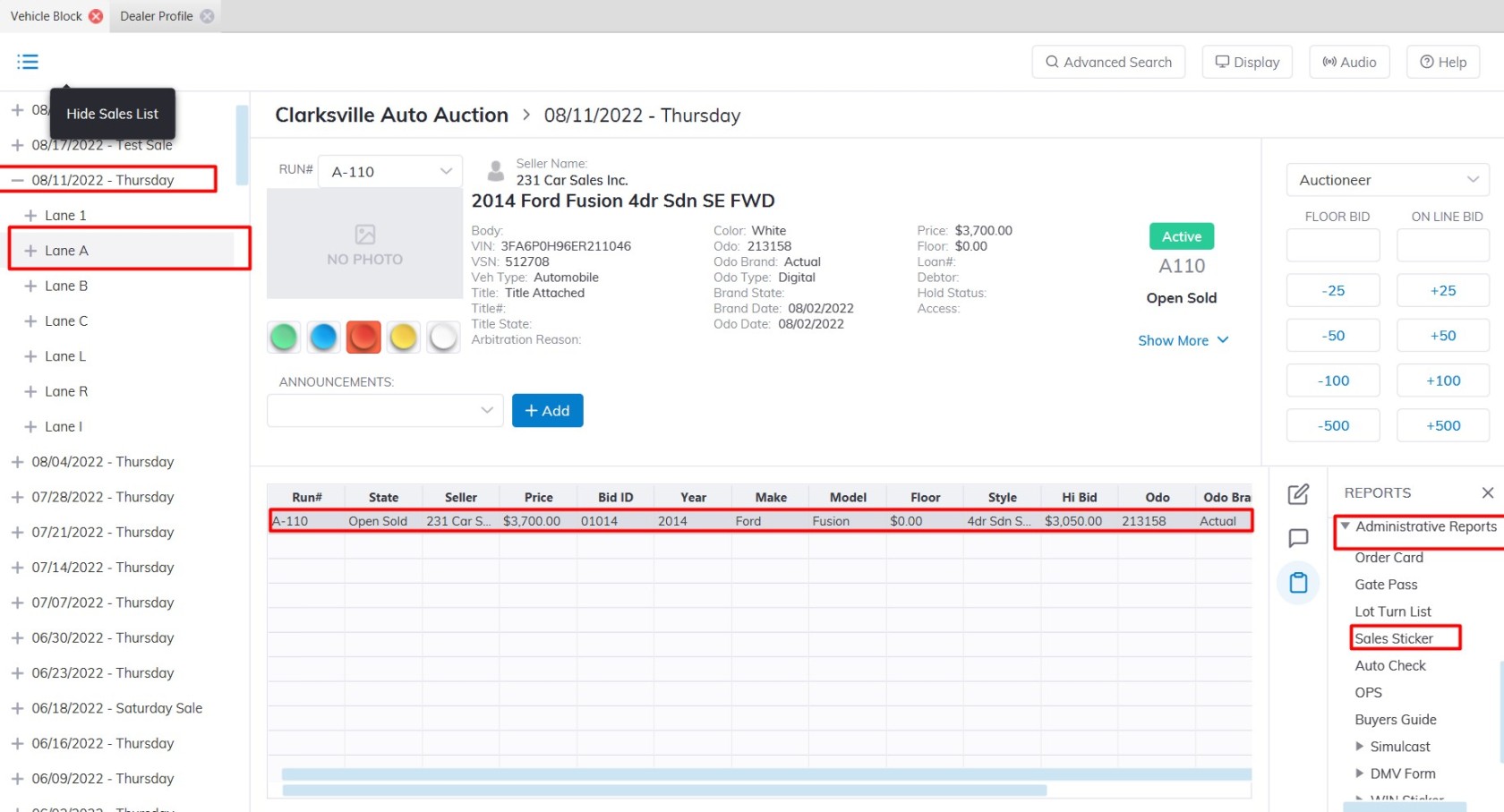](https://cam3-wiki.auctionstreaming.com/uploads/images/gallery/2022-08/sale-vb.jpg)The **[Dealer Profile](https://cam3-wiki.auctionstreaming.com/books/cams-3-wiki-faq/page/dealer-profile)** application> Reports > Administrative Reports > Sales Sticker[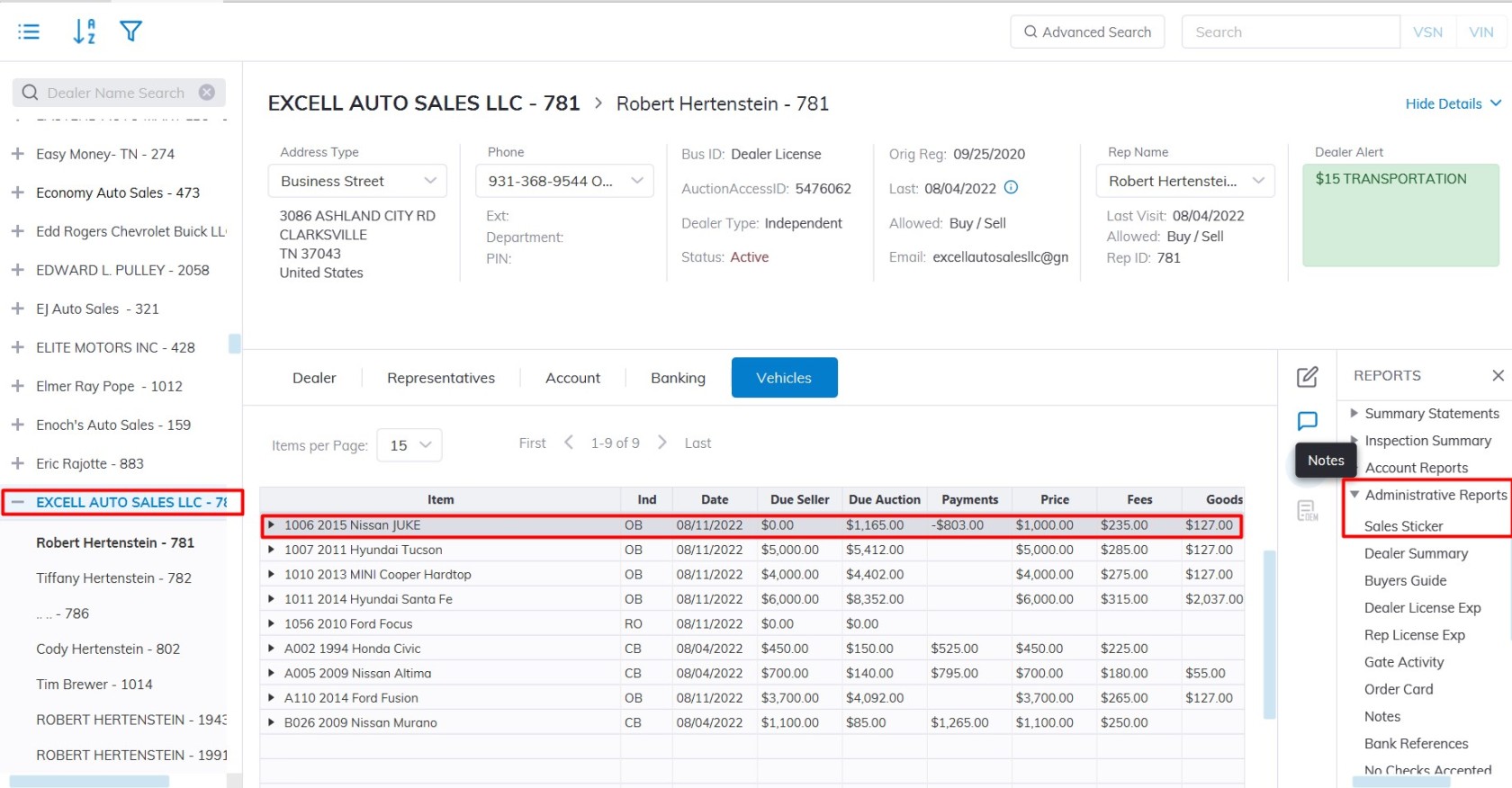](https://cam3-wiki.auctionstreaming.com/uploads/images/gallery/2022-08/sale-dp1.jpg)\*\*\***The Dealer Profile application> Reports > Printing Setting > Sales Sticker** **Note**: **You must select a vehicle in the grid of the Vehicle Block application******