Rep Permissions
Rep Permissions
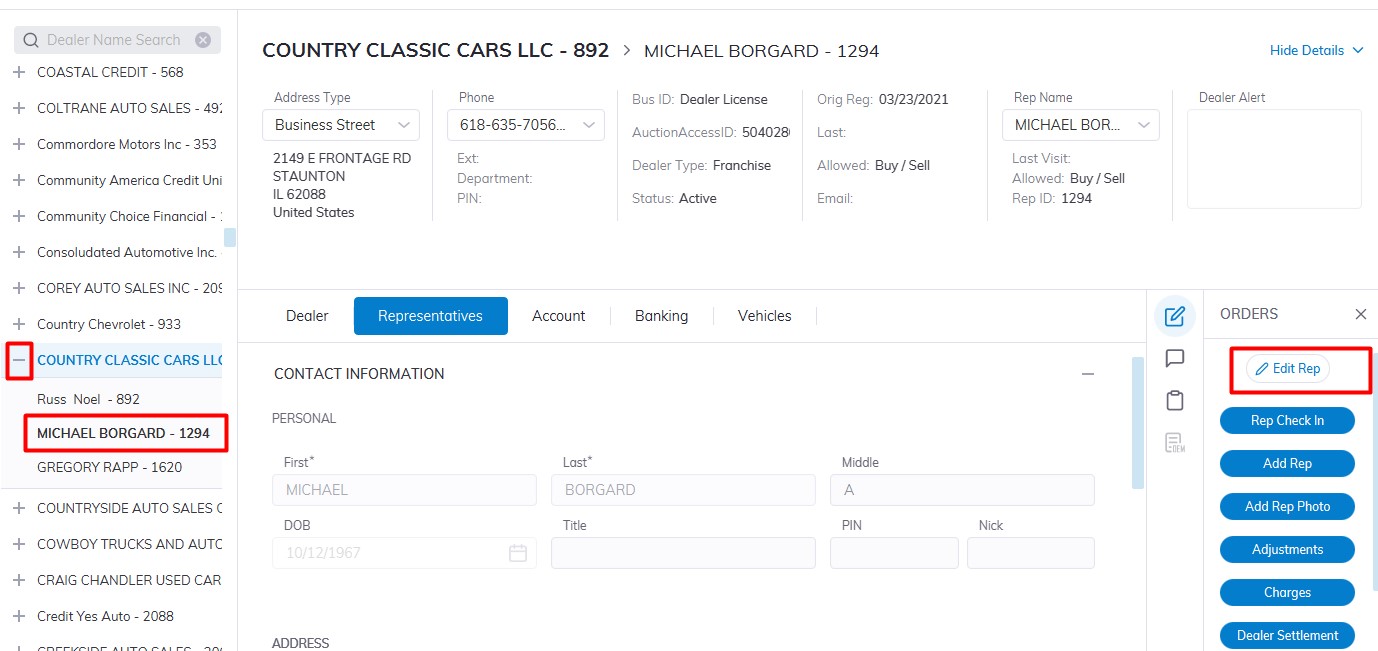
Select Dealer Profile Application>> Select the Dealer>>Select Representative Tab
In the left-hand pane Expand the Dealer by Clicking the + then Select the Rep you which to edit
On the right-hand side Click the 'Edit Rep' order button
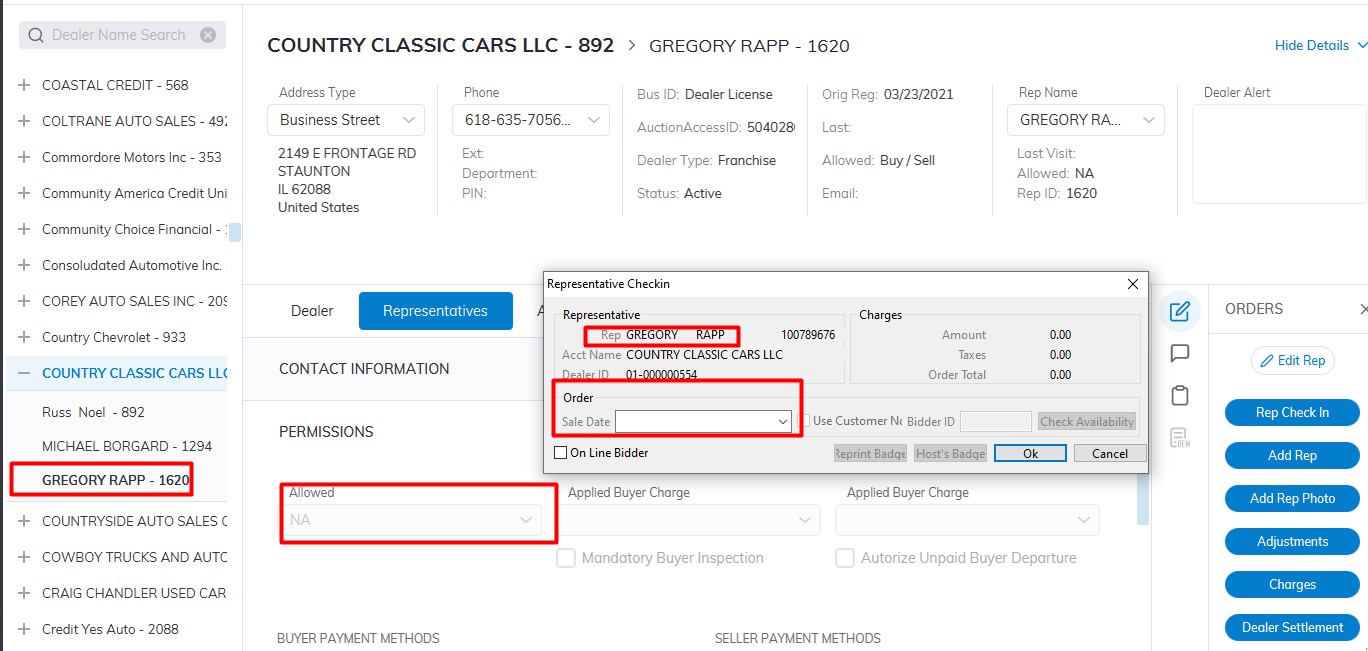
Scroll and click on the Permissions Tab to expand to edit Reps' Information.
Allowed filed
- NA - No Buying and No Selling. The Dealer and its Reps will not be able to Register Vehicles for Sale or Check-in as a Buyer for any Sale.
- Buy - Buying Only. The Dealer and its Reps may obtain a Bid badge through Rep Check In, although they will not be able to Register Vehicles for Sale.
- Sell - Selling Only. The Dealer and its Reps may Register Vehicles for Sale, although they will not be able to Check-in as a Buyer.
- Buy / Sell - Buying and Selling. The Dealer and its Reps may Register Vehicles for Sale as well as Check in as a Buyer.
- Pre Reg - Pre Registration is used to indicate the Dealer Registration is incomplete and permission for Buying and Selling is not granted.
- Marketing - Marketing is used to indicate the Dealer Registration is for Marketing purposes only and permission for Buying and Selling is not granted.
- Exclude Mailing: Setting the 'Exclude Mailing' value to true (clicking the check box) will exclude this dealer from being included in the Mailing Label report.
Note: By selecting 'NA' you will set the Representative to 'In Active' status and they will not be able to Buy or Sell or Check-In for a Sale.
In the permissions section you can Input the following Payment Method for Buying and Selling:
Payment Methods
Select Payment Type for use in Seller Settlement.
Cash, Check, Draft and Wire
Select Payment Type for use in Buyer Settlement.
Cash, Check, Credit,
Debit, Wire, P/M Order,
Draft, Floor Plan, TeleCheck,
Travelers Check, Cashier
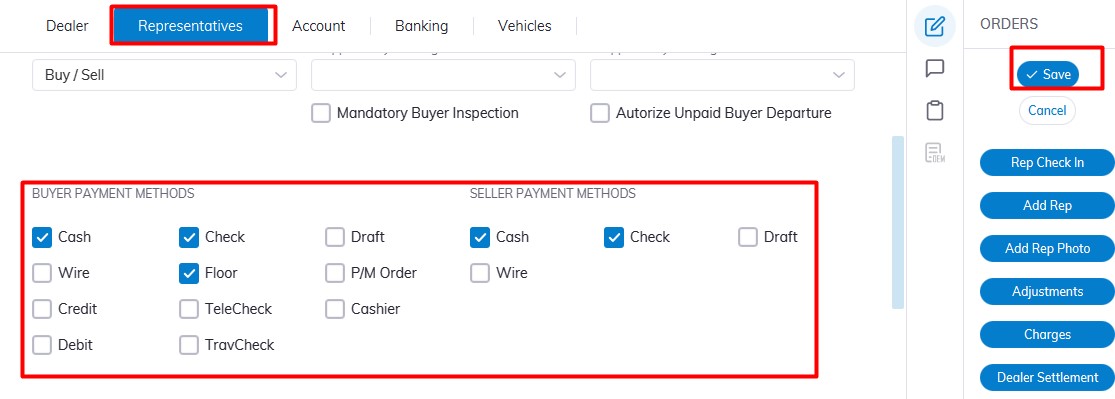
Click 'Save' to Save.
Setting Permission
Payment Method