Pre-registration
Pre Registration - used to reserve or un-reserve run numbers as well as to set 'Protects' for Year, Make, Model, Lights, Floor amount, and Announcements.
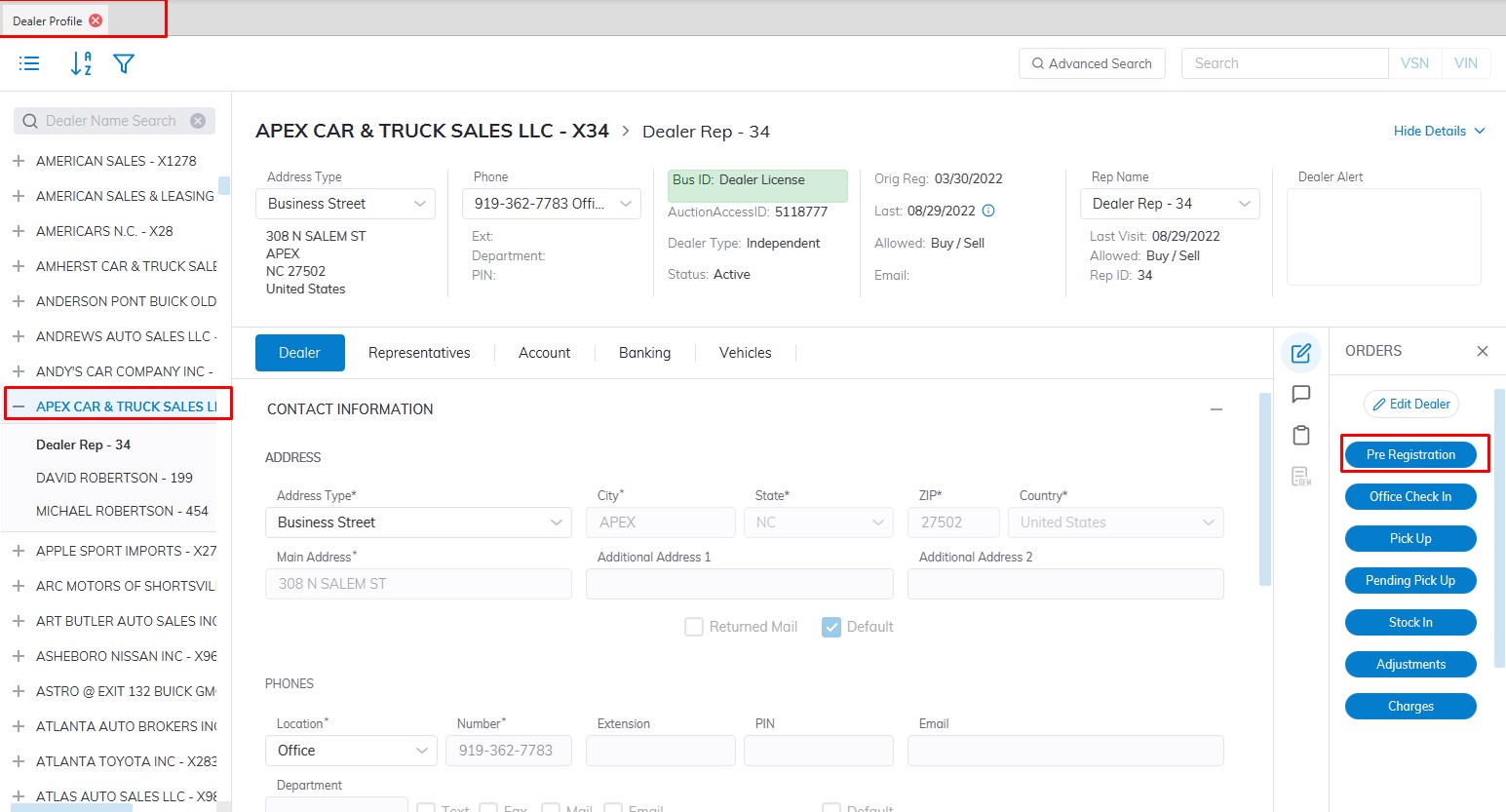
- This will launch the Pre-Registration form.
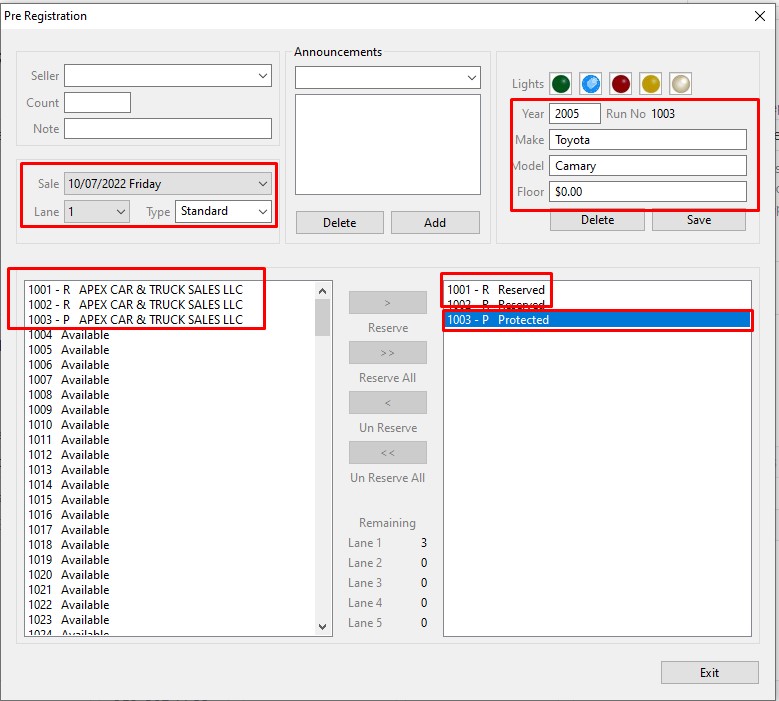
Select 'Sale Date' and 'Lane'
The table above the left side shows:
-
- Dealers' name (Checked In vehicles)
- Available Run Numbers
- Reserved Run Numbers for Dealers
- Protected Run Numbers for Dealers
- Dealers' name (Checked In vehicles)
Using the controls in the center of the form you may 'Reserve' or 'Un Reserve' one or multiple Run Numbers at a time. The form provides a 'global view' of the Lane. You may double-click on any Dealer listed on the left if you wish to change their reserved number status. This avoids the need to go back out to the Dealer Profile and then back into the Pre-Registration order.
The table above on the right shows:
-
- Protected Run Numbers
- Reserved Run Numbers
- Protected Run Numbers
Protected Run Numbers store; Year, Make (both required) as well as Model, Floor amount, Lights, and Announcements. After entering the protected information click 'Save' to mark the Reserved run number [R] as a Protected run number [P].
Note: You must first reserve a run number before it can be protected.