Edit Vehicle
Vehicles may be Edited from the Dealer Profile, Vehicle Block, or Vehicle Management applications.
Note: You may also double-click on the vehicle in the grid of the Dealer Profile or Vehicle Orders application to bring up the 'Edit Vehicle' form.
From Dealer Profile
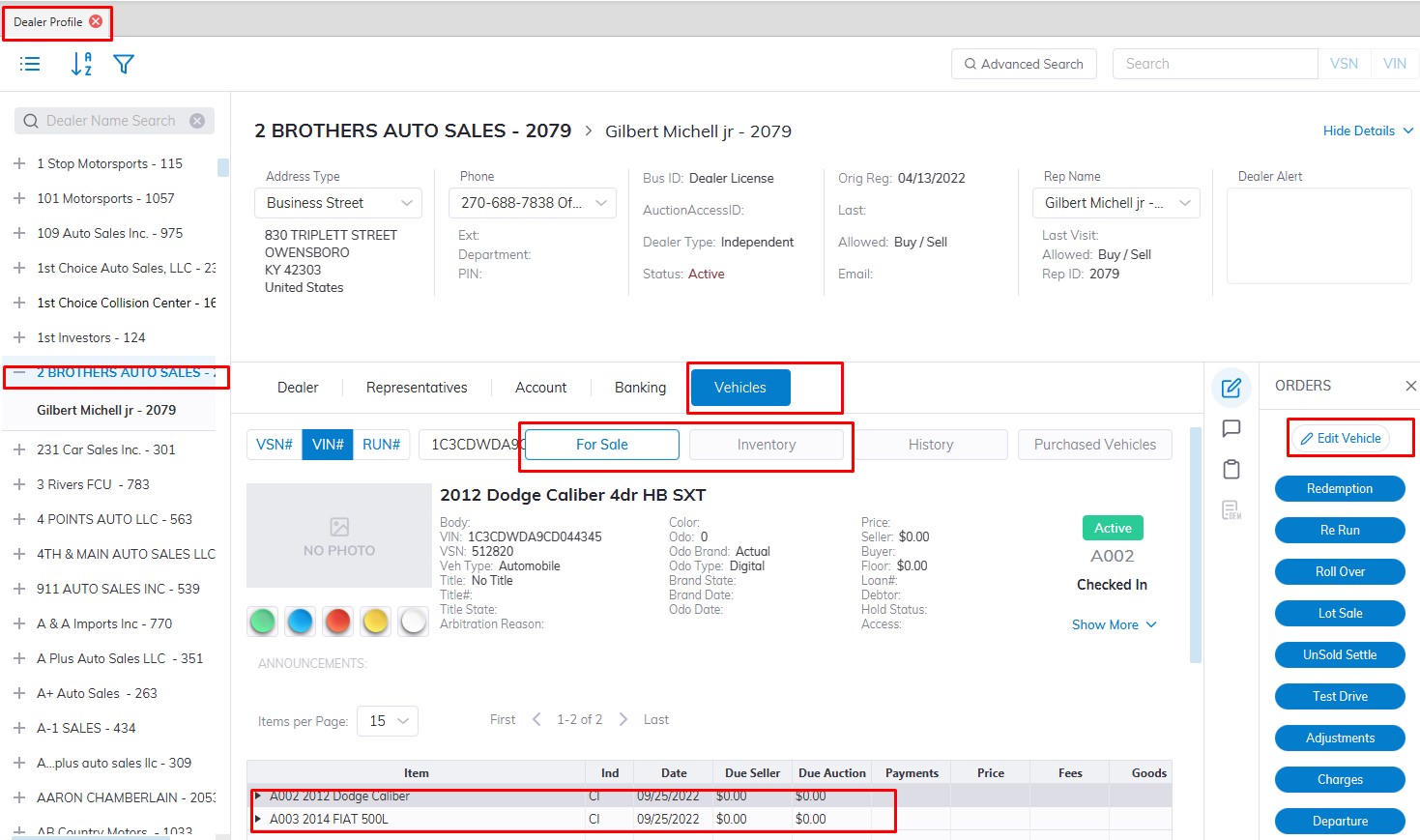
- Select the Dealer Profile Application
- Select the Dealer where the Vehicle you wish to Edit.
- Select Vehicle Tab.
- Then Select any vehicle in the Subsection For Sale or Inventory in the grid.
- Select the 'Edit Vehicle' button from the 'Orders' menu on the right side to launch the form.
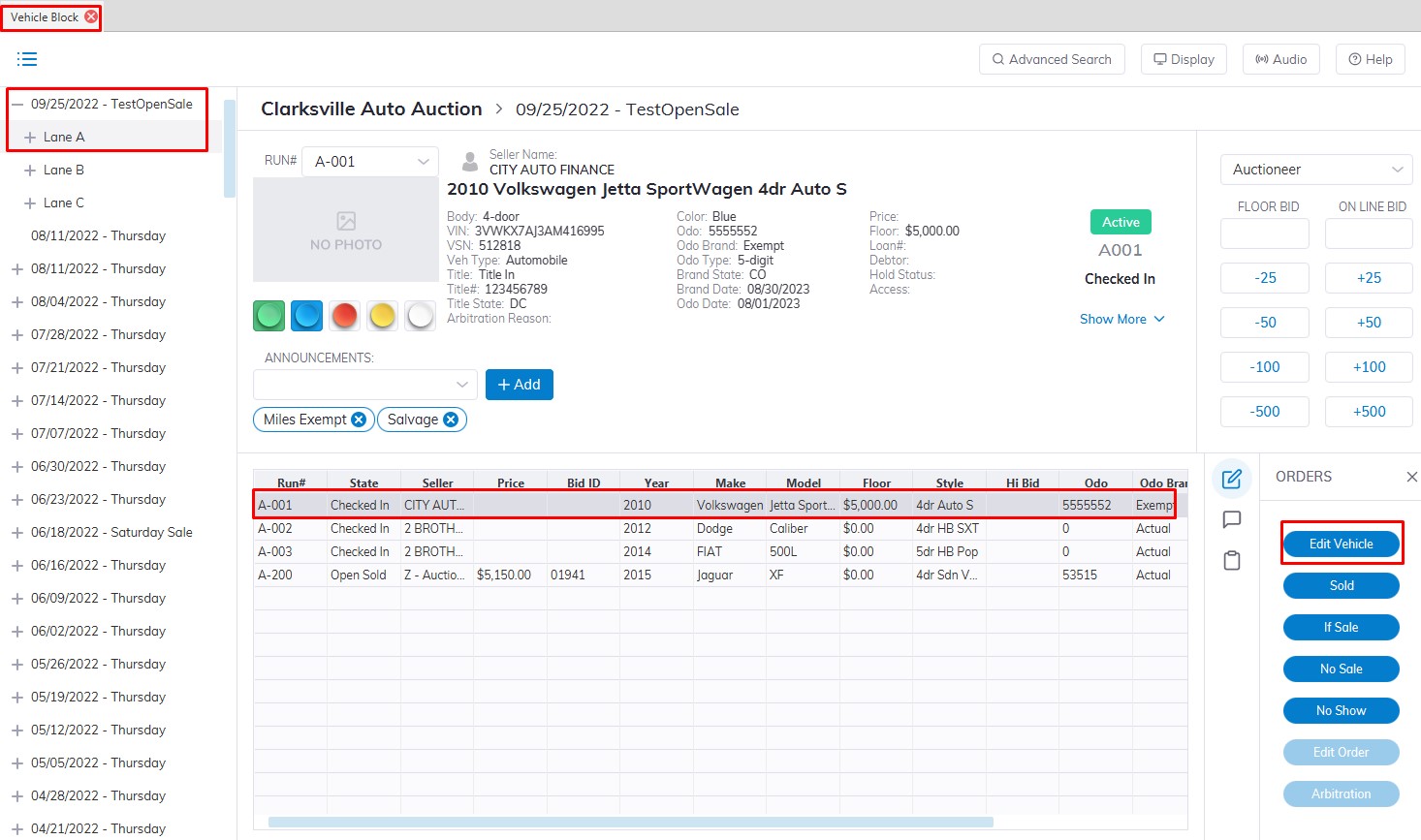
From Vehicle Block Application
- Select the Vehicle Block Application
- Select the 'Sale Date' and 'Lane' where the Vehicle you wish to Edit is Checked In.
- Select the Vehicle in the grid.
- Select the 'Edit Vehicle' button from the 'Orders' menu on the right side to launch the form.
From Vehicle Management Application
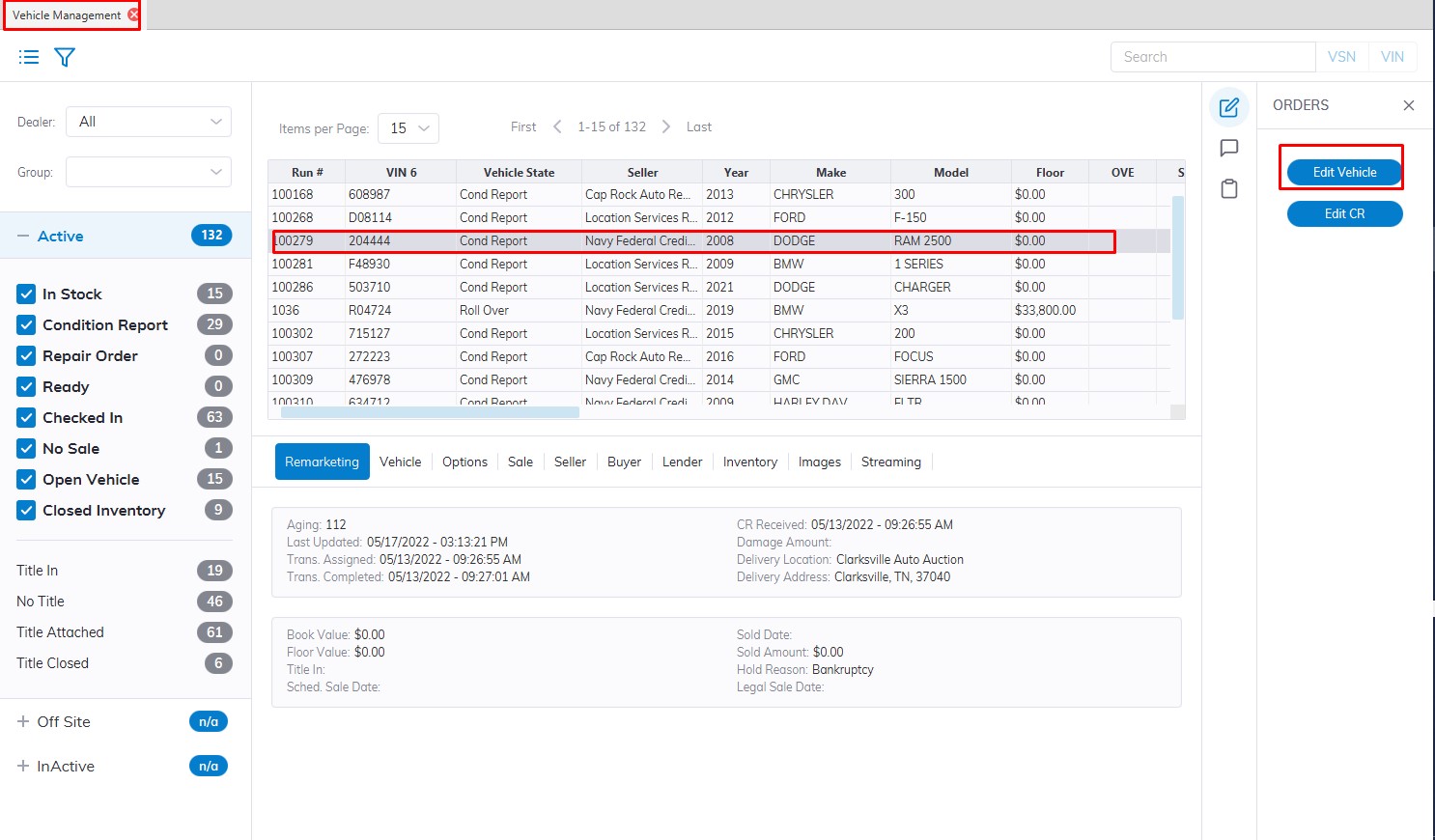
- Select the Vehicle Management Application
- Search and Select the Vehicle in the grid.
- Select the 'Edit Vehicle' button from the 'Orders' menu on the right side to launch the form.
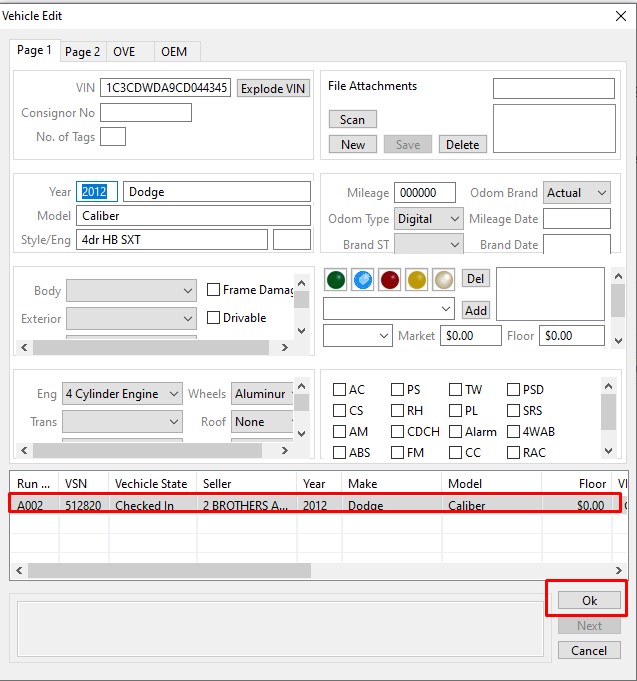
Edit vehicle form allows you to edit Basic vehicle information:
- VIN - use the 'Explode VIN' button to re-explode VIN (style input may be required)
- File attachments may be added to a vehicle (click the 'new' button, name the file and click 'save')
- Year
- Make
- Model
- Style
- Consignor Stock Number (used for tracking purposes)
- Odometer Reading
- Unit of Measure (default it English)
- Odometer Brand State
- Odometer Brand (actual, exceeds, rollback, broken, not actual, unknown, repaired, replaced, or exempt)
- Mileage Date (today's date)
- Brand Date (date of branding - today's date)
- Page 2
Options and Announcements can be Edited
- Body
- Exterior Color
- Interior Color
- Seating
- Frame Damage
- Drivable
- Ignition Keys
- Trunk Keys
- Remote Keys
- Lights (Green, Blue, Red, Yellow, and White)
- Grade
- Market Value
- Floor Amount
- Announcements (Add on the 'fly' or select from the list)
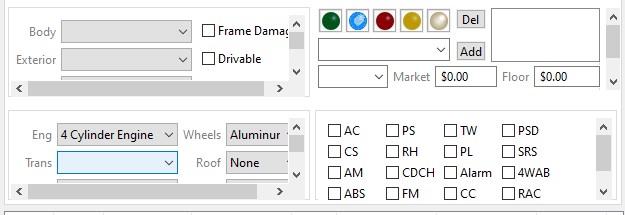
Click the 'Add' button
Use *P after any announcement to make it permanent to the VIN for future use. Any two-digit number before any announcement will code the announcement as 'Internal Only' and will not appear on any paperwork.
Note: If a user adds an announcement 'on the fly it will not be kept in the database for future use in other announcements.
- Engine
- Wheels
- Transmission
- Roof
- Fuel
- Upholstery
- Drive Train
- Body
- Exterior
- Interior
- Seating
- Air Conditioning
- Power Steering
- Tilt Wheel
- Power Seat Driver
- Cassette
- Power Lock
- Supplemental Restraint
- AM Radio
- CD Changer
- Alarm
- 4 Wheel Anti-Lock Brakes
- Anti-Lock Brakes
- FM Radio
- Cruise Control
- Rear Air Conditioning
- CD Player
- Power Windows
Also, we can edit Page 2
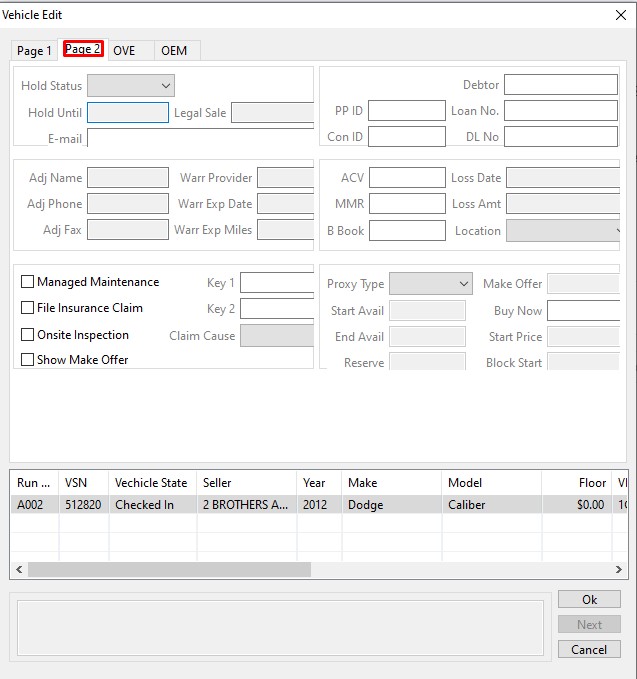
Repossession and Lender Information is used to keep track of the contact and account information from the bank or finance company that repossessed the vehicle.
Auto IMS settings (shaded attributes controlled only by Auto IMS)
Here you can Edit:
- Hold Status
- Hold Until
- Legal Sale Date
- Email contact
- Debtor Name, Loan Number, and Driver License Number
- Adjusters' Name, Phone, and Fax
- Warranty Provider, Exp Date, and Exp Miles
- ACV (actual cash value), MMR (Manheim market report), Blackbook
- Loss Date, Amount, and Location
- Managed Maintenance, File Insurance claims, Request On-Site Inspection and Show Make Offer
- Key Code 1, Key Code 2, Claim Cause
Auction Pipeline Settings:
- Simulcast Proxy Type, Proxy Start Date, End Proxy Date
- Make Offer Amount, Buy Now Amount, Start Price, Block Start