# Dealer Activation
##### **Dealer Activation**
Select Dealer Activation from the main menu to launch the wizard that is used to add a new Dealer account.
[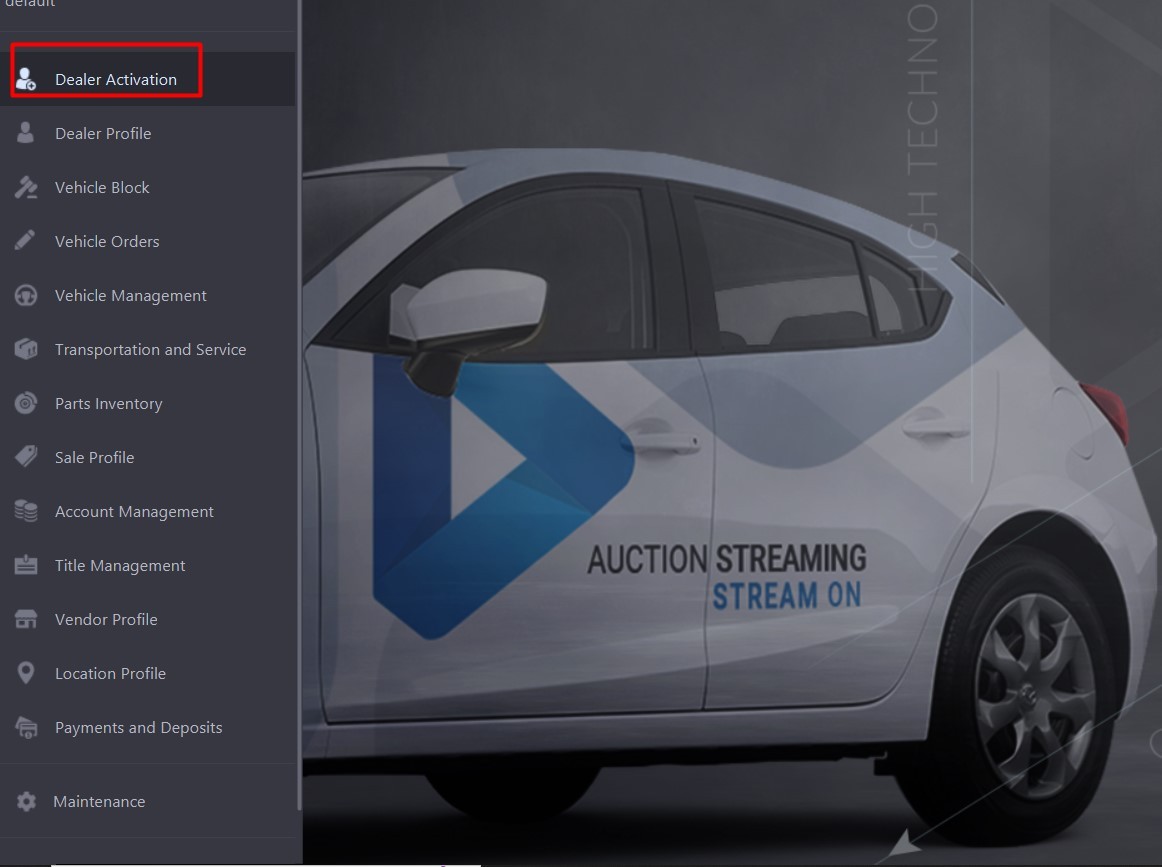](https://cam3-wiki.auctionstreaming.com/uploads/images/gallery/2022-08/activate.jpg)
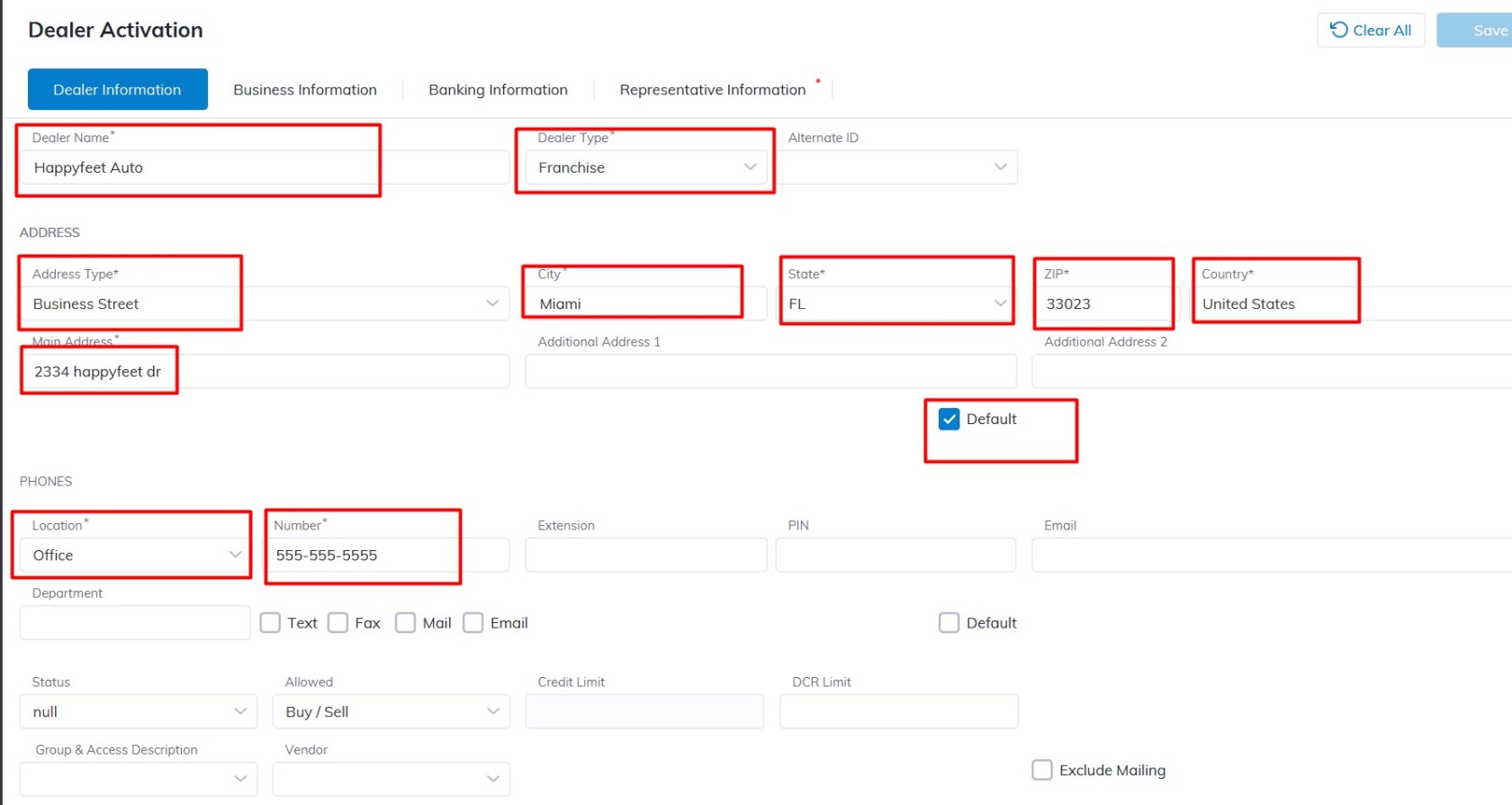
When the Dealer Activation wizard pops up you will be on the
**Dealer Information** **Tab**
**[](https://cam3-wiki.auctionstreaming.com/uploads/images/gallery/2022-08/dealerinfo1.jpg)**
Input the following to create the new Dealer.
- **Dealer Name** (Name of the Dealership)
- For the **Dealer Type** Please select from the Dropdown menu:
**Dealer Type** (franchise, Public, Pool, or Independent)
- **First Name**
- **Last Name**
- For the Address **Location** field please select from the Dropdown e.g. Business street or Main
- **City**
- **State**
- **ZIP**
- **Country**
- **Main Address**
Check the Default checkbox to make this address the Default on this Dealership Account.
- **Phone**: for the Location field select from the Dropdown e.g. Main, Business, Office, or Headquarters then type the number in the number filed e.g. 555-555-5555
**Status:** choose the status that best reflects the business
**Allowed:** The default is Buy/Sell however you can choose the permission you want the Dealership to have here.
**Buyer and Seller payment method:** Here you choose the method of payment this Dealershuseill used e.g. Cash, Check, Credit, Debit, Wire, etc.
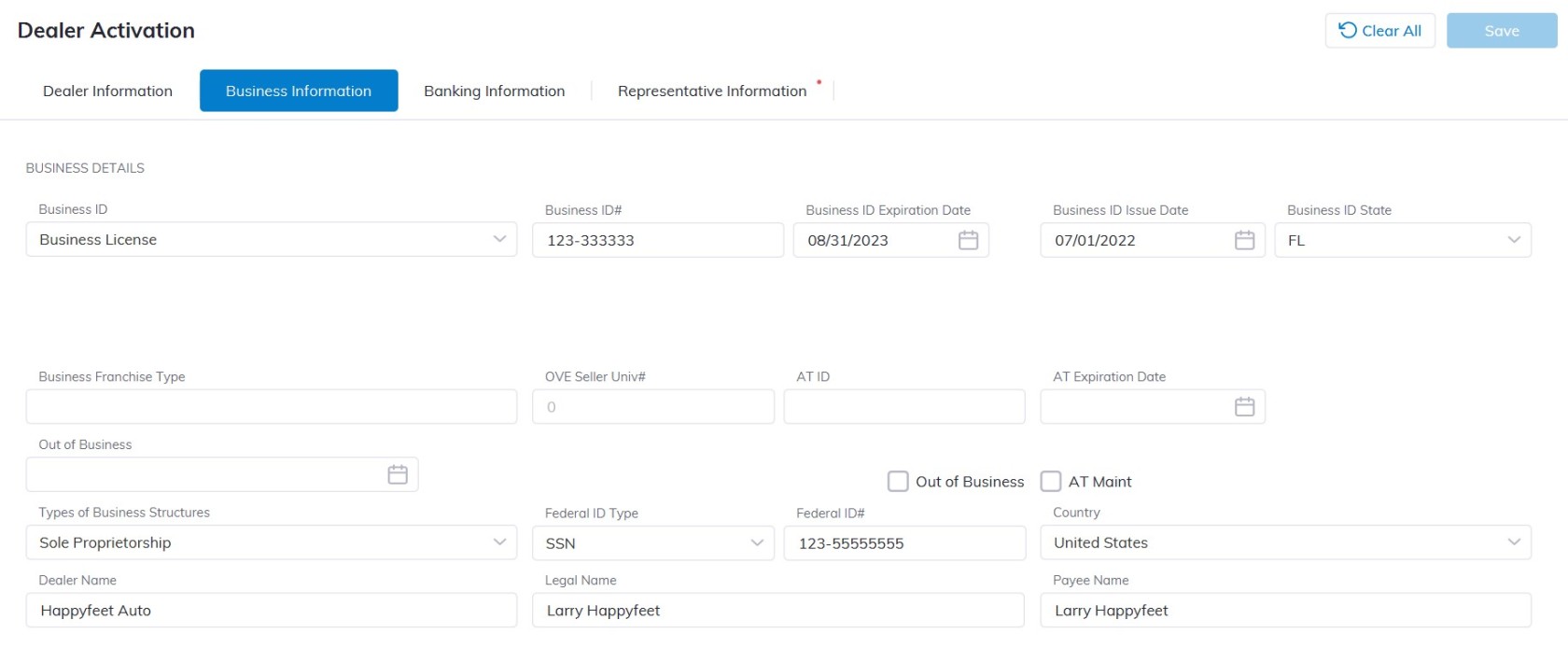
**Business Information Tab**
**[](https://cam3-wiki.auctionstreaming.com/uploads/images/gallery/2022-08/businesstab.jpg)**
Input the following under the Business tab for the new dealer:
- **Business ID**
- **Business ID#**
- **Business ID State**
- **Business ID Exp.**
- **Business ID Issue Date**
- **Type of Business Structures**
- **Federal ID type**
- **Federal ID#**
- **Country**
- **Dealer Name**
- **Legal Name**
- **Payee Name**
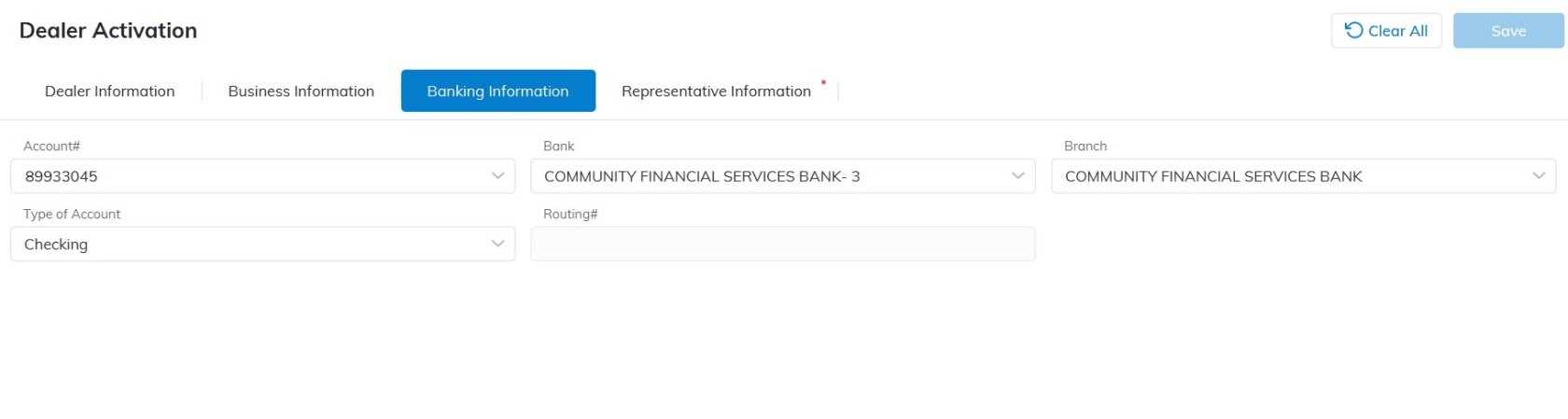
**Banking Information Tab**
**[](https://cam3-wiki.auctionstreaming.com/uploads/images/gallery/2022-08/banking.jpg)**
**Input the following under the Banking Information tab for the new dealer:**
- **Account#**
- **Bank**
- **Branch**
- **Type of Account e.g. Checking, Draft, or floor**
**Representative Information Tab**
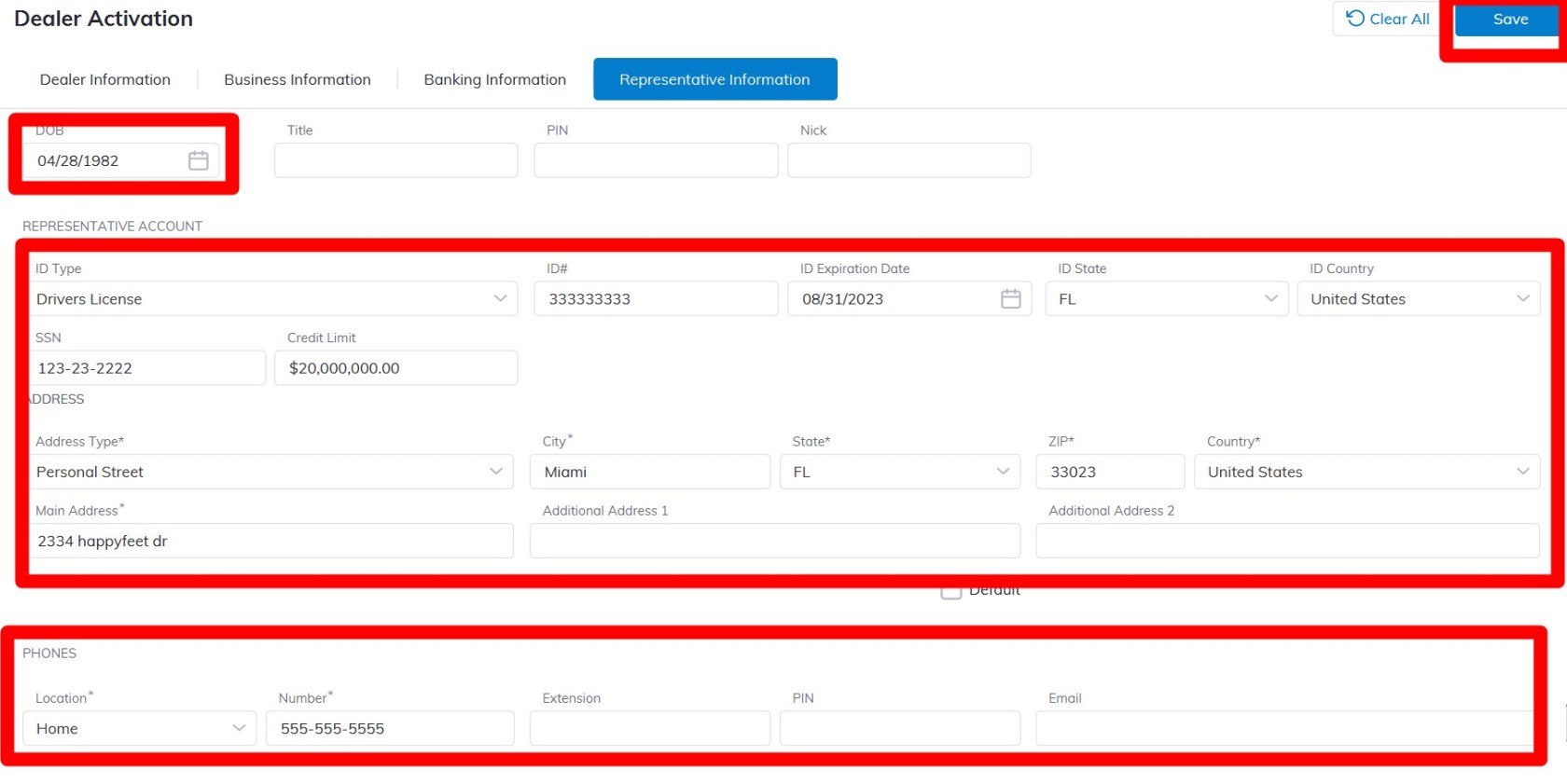
Input the following under the Representative Information tab for the new dealer:
[](https://cam3-wiki.auctionstreaming.com/uploads/images/gallery/2022-08/representative.jpg)
- **First Name**
- **Last Name**
- **Date of Birth**
- **ID Type** e.g. Drivers license, Passport, State ID, etc.
- **ID#**
- **ID Expiration Date**
- **ID State**
- **ID Country**
- **SSN#**
- **Address type** (For the Address if the representative has a different address you can use or you can use the Dealership Address as default for the Rep Account.)
- **City**
- **State**
- **ZIP**
- **Country**
- **Main Address**
- **Phone Location** (You can add Office number, mobile, or Home)
- **Phone Number**
- **Email**
Click 'Save' to Save an alert window will inform you that the new Dealer was successfully created[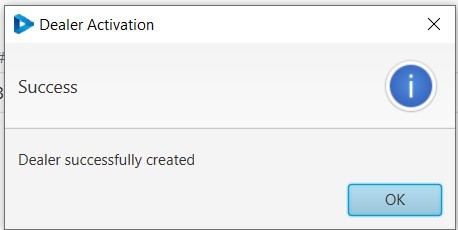](https://cam3-wiki.auctionstreaming.com/uploads/images/gallery/2022-08/fin.jpg)
#### **Independent Dealer Activation**
****
#### **Public Entity Dealer Activation******