Dealer Activation
Dealer Activation
Select Dealer Activation from the main menu to launch the wizard that is used to add a new Dealer account.
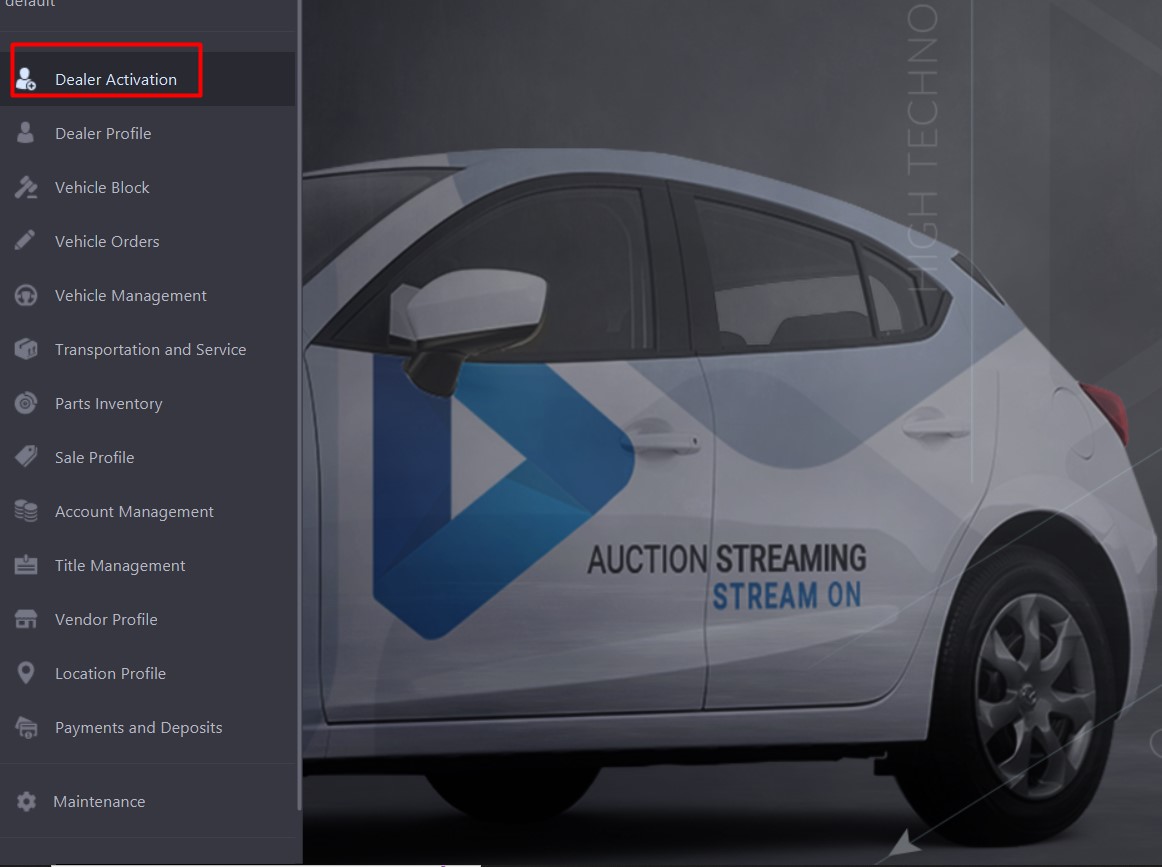
When the Dealer Activation wizard pops up you will be on the
Dealer Information Tab
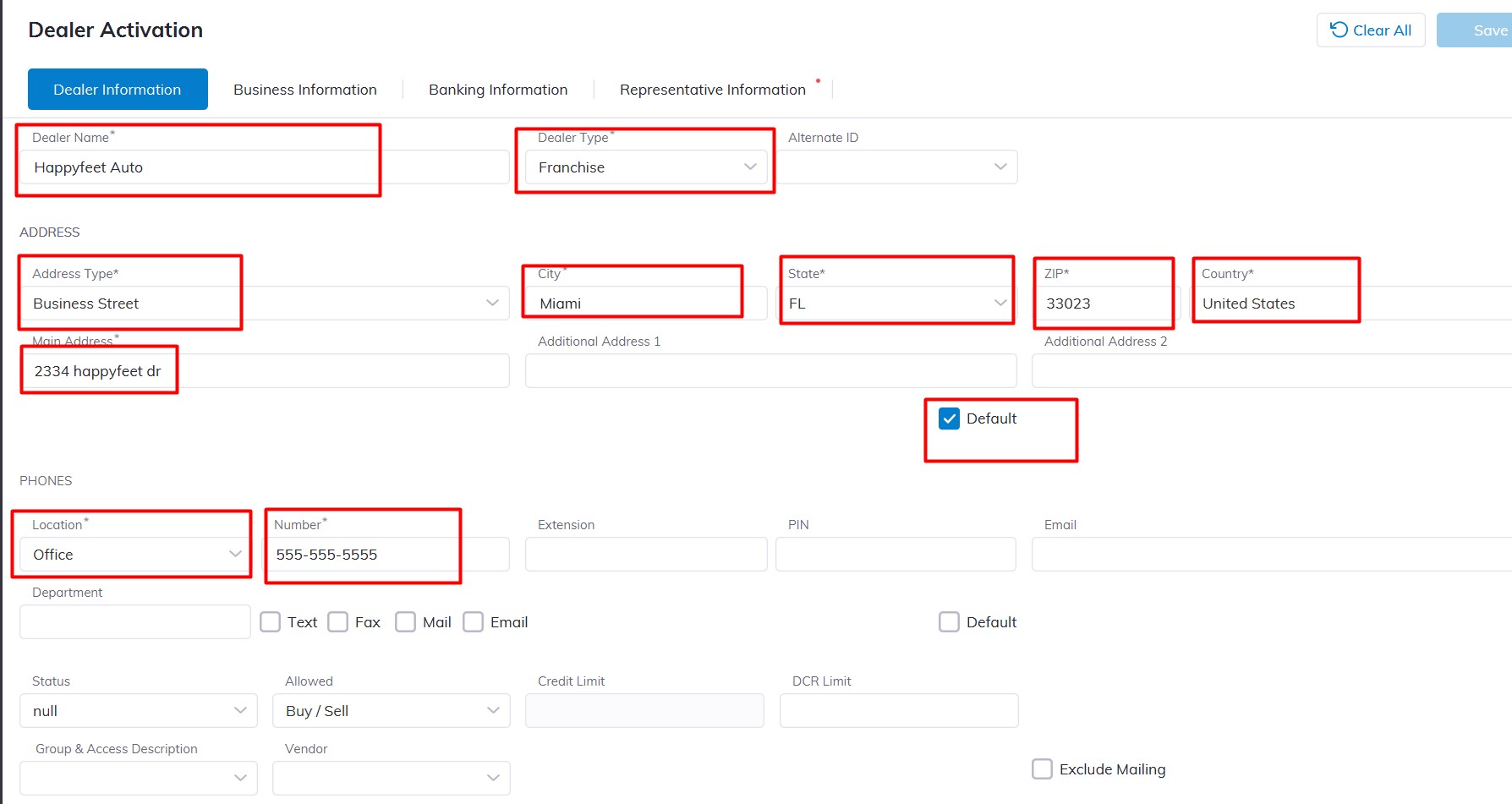
Input the following to create the new Dealer.
- Dealer Name (Name of the Dealership)
- For the Dealer Type Please select from the Dropdown menu:
Dealer Type (franchise, Public, Pool, or Independent)
- First Name
- Last Name
- For the Address Location field please select from the Dropdown e.g. Business street or Main
- City
- State
- ZIP
- Country
- Main Address
Check the Default checkbox to make this address the Default on this Dealership Account.
- Phone: for the Location field select from the Dropdown e.g. Main, Business, Office, or Headquarters then type the number in the number filed e.g. 555-555-5555
Status: choose the status that best reflects the business
Allowed: The default is Buy/Sell however you can choose the permission you want the Dealership to have here.
Buyer and Seller payment method: Here you choose the method of payment this Dealershuseill used e.g. Cash, Check, Credit, Debit, Wire, etc.
Business Information Tab
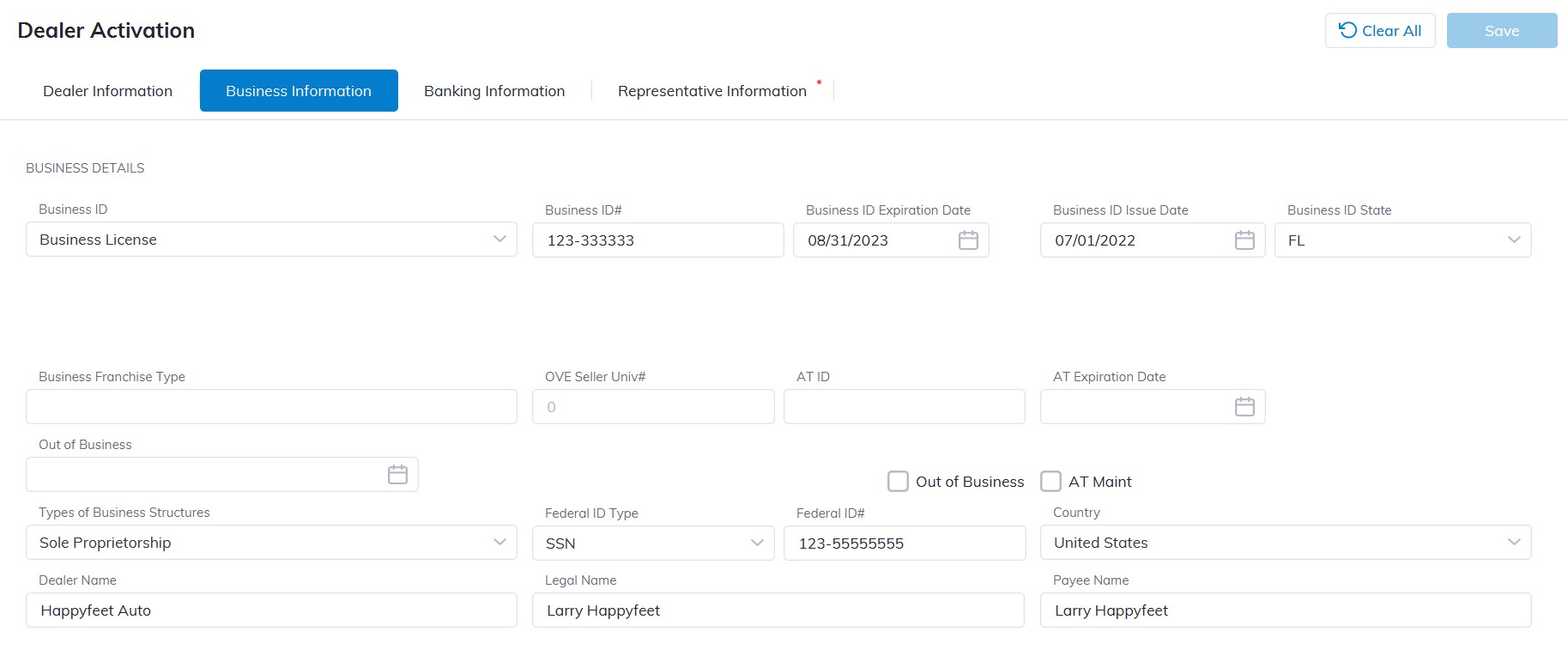
Input the following under the Business tab for the new dealer:
- Business ID
- Business ID#
- Business ID State
- Business ID Exp.
- Business ID Issue Date
- Type of Business Structures
- Federal ID type
- Federal ID#
- Country
- Dealer Name
- Legal Name
- Payee Name
Banking Information Tab
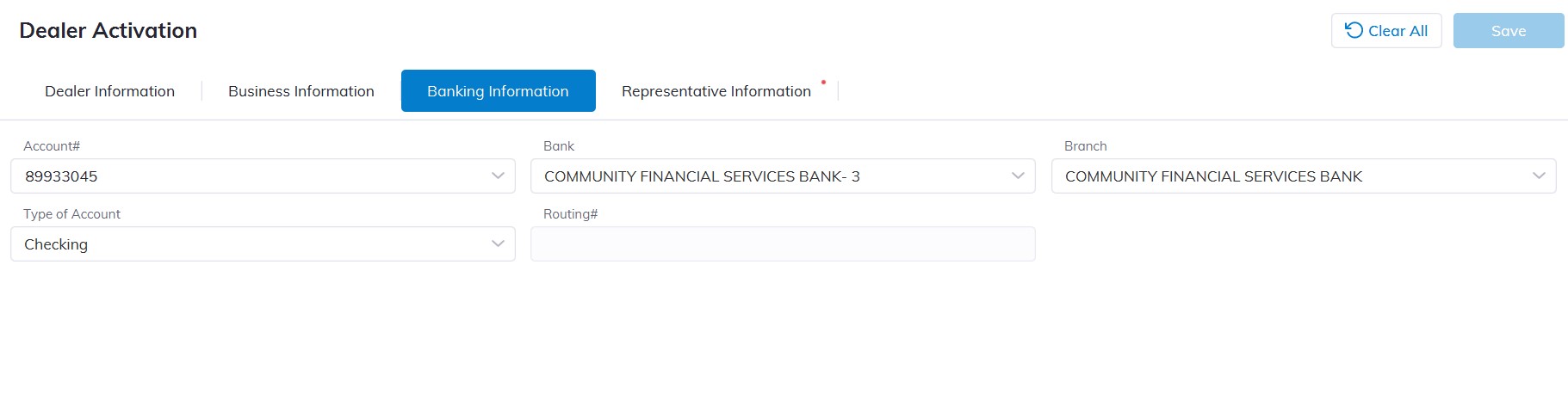
Input the following under the Banking Information tab for the new dealer:
- Account#
- Bank
- Branch
- Type of Account e.g. Checking, Draft, or floor
Representative Information Tab
Input the following under the Representative Information tab for the new dealer:
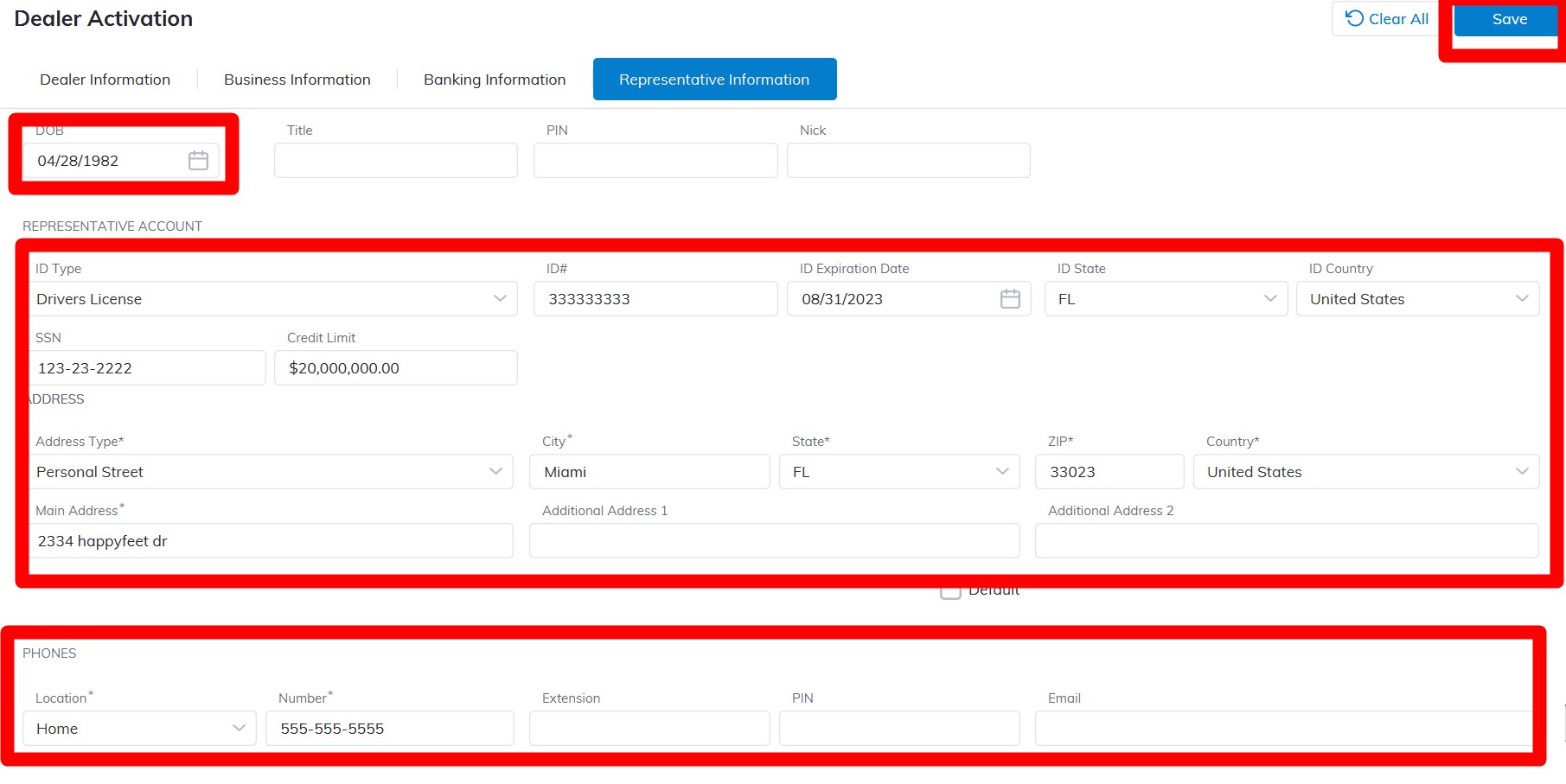
- First Name
- Last Name
- Date of Birth
- ID Type e.g. Drivers license, Passport, State ID, etc.
- ID#
- ID Expiration Date
- ID State
- ID Country
- SSN#
- Address type (For the Address if the representative has a different address you can use or you can use the Dealership Address as default for the Rep Account.)
- City
- State
- ZIP
- Country
- Main Address
- Phone Location (You can add Office number, mobile, or Home)
- Phone Number
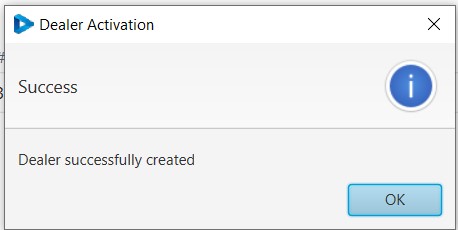
Click 'Save' to Save an alert window will inform you that the new Dealer was successfully created
Independent Dealer Activation
Public Entity Dealer Activation