# Batch Re Run Order
The Batch Re Run order allows a user to move multiple cars from one 'set of run numbers' to 'another set of run numbers' all in a single action (no need to move one vehicle at a time). This is especially useful if a seller pulls a block of vehicles from the front of the lane.
[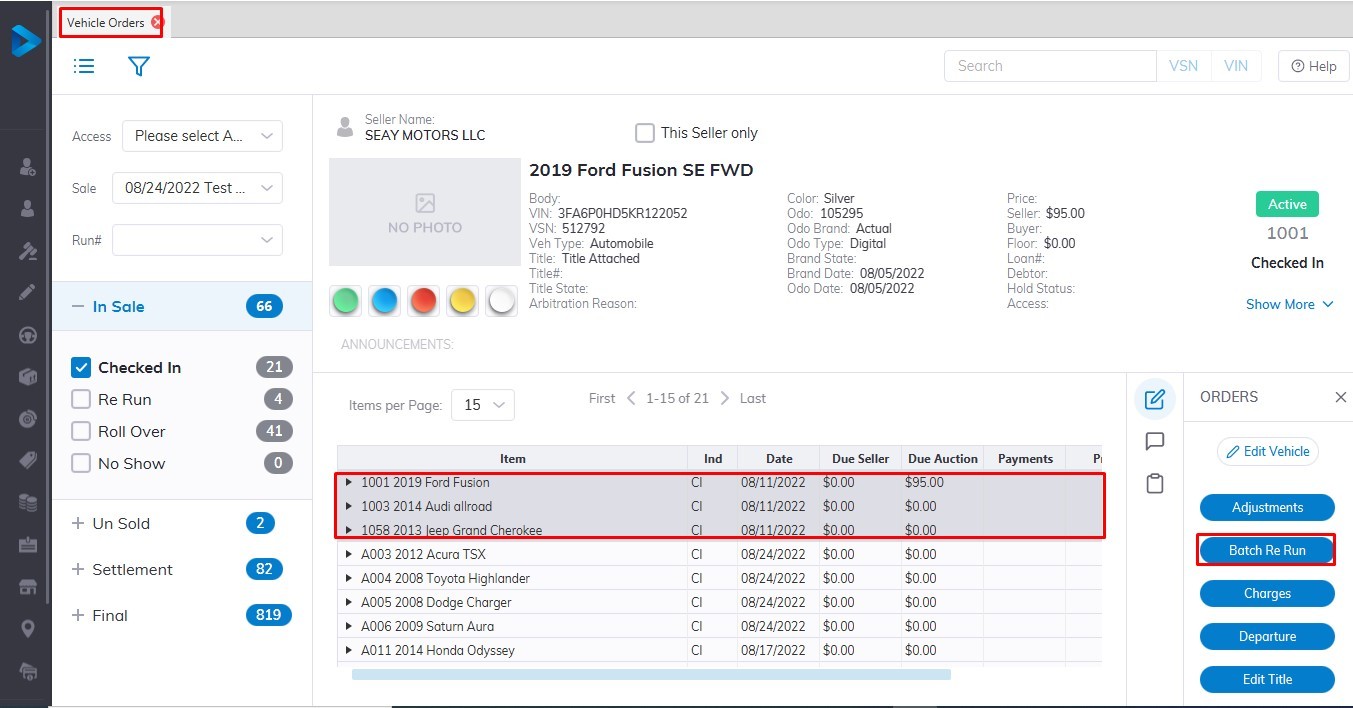](https://cam3-wiki.auctionstreaming.com/uploads/images/gallery/2022-08/batrr1.jpg)
**NOTE: Sales Stickers will not automatically print when you use the 'Batch Re Run' order.**
Before doing the 'Batch Re Run' order you MUST clear a pathway for the incoming run numbers. This requires you to select the check box in the Batch Re Run form:
[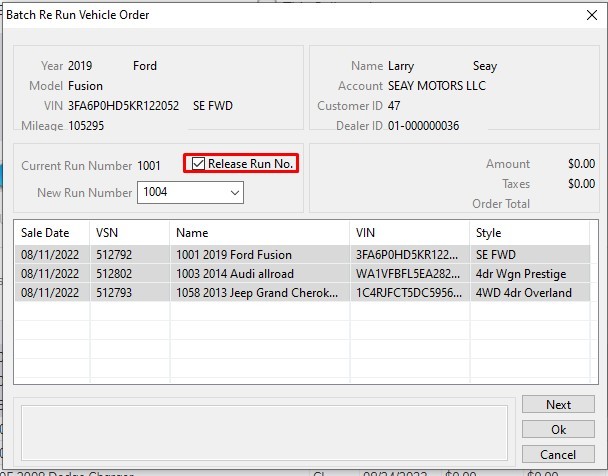](https://cam3-wiki.auctionstreaming.com/uploads/images/gallery/2022-08/batrr3.jpg)
Click **'OK'** to move all the Run Numbers at once.
Here we select 1004 as the first number in the series of run numbers as the starting point.
[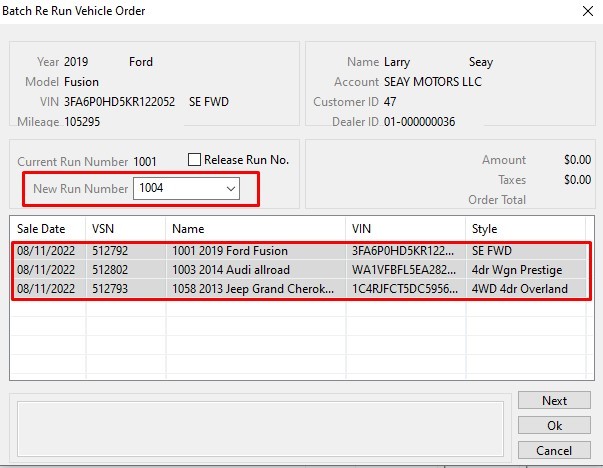](https://cam3-wiki.auctionstreaming.com/uploads/images/gallery/2022-08/batrr2.jpg)