# Bank Master and Fee Master Reports
**Bank Master Report**
The Bank Master lists all banks as they relate to each Dealer.
Select
The **[Dealer Profile](https://cam3-wiki.auctionstreaming.com/books/cams-3-wiki-faq/page/dealer-profile)** application > Reports > Administrative Reports > Master Listings > Bank Master
[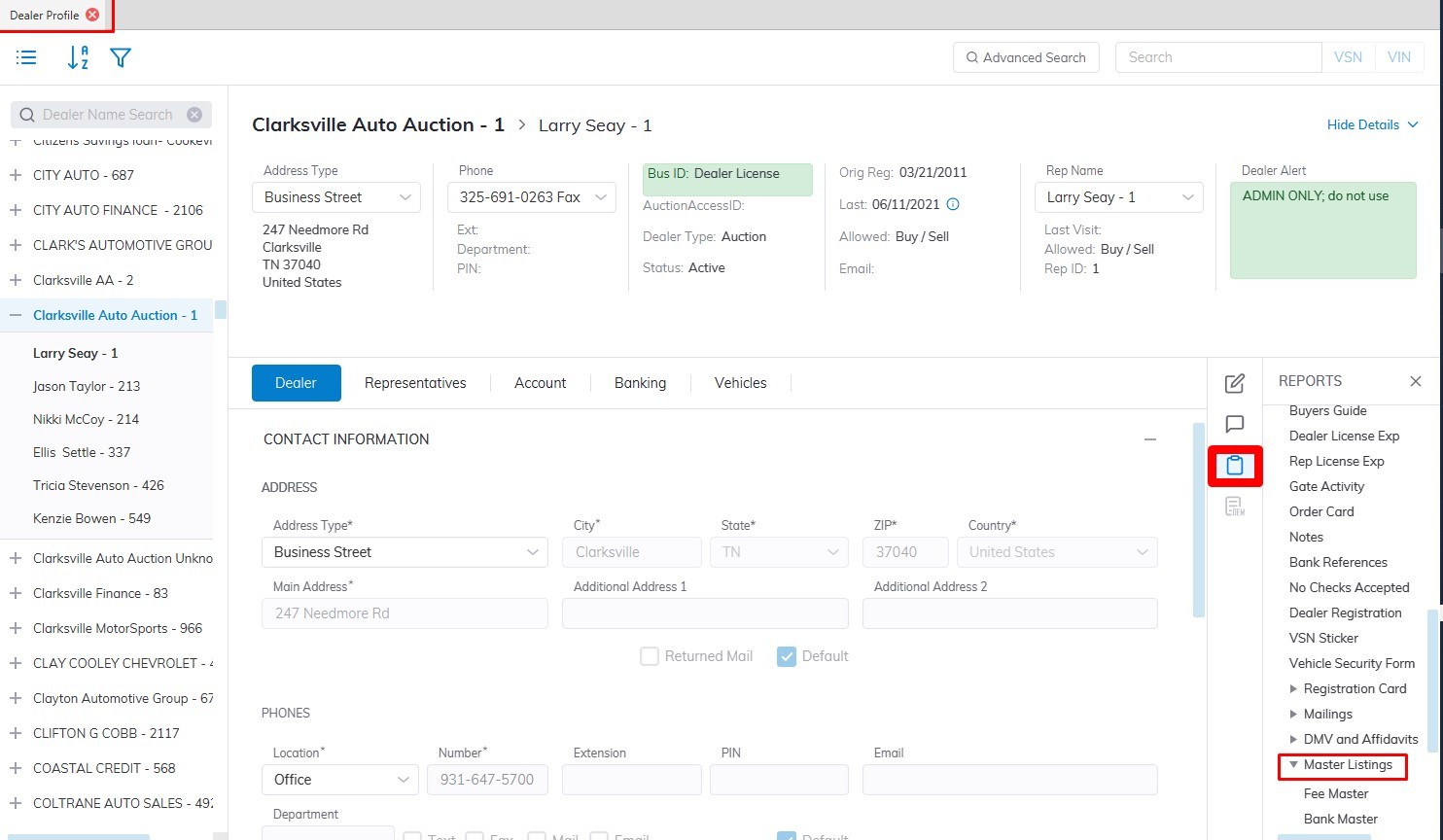](https://cam3-wiki.auctionstreaming.com/uploads/images/gallery/2022-08/bankmaster1.jpg)
This will launch the Bank Master Report form. You may sort according to Bank, Branch, or Dealer. You may also select all Dealers or just one.
[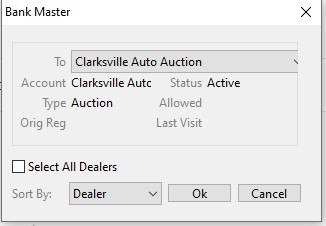](https://cam3-wiki.auctionstreaming.com/uploads/images/gallery/2022-08/bankmaster2.jpg)
Click **'OK'** to create the report and print
[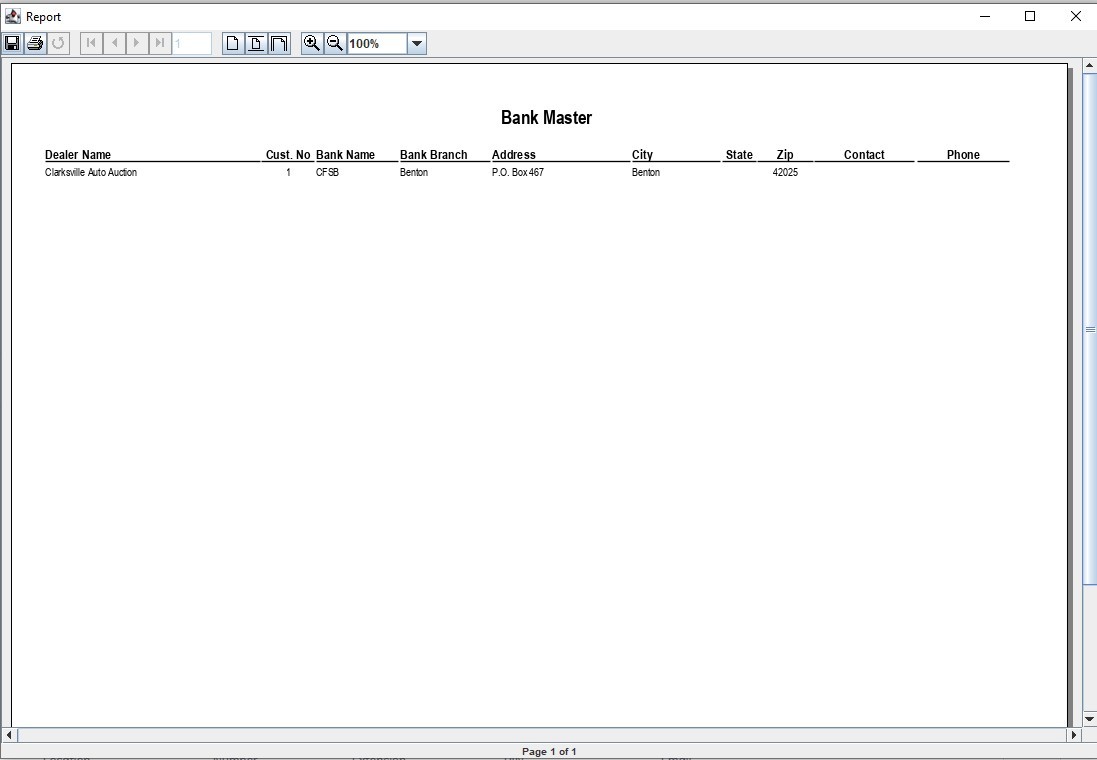](https://cam3-wiki.auctionstreaming.com/uploads/images/gallery/2022-08/bmexample.jpg)
**Fee Master Report**
The Fee Master report is used to provide details on what rates the Auction has set up to charge its customers for Sales, Registration, Transportation, and settlement Fees.
Select
The **[Dealer Profile](https://cam3-wiki.auctionstreaming.com/books/cams-3-wiki-faq/page/dealer-profile)** application > Reports > Administrative Reports > Master Listings > Fee Master
[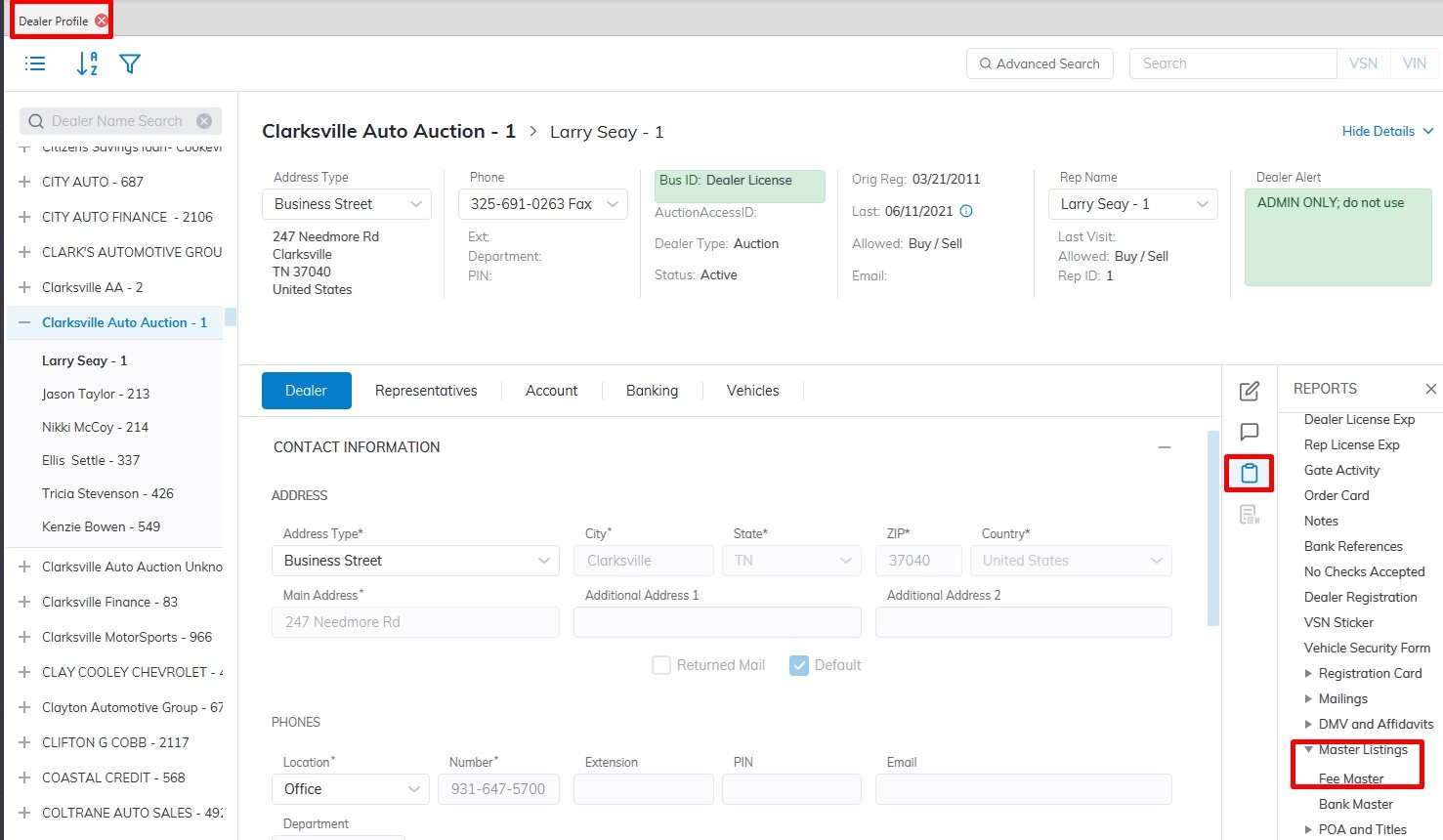](https://cam3-wiki.auctionstreaming.com/uploads/images/gallery/2022-08/feem1.jpg)
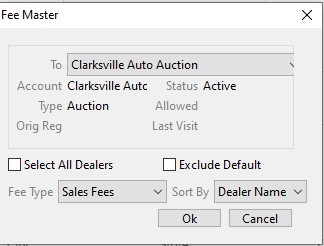
This will launch the Bank Master Report form. You may run the report for 'All Dealers' or only one.
[](https://cam3-wiki.auctionstreaming.com/uploads/images/gallery/2022-08/feem2.jpg)
Select the Fee Type:
- **Sales Fees (buyer and seller)**
- **Registration Fees (sold and unsold)**
- **Transportation**
- **Settlement**
- You may sort the report by Dealer name, Representative name, or by Customer ID.
- Click **'OK'** to create the report and print
[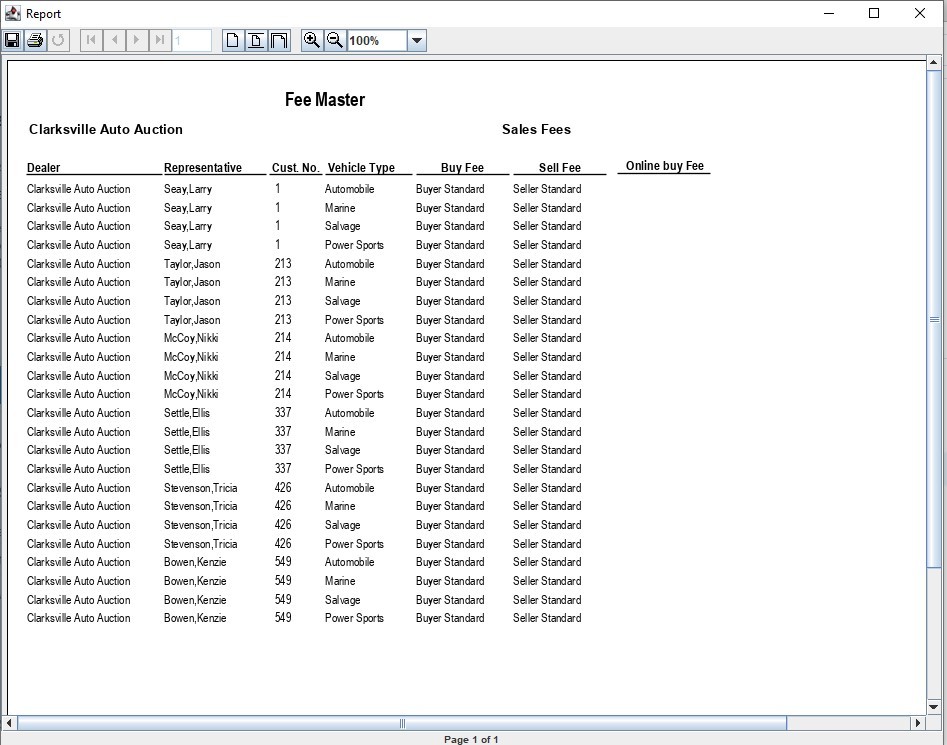](https://cam3-wiki.auctionstreaming.com/uploads/images/gallery/2022-08/feemexample.jpg)